
In the vast and ever-evolving landscape of digital media, a reliable and versatile media player is an indispensable tool for nearly every computer user. From enjoying your favorite movies and TV shows to listening to music and watching online streams, the demand for a comprehensive solution is constant. Among the many options available, Cool Player emerges as a noteworthy contender, particularly for Windows users seeking a free, open-source, and feature-rich multimedia experience. This article delves deep into the capabilities of Cool Player, exploring its functionalities, user experience, and position within the broader ecosystem of media software, helping you understand why it might be the perfect fit for your digital entertainment needs.
Cool Player, developed by Media Life, positions itself as a popular and robust multimedia player designed specifically for the Windows operating system. Its primary appeal lies in its impressive ability to handle an extensive array of audio and video formats, including traditional CDs and DVDs, alongside modern digital files and various streaming protocols. Available for free download and boasting an intuitive interface, Cool Player aims to simplify media consumption without compromising on advanced features.
Multimedia Essentials
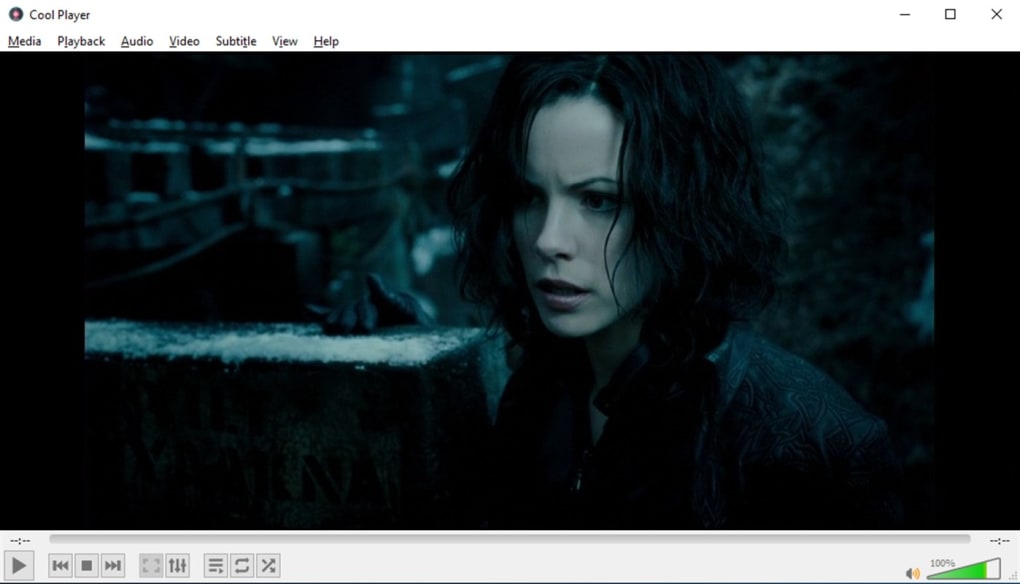
At its core, Cool Player is engineered to be a central hub for all your multimedia needs. The digital age has brought forth an explosion of media formats, and a truly effective player must be able to keep pace. Cool Player rises to this challenge by offering broad compatibility, ensuring that users can enjoy their content without the constant worry of codec incompatibility or the need for multiple specialized players.
Video Playback: Beyond the Basics
For video enthusiasts, the quality and flexibility of playback are paramount. Cool Player delivers on this front by supporting a wide spectrum of video file types. Whether you’re dealing with standard definition videos or high-definition content, the player is designed to render visuals smoothly and accurately. Its support extends to popular formats such as MP4, AVI, MKV, WMV, and many more, making it a truly universal video player. This comprehensive format support means that your downloaded movies, recorded home videos, or professional content should play seamlessly without additional installations or troubleshooting.
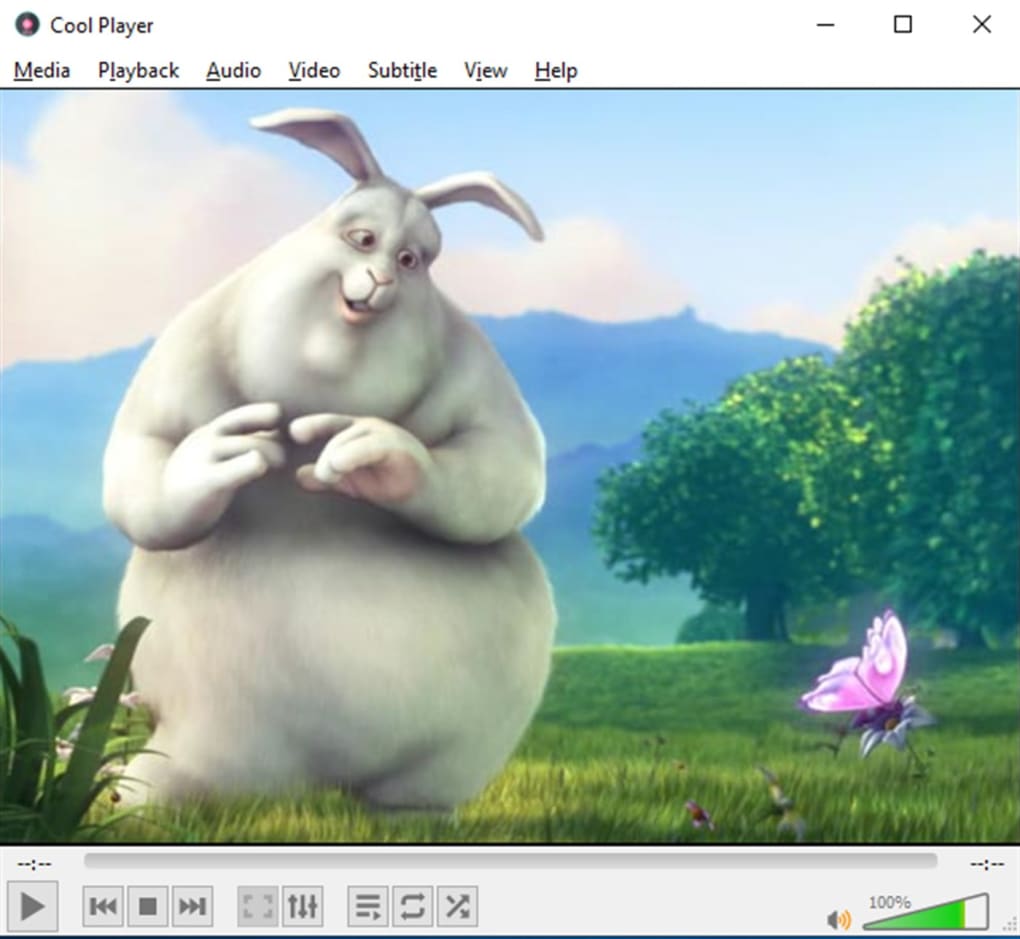
Beyond mere playback, Cool Player offers a “nicer level of control over video playback,” a crucial feature for those who like to customize their viewing experience. This includes basic controls like play, pause, fast forward, and rewind, but also extends to more advanced functionalities. Users can typically adjust playback speed, allowing them to slow down action sequences or speed through less critical parts. Aspect ratio controls help in correcting distorted videos, ensuring the picture looks as intended. Furthermore, the ability to select different audio tracks (for multilingual films) and manage subtitles (for foreign-language content or accessibility) are often features found in comprehensive players like Cool Player, enhancing the overall viewing flexibility. The player’s ability to handle online streaming videos further broadens its utility, allowing users to watch content directly from the web with enhanced control.
Audio Experience: From MP3s to Streams
While often highlighted for its video capabilities, Cool Player is equally adept at handling audio content. It supports virtually all common audio formats, including MP3, WAV, FLAC, OGG, and AAC, ensuring that your entire music library is accessible through a single application. This means you can play your ripped CDs, downloaded albums, and high-fidelity audio files with ease.
The program’s support for traditional media extends to playing audio CDs directly, a feature that, while seemingly basic, is still valued by many. Furthermore, Cool Player distinguishes itself by supporting various audio streaming protocols, including Real Audio and generic MP3 streams. This functionality transforms it from a local file player into an internet radio client, allowing users to tune into online radio stations or access audio feeds from various web sources. The combination of local and streaming audio support makes Cool Player a versatile tool for music lovers and podcast listeners alike.
Streaming Capabilities and Online Content
In an age dominated by online content, a modern media player must offer robust streaming capabilities. Cool Player’s ability to support diverse streaming protocols is a significant advantage. It allows users to play content directly from network sources, be it a local network drive, an internet stream, or even content from certain web pages. This feature is particularly useful for those who consume live broadcasts, podcasts, or online video clips that are not downloaded to their local machine. The smooth integration of streaming means less reliance on web browser-based players, often providing a more consistent and feature-rich playback experience within the dedicated application. This blend of offline and online media handling truly makes Cool Player a comprehensive multimedia solution.
User Interface and Accessibility
One of the key tenets highlighted in the description of Cool Player is its “simple and intuitive” user interface. In the realm of software, user experience often dictates adoption, and a clean, uncluttered design can make a world of difference. Cool Player appears to prioritize ease of use, ensuring that both novice and experienced users can navigate its functionalities without a steep learning curve.
The application’s interface is designed for fast play speed and quick access to its core features. The “Media menu” is a central component, providing immediate entry points for users to “open file” or “open disc.” This straightforward approach minimizes clicks and maximizes efficiency. For instance, selecting a file to play or launching a DVD is a matter of just a few simple actions. This focus on simplicity ensures that users can jump straight into consuming their content without being bogged down by complex menus or excessive options.
Beyond basic playback, the media menu is also where users can typically find advanced options like “convert and save media.” This is a powerful feature, allowing users to transcode media files from one format to another or extract audio from video. Such capabilities extend the utility of Cool Player beyond mere playback, turning it into a light-duty media management tool. The inclusion of a convenient “search tool” within the interface further streamlines the process of locating specific files or folders, especially for users with extensive media libraries. For those frequently replaying certain content, a “favorites” tab offers a quick way to bookmark and access preferred movies or songs, eliminating the need to repeatedly search for them. This thoughtful design contributes significantly to a positive user experience, making media management and playback less of a chore and more of a pleasure.
The Open-Source Advantage and Community Support
Cool Player’s identity as “free and open source software” is a significant differentiator and a major boon for its users. Open-source projects are built on principles of transparency, collaboration, and community involvement, offering several distinct advantages over proprietary software.
Firstly, the open-source nature means that Cool Player’s source code is publicly accessible. This transparency allows tech-savvy users and developers to inspect the code for vulnerabilities, understand its inner workings, and even contribute to its development. This collective oversight often leads to more secure and stable software, as bugs and potential exploits can be identified and patched more quickly by a global community of contributors. For the end-user, this translates into greater trust in the application’s security status, especially when downloading from reputable platforms like PhanMemFree.
Secondly, open-source projects thrive on community support. While the developer, Media Life, maintains the core project, users can often find extensive help and resources through community forums, wikis, and online discussions. This vibrant ecosystem means that troubleshooting common issues, discovering hidden features, or even requesting new functionalities is often a collaborative effort, with solutions and enhancements emerging from the user base itself. This contrasts sharply with proprietary software, where support is typically limited to official channels provided by the developer, which can sometimes be slow or costly.
Furthermore, the “free” aspect, combined with open source, means Cool Player is accessible to everyone regardless of their budget. This democratizes access to high-quality media playback tools, ensuring that users don’t have to pay for essential software functionalities. The ability to customize and adapt the software to specific needs, though requiring some technical expertise, is another powerful benefit of the open-source model. This flexibility, coupled with the security and community backing, makes Cool Player an attractive option for users who value freedom, transparency, and collaboration in their software choices.
Cool Player in the Broader Software Ecosystem: Comparisons and Alternatives
While Cool Player offers a compelling set of features, it operates within a highly competitive market populated by numerous media players, each with its own strengths and user base. Understanding its position relative to these alternatives can help potential users make an informed decision. The original source mentions several top downloads and related topics that provide excellent points of comparison.
One of Cool Player’s most formidable rivals is VLC Media Player. VLC is renowned for its unparalleled format support, cross-platform availability, and robust streaming capabilities. It’s often considered the gold standard for free media players. Where Cool Player might distinguish itself is in its potentially simpler, more streamlined interface, as some users find VLC’s myriad options overwhelming. Cool Player’s focused approach on a “simple, user-friendly interface” could appeal to those seeking a less complex, yet still powerful, solution for Windows.
Other alternatives include MPC-HC (Media Player Classic - Home Cinema) and PotPlayer, both highly regarded for their extensive customization options, codec support, and performance, particularly on Windows. These players often cater to more technically inclined users who desire fine-grained control over their playback experience. Cool Player, with its stated emphasis on intuitiveness and fast play speed, might target a broader audience, including those who simply want their media to play without fuss.
The context also lists video editing tools like CapCut and Adobe Premiere Pro, and file converters like Format Factory. These are distinct categories of software, but their mention highlights the broader landscape of multimedia utilities. While Cool Player’s “convert and save media” feature offers some light conversion capabilities, it’s not designed to be a dedicated video editor or comprehensive file converter like these specialized tools. Its strength remains in efficient and versatile playback. Similarly, VidMate, a video downloader, serves a different purpose, though Cool Player’s streaming capabilities can sometimes overlap with the consumption of online content.
When considering “Best Antivirus” or “Best VPN” from the PhanMemFree.org menu, it serves as a reminder of the broader security context when downloading any software. While Cool Player itself is described as having a “Security Status” that implies safety, it’s always prudent for users to have robust security measures in place on their system, including a reliable antivirus and potentially a VPN for secure online activities, especially when downloading and streaming content from various sources. PhanMemFree.org, by listing these categories, implicitly guides users towards a holistic approach to their digital well-being.
Ultimately, Cool Player’s appeal lies in its sweet spot: a free, open-source player for Windows that offers broad format support, streaming capabilities, and useful utilities like media conversion, all wrapped in a user-friendly interface. It provides a strong alternative for users who appreciate the benefits of open-source software and prioritize ease of use alongside powerful playback features.
Installation and System Requirements
Getting started with Cool Player is designed to be a straightforward process, reflecting its user-friendly philosophy. As a program available from the Microsoft Store, or directly via download from platforms like PhanMemFree.org, its installation is typically simple and secure.
For Windows users, the process usually involves:
- Downloading the Installer: Navigate to the Cool Player page on PhanMemFree.org or the Microsoft Store. Click on the “Free Download for Windows” button. At the time of its latest update (July 5, 2022), it was version 1.0, indicating a relatively new or refined application.
- Running the Installer: Once the download is complete, locate the installer file (usually in your Downloads folder) and double-click it.
- Following On-Screen Prompts: The installation wizard will guide you through the necessary steps. This typically includes agreeing to a license agreement, choosing an installation directory (if desired), and creating desktop shortcuts.
- Completion: After a brief installation period, Cool Player will be ready to launch.
System Requirements: Cool Player is specifically developed for the Windows platform. Its information states compatibility with “Windows OS Windows 11,” implying it is optimized for the latest iteration of Microsoft’s operating system, but is likely to work seamlessly on previous versions like Windows 10 as well, given that most media players maintain backward compatibility. The fact that it’s a lightweight, efficient player suggests minimal hardware requirements, making it accessible to a wide range of PCs, from older machines to modern powerhouses. The simple interface and fast play speed also contribute to its efficiency, ensuring it doesn’t heavily tax system resources.
The developer, Media Life, has ensured that the application is provided “Free” and carries a positive “Security Status,” which is crucial for user confidence when downloading software from the internet. This indicates that the software is free from known malware, viruses, or spyware, a paramount consideration for any software download. The “Downloads” count (579 total, 9 last month at the time of the provided data) provides an idea of its adoption rate, though this number can fluctuate rapidly.
PhanMemFree.org also offers Cool Player in multiple languages, making it globally accessible. Users can easily find download options for various languages like Arabic, German, Spanish, French, Indonesian, Italian, Japanese, Korean, Dutch, Polish, Portuguese, Russian, Swedish, Thai, Turkish, Vietnamese, and Chinese. This broad linguistic support further emphasizes its commitment to a global user base and ease of access for non-English speakers.
In summary, installing Cool Player is a hassle-free experience, and its minimal system demands ensure broad compatibility, allowing almost any Windows user to leverage its capabilities for their multimedia enjoyment.
Troubleshooting and Community Engagement
Even with the most intuitive software, users may occasionally encounter questions or minor issues. For an open-source application like Cool Player, the approach to support often differs from proprietary software. Instead of a dedicated call center, assistance is frequently found through community engagement and online resources.
Common Scenarios and Solutions:
- Format Incompatibility: While Cool Player supports a vast array of formats, an obscure codec might occasionally cause an issue. In such cases, checking the official documentation (if available) or community forums is the first step. Often, updating the player or installing a common codec pack can resolve the problem.
- Performance Issues: If videos stutter or audio lags, it might be due to outdated drivers (especially graphics and audio drivers), a resource-intensive background process, or simply a very high-resolution file on an older machine. Adjusting playback settings within Cool Player or updating system drivers can often mitigate these issues.
- Streaming Problems: If online streams are not playing, check your internet connection, firewall settings (to ensure Cool Player is allowed access), and the validity of the streaming URL. Some streams may require specific browser plugins that Cool Player, as a standalone player, might not interact with directly.
Leveraging the Open-Source Community: The “open source” label implies a degree of community involvement. While specific Cool Player forums aren’t detailed in the provided content, typical open-source projects benefit from:
- Project Pages: Often hosted on platforms like GitHub, these pages contain issue trackers where users can report bugs or suggest features.
- User Forums/Groups: Independent user-run forums or subreddits where users share tips, troubleshoot problems, and discuss the application.
- Documentation: Community-contributed wikis or user guides that expand upon official documentation.
By engaging with these resources, users can often find solutions to their problems, learn advanced tricks, and even contribute to the project’s improvement. This collaborative environment is a cornerstone of the open-source philosophy and a significant asset for Cool Player users. The developer, Media Life, would also likely have official channels for critical issues, but the community often handles the day-to-day user support.
The Future of Cool Player
Given its current feature set and open-source nature, Cool Player has a strong foundation for future development and growth. The “Latest update July 5, 2022” suggests ongoing maintenance, which is vital for any software in the fast-paced digital world.
Potential areas for future enhancements could include:
- Expanded Codec Support: Continuously updating and adding support for emerging audio and video codecs to stay ahead of the curve.
- Enhanced Streaming Integrations: Deeper integration with popular streaming services (where APIs allow) or more advanced network playback features.
- Cloud Integration: The ability to play media directly from cloud storage services like Google Drive, Dropbox, or OneDrive.
- Customization Options: While simplicity is a strength, offering more advanced users options for interface customization, skins, or plugin support could broaden its appeal.
- Cross-Platform Availability: Currently for Windows, expanding to other operating systems like macOS or Linux (or even mobile platforms) would significantly increase its reach. This aligns with categories like “Change OS” seen on PhanMemFree.org, highlighting user demand for cross-platform solutions.
- Accessibility Features: Further enhancing options for users with disabilities, such as more robust screen reader support, customizable captions, and audio descriptions.
- AI Integration: While speculative, the “AI” category on PhanMemFree.org hints at future trends. Basic AI features could potentially include intelligent media organization, content recommendations, or even minor video enhancement features.
As an open-source project, Cool Player’s future is, in many ways, in the hands of its community and dedicated developers. The collaborative nature of open source means that user feedback, contributions, and evolving multimedia standards will all play a role in shaping its trajectory. Its commitment to being free, versatile, and user-friendly positions it well for continued relevance and growth in the competitive media player landscape.
Conclusion
Cool Player stands out as a compelling choice for Windows users in search of a robust yet simple multimedia player. Its ability to seamlessly handle a vast array of audio and video formats, including both local files and online streams, makes it a versatile tool for digital entertainment. The “simple and intuitive” user interface, coupled with practical features like media conversion, a search tool, and a favorites tab, ensures a user-friendly experience for all.
The fact that Cool Player is free and open-source software is a significant advantage, promoting transparency, security, and community-driven development. This model fosters trust and provides a pathway for continuous improvement, making it a sustainable option for the long term. While formidable alternatives like VLC Media Player offer extensive functionalities, Cool Player carves its niche by balancing power with simplicity, appealing to users who prioritize ease of use without sacrificing essential features.
Available for free download from reliable platforms like PhanMemFree.org, Cool Player is easy to install and runs efficiently on Windows 11 and likely earlier versions. Its global accessibility, with support for numerous languages, further solidifies its position as a truly inclusive multimedia solution. For anyone seeking a reliable, versatile, and user-friendly media player that respects the principles of open-source software, Cool Player is undoubtedly worth exploring. It’s not just a player; it’s a gateway to your entire multimedia library, presented with cool efficiency and simplicity.
File Information
- License: “Free”
- Version: “1.0”
- Latest update: “July 5, 2022”
- Platform: “Windows”
- OS: “Windows 11”
- Language: “English”
- Downloads: “587”


