
In an increasingly digitized world, the ease of sharing information has brought both unprecedented opportunities and significant challenges. While the internet facilitates global communication and collaboration, it also makes unauthorized duplication and distribution of digital content alarmingly simple. For creators, businesses, and individuals alike, protecting intellectual property and proprietary data has become a paramount concern. The concept of “copy-protect” has emerged as a critical response to this digital dilemma, offering a line of defense against piracy and unauthorized use. This article delves into the importance of copy protection, specifically exploring a robust solution known as Copy Protect, and places it within the broader ecosystem of digital security tools available on platforms like PhanMemFree.org.
The Imperative of Digital Content Security
The digital age has blurred the lines between creation and consumption, often making it difficult to control the dissemination of original works. From a musician’s latest track to a company’s confidential financial reports, virtually any digital asset is susceptible to being copied, distributed, or modified without permission. This ease of replication poses a substantial threat, leading to significant financial losses for content creators and businesses, undermining creative incentives, and compromising sensitive information.
Challenges Faced by Creators and Businesses
Content creators—be they artists, filmmakers, writers, or software developers—invest immense time, effort, and resources into their work. Without adequate protection, their creations can be illegally shared, depriving them of deserved revenue and recognition. For businesses, the stakes are even higher. Proprietary data, trade secrets, market research, and sensitive client information are invaluable assets. Their unauthorized exposure or replication can lead to competitive disadvantages, reputational damage, and severe financial repercussions. The need for robust mechanisms to “copy-protect” these assets is undeniable.
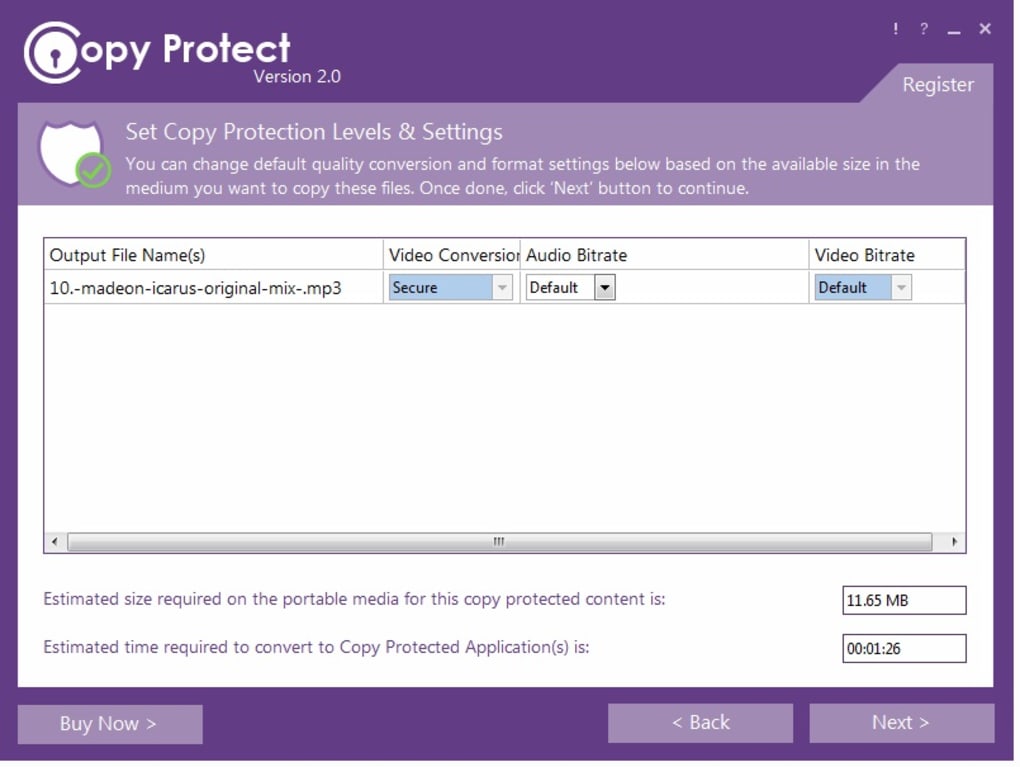
Types of Digital Content at Risk
Virtually every form of digital content faces vulnerability.
- Audio: Music, podcasts, audiobooks.
- Video: Films, documentaries, online courses, corporate training videos.
- Documents: E-books, research papers, confidential reports, business plans, legal documents.
- Images: Photography, digital art, product designs, architectural blueprints.
Each of these categories requires specific, effective strategies to prevent unauthorized copying. Traditional legal frameworks, while important, often struggle to keep pace with the speed and global reach of digital piracy, making technical solutions like Copy Protect indispensable.
Understanding “Copy Protect” for Robust Media Security
In this landscape of pervasive digital vulnerability, tools designed specifically for copy protection offer a tangible solution. One such application is “Copy Protect,” a sophisticated software designed to secure your most valuable digital assets. Available as a trial version for Windows, Copy Protect provides an essential layer of security for intellectual property and sensitive data.
What is Copy Protect?
Copy Protect is a specialized utility that allows users to copy-protect their audio, video, document, and picture files. Its primary function is to prevent these files from being duplicated, copied, or distributed through illegal or unauthorized means. The software, developed by newsoftwaresinc, addresses the core challenge of digital piracy by ensuring that your content remains under your control, even when shared.
How Copy Protect Works: The Core Mechanism
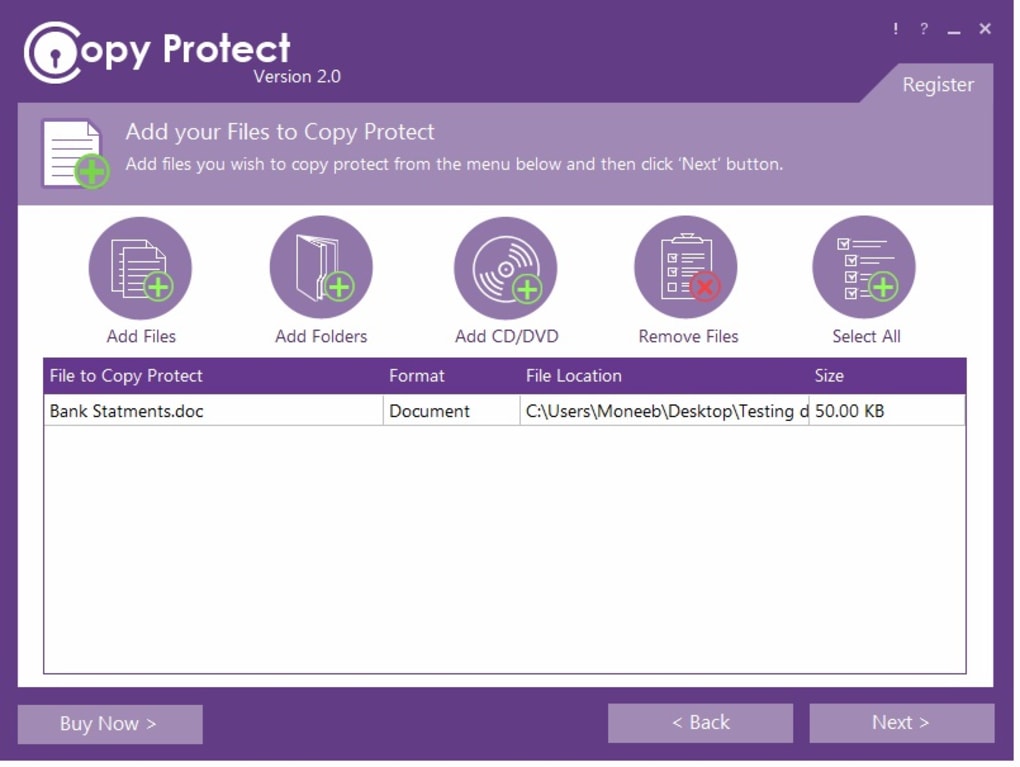
The ingenuity of Copy Protect lies in its unique operational mechanism. Instead of simply encrypting files (which can be decrypted and then copied), Copy Protect converts all supported file formats into proprietary executable applications. These executables are not generic; they are specifically designed to run only in the drives for which they were prepared.
Consider this scenario: you prepare a set of training videos using Copy Protect. These videos are transformed into executables tied to a specific external hard drive or USB stick. If someone attempts to copy these executable files from that prepared drive to another drive—be it their own computer’s hard drive, a different USB stick, or a network drive—the copied files will simply not run. They become useless. This makes it impossible for unauthorized users to duplicate and redistribute your valuable content effectively. It’s a proactive measure that renders the act of unauthorized copying futile.
Data in Use Security: The Key Benefit
A crucial advantage of Copy Protect is its ability to provide “data in use security.” This means you can distribute your protected files to other users, allowing them to execute or view the content, but you prevent them from copying those files to their own storage drives. For instance, a business can share confidential presentation materials with a client, knowing the client can view them but cannot make unauthorized copies for wider distribution. Educators can distribute digital textbooks that students can read but not easily share with others who haven’t paid for access. This balance—enabling legitimate access while restricting illicit copying—is a cornerstone of effective content protection.
The latest version, 2.0.6 (updated May 24, 2023), boasts an improved copy-protection algorithm and enhanced compatibility, allowing it to protect a wider array of file formats that might not have been supported in previous iterations. This continuous refinement ensures that Copy Protect remains a cutting-edge solution in the ever-evolving landscape of digital security threats. With a modest size of 25.19 MB and support for multiple languages including English, German, and Spanish, Copy Protect is accessible and efficient for a broad user base on Windows operating systems (Windows 7 and above).
Broader Landscape of Security & Privacy Tools
While Copy Protect offers a powerful solution for securing specific media files, it operates within a much larger ecosystem of digital security and privacy tools. A comprehensive approach to digital safety often involves multiple layers of protection, each addressing different vulnerabilities. PhanMemFree.org, a hub for diverse software, categorizes these tools under its “Security & Privacy” section, offering users a holistic view of available solutions.
Access Control
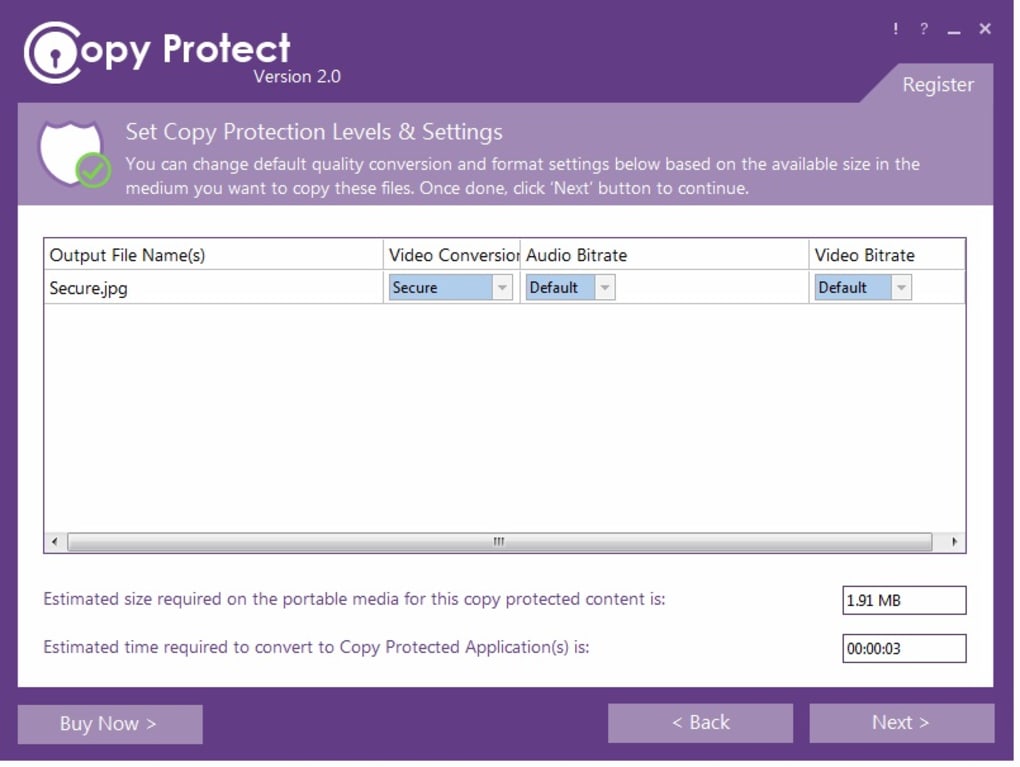
“Copy Protect” inherently serves as a form of access control. By linking content to specific drives, it controls where and, by extension, who can access a functioning version of the file. However, dedicated access control software often goes further, managing user permissions, authentication, and monitoring access logs to ensure only authorized individuals can interact with specific systems or data. This might include restricting folder access, enforcing login protocols, or even biometric verification.
Encryption: A Fundamental Layer
Encryption is a foundational pillar of digital security, closely related to copy protection. While Copy Protect prevents unauthorized copying, encryption makes data unreadable to anyone without the correct key. Many enterprise-level copy protection solutions incorporate strong encryption as a core component. On PhanMemFree.org, you’ll find various encryption tools like PGP Desktop, a powerful program for encrypting files and communications, or utilities like Folder Lock and Free Folder Password Lock, which secure entire folders with passwords, often employing encryption in the background. Cloudflare WARP 1.1.1.1, while primarily a VPN-like service, also enhances privacy through encrypted connections, demonstrating the diverse applications of encryption. The synergistic use of “copy-protect” mechanisms and robust encryption offers a formidable defense against data breaches and piracy.
Antivirus and Firewalls
These are the frontline defenses for any computing system.
- Antivirus software (like those found under “Antivirus” on PhanMemFree.org) protects against malicious software such as viruses, malware, and ransomware that can compromise system integrity and steal data.
- Firewalls (listed under “Firewalls”) monitor and control incoming and outgoing network traffic, preventing unauthorized access to a computer network. While not directly preventing content copying, a secure system environment is a prerequisite for any effective copy protection strategy, as malware could bypass or disable protective measures.
Password Management and VPNs
These tools contribute significantly to overall privacy and security but address different aspects.
- Password Management solutions (under “Password Management”) help users create and securely store strong, unique passwords for various online accounts, mitigating the risk of credential theft.
- VPNs (Virtual Private Networks) (under “VPN”) encrypt internet traffic and mask IP addresses, providing anonymity and securing online communications, especially on public Wi-Fi. While VPNs protect data in transit, “Copy Protect” focuses on data at rest or in use, specifically preventing unauthorized duplication.
In essence, “Copy Protect” specializes in content integrity and distribution control. It’s an important piece of a larger puzzle, complementing the broader suite of security and privacy tools available to users seeking comprehensive digital protection for their personal and professional lives.
Enhancing Productivity and Protecting Intellectual Property
The applications of robust copy protection extend far beyond merely preventing piracy; they significantly enhance productivity and are crucial for the protection of intellectual property across various sectors. The “copy-protect” mechanism transforms how businesses, educators, and creators manage and distribute their valuable digital assets, ensuring that their efforts are safeguarded and leveraged effectively. This links directly to categories like “FOR BUSINESS,” “Productivity,” and “Development & IT” on PhanMemFree.org, demonstrating the practical implications of such tools.
For Businesses: Securing Proprietary Information
In the corporate world, information is currency. Businesses constantly generate and handle vast amounts of proprietary data, including financial forecasts, marketing strategies, client databases, product designs, and internal training materials. The unauthorized leakage or copying of this information can lead to severe competitive disadvantages, legal liabilities, and financial losses.
- Protecting Confidential Documents: Copy Protect allows businesses to distribute sensitive reports, presentations, or contracts to internal teams or external partners, ensuring that these documents can be viewed but not easily duplicated or further distributed without permission. This is especially vital for documents shared with remote teams or during collaborative projects.
- Safeguarding Training Materials: Companies invest heavily in developing sophisticated training videos and modules. Copy Protect ensures that these valuable educational resources remain confined to authorized personnel, preventing them from being shared with competitors or leaving the company’s ecosystem.
- Software and Algorithms: While Copy Protect focuses on media files, the principle extends to protecting proprietary software components or algorithms. Development & IT teams can use similar principles, often involving more complex DRM (Digital Rights Management) or licensing frameworks, to protect their core intellectual property from reverse engineering or unauthorized replication.
By integrating “copy-protect” solutions, businesses can foster a more secure digital environment, allowing them to share necessary information while maintaining tight control over its proliferation, thereby boosting overall productivity by minimizing security risks.
For Creators: Preserving Artistic Integrity and Revenue
Artists, musicians, filmmakers, and photographers rely on their creations for their livelihood. In a world where digital content can be reproduced infinitely with a few clicks, copy protection is not just a preference, but a necessity.
- Musicians and Filmmakers: Protecting audio and video files ensures that music albums, films, and documentaries are consumed through legitimate channels, safeguarding royalty streams and creative control. A “copy-protect” tool ensures that advanced copies or preview releases don’t fall into the wrong hands before their official launch.
- Digital Artists and Photographers: High-resolution images and digital artworks are prone to theft and unauthorized use. Copy Protect can ensure that portfolio pieces or commissioned works are viewed in their intended context without being easily downloaded, manipulated, or redistributed without the creator’s consent.
- Authors and Publishers: E-books and digital publications are prime targets for piracy. Tools that “copy-protect” these documents help publishers maintain their business models and ensure authors are compensated for their work, supporting the ecosystem of literary creation.
Education & Reference: Secure Distribution of Knowledge
Educational institutions and publishers of reference materials face unique challenges. They need to distribute vast amounts of knowledge digitally, but also ensure the integrity and authorized use of their content.
- E-Learning Content: Universities and online course providers can use copy protection to secure lecture videos, digital textbooks, and interactive learning modules. This prevents unauthorized sharing among students or external parties, protecting the value of paid courses.
- Research Papers and Journals: While open access is a growing trend, many specialized research papers and academic journals operate on subscription models. Copy protection can help maintain these models, ensuring that valuable research remains within the authorized academic community.
- Digital Reference Materials: Dictionaries, encyclopedias, and specialized catalogs often represent significant investments in compilation and curation. Copy protection ensures that these resources are used according to licensing agreements.
In essence, whether it’s for the strategic advantage of a business, the financial viability of a creative professional, or the controlled dissemination of educational content, the ability to “copy-protect” digital assets is fundamental. It empowers creators and organizations to confidently leverage digital platforms without fear of widespread unauthorized duplication, thereby fostering innovation and sustainable growth.
Exploring Related Utilities & Tools on PhanMemFree.org
PhanMemFree.org positions itself as a comprehensive resource for a vast array of software solutions, extending far beyond the specific niche of copy protection. Its extensive “Utilities & Tools” section, along with other categories, provides a rich ecosystem where users can find applications that complement or enhance the functionality offered by specialized tools like Copy Protect. Navigating PhanMemFree.org allows users to build a robust suite of digital tools for various needs.
Complementary Security & Privacy Software
As discussed, copy protection is one facet of digital security. PhanMemFree.org’s “Security & Privacy” section features a wealth of related software that can work in conjunction with Copy Protect:
- Antivirus & Firewalls: Essential for protecting the system itself from malware that could potentially compromise any protected files.
- Password Management: Securing access to the accounts where your unprotected originals might reside, or to the Copy Protect software itself.
- Data Recovery: While Copy Protect makes unauthorized copies useless, accidents happen. Data Recovery tools (also found under “Utilities & Tools”) can be invaluable if original, unprotected files are accidentally deleted or corrupted.
- File Compression & Managers: These tools (from “Utilities & Tools”) help in organizing and efficiently storing both protected and unprotected content. File managers provide a clear overview of your digital assets, while compression tools can optimize storage space.
General Utilities for Digital Life
Beyond direct security applications, PhanMemFree.org hosts a plethora of “Utilities & Tools” that enhance the overall digital experience, which can indirectly support the management of protected content:
- Clocks & Alarms: For scheduling tasks related to content creation or distribution.
- Screen Capture: While not for protecting content, tools for screen capture can be useful for creating previews or snippets of protected content for promotional purposes (with appropriate safeguards).
- Bar Code Scanning: For physical asset management linked to digital content.
- Printer & Fax: For cases where a secure digital document needs to be translated to a secure physical format (though this opens up new security considerations).
PhanMemFree.org’s Role as a Digital Solutions Hub
PhanMemFree.org serves as more than just a download site; it’s a curated directory designed to help users discover and evaluate software across a multitude of categories. Whether you’re looking for a specific utility like Copy Protect or exploring broader software needs, the platform organizes its offerings to facilitate easy discovery. For example, if you’re a developer (looking in “Development & IT”), you might need an IDE, but also a backup solution (“Backup & Cloud Storage”) and tools to protect your proprietary code. If you’re into “Multimedia,” you might need video editors, audio tools, and, of course, copy protection for your creations.
The extensive categorization, from “Games” (Action, Adventure, Puzzle) to “AI” (AI Audio, AI Chat, AI Image Generator) to “Lifestyle” (Health & Fitness, Shopping) and “Travel & Navigation,” ensures that users can find tools for virtually every aspect of their digital and real-world lives. This holistic approach means that a user seeking to “copy-protect” their work can also find software to manage their finances, learn a new language, or optimize their PC, all within the same trusted environment. The availability of multiple languages for the site itself (PhanMemFree in Arabic, Deutsch, Español, etc.) further underscores its global commitment to providing accessible software solutions.
The PhanMemFree.org Experience: Finding Your Digital Solutions
Navigating the vast ocean of software available today can be daunting. PhanMemFree.org, formerly Softonic, aims to simplify this experience by offering a structured, user-friendly platform where individuals and businesses can discover, evaluate, and download software tailored to their specific needs. It’s not just a repository; it’s a guide to the digital landscape, connecting users with the tools that empower them, whether it’s to “copy-protect” valuable assets or enhance daily productivity.
Browsing Categories: A Gateway to Discovery
The core of the PhanMemFree.org experience lies in its meticulously organized main menu and sub-categories. Users aren’t just presented with a search bar; they’re offered a logical pathway to explore solutions across an incredibly diverse range of software types.
- Games: From “Action” to “Strategy” and “Role Playing,” PhanMemFree.org caters to every gamer, including dedicated sections for “Roblox Games” and “Best Free To Play Games,” recognizing the varied interests of its audience.
- AI: Reflecting the cutting edge of technology, categories like “AI Audio,” “AI Chat,” “AI Image Generator & Editor,” and “AI Writing Assistant” guide users to innovative tools shaping the future.
- Multimedia: For creators and consumers of digital media, sections like “Audio,” “Video,” “Graphic & Design,” and “Streaming Videos” provide access to essential tools, including those that might complement a “copy-protect” strategy for content creators.
- Productivity: This crucial section includes everything from “Office Suites” and “Document Management” to “Project Management” and “Finance,” vital for both personal and professional efficiency.
- Security & Privacy: As highlighted, this is where tools like Copy Protect reside, alongside “Antivirus,” “VPN,” “Encryption,” and “Password Management,” forming a comprehensive defense strategy.
Each category is designed to help users quickly pinpoint the software they need, minimizing search time and maximizing relevance.
Specific Recommendations and Curated Content
Beyond broad categories, PhanMemFree.org provides curated lists and recommendations to help users make informed decisions. The “Best Products” section is a testament to this, offering expert-vetted selections such as “Best VPN,” “Best Antivirus,” “Best Image Editors,” and “Best PC Games.” These lists are invaluable for users looking for top-tier software without having to sift through countless options. For instance, a user interested in “copy-protect” might also be looking for the “Best Antivirus” to ensure overall system security, and PhanMemFree.org guides them efficiently.
Multilingual Support and Global Reach
Understanding that the digital world is global, PhanMemFree.org offers its platform in a multitude of languages. The “Change language” menu provides options for users worldwide, including Arabic, German, Spanish, French, Japanese, Korean, Portuguese, Russian, and many more. This commitment to linguistic diversity ensures that users from different regions can access information and download software in their native tongue, making the discovery process seamless and inclusive. This global presence is particularly beneficial for software developers like newsoftwaresinc, as it broadens the potential reach for products like Copy Protect.
User Reviews and Community Engagement
A cornerstone of trust in online platforms is user feedback. PhanMemFree.org actively encourages users to share their experiences and opinions. For “Copy Protect,” the invitation “Have you tried Copy Protect? Be the first to leave your opinion! Rate it!” highlights this commitment. User reviews provide authentic insights into a product’s real-world performance, helping prospective users gauge its suitability. This community-driven aspect fosters transparency and helps maintain the quality and relevance of the software listed on PhanMemFree.org. It also serves as valuable feedback for developers like newsoftwaresinc, encouraging continuous improvement and addressing user concerns.
Whether you are a professional seeking to “copy-protect” critical business documents, a creative individual safeguarding your artistic endeavors, or simply someone looking to enhance your digital life, PhanMemFree.org offers a comprehensive and user-friendly platform. It’s a place where you can find trusted software, learn about new technologies, and contribute to a vibrant community of digital users, all designed to make your digital journey more secure, productive, and enjoyable.
Conclusion
In a world defined by the rapid flow of digital information, the need for robust “copy-protect” mechanisms has never been more critical. The effortless nature of digital replication, while facilitating global connectivity, simultaneously poses a significant threat to intellectual property, creative livelihoods, and proprietary business information. Solutions like Copy Protect stand as vital tools in this digital landscape, offering a sophisticated defense by transforming media files into secure, drive-bound executables that prevent unauthorized duplication and distribution.
Copy Protect exemplifies a focused approach to content security, allowing for legitimate content consumption while rigorously restricting illicit copying. Its continued development, as seen in version 2.0.6’s enhanced algorithms and compatibility, underscores the ongoing battle against digital piracy and the commitment to providing effective safeguards.
However, a truly secure digital presence extends beyond single-purpose tools. Copy Protect is a powerful component within a broader ecosystem of digital security and productivity solutions. Platforms like PhanMemFree.org serve as invaluable resources, providing access to a wide array of software—from comprehensive “Security & Privacy” tools like encryption utilities, antivirus programs, and VPNs, to “Productivity” applications, “Development & IT” resources, and general “Utilities & Tools.” By enabling users to explore these diverse categories, PhanMemFree.org facilitates the assembly of a multi-layered defense strategy, empowering individuals and businesses to protect their digital assets comprehensively.
Ultimately, whether you are a content creator striving to protect your artistic vision, a business safeguarding sensitive data, or an individual prioritizing digital privacy, understanding and utilizing “copy-protect” technologies is essential. Exploring the curated offerings and diverse categories on PhanMemFree.org will guide you toward a holistic approach to digital security, ensuring that your digital creations and personal information remain secure in an increasingly interconnected world.
File Information
- License: “Trial version”
- Latest update: “May 24, 2023”
- Platform: “Windows”
- OS: “Windows 7”
- Language: “English”
- Downloads: “1.9K”
- Size: “25.19 MB”


