
In the vast landscape of digital communication and website management, File Transfer Protocol (FTP) remains a fundamental technology for moving files between local computers and remote servers. Whether you’re a webmaster updating your site, a developer deploying applications, or a power user managing large datasets, a reliable FTP client is an indispensable tool. Among the myriad of options available, Core FTP LE distinguishes itself as a robust, feature-rich, and — crucially — free solution for Windows users. This article delves deep into what makes Core FTP LE a standout choice, exploring its extensive capabilities, security protocols, and practical applications, all while offering insights into its strengths and potential considerations.
Introduction to Core FTP LE: Your Gateway to Seamless File Transfers
At its core, Core FTP LE is designed to facilitate efficient and secure file transfers. For many, the acronym FTP conjures images of complex command-line interfaces or cumbersome, outdated software. However, Core FTP LE defies these stereotypes by offering a user-friendly graphical interface packed with advanced functionalities that rival, and often surpass, many commercial alternatives. It positions itself as an ideal solution for anyone requiring a powerful FTP client without incurring licensing costs.
The “LE” in Core FTP LE signifies “Lite Edition,” yet this designation is somewhat misleading given the sheer breadth of features it provides. Developed by Core FTP, LLC, this client has garnered a loyal following due to its commitment to security, speed, and comprehensive support for various transfer mechanisms. It caters to a broad audience, from budding web developers taking their first steps in site management to seasoned professionals who demand robust performance and ironclad security for their daily operations. For those managing critical website data or sensitive information, the peace of mind offered by secure transfer protocols is paramount, and Core FTP LE delivers this in spades.
Unpacking the Feature Set of Core FTP LE: A Toolkit for Every Need
Core FTP LE’s appeal lies in its “mind-boggling” list of features, as noted by users and reviewers alike. It’s not just about moving files; it’s about providing a complete ecosystem for managing remote server content with precision, control, and security.
Robust Security Protocols: Guarding Your Data with SFTP, SSL, and TLS
One of the most compelling reasons to choose Core FTP LE is its exceptional emphasis on security. In an era where data breaches are a constant threat, ensuring that your file transfers are encrypted and authenticated is non-negotiable. Core FTP LE integrates support for multiple industry-standard security protocols, setting it apart from many competitors.
- SFTP (SSH File Transfer Protocol): Often confused with FTP over SSL/TLS, SFTP is a distinct protocol that provides file access, file transfer, and file management functionalities over any reliable data stream. It operates on top of the Secure Shell (SSH) protocol, meaning it leverages SSH’s robust encryption and authentication mechanisms. This makes SFTP an incredibly secure method for transferring files, protecting against eavesdropping, data tampering, and unauthorized access. For administrators needing to interact with Linux/Unix servers, SFTP is often the default secure choice.
- SSL (Secure Sockets Layer) and TLS (Transport Layer Security): These cryptographic protocols are designed to provide communication security over a computer network. When applied to FTP, they create FTPS (FTP Secure). Core FTP LE supports both explicit (AUTH TLS) and implicit (port 990) FTPS connections. This means your data — including usernames, passwords, and the files themselves — is encrypted during transfer, preventing malicious entities from intercepting sensitive information. The inclusion of SSL and TLS is vital for businesses and individuals who must comply with data privacy regulations or simply wish to protect their intellectual property and user data. The ability to upload and download to FTP servers with such peace of mind is an essential benefit, especially when administering a website that holds sensitive user data or proprietary information.
The support for such a diverse array of security protocols is a clear indicator of Core FTP LE’s commitment to user safety. It allows users to connect to a wide range of secure servers, adapting to the specific security requirements of each host without needing to switch between different clients.
Enhanced Transfer Capabilities: Efficiency and Control
Beyond security, Core FTP LE excels in optimizing the actual file transfer process, making it more efficient, reliable, and user-friendly.
- Site-to-Site Transfers: This feature allows users to transfer files directly between two remote FTP servers without first downloading them to their local machine. This is incredibly useful for migrating websites, synchronizing data between different hosting environments, or distributing content across multiple servers, saving significant time and bandwidth for the user.
- FTP Transfer Resume: Large files or unstable internet connections can often lead to interrupted transfers. Core FTP LE’s transfer resume capability allows you to pick up exactly where a failed transfer left off, preventing the need to restart the entire process. This is a massive time-saver and significantly enhances the reliability of transfers, particularly for large media files, database backups, or extensive project folders.
- Drag-and-Drop Support: The intuitive drag-and-drop functionality streamlines the transfer process. Users can simply drag files or folders from their local file explorer directly into the remote server pane (or vice-versa) within Core FTP LE, initiating transfers with minimal effort. This feature significantly improves the user experience, making file management feel more natural and less like a chore.
- Command Line Transfers: For power users, developers, or those looking to automate tasks, Core FTP LE offers command-line support. This allows for script-driven transfers, enabling batch operations, scheduled backups, or integration into larger automated workflows, providing a high degree of flexibility and control.
- Auto Retry of Failed Transfers: Complementing the transfer resume feature, the auto-retry mechanism automatically attempts to re-establish a connection and resume a transfer if it fails due to network issues or server timeouts. This greatly improves the success rate of transfers, especially in less stable network environments.
- Bandwidth Control Throttle: This feature allows users to limit the amount of bandwidth Core FTP LE consumes during transfers. This is particularly useful when you need to perform transfers without monopolizing your internet connection, ensuring that other online activities (like browsing, streaming, or video calls) remain unaffected.
Advanced File Management: Precision and Power at Your Fingertips
Core FTP LE isn’t just a transfer utility; it’s a comprehensive file manager for remote servers, offering tools that extend far beyond basic uploads and downloads.
- Remote File Searching: Navigating through vast directories on a remote server to find a specific file can be tedious. Core FTP LE’s remote file searching capability allows users to quickly locate files and folders on the server, saving valuable time and reducing frustration.
- .htaccess/.htpasswd Editing: For webmasters and administrators, the ability to directly edit
.htaccessand.htpasswdfiles on the server is critical. These configuration files control various aspects of a website, including redirects, password protection, and access rules. Core FTP LE allows for direct editing, eliminating the need to download, edit locally, and then re-upload, thereby streamlining website maintenance tasks. - File Viewing & Editing: The client integrates basic file viewing and editing capabilities, allowing users to inspect text files, configuration files, or even simple HTML documents directly on the server. For more complex edits, it often allows integration with external text editors, opening the remote file directly in your preferred application and automatically re-uploading changes upon saving.
- Firewall Support: Core FTP LE is designed to work seamlessly with various firewall configurations, supporting both passive (PASV) and active (PORT) FTP modes. This ensures that users behind restrictive network environments can still establish successful connections and perform transfers without encountering common connectivity issues.
- Custom Commands: Power users can define and execute custom FTP commands, providing direct control over server operations that might not be exposed through the graphical interface. This offers unparalleled flexibility for advanced server management tasks.
- FTP URL Parsing: This feature allows Core FTP LE to intelligently parse and connect to FTP URLs, often found in directory listings or documentation, simplifying the connection process.
- Filters: Users can apply filters to directory listings, displaying only specific file types or hiding certain files, which helps in managing large and complex folder structures more effectively.
User Interface and Integration: Usability and Adaptability
While packed with features, Core FTP LE strives for usability, particularly for those familiar with similar interfaces.
- Browser Integration: Core FTP LE offers browser integration, which can sometimes detect FTP links clicked in your web browser and handle the transfer, offering a smoother workflow for certain tasks.
- GUI Updates/Fixes: The development team actively maintains and updates the graphical user interface, addressing bugs, improving performance, and ensuring compatibility with newer Windows operating systems. This commitment to continuous improvement means the client remains relevant and functional. The periodic updates fix issues like “Wildcards for upload/download prompt fixed,” “MVS issue with large file sizes in listings fixed,” and “Site profile issue in templates with multiple sites, fixed,” demonstrating responsiveness to user feedback and technical challenges.
Why Choose Core FTP LE? Benefits and Advantages
When weighing options for an FTP client, several factors stand out in Core FTP LE’s favor, making it a highly attractive choice for a diverse user base.
Firstly, its status as a freeware application is a significant advantage. In an ecosystem often dominated by subscription-based software or expensive one-time purchases for comparable features, Core FTP LE offers a fully comprehensive solution at no cost. This makes it particularly appealing for individuals, small businesses, and non-profits who need powerful tools without impacting their budget. The fact that such a robust and secure client is available for free truly sets it apart.
Secondly, the high level of security it provides is unparalleled among many free clients. The extensive support for SFTP, SSL, and TLS protocols ensures that data transfers are encrypted and authenticated, mitigating the risks of unauthorized access or data interception. For anyone managing sensitive data, personal websites, or client projects, this security foundation offers essential peace of mind. It’s a critical differentiator, especially given the rising importance of cybersecurity.
Thirdly, Core FTP LE offers exceptional reliability for website maintenance and large file transfers. Features like FTP transfer resume, auto-retry for failed transfers, and bandwidth control directly address common pain points in file management. These capabilities ensure that even under challenging network conditions or for transferring very large datasets, the process remains stable and recoverable, minimizing disruptions and wasted effort. Users often praise its stability and quick reconnect after timeouts, which are crucial for maintaining active online presences.
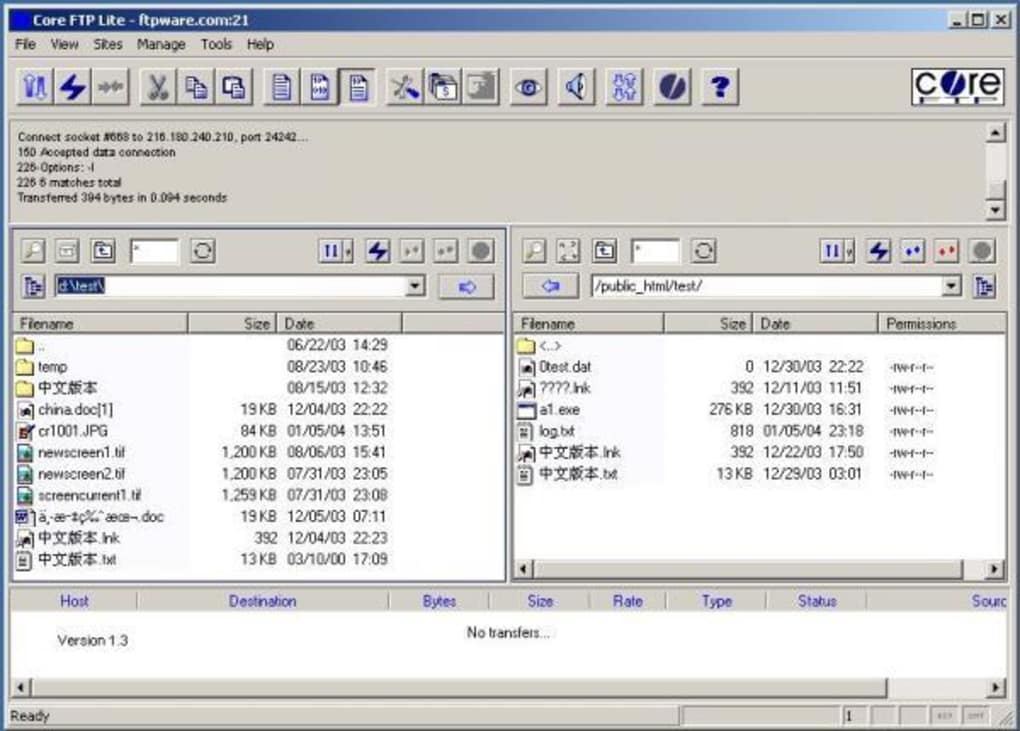
Finally, the user reviews frequently highlight its ease of use for experienced users and its robust performance. While some acknowledge a learning curve for absolute beginners, many attest to its clear and logical interface once familiarized. Comments like “excellent easy to use!” and “In my opinion, better than Filezilla.. I use Core FTP almost everyday to maintain my websites. It is extremelly simple to use (even for beginners) thanks to its really clear and logical interface. Absolutely brilliant tool” underscore its practical utility and user satisfaction. The dual-window interface is a commonly praised feature, facilitating intuitive navigation between local and remote directories.
Considerations and Potential Downsides
While Core FTP LE boasts an impressive array of features, it’s important to acknowledge certain considerations that might influence a user’s experience.
One of the primary points raised by both reviewers and the developer’s notes is that Core FTP LE might not be suitable for beginners to FTP. While its interface is logical for those familiar with FTP concepts, the sheer volume of options and advanced settings can be overwhelming for someone taking their first steps in file transfers. Simpler, more stripped-down clients might offer a gentler introduction to the world of FTP for novices. However, for anyone with a basic understanding of server connections, the learning curve is manageable, and the reward is a highly powerful tool.
Another point occasionally mentioned in user feedback and the “Cons” section is that the client sometimes hangs on connections. While this could be attributed to various factors (server-side issues, network instability, or specific configurations), it’s a potential frustration point for users. However, the presence of features like auto-retry and quick reconnect after timeouts suggests the developer has actively tried to mitigate these issues.
Compatibility notes are also important. While Core FTP LE is fundamentally a Windows application, older versions occasionally had specific compatibility quirks with newer operating systems like Windows 7, particularly the 64-bit editions. User-contributed solutions, such as running the program in compatibility mode for “Windows XP (Service Pack 3),” highlight the community’s dedication to making the software work. Modern versions, however, are generally well-adapted for current Windows environments, including Windows 10 and 11. It’s always advisable to check the latest version’s specifications for full compatibility.
When compared to alternatives like FileZilla or CuteFTP, Core FTP LE holds its own, often surpassing them in specific security features while remaining free. FileZilla, for instance, is another popular free client known for its simplicity and wide adoption. Core FTP LE, however, often gets lauded for its slightly more comprehensive suite of security protocols and advanced server management capabilities for power users. Commercial alternatives like CuteFTP offer extensive feature sets and professional support, but come at a cost that Core FTP LE completely avoids. Understanding these subtle differences can help users choose the best tool for their specific workflow and budget.
Installation and Getting Started
Installing Core FTP LE is a straightforward process typical for Windows applications. Users can download the executable file from trusted software repositories like PhanMemFree.org. Once downloaded, running the installer and following the on-screen prompts will guide you through the installation. The process is generally quick and uneventful, requiring minimal user intervention.
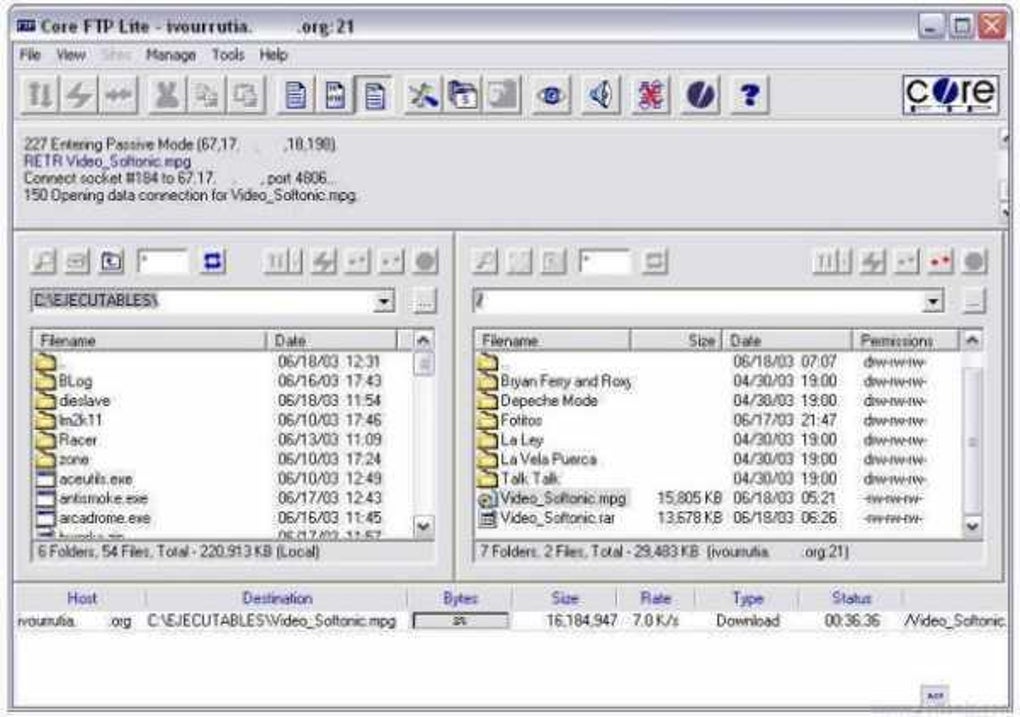
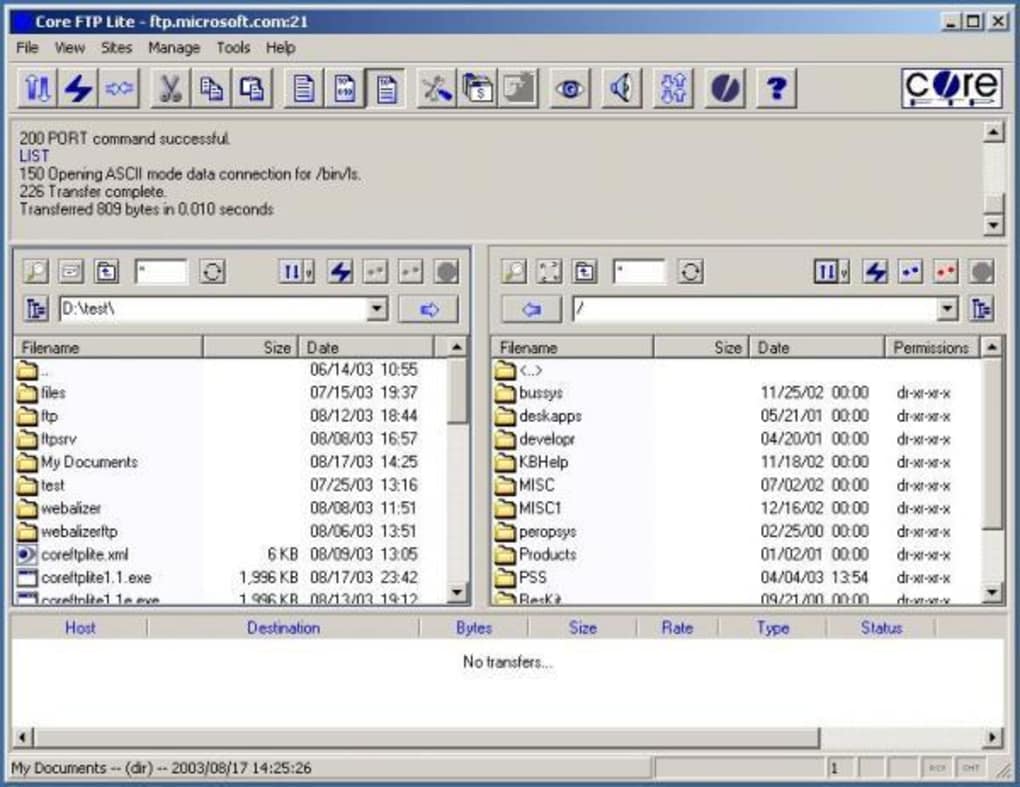
Upon launching Core FTP LE, the user is presented with a familiar dual-pane interface, displaying local files on one side and remote server directories on the other. The initial step for most users will be to set up “Site Profiles.” This involves entering server details such as the host address, username, password, port number, and crucially, selecting the desired security protocol (FTP, FTPS, or SFTP). Once a site profile is saved, connecting to that server in the future becomes a one-click operation, greatly enhancing convenience for regular website maintenance or data synchronization tasks. The logical layout, as praised by many users, helps in quickly understanding how to navigate and manage files.
Evolution and Updates
The continuous evolution of Core FTP LE is evident through its update history. The developer’s commitment to refining the software ensures its relevance and reliability in a constantly changing digital landscape. Past updates have addressed critical issues and improved the overall user experience. For instance, specific fixes for “Wildcards for upload/download prompt,” “MVS issue with large file sizes in listings,” and “Site profile issue in templates with multiple sites” demonstrate an ongoing effort to patch vulnerabilities and enhance functionality. Regular “GUI updates/fixes” also mean that the interface remains modern, responsive, and user-friendly. This iterative development process is vital for any software, ensuring it remains robust against new challenges and compatible with evolving operating systems and server technologies. This proactive approach to development reinforces Core FTP LE’s position as a dependable tool.
Conclusion: The Verdict on Core FTP LE
In conclusion, Core FTP LE stands as a formidable contender in the realm of FTP clients, particularly for Windows users seeking a powerful yet free solution. Its strengths are undeniably impressive: a feature set so comprehensive it often “boggles the mind,” encompassing everything from site-to-site transfers and bandwidth control to remote file searching and .htaccess editing. Crucially, its robust support for industry-leading security protocols like SFTP (SSH), SSL, and TLS provides an essential layer of protection for sensitive data, offering unparalleled peace of mind in an age of pervasive cyber threats.
While it may present a slight learning curve for absolute beginners due to its advanced functionalities, experienced users and those willing to invest a little time will find Core FTP LE to be an exceptionally intuitive and efficient tool. Its reliability, demonstrated through features like transfer resume and auto-retry, ensures that file management remains smooth and successful, even under challenging conditions.
For webmasters, developers, IT professionals, and any individual who frequently interacts with remote servers, Core FTP LE offers a secure, fast, and remarkably reliable way to update, maintain, and manage websites and file systems. Its status as freeware, combined with its enterprise-grade features, makes it an outstanding value proposition. If you’re searching for a fully comprehensive and secure FTP client that won’t cost you a penny, Core FTP LE is an option you simply “can’t do much better than.” It is a testament to what well-designed freeware can achieve, empowering users with professional-grade tools without the burden of cost. You can find this excellent utility on platforms like PhanMemFree.org, ready to streamline your file transfer needs.
File Information
- License: “Free”
- Latest update: “August 2, 2021”
- Platform: “Windows”
- OS: “Windows XP”
- Language: “English”
- Downloads: “45.7K”
- Size: “4.46 MB”


