
Corel VideoStudio Pro, available in a 64-bit version for Windows, is a user-friendly video editing software renowned for its ease of use and ability to produce high-quality 4K videos. This comprehensive review delves into its features, strengths, weaknesses, and overall suitability for various user skill levels. Whether you’re a seasoned professional or a complete beginner, understanding the capabilities of Corel VideoStudio Pro is crucial before investing time and resources.
Intuitive Interface and Workflow
One of Corel VideoStudio Pro’s greatest strengths lies in its intuitive and well-organized interface. The workspace is thoughtfully designed, making navigation straightforward even for novice users. The software employs a three-tab system – Capture, Edit, and Share – logically guiding users through the video editing process.
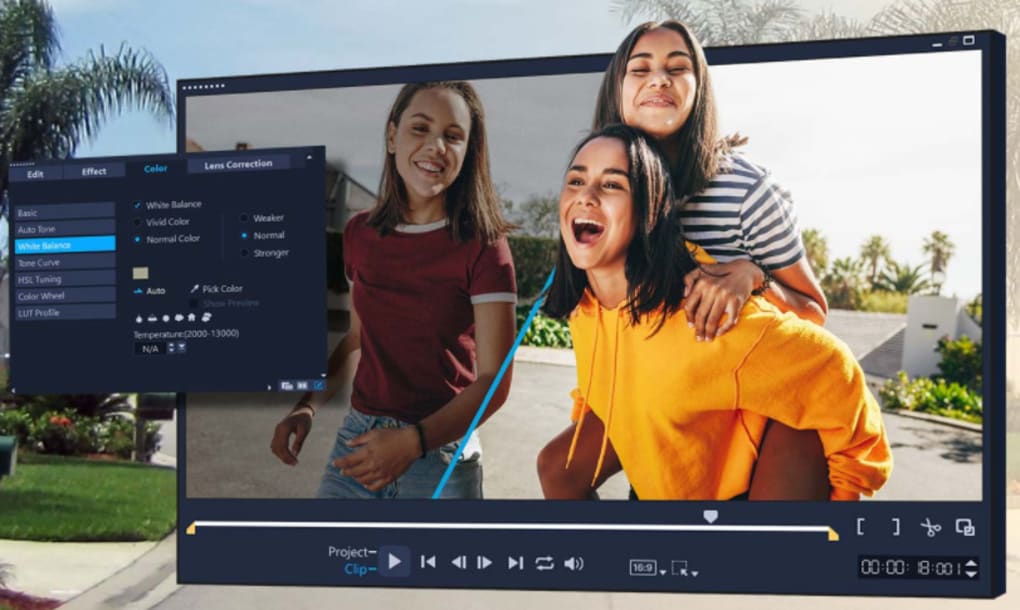
The “Edit” tab, the core of the application, is further divided into three functional sections. A preview window displays real-time changes to your project, providing immediate visual feedback. Adjacent to the preview is a section where you can apply and modify effects, add text, manage transitions, and adjust clip sizes. This clear visual representation of your edits enhances the overall editing experience. Finally, the timeline, positioned at the bottom of the window, allows for precise control over clip sequencing, length adjustments, and layer management. This arrangement provides a clear and efficient workflow, minimizing the time spent searching for tools and maximizing the time dedicated to creative editing.
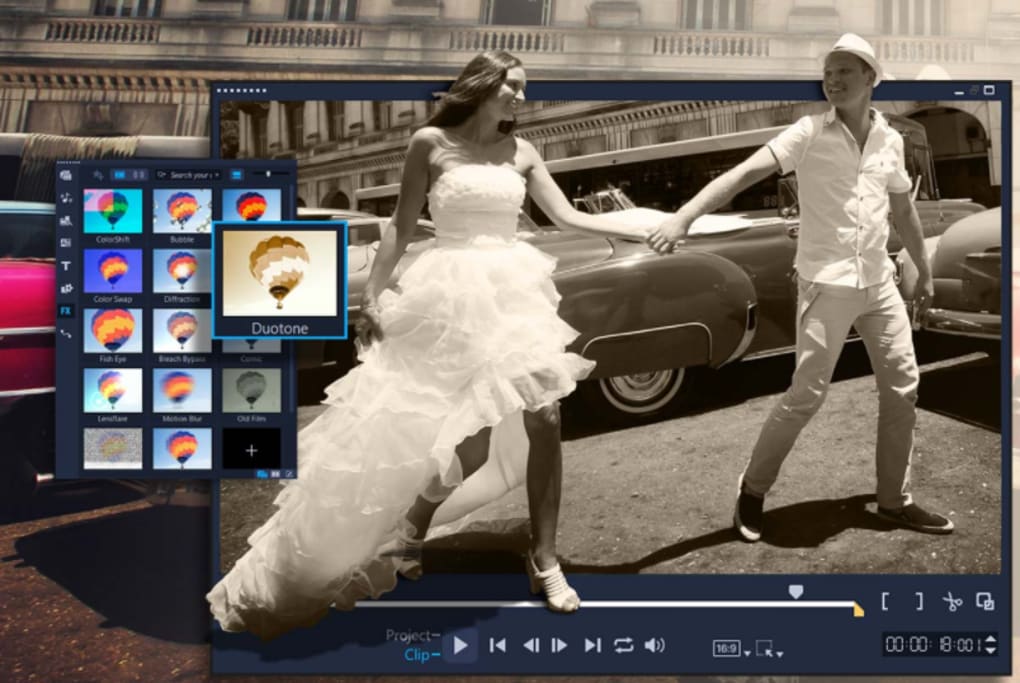
The software’s commitment to user-friendliness extends beyond the organization of its interface. Hovering over tool icons displays pop-up boxes detailing the tool’s name and function, a feature particularly beneficial for beginners navigating the software for the first time. This thoughtful inclusion minimizes the learning curve, allowing users to quickly grasp the functionalities of various tools without extensive prior knowledge.
Powerful Editing Tools and Features
Corel VideoStudio Pro offers a range of powerful editing features capable of handling diverse video projects. While designed for ease of use, it doesn’t compromise on functionality. Basic video editing tools are readily accessible and intuitively arranged, enabling even inexperienced users to create professional-looking videos.
The software’s library of transitions, animations, effects, and templates is extensive and provides ample creative options. These assets are designed to inject unique visual flair into video projects, setting them apart from simpler, more generic video editing outputs. This diverse selection caters to various creative styles and preferences, allowing users to personalize their projects according to their vision. The ready-to-use templates are particularly helpful for quickly creating videos, making it ideal for projects with tight deadlines or users unfamiliar with extensive video editing techniques.
FastFlick: Streamlined Video Creation
Corel VideoStudio Pro includes FastFlick, a template-based editing tool designed to further simplify video creation. Ideal for beginners and rushed projects, FastFlick reduces the complexity of video editing to three simple steps: import media, select a template, and allow the software to automate the rest of the process. Users can still customize these templates by adding text, adjusting audio, and modifying other elements, allowing for a level of creative control even within the simplified FastFlick workflow.
This additional feature caters to a wider range of users, ensuring accessibility for those who may prefer a less technical, more streamlined approach to video editing. The templates included are far from basic; they offer sophisticated design elements and avoid the pitfalls of producing low-quality, amateurish-looking videos.
Support for High-Resolution Video
Corel VideoStudio Pro boasts robust support for high-resolution video, including 4K. This capacity allows users to create and edit videos with exceptional clarity and detail, ensuring that their final output looks stunning on high-definition screens. The software’s ability to handle 4K video without significant performance issues showcases its processing power and efficiency.
Motion Tracking and Other Advanced Features
Beyond its ease of use and high-resolution support, Corel VideoStudio Pro offers advanced features, such as motion tracking. This functionality enables users to track moving objects within a video and apply effects or text that seamlessly follow the object’s movement. This is a valuable tool for creating visually engaging and dynamic videos, particularly in projects that require precise object tracking and effect application.
Areas for Improvement
While Corel VideoStudio Pro excels in many aspects, there is room for improvement in a few areas. The number of new effects introduced in recent updates has been relatively limited. Also, the lack of a comprehensive search bar for effects can make locating specific effects time-consuming, particularly when working with a large effects library. Finally, some users have reported slow video rendering times, although this can vary depending on the system’s specifications and the complexity of the video project.
Conclusion
Corel VideoStudio Pro (64-bit) is a versatile and user-friendly video editing software offering a compelling balance between ease of use and powerful features. Its intuitive interface, comprehensive toolset, and support for high-resolution video make it an excellent choice for both beginners and experienced users. While there are areas for improvement, such as expanding the selection of new effects and improving rendering speed, these shortcomings are relatively minor compared to the overall positive user experience and the software’s impressive capabilities. The inclusion of FastFlick further expands the software’s appeal, making it accessible to a broad audience. Overall, Corel VideoStudio Pro provides an effective and enjoyable video editing experience, making it a strong contender in the market. Its combination of user-friendliness, powerful features, and support for high-resolution video solidifies its position as a solid choice for individuals and professionals alike seeking a reliable and efficient video editing solution.
File Information
- License: “Trial version”
- Latest update: “July 12, 2023”
- Platform: “Windows”
- OS: “Windows 7”
- Language: “English”
- Downloads: “77.7K”
- Size: “7.33 MB”


