
Creator Studio is a free business and productivity tool developed by Meta Platforms, Inc., designed specifically for social media marketers and content creators managing Facebook pages. This comprehensive app offers a suite of features aimed at simplifying content creation, scheduling, performance monitoring, and audience engagement. This detailed review explores its functionality, benefits, limitations, and overall effectiveness as a tool for growing your Facebook presence.
Streamlining Content Creation and Management
Creator Studio centralizes several key aspects of Facebook page management, providing a streamlined interface for creating, scheduling, and publishing posts. The app allows you to easily craft various content formats, including text updates, images, videos, and links, all from within the app itself. This eliminates the need to constantly switch between the main Facebook app and other content creation tools, significantly improving workflow efficiency.
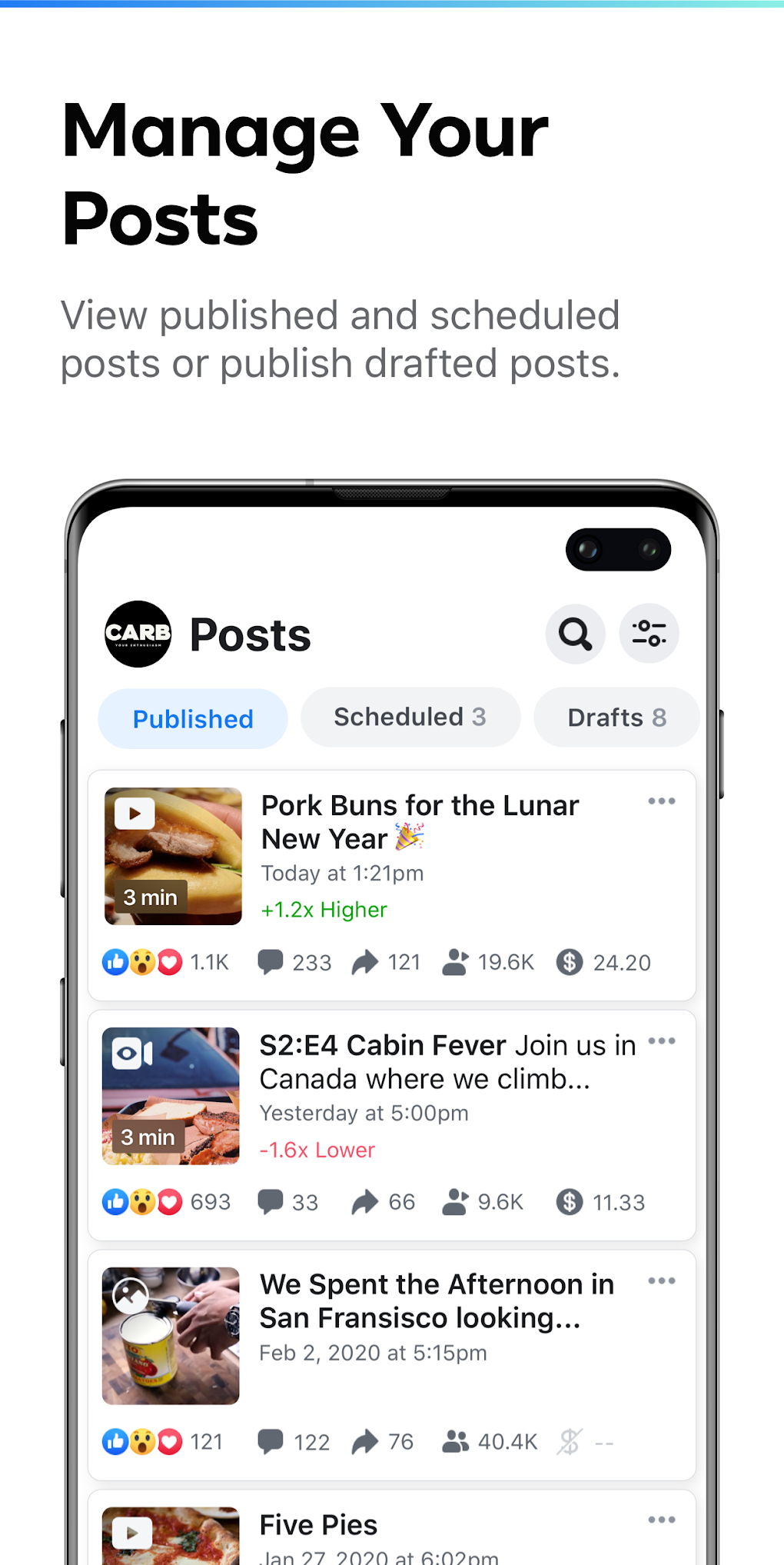
Beyond content creation, Creator Studio excels in its scheduling capabilities. You can plan your posts in advance, ensuring a consistent content stream and optimizing your posting times to maximize reach. The ability to view scheduled posts alongside drafts and published content offers a clear, organized overview of your entire content calendar. This allows for easy adjustment or modification of scheduled content as needed. Posts can be conveniently filtered by type or creation date, enabling efficient content auditing and management.
The app’s post management extends to detailed performance analytics. By selecting a published post, you’re presented with comprehensive metrics, such as impressions, link clicks, comments, shares, and reactions. These insights provide crucial data about how your audience interacts with your content, allowing you to fine-tune your strategy for better engagement.
Unveiling Audience Insights and Engagement Metrics
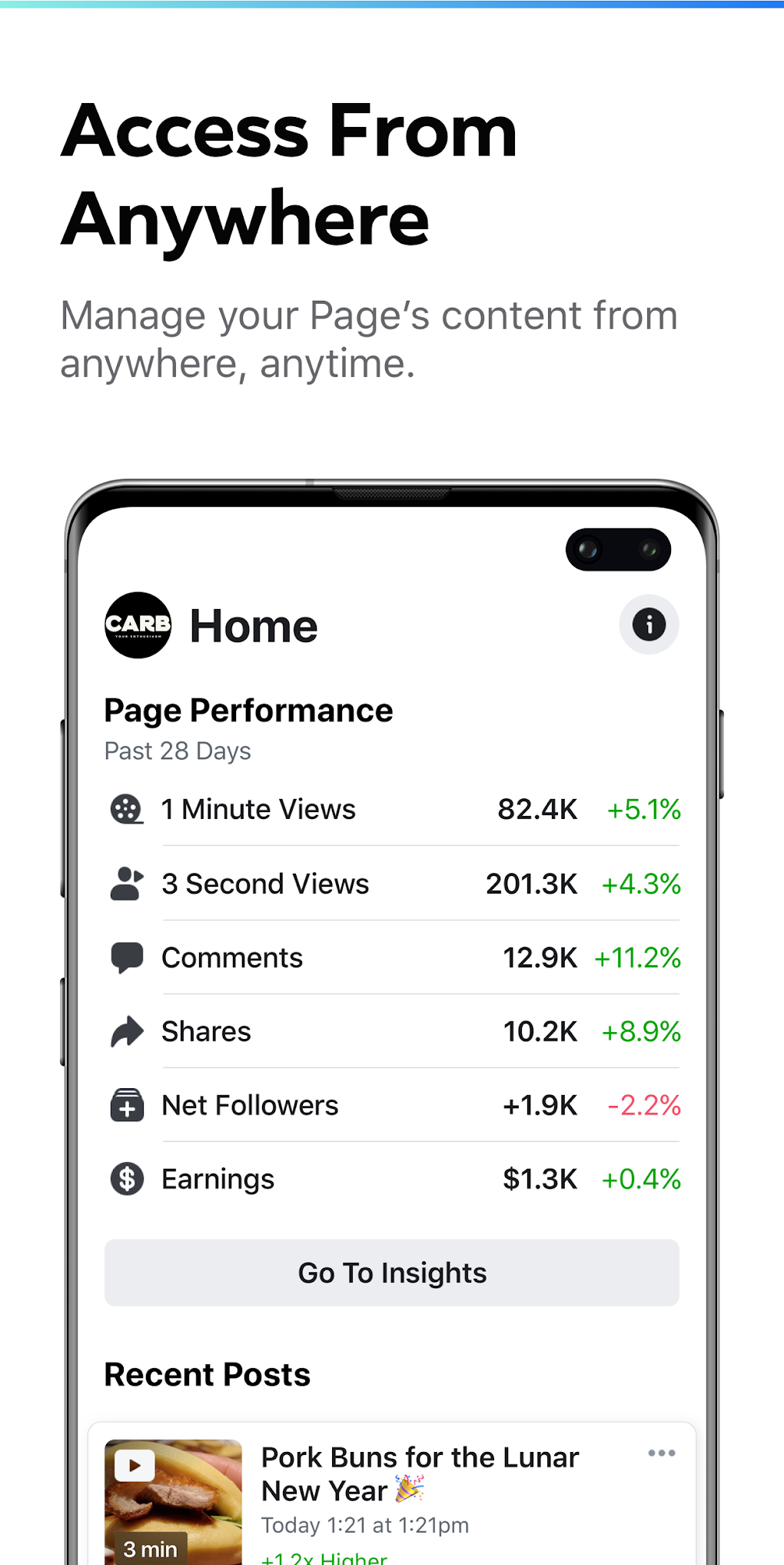
Creator Studio’s Insights tab offers a deeper dive into your page and video performance. This section provides valuable data that moves beyond individual post analysis, providing a broader understanding of your audience’s overall behavior and interaction with your Facebook page. This holistic perspective enables data-driven decision making, helping you understand what content resonates best, identify audience demographics, and tailor future content to better suit their preferences.
By analyzing page-level insights, you can track key metrics like overall reach, engagement rates, and follower growth. This data offers valuable insights into the overall health of your Facebook page and the effectiveness of your overall content strategy. Understanding this broader picture, combined with individual post analysis, allows for a more strategic approach to content development and promotion. Video-level analytics provide further granular data, offering specific metrics regarding video views, watch time, and audience retention. This allows you to optimize video content and understand which aspects resonate most strongly with your viewers.
Enhancing Communication and Audience Interaction
Effective communication is vital for building a strong online community. Creator Studio recognizes this and integrates direct messaging and commenting systems within the app itself. The Chat tab provides convenient access to comments on your posts, as well as private messages sent directly to your page. This centralized communication hub allows you to respond promptly to queries, address concerns, and engage with your audience in a more efficient manner. Having all communication streams unified within the app minimizes context switching and increases response times.
Addressing Limitations and Potential Issues
While Creator Studio provides a robust set of features, some limitations are worth acknowledging. Users have reported instances of uploads suddenly restarting, a significant issue particularly for users with limited data plans or those in areas with unstable internet connectivity. The unpredictable nature of these interruptions can lead to considerable frustration and wasted time. Furthermore, the inability to resend verification codes presents a potential obstacle for users experiencing account access issues. While these are relatively minor inconveniences in the broader scheme, they represent areas where the app could benefit from improvements. Finally, some users have experienced instances where their managed Facebook pages fail to appear within the app, an issue requiring investigation and potential troubleshooting.
Creator Studio: A Verdict on its Strengths and Weaknesses
Creator Studio is a powerful tool for managing Facebook pages, offering a centralized platform for content creation, scheduling, performance monitoring, and audience engagement. Its intuitive interface and comprehensive suite of features simplify many tasks associated with managing a Facebook presence. The ability to create, schedule, and analyze the performance of posts, along with a streamlined communication system for comments and messages, significantly enhances workflow efficiency. The detailed insights provided allow content creators to make data-driven decisions, improving overall content strategy and audience engagement.
However, the app is not without its flaws. The reported issues with upload restarts and the inability to resend verification codes, along with the occasional failure to display managed pages, detract from the otherwise seamless user experience. While these are not deal-breakers, they represent areas requiring improvement to enhance the overall user satisfaction and reliability of the app.
Ultimately, Creator Studio provides significant benefits for social media marketers and content creators seeking to optimize their Facebook page management. While the occasional technical glitches may be frustrating, the convenience and efficiency it offers generally outweigh these limitations. For users comfortable with occasional troubleshooting, Creator Studio remains a highly effective tool for growing and managing a successful Facebook presence. Continual updates and improvements from Meta will hopefully address the identified shortcomings, making it even more effective in the future. As it stands, it’s a valuable asset for anyone serious about leveraging Facebook as a platform for business growth or content creation.
File Information
- License: “Free”
- Latest update: “May 24, 2023”
- Platform: “Android”
- OS: “Android 9.0”
- Language: “English”
- Downloads: “951.5K”
- Size: “119.65 MB”
- Download Options: “APK, Google Play”
- Filename: “com-facebook-creatorstudio-401350364-63182143-a6c408ff2dd71d24545806721d12d400.apk”


