
Crescendo Music Notation is a free and subscription-based music notation and scoring software developed by NCH Software. This powerful tool provides a user-friendly graphical interface for composing and arranging music, offering a range of features designed to streamline the musical composition process for both beginners and experienced professionals. Its intuitive design and comprehensive functionality make it a compelling option in the competitive landscape of digital music creation software.
Key Features and Functionality
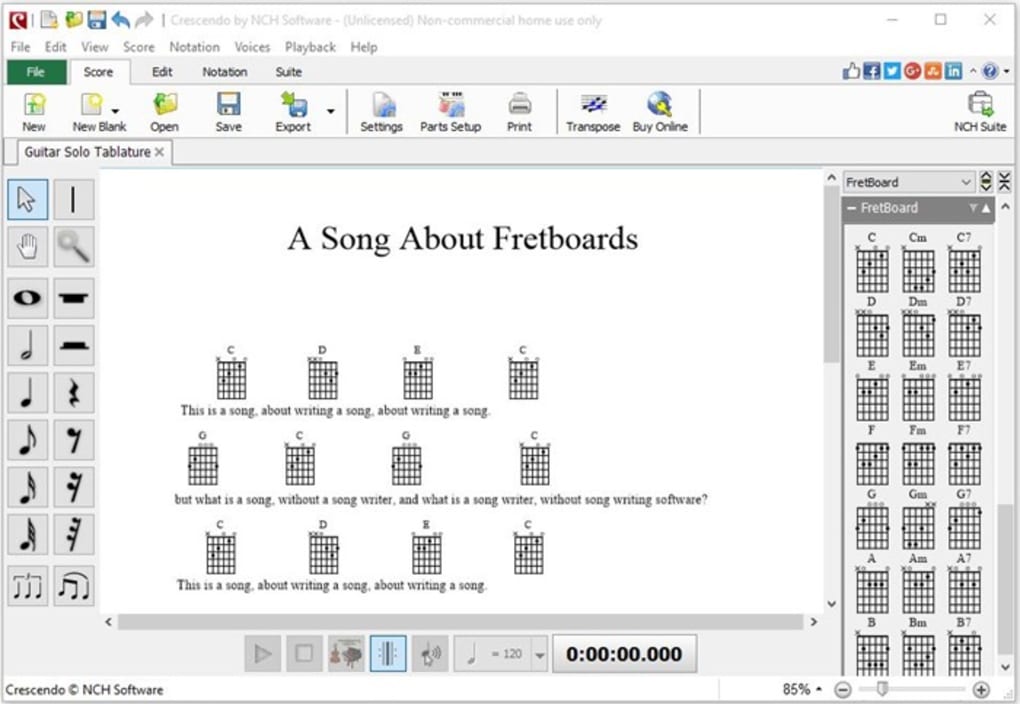
Crescendo Music Notation boasts a rich set of features that cater to a wide range of musical needs. At its core, the software provides the essential tools for standard music notation, allowing users to input notes, rests, and various musical symbols with ease. The software supports different clefs (treble, bass, alto, and tenor), allowing composers to work with a variety of instruments and vocal ranges. Users can easily adjust note durations (whole, half, quarter, eighth, and sixteenth notes), add accidentals (sharps, flats, and naturals), and create complex rhythmic patterns. Time and key signatures are easily adjustable, providing flexibility in musical expression.
Beyond basic note entry, Crescendo Music Notation offers advanced features that enhance the compositional workflow. The ability to create multiple tracks allows for the layering of different instrumental parts or vocal harmonies, enabling the creation of rich and complex musical arrangements. MIDI input is supported, providing an alternative method of note entry for those who prefer a keyboard-based approach. The software also offers seamless audio playback, allowing composers to hear their creations as they are being developed. This real-time feedback is crucial for refining musical ideas and ensuring the overall sonic quality of the composition.
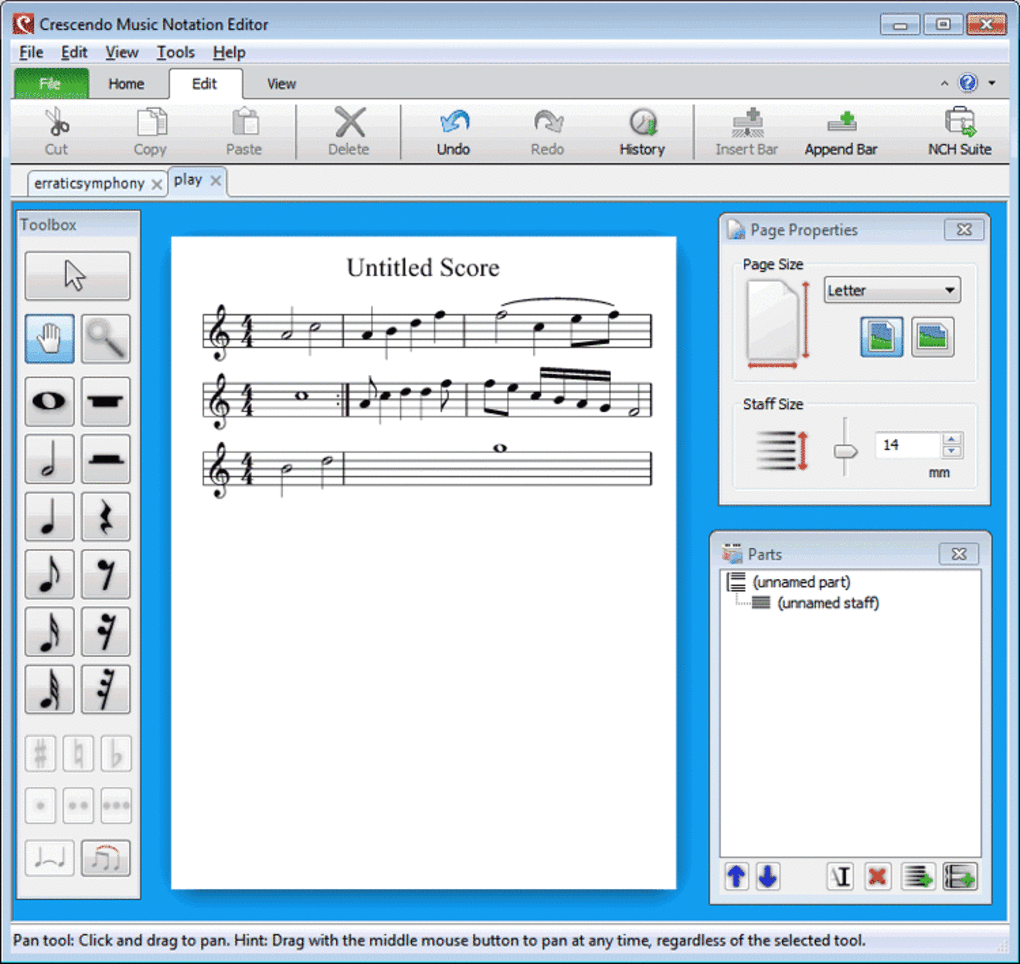
The software’s capabilities extend beyond simple note input and playback. Crescendo Music Notation includes powerful editing tools for manipulating existing musical scores. Notes can be easily dragged and dropped to adjust their pitch or placement on the staff. The software automatically detects if a measure contains the correct number of beats for the given time signature, helping to prevent rhythmic errors. Users can add ties and slurs to connect notes, creating expressive phrasing. Zoom functionality allows for detailed editing of even the most intricate musical passages. A comprehensive history feature enables users to track and revert changes made during the composition process.
Workflow and User Experience
The software’s user interface is designed for intuitive navigation and efficient workflow. The arrangement of tools and palettes is logical and readily accessible, allowing users to quickly find and utilize the necessary functions. The interface offers a clean and uncluttered workspace, preventing distraction and allowing composers to focus on the creative process. The software utilizes keyboard shortcuts for common actions, accelerating the note-entry process and enhancing overall efficiency. This combination of intuitive design and efficient functionality makes Crescendo Music Notation accessible to users of varying levels of technical expertise.
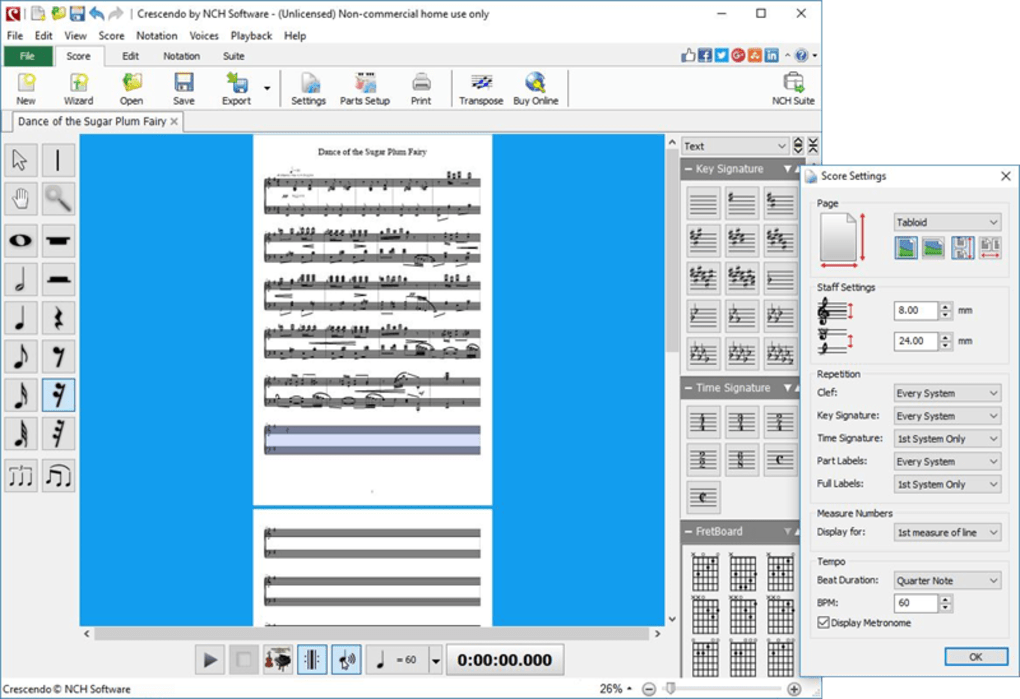
The automated features of Crescendo Music Notation significantly enhance the user experience, particularly for complex scores. The software’s automatic detection of rhythmic inconsistencies ensures accuracy and helps prevent common errors. The ability to easily transpose music to different keys simplifies the process of adapting compositions for different instruments or vocal ranges. Furthermore, the software supports the import and export of MIDI files, allowing for seamless integration with other music software and hardware. The capacity to export compositions in various audio formats enables broad distribution across diverse platforms.
The inclusion of a built-in music dictionary is a valuable asset for both beginners and experienced users. This feature helps users quickly access definitions and explanations of musical terms and symbols, furthering their musical understanding and allowing them to confidently navigate the intricacies of music notation. The availability of pre-designed templates provides users with a starting point for their compositions, particularly helpful for beginners seeking guidance in structuring their musical ideas.
Strengths and Weaknesses
Crescendo Music Notation offers several compelling advantages over competing software. Its comprehensive feature set, encompassing both basic and advanced notation tools, caters to a wide range of compositional needs. The software’s user-friendly interface ensures ease of use for both novice and experienced composers. The automated features, such as automatic rhythm checking and the music dictionary, significantly reduce potential errors and enhance the overall efficiency of the composition process. The ability to export scores in various formats ensures broad compatibility and easy sharing of musical creations.
However, the software is not without its drawbacks. While generally stable, the software has been reported to experience occasional bugs that can interfere with saving completed projects. This is a significant concern for composers who have invested considerable time and effort into their work. The frequency and severity of these bugs may vary depending on the version of the software and the user’s operating system. While the software offers a range of features, some advanced functionalities found in professional-grade software may be absent or less sophisticated.
Comparison with Other Music Notation Software
Crescendo Music Notation occupies a unique space within the music notation software market. Compared to free, open-source alternatives such as MuseScore, Crescendo Music Notation might offer a more streamlined and user-friendly interface for some users, although the feature sets are largely comparable. Professional-grade software packages like Sibelius or Finale offer a wider array of advanced features and greater customization options, but come at a significantly higher price point. Crescendo Music Notation, with its free and subscription-based options, provides a middle ground, offering a balance between functionality, ease of use, and cost.
The choice of music notation software depends heavily on individual needs and preferences. For users seeking a free and easy-to-use option with a robust set of features, Crescendo Music Notation is a compelling choice. Users requiring advanced capabilities or highly specialized functionalities may find more suitable options in professional-grade software. However, the ease of use and comprehensive features of Crescendo Music Notation make it a strong contender for both beginners and experienced musicians alike.
Conclusion
Crescendo Music Notation presents a viable and accessible solution for music composition and notation. Its user-friendly interface, combined with its comprehensive range of features, makes it an attractive option for musicians of all skill levels. While occasional bugs remain a concern, the software’s overall functionality and ease of use outweigh this drawback for many users. Its free version provides a valuable opportunity for individuals to explore its capabilities, while the paid version offers additional features and enhanced stability. The software stands as a testament to the accessibility and power of modern music creation tools, empowering musicians to create and share their musical ideas with ease and efficiency. The balance it strikes between user-friendliness and functionality solidifies its position as a noteworthy option in the diverse world of digital music creation.
File Information
- License: “Free”
- Latest update: “July 14, 2025”
- Platform: “Windows”
- OS: “Windows 10”
- Language: “English”
- Downloads: “21.1K”
- Size: “2.12 MB”


