
CrystalDiskInfo Portable is a free, open-source (GPL) utility for Windows that provides comprehensive hard drive monitoring capabilities. Unlike many hard drive monitoring tools that require installation, CrystalDiskInfo Portable operates directly from a USB drive or other portable storage, making it incredibly convenient for diagnosing drive health on multiple computers without leaving a trace on the system. Its user-friendly interface and detailed information make it a valuable tool for both novice and expert users alike. This review delves into its features, usability, and overall effectiveness as a hard drive health monitor.
Understanding Your Hard Drive’s Health: CrystalDiskInfo’s Key Features
CrystalDiskInfo Portable’s core function is to assess and display the health of your hard drive(s). This involves collecting a wide range of data points that indicate potential problems, allowing users to proactively address issues before they lead to data loss. Some of its key features include:
-
Comprehensive Drive Information: The software gathers extensive details about your connected storage devices, including model number, firmware version, serial number, interface type (SATA, NVMe, etc.), and total drive capacity. This detailed information is invaluable for troubleshooting and identifying specific drive models.
-
S.M.A.R.T. Attributes Monitoring: The program utilizes the Self-Monitoring, Analysis, and Reporting Technology (S.M.A.R.T.) data embedded in most modern hard drives and SSDs. S.M.A.R.T. data provides insights into various aspects of drive health, such as temperature, read/write errors, power-on hours, and pending sector count. CrystalDiskInfo presents this complex data in a clear, easily understandable format. Each attribute is given a numerical value and a color-coded health status (good, caution, or bad), providing a quick visual assessment of the drive’s overall condition.
-
Temperature Monitoring: Hard drive temperature is a crucial indicator of potential problems. Excessive heat can significantly reduce the lifespan of a drive and lead to data corruption. CrystalDiskInfo monitors drive temperature in real-time, alerting users to potential overheating issues. This real-time monitoring is particularly valuable for drives in systems with inadequate cooling.
-
Health Status Assessment: Based on the S.M.A.R.T. data, CrystalDiskInfo provides an overall health assessment for each drive. This summary provides a concise overview of the drive’s condition, making it easy to identify drives that may require attention. This feature eliminates the need to interpret complex raw S.M.A.R.T. data.
-
User-Friendly Interface: CrystalDiskInfo boasts a simple and intuitive interface. Even users unfamiliar with hard drive diagnostics can easily navigate the program and understand the presented information. The color-coded system further enhances ease of use, providing a clear visual representation of each drive’s health.
-
Portability: As its name suggests, CrystalDiskInfo Portable doesn’t require installation. This eliminates the need to install the software on every computer you want to diagnose and avoids leaving any traces on the system after use. The program runs directly from the portable storage device, making it ideal for technicians and users who frequently work with multiple computers.
-
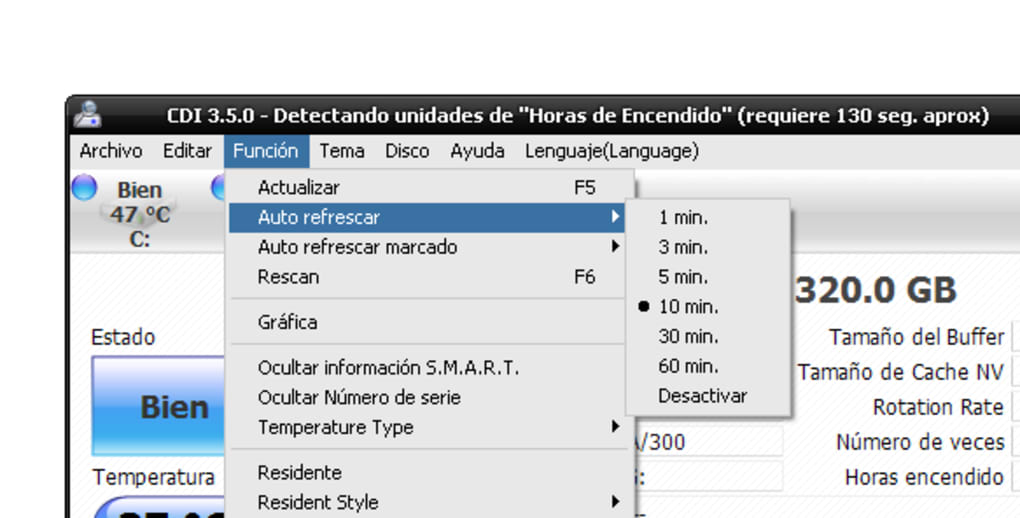
Multiple Language Support: CrystalDiskInfo offers support for numerous languages, including English, Spanish, German, and many more. This feature enhances accessibility for users worldwide.
-
Regular Updates: The developers maintain regular updates, ensuring compatibility with the latest hard drives and SSDs, and addressing any bug fixes or improvements. These updates keep the program current and reliable.
-
Free and Open Source: CrystalDiskInfo is free to use and is released under the GNU General Public License (GPL). This means that the source code is freely available, fostering transparency and community contributions.
How to Use CrystalDiskInfo Portable: A Step-by-Step Guide
Using CrystalDiskInfo Portable is remarkably straightforward:
- Download: Download the latest version of CrystalDiskInfo Portable from a reputable source, such as the official website.
- Extraction: Extract the downloaded archive (usually a ZIP file) to a convenient location on your portable storage device (USB flash drive, external hard drive, etc.).
- Execution: Double-click the CrystalDiskInfo executable file to launch the program. No installation is required.
- Drive Detection: CrystalDiskInfo will automatically detect all connected hard drives and SSDs.
- Information Display: The main window displays a list of detected drives, along with their relevant information and health status. Each drive’s status will be summarized by a concise health assessment and will show various detailed statistics such as temperature, read/write error counts, etc.
- Data Interpretation: Utilize the color-coded health status and S.M.A.R.T. attribute data to evaluate each drive’s health. Refer to the program’s documentation or online resources for details on interpreting specific S.M.A.R.T. attributes.
- Actionable Insights: If CrystalDiskInfo detects concerning attributes or reports a poor overall health status, consider backing up important data immediately and potentially contacting a data recovery specialist if the drive is nearing end-of-life.
CrystalDiskInfo Portable vs. Other Hard Drive Monitoring Tools
While numerous other hard drive monitoring tools exist, CrystalDiskInfo Portable distinguishes itself through several key advantages:
- Portability: Its portability is a major advantage over competitors that require installation. This makes it particularly valuable for those who need to assess the health of multiple drives on various systems.
- Ease of Use: Its user-friendly interface significantly simplifies the interpretation of S.M.A.R.T. data, making it accessible to users of all technical skill levels.
- Open Source: The open-source nature provides transparency and allows for community contributions and scrutiny, fostering reliability.
- Free: It’s completely free to use, without any hidden costs or limitations.
Many other tools offer similar features but lack the portability and ease of use that CrystalDiskInfo Portable provides. Some may offer more advanced features but at the cost of added complexity, which may be unnecessary for many users.
Troubleshooting and Common Issues
While CrystalDiskInfo Portable is generally reliable, some users may encounter minor issues. These are typically resolved easily:
- Drive Not Detected: Ensure the drive is properly connected and powered. Restart the computer if necessary.
- S.M.A.R.T. Data Unavailable: Some drives may not support S.M.A.R.T. or may have the feature disabled in the BIOS settings.
- Incorrect Data: If you suspect the data presented is incorrect, compare it with the results from other monitoring tools or contact the hard drive manufacturer.
If you encounter any persistent problems, consult the program’s documentation or online forums for assistance. The active development community often provides quick resolutions to user-reported issues.
Conclusion: A Must-Have Tool for Proactive Hard Drive Maintenance
CrystalDiskInfo Portable is an indispensable tool for anyone seeking to monitor the health of their hard drives and SSDs. Its combination of comprehensive features, user-friendly interface, portability, and open-source nature makes it a superior choice for both casual users and technical experts. Proactive hard drive maintenance is crucial for preventing data loss, and CrystalDiskInfo Portable empowers users to take control of their storage health. Its simple yet effective approach to monitoring drive health makes it a must-have utility for any computer user. By providing early warnings of potential problems, CrystalDiskInfo Portable can save you significant time, money, and the potential heartache of irretrievable data loss.
File Information
- License: “Free”
- Latest update: “February 5, 2025”
- Platform: “Windows”
- OS: “Windows 8”
- Language: “English”
- Downloads: “10.1K”
- Size: “3.57 MB”


