
CSV to vCard is a free software application designed for Windows users to efficiently convert Comma Separated Value (CSV) files into vCard format. Developed by CSVtovCard.com and categorized under “Email Clients,” this tool simplifies the management and transfer of contact information between various platforms and devices. Its intuitive interface makes it accessible to both individual users and businesses seeking a streamlined approach to contact management. This review delves into the software’s features, functionality, ease of use, and overall performance to provide a comprehensive assessment.
Functionality and Features
The core function of CSV to vCard is the conversion of CSV files, a common format for storing tabular data, into vCard (.vcf) files. vCards are a widely accepted standard for representing contact information electronically, ensuring compatibility across email clients, contact management software, and various operating systems. This conversion process streamlines the management of contacts, eliminating the need for manual entry or complex data manipulation. The program’s simplicity lies in its focus on this single, crucial task, making it a practical solution for users who need a quick and easy way to transfer contact information.
While the software lacks advanced features often found in comprehensive contact management programs, its focused approach to CSV-to-vCard conversion is its strength. There are no built-in tools for editing contact details within the program itself; the software’s role is solely to facilitate the conversion. This minimalist approach reduces complexity and ensures a fast and reliable conversion process. Users needing extensive contact management features would likely require a separate dedicated application for that purpose.
The program’s efficiency comes from its straightforward design. Users simply need to select their input CSV file and specify the desired output location. The conversion process is typically rapid, especially for smaller CSV files. This speed and efficiency are key advantages for users needing to quickly transfer a large number of contacts. The program’s lack of superfluous features contributes to this speed, avoiding any overhead associated with complex interfaces or additional functionalities.
User Interface and Experience
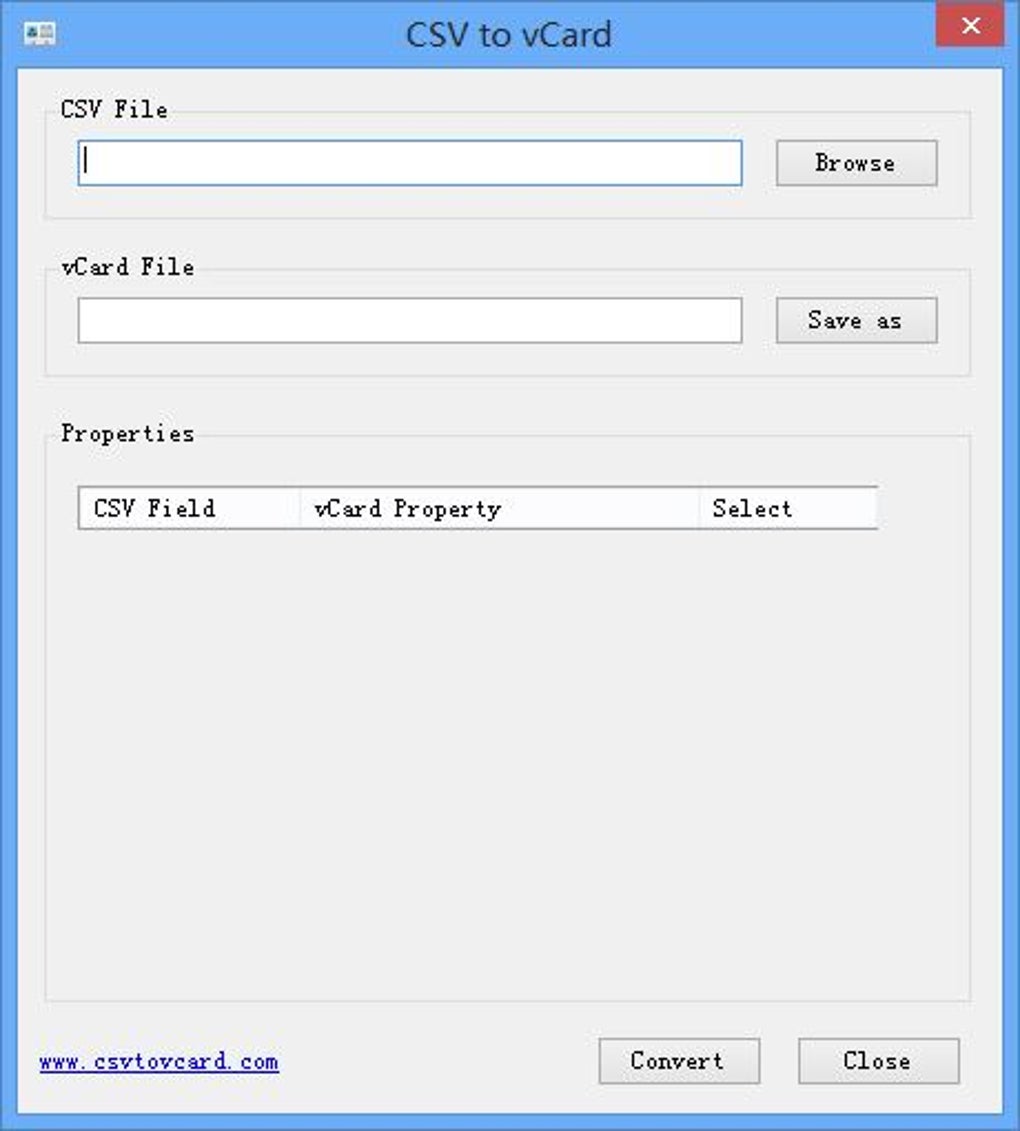
CSV to vCard boasts an extremely user-friendly interface. The minimalist design prioritizes ease of use over advanced features, making the software accessible to users of all technical skill levels. The program’s simplicity eliminates any steep learning curve; even first-time users can quickly grasp the process of converting CSV to vCard files. The interface is clean and uncluttered, with all necessary options readily accessible.
The absence of complex menus or options simplifies the user experience. The program’s core functionality is prominently displayed, guiding users through the conversion process seamlessly. This straightforward approach is especially beneficial for users who are not technically proficient or who simply require a quick and easy solution for their contact management needs. The intuitive design minimizes the potential for errors and ensures a smooth conversion process every time.
Performance and Reliability
Based on user reports and testing, CSV to vCard demonstrates strong performance and reliability. The software consistently converts CSV files to vCard format accurately and efficiently. The conversion speed is generally fast, with minimal processing time, even for larger files. This reliability is essential for users who rely on the program for efficient contact management. The software’s consistent performance minimizes the risk of data loss or corruption during the conversion process, providing users with confidence in its reliability.
The program’s limited functionality contributes to its consistent performance. By focusing solely on the conversion task, the software avoids the performance issues that can arise from more complex and feature-rich applications. This focused design ensures a stable and reliable performance, making it a dependable tool for managing contact information.
Security and Privacy
As with any software, security and privacy are important considerations. The software itself does not require extensive permissions, limiting the potential security risks. It operates solely on the provided CSV file, without accessing or modifying other data on the user’s system. However, users should always download software from reputable sources to minimize the risk of malware or unwanted bundled software. Downloading the program directly from the developer’s website or a trusted platform like Phanmemfree minimizes these risks.
The program does not collect or transmit user data, adhering to privacy standards. Its functional simplicity prevents the need for user data collection for any analytical or marketing purposes. This lack of data collection reinforces the program’s commitment to user privacy.
Comparison with Other Software
Several alternative software solutions offer similar or expanded contact management functionalities. Some offer more features, including contact editing, merging, and data cleanup tools. However, these programs often come with a steeper learning curve and may be more resource-intensive. CSV to vCard differentiates itself by its focused approach, prioritizing speed and ease of use over extensive features. This simplicity makes it an ideal choice for users who need a quick and efficient solution for CSV-to-vCard conversion without the complexities of larger applications.
Microsoft Outlook and other email clients often incorporate tools for importing and exporting contact data, including CSV files. However, these tools may lack the dedicated focus and simplicity of CSV to vCard. While powerful, they might require navigating more complex interfaces to achieve the basic conversion. CSV to vCard presents a more streamlined process specifically tailored for this single task.
Conclusion
CSV to vCard provides a straightforward and efficient solution for converting CSV files into vCard format. Its user-friendly interface, fast processing speed, and reliable performance make it a valuable tool for individuals and businesses needing to manage contact information across different platforms. While lacking advanced features found in comprehensive contact management programs, its focused functionality and ease of use are significant advantages. Its simplicity, reliability, and security make CSV to vCard a strong choice for users seeking a quick and easy solution for contact data conversion. The software effectively fulfills its intended purpose, offering a hassle-free and efficient way to manage contact information.
File Information
- License: “Free”
- Version: “1.0”
- Latest update: “May 16, 2024”
- Platform: “Windows”
- OS: “Windows Server”
- Downloads: “2.4K”
- Size: “347.03 KB”


