
CSVed is a free, easy-to-use, and powerful CSV file editor for Windows. Unlike other CSV editors that struggle with large datasets, CSVed leverages a virtual listview mode, meaning data is displayed on demand rather than loading the entire file into memory at once. This innovative approach allows CSVed to handle exceptionally large CSV files with remarkable speed and efficiency, making it a superior choice for users dealing with extensive datasets. This detailed guide will explore the features, benefits, and capabilities of CSVed, providing a comprehensive understanding of this invaluable tool for data manipulation.
Key Features and Capabilities
CSVed’s strength lies in its simplicity combined with robust functionality. Its core feature is the ability to seamlessly edit CSV files irrespective of the delimiter used. Whether your data is separated by commas, semicolons, tabs, or any other defined character, CSVed handles it with ease. This flexibility is critical for users working with data from diverse sources, where inconsistent delimiters are common.
The virtual listview mode is a game-changer. This efficient method of data presentation prevents the program from becoming sluggish or unresponsive when dealing with millions of rows and numerous columns. Users can navigate, filter, and edit data in large files with the same speed and responsiveness they would experience with smaller files. This efficiency is a significant advantage over traditional CSV editors that often struggle with large datasets, leading to slowdowns, freezes, and even crashes.
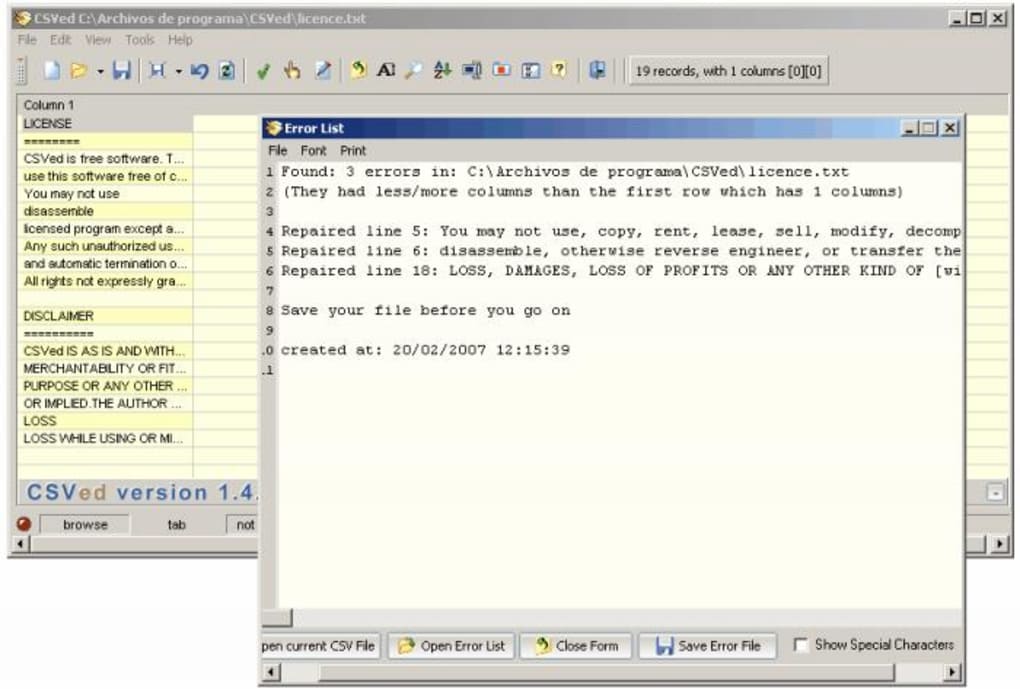
Beyond its efficient handling of large files, CSVed offers a range of additional features designed to streamline the data editing process:
-
Intuitive Interface: The program’s interface is designed for user-friendliness, making it accessible to both novice and experienced users. The clean and uncluttered layout allows users to quickly find and utilize the tools they need without unnecessary complexity.
-
Customizable Separators: CSVed allows users to easily specify the delimiter used in their CSV file. This flexibility ensures compatibility with data from diverse sources.
-
Efficient Data Handling: The virtual listview significantly improves performance, enabling rapid loading and navigation even in extremely large files.
-
Flexible Data Editing: Users can add, delete, modify, and sort rows and columns with ease. The intuitive editing tools make manipulating data a straightforward process.
-
Support for Diverse Data Types: CSVed can handle a wide range of data types, ensuring compatibility with various data sources. This includes numerical data, text strings, dates, and more.
-
Import and Export Functionality: The program seamlessly imports and exports CSV files, ensuring smooth integration into various workflows and applications. Users can easily transfer data between CSVed and other software programs without difficulty.
-
Regular Updates: The developers actively maintain and update CSVed, ensuring that the program remains compatible with the latest operating systems and provides users with new features and bug fixes.
Comparing CSVed to Other CSV Editors
While many CSV editors exist, CSVed distinguishes itself through its superior handling of large files. Many alternative programs struggle with datasets exceeding a few hundred thousand rows, becoming slow, unstable, or crashing entirely. CSVed’s virtual listview technology overcomes this limitation, making it an ideal solution for users working with massive datasets.
Competitors often lack the same level of efficiency in data handling. While some might offer a visually appealing interface or advanced features, these features often come at the cost of performance, especially when handling large files. CSVed prioritizes performance and efficiency without sacrificing ease of use, making it a compelling choice for users who prioritize speed and stability.
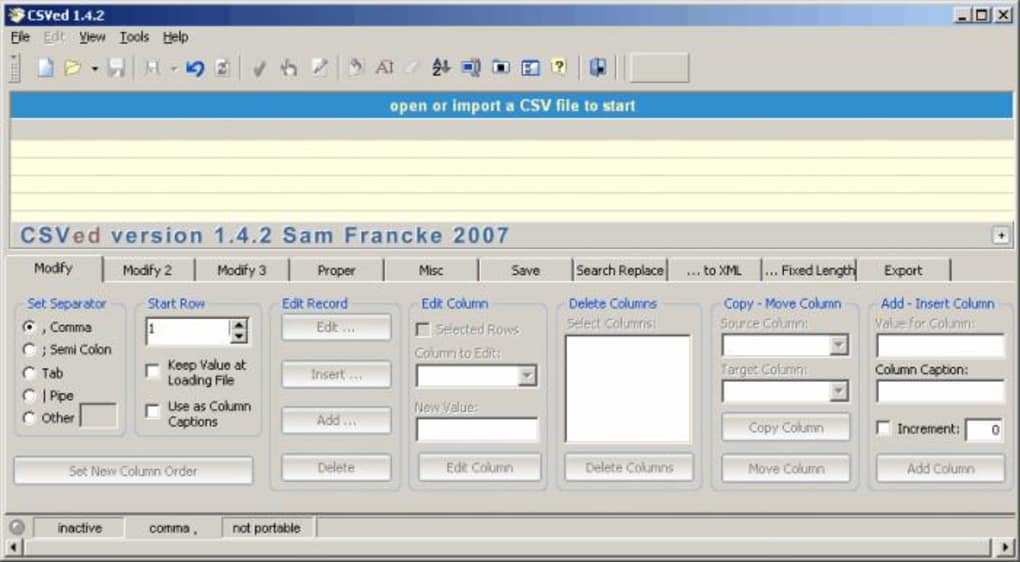
The combination of ease of use and high performance sets CSVed apart from many alternatives. Its intuitive interface makes it easy for beginners to learn, while its powerful capabilities and performance make it suitable for experienced data analysts working with large datasets.
Practical Applications and Use Cases
CSVed’s versatility makes it applicable across a wide spectrum of scenarios where CSV file manipulation is required. Here are several examples:
-
Data Cleaning and Preparation: CSVed is an excellent tool for cleaning and preparing data for analysis. Users can easily identify and correct errors, remove duplicates, and transform data formats to ensure data quality.
-
Data Analysis: While not a dedicated data analysis tool, CSVed’s ability to efficiently handle large datasets makes it useful for preparing data for analysis in more sophisticated applications.
-
Database Management: CSVed can facilitate the import and export of data to and from databases. Users can easily transfer data between CSV files and database systems using CSVed’s import and export capabilities.
-
Web Development: In web development, CSV files are often used to store and manage data. CSVed simplifies the process of creating, editing, and managing these data files.
-
Financial Data Management: CSV files are frequently used to store financial data. CSVed’s ability to handle large files and maintain performance makes it well-suited for managing extensive financial datasets.
-
Scientific Research: Scientific researchers often work with massive datasets. CSVed’s capability to handle large files without performance degradation is a significant advantage in scientific data processing.
-
Educational Settings: CSVed provides an accessible and efficient tool for teaching students about data manipulation and analysis using CSV files. Its user-friendly interface simplifies the learning curve.
- General Data Management: In any situation involving the manipulation of comma-separated values, CSVed offers an efficient and dependable solution.
System Requirements and Download
CSVed is designed to be compatible with a wide range of Windows operating systems. Its relatively low system requirements mean it can run smoothly on older machines, making it accessible to a broad range of users. The specific system requirements can be found on the official website, but generally, it needs minimal resources to operate effectively.
The program is freely available for download from various sources, including the official website and reputable software download sites. Users should always download software from trusted sources to minimize the risk of malware or unwanted bundled software. Always check the download source’s reputation and security reviews before installing any program on your computer.
Conclusion
CSVed stands out as a remarkably efficient and user-friendly CSV editor. Its virtual listview technology addresses the performance bottlenecks that plague many alternative programs when dealing with large datasets. The program’s intuitive interface and robust features make it a valuable tool for users ranging from novice data entry personnel to experienced data analysts. Its combination of simplicity and power makes CSVed a valuable addition to any user’s software toolkit, particularly those regularly working with CSV files, especially those with extensive data. Its free availability and active development further enhance its appeal, solidifying its position as a leading choice among CSV file editors.
File Information
- License: “Free”
- Latest update: “May 24, 2023”
- Platform: “Windows”
- OS: “Windows 2003”
- Language: “English”
- Downloads: “32.1K”
- Size: “2.26 MB”


