
CueCard is a free flashcard software program designed to assist users in memorizing information through the creation and utilization of digital flashcards. Originally released in 2005, CueCard has maintained a steady user base, proving its enduring utility as a simple yet effective learning tool. While no longer actively developed, its core functionality remains robust and caters to users seeking a straightforward and readily accessible method for memorization. This review delves into the software’s features, user experience, strengths, and limitations.
Functionality and Features: A Straightforward Approach to Flashcard Creation
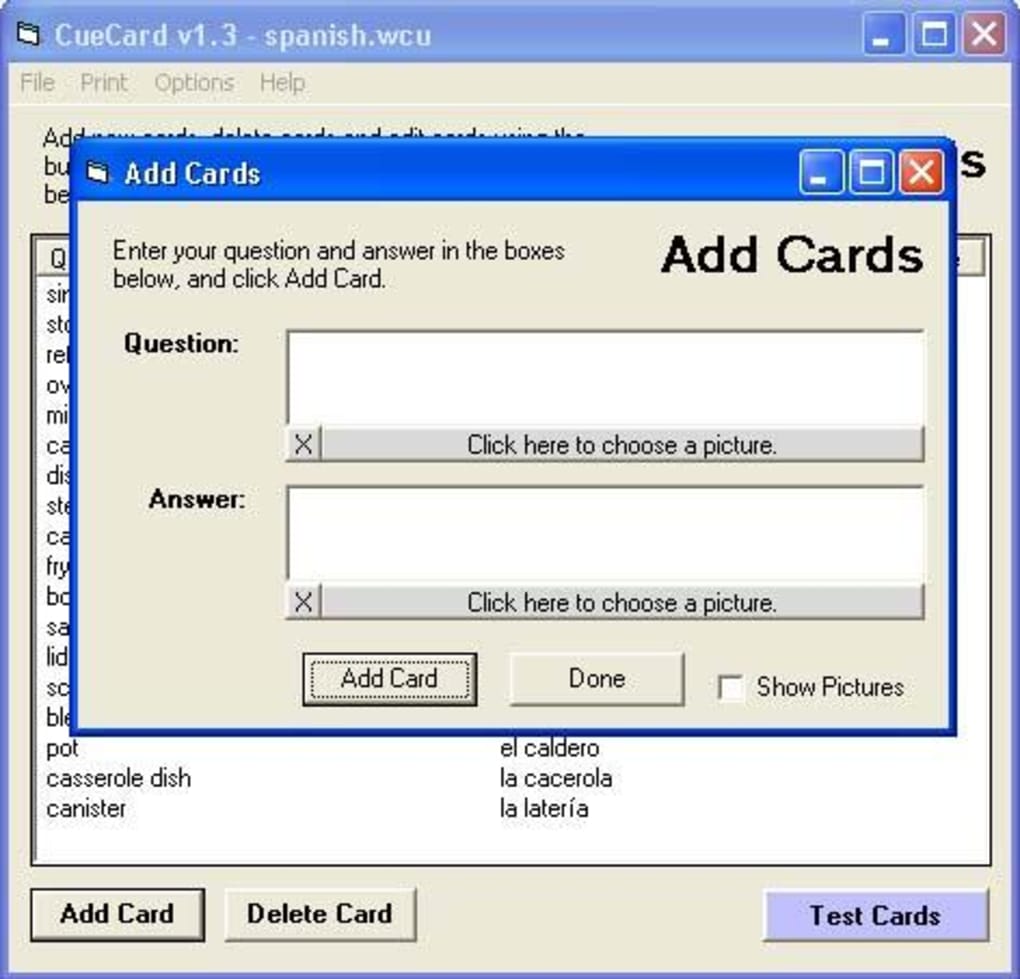
CueCard’s primary function is the creation and management of flashcards. Users can input text, images, and even audio files onto individual cards, providing a multi-sensory learning experience. The software’s simplicity is its strength. The interface is intuitive and easy to navigate, making it accessible to users of all technical skill levels. There is no steep learning curve; users can begin creating and utilizing flashcards almost immediately upon launching the program.
The software features a “smart testing” mode that dynamically focuses on cards that the user struggles with. This adaptive learning feature is a significant advantage, optimizing study time by prioritizing areas needing more attention. This functionality ensures that users don’t waste time repeatedly reviewing material they’ve already mastered. The program’s ability to track and adapt to individual learning patterns significantly enhances its effectiveness.
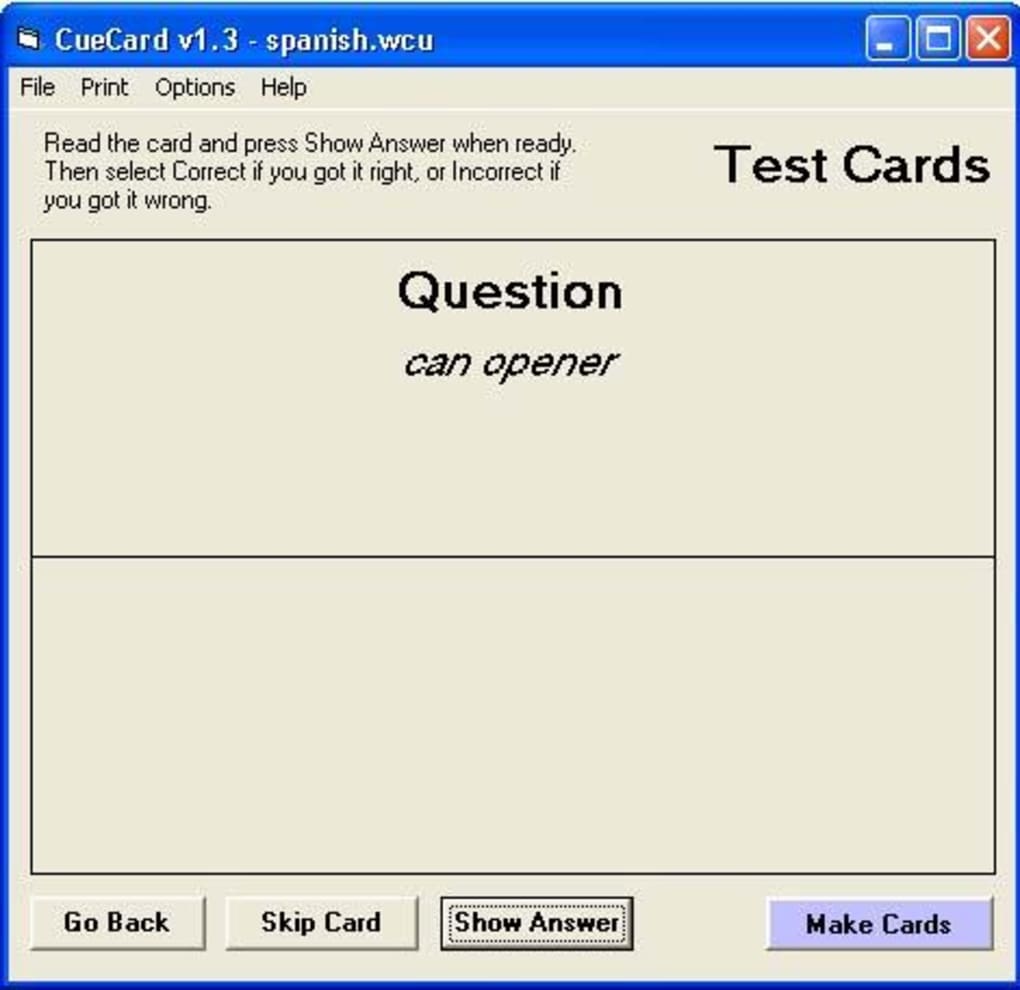
Beyond the core flashcard functionality, CueCard also offers robust printing capabilities. Users can customize page layouts and sizes to fit their specific needs, allowing for the creation of physical flashcards for those who prefer a tangible learning method. This dual functionality—digital and printable cards—makes CueCard versatile and adaptable to different learning styles.
User Interface and Experience: Simplicity Meets Functionality
CueCard’s interface prioritizes ease of use. The minimalist design prevents information overload, allowing users to focus on the task at hand: creating and reviewing flashcards. The program avoids unnecessary bells and whistles, concentrating instead on the core functionality of flashcard creation, management, and testing. This straightforward approach is beneficial for users who prefer a clean, uncluttered interface and eliminates distractions that might hinder the learning process.
While the simplicity of the interface is a major advantage, it also represents a potential limitation. The lack of advanced features found in more modern flashcard applications might be a drawback for users seeking more sophisticated customization options or integration with other learning platforms. For instance, there’s no cloud synchronization or collaborative features, limiting its use for group study or across multiple devices.
The software’s reliance on a Windows 98 and prior operating system compatibility is a significant constraint. This severely limits the software’s current accessibility, as most modern computers don’t utilize this outdated OS. The absence of updates for over a decade suggests a lack of ongoing development, potentially hindering its ability to stay current with technological advancements.
Strengths and Weaknesses: Balancing Simplicity and Functionality
CueCard’s most significant strength lies in its simplicity and ease of use. Its intuitive design makes it readily accessible to a broad range of users, regardless of their technical proficiency. The “smart testing” feature is another strong point, enhancing the learning process by dynamically prioritizing challenging material. The inclusion of image and audio support within the flashcards significantly enriches the learning experience, catering to diverse learning styles. The option to print the flashcards adds another layer of versatility, catering to users who prefer tangible learning aids.
However, CueCard’s limitations are equally apparent. The lack of updates for over a decade significantly restricts its functionality and compatibility. Its reliance on outdated operating systems makes it inaccessible to a large portion of potential users. The absence of advanced features, such as cloud synchronization, collaborative features, and integration with other learning platforms, reduces its competitiveness against more modern flashcard applications. The limited language support (English only) further restricts its global appeal.
Comparison with Alternative Flashcard Software
Numerous alternatives to CueCard exist, offering a wider range of features and functionalities. These include both desktop applications and mobile apps, providing greater flexibility and accessibility. Many modern alternatives incorporate features like spaced repetition algorithms, cloud synchronization, and social features, enhancing the learning experience and fostering community engagement. While CueCard may suffice for users with basic needs, more advanced learners might find these alternative applications better suited to their requirements. The specific choice between CueCard and its alternatives depends heavily on individual learning preferences and technological needs.
Conclusion: A Relic of the Past or a Timeless Tool?
CueCard remains a functional flashcard program, but its age and lack of recent updates place significant limitations on its utility in the current technological landscape. Its simplicity and ease of use are attractive to users seeking a straightforward and uncluttered learning tool, particularly those comfortable with outdated operating systems. However, the absence of modern features like cloud synchronization, mobile compatibility, and advanced learning algorithms renders it less versatile and competitive compared to its contemporary counterparts. While CueCard may have served its purpose well in the past, users seeking a more comprehensive and up-to-date flashcard application should explore modern alternatives that offer greater functionality and accessibility. The legacy of CueCard serves as a reminder of the evolution of educational technology and the ever-increasing demands for user-friendly and feature-rich software solutions. Its simplicity may appeal to a niche user base, but its limitations outweigh its advantages in today’s dynamic digital learning environment.
File Information
- License: “Free”
- Version: “1.5”
- Latest update: “March 10, 2017”
- Platform: “Windows”
- OS: “Windows 95”
- Language: “English”
- Downloads: “10.1K”
- Size: “611.58 KB”


