
Cursor Car is a free application that transforms your computer cursor into a charming animated car, injecting a playful element into your desktop experience. This isn’t your average productivity tool; instead, it’s designed purely for amusement, offering a fun alternative to the standard arrow cursor. Imagine navigating your desktop environment not with a simple pointer, but with a tiny, cartoonish vehicle, leaving playful skid marks in its wake. This article delves into the features, functionalities, and overall experience of using Cursor Car.
Transforming Your Cursor into a Driveable Car
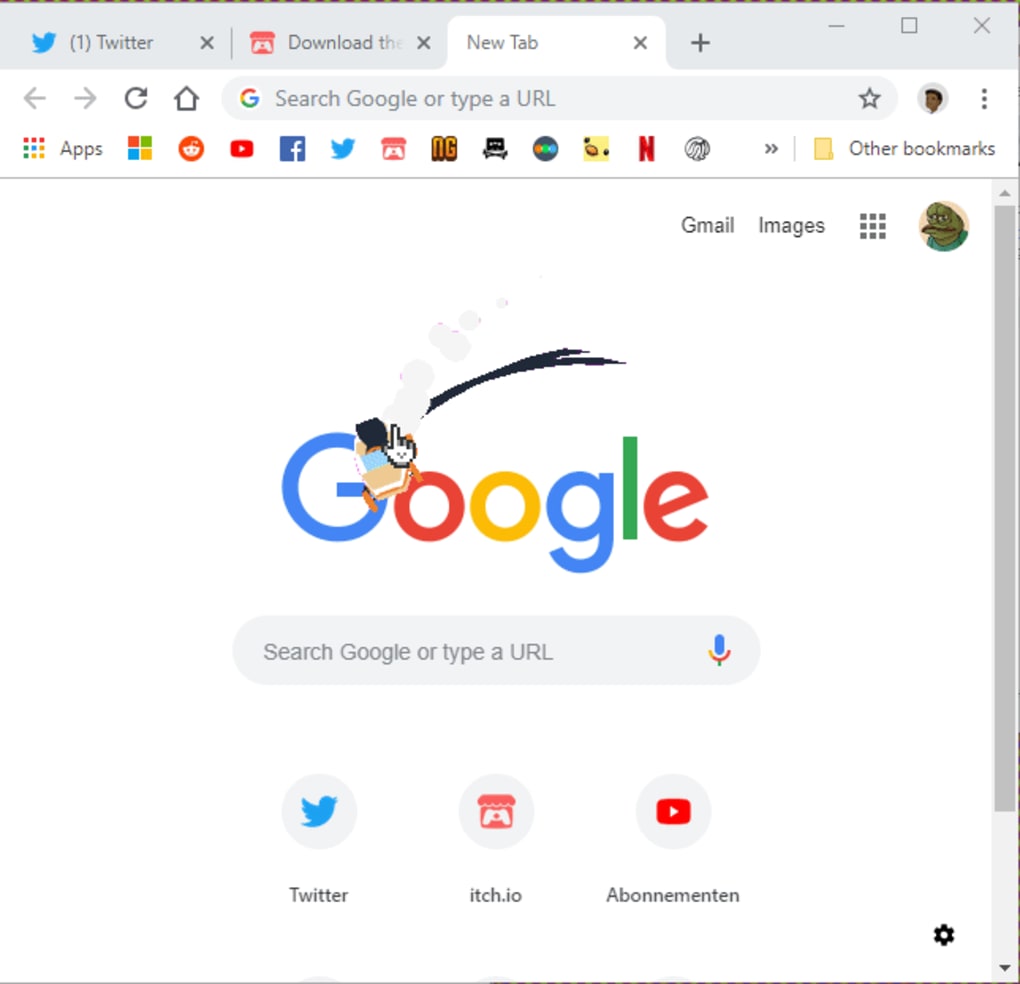
The core functionality of Cursor Car is straightforward yet engaging. Once installed and launched, a small car icon appears on your screen. Clicking this icon activates the application, replacing your traditional arrow cursor with a lively, cartoon-style vehicle. This isn’t merely a static image; it’s fully controllable using your keyboard, mimicking the controls of a classic top-down racing game. The up arrow key propels your car forward, while the left and right arrow keys steer it. Selecting items and clicking buttons is accomplished using the spacebar.
This simple control scheme is immediately intuitive, particularly for anyone familiar with older, 2D driving games. The transition from the standard mouse cursor to this keyboard-driven car is remarkably smooth and requires minimal learning curve. The novelty of controlling your cursor via keyboard commands adds a unique and entertaining twist to typical computer interactions. The playful animation of the car, combined with the visual effect of skid marks, enhances the overall playful experience.
Navigating the Desktop: A Keyboard-Controlled Journey
The experience of navigating your desktop with Cursor Car is surprisingly enjoyable. The familiar keyboard controls allow for a surprisingly precise method of interaction, despite the unconventional nature of the control mechanism. The act of steering the car around icons and windows, skillfully maneuvering around application shortcuts, and precisely clicking buttons feels satisfyingly interactive, turning a mundane task into a mini-game.
The subtle details, such as the tire skid marks left behind as the car makes sharp turns, contribute to the overall immersion and fun. While not replacing a mouse entirely, this app provides a lighthearted alternative for short bursts of interaction. One might find themselves using it to quickly navigate between frequently accessed applications or simply to enjoy the simple act of controlling their cursor in a uniquely playful manner.
Technical Aspects and Potential Issues
While Cursor Car is primarily designed for entertainment, it’s worth considering some of its technical aspects and potential limitations. The application, while generally lightweight, may experience compatibility issues with certain operating systems or configurations. Some users have reported a glitch preventing the car from appearing, leaving only a standard cursor visible. While this doesn’t entirely disable functionality – keyboard controls remain active – it undeniably diminishes the app’s core appeal and novelty. The invisibility of the car essentially negates the primary visual element of the application, reducing it to a less engaging, keyboard-only cursor controller.
This glitch, though reported by some users, does not appear to be universal. Many users report no such issues, suggesting the problem may stem from specific system configurations or software conflicts. The developers, however, haven’t yet addressed these compatibility problems, which could be improved through software updates. For users experiencing this issue, alternative cursor applications might offer a more consistent and visually engaging experience. It is important to note that this glitch does not affect the core functionality of navigating with the keyboard.
Comparison to Similar Applications
Cursor Car occupies a unique niche in the software landscape. While other applications modify cursor aesthetics or add sound effects, few offer the fully interactive, game-like experience of driving a virtual car across your desktop. Applications like Mouse Locator serve a practical purpose, aiding users in locating their cursor, while others, such as Soundy Mouse, add audio feedback to cursor movements. Cursor Car, however, falls into the category of pure entertainment, prioritizing fun and novelty over practical functionality.
Its closest counterparts might be other whimsical desktop companions, such as virtual pets or animated desktop enhancements. However, even these typically lack the interactive driving element that distinguishes Cursor Car. The unique blend of game mechanics and desktop utility sets it apart from other cursor customization applications, creating a truly distinctive user experience.
The Verdict: A Fun, Lightweight Desktop Enhancement
Cursor Car is ultimately a novelty application. It doesn’t replace a mouse or offer any substantial productivity enhancement. Its value lies in its pure entertainment value; a playful way to add a touch of whimsy to your daily computing routine. For users who appreciate a touch of humor and a unique approach to desktop interaction, Cursor Car offers a refreshing alternative to the standard cursor. However, users seeking a practical tool or a consistently polished experience may find its occasional glitches and lack of substantial functionality somewhat disappointing.
The application’s ease of use and intuitive controls make it accessible to a broad range of users, while its lighthearted approach avoids being overly intrusive or distracting. While the potential for glitches is a concern, its overall charm and simple fun factor make it a worthwhile download for those seeking a brief escape from the usual mundane desktop routine. The whimsical nature and simple interaction make it a surprisingly engaging way to spice up a typical desktop experience, especially for those who appreciate novelty and enjoy a little playful disruption to their workflow.
Beyond the Cursor: Implications and Potential Enhancements
The concept behind Cursor Car is intriguing, hinting at the potential for more interactive and engaging desktop experiences. Future iterations could incorporate additional customization options, allowing users to select different vehicles, customize their car’s appearance, or even choose from various driving environments. Adding features like challenges, leaderboards, or even simple mini-games integrated into the desktop navigation could further elevate its entertainment value.
The current limitations, particularly the reported glitches, present opportunities for improvement. Addressing compatibility issues across different operating systems and configurations would greatly enhance user experience and broaden its appeal. Further development could focus on optimizing the application’s performance and stability, ensuring a smoother, more reliable experience for all users. Expanding on the core concept, such as integrating the car into a broader, more immersive desktop environment, would offer significant room for creative expansion.
The underlying idea of gamifying everyday computer interactions is promising. It suggests a path towards developing more engaging and interactive software that blends functionality with entertainment. Cursor Car, despite its limitations, serves as a proof of concept, demonstrating the potential for such applications to add a touch of fun and novelty to what is often a rather mundane aspect of daily computer use. Future iterations built upon this foundation could lead to a significant shift in how users interact with their desktop environments.
File Information
- License: “Free”
- Version: “1.0”
- Latest update: “July 5, 2022”
- Platform: “Windows”
- OS: “Windows 8.1”
- Language: “English”
- Downloads: “2.6K”
- Size: “24.36 MB”


