
The humble mouse cursor, a ubiquitous element of the modern computing experience, has served as the primary user interface for decades. Its precision and customizability are undeniable assets. However, for many, particularly those who spend significant time typing, the constant presence of the cursor can be a jarring visual distraction, hindering workflow and reducing productivity. This is where Cursor Hider steps in, offering a simple yet effective solution to eliminate this minor but persistent annoyance. Developed by Softexe, Cursor Hider is a premium Windows utility designed to seamlessly hide and manage your mouse cursor, allowing for more focused keyboard interaction.
How Cursor Hider Works: Customization and Functionality
Cursor Hider’s core functionality revolves around providing users with complete control over the visibility and behavior of their mouse cursor. This control manifests in several key aspects:
1. Hiding the Cursor: The software offers precise customization for automatically hiding the cursor. Users can define the conditions under which the cursor disappears, including the number of keyboard clicks required before automatic hiding and the duration of inactivity (idle time) before the cursor is concealed. This allows for tailored configurations based on individual working styles and preferences. For instance, a user might set the cursor to hide after three keystrokes and a two-second idle period, while another might prefer a longer inactivity delay before hiding occurs.
2. Cursor Relocation: Further enhancing its customization capabilities, Cursor Hider allows users to specify where the cursor should relocate upon being hidden. This ensures that when the cursor is needed again (upon mouse movement), it doesn’t reappear in an inconvenient or disruptive location. Options for repositioning likely include screen edges, corners, or even a user-defined coordinate.
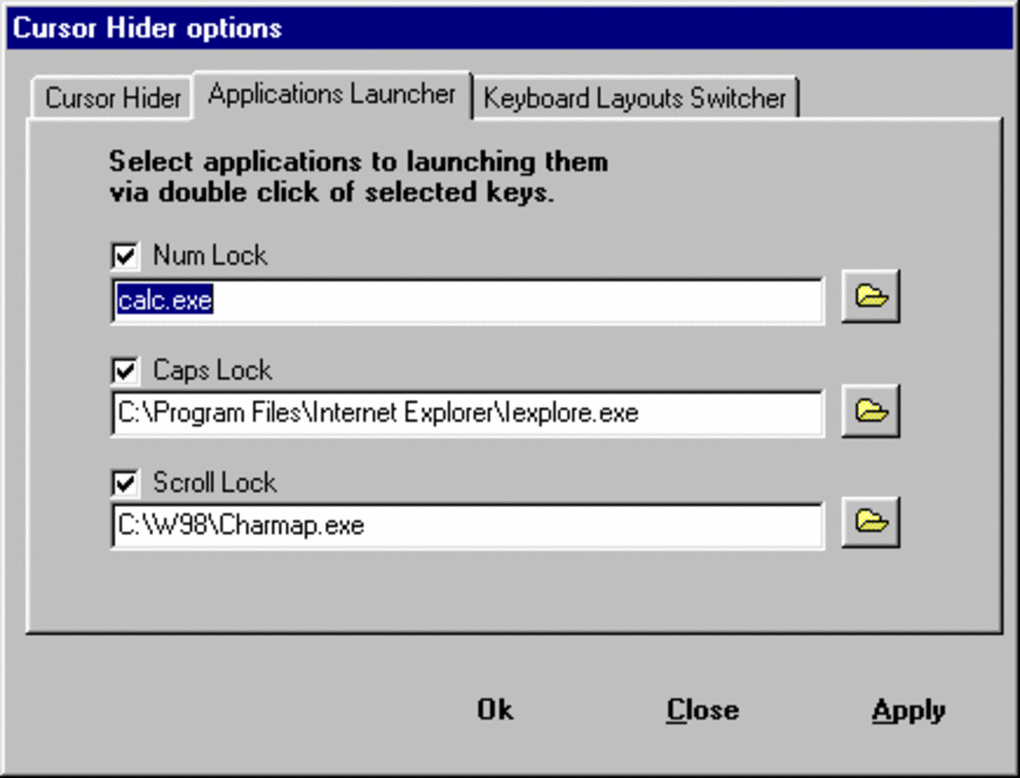
3. Enhanced Keyboard Functionality: Beyond its core cursor-hiding function, Cursor Hider integrates several additional features aimed at improving keyboard productivity. These include the ability to utilize double-clicking keyboard hotkeys – such as Caps Lock, Num Lock, or other user-defined keys – to launch specific applications. This feature transforms underutilized keys into quick-launch shortcuts, streamlining workflows and reducing the need to navigate through menus or taskbars.
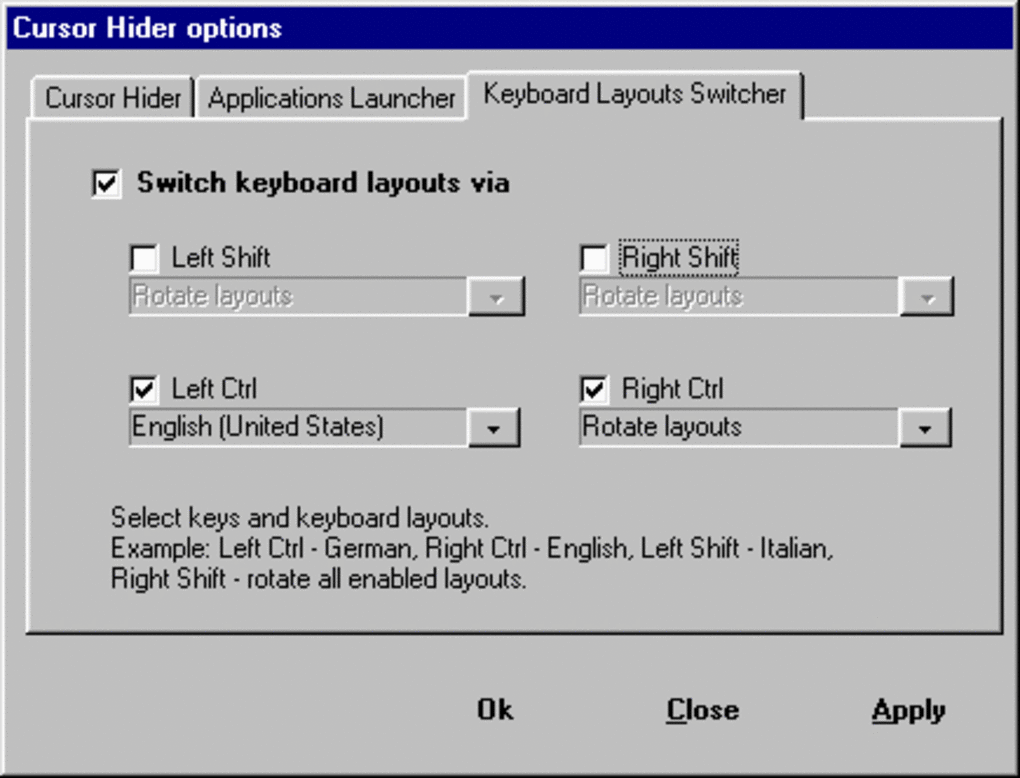
4. Dynamic Keyboard Layout Switching: Another notable feature is the ability to swiftly change keyboard layouts on the fly. By utilizing modifier keys like Ctrl and Shift in conjunction with user-defined hotkeys, users can effortlessly switch between different keyboard configurations (e.g., English, Spanish, etc.), catering to multilingual users or those working with specialized keyboards.
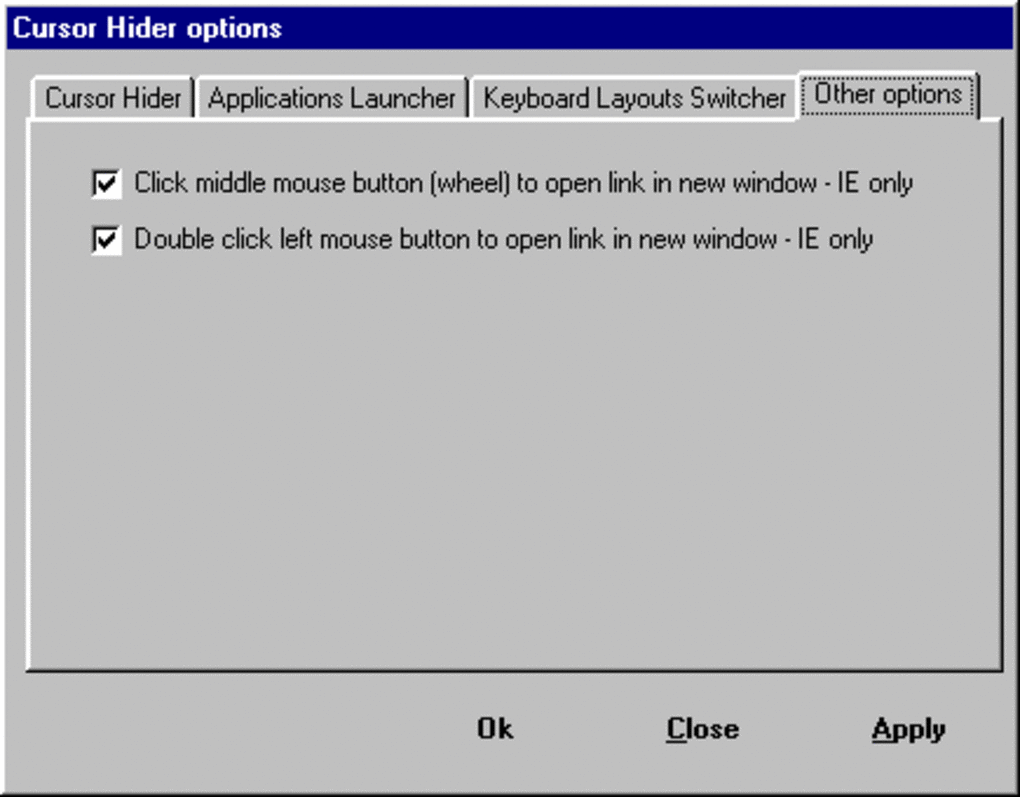
5. Efficient Browser Tab Management: Cursor Hider even extends its functionality to web browsing by allowing the middle mouse click to open hyperlinks in a new browser tab. This functionality eliminates the need to use the cursor to select and open links, furthering its goal of enhancing keyboard-centric productivity.
The Advantages of Using Cursor Hider
Cursor Hider’s primary strength lies in its ability to enhance productivity by eliminating the visual distraction of a constantly visible mouse cursor during periods of focused keyboard input. This is particularly beneficial for writers, programmers, and anyone involved in tasks that demand extended keyboard usage. The added features, such as application launching hotkeys and dynamic keyboard layout switching, further augment its practicality and appeal.
The intuitive design and high degree of customization also contribute to the software’s ease of use. Users can fine-tune the settings to precisely match their specific workflow, ensuring optimal performance and minimal disruption. The ability to test the software with a free trial allows potential users to fully assess its benefits and usability before committing to a purchase.
The software’s relatively compact size (479.67 KB) ensures minimal system resource consumption, making it suitable for even less powerful machines. The positive user reviews (while limited in number on the platform showcasing the software) attest to the software’s general reception and efficacy.
Comparing Cursor Hider to Alternative Solutions
While Cursor Hider offers a comprehensive suite of features, it’s essential to acknowledge the availability of alternative solutions that provide some overlapping functionality. Several free applications offer basic cursor hiding capabilities, often relying on simple hotkeys or inactivity timers. However, Cursor Hider distinguishes itself through its greater level of customization, the integrated keyboard enhancements, and the streamlined workflow they facilitate. The free alternatives may lack the sophistication and versatility offered by Cursor Hider’s advanced settings and extra features. Therefore, the choice between paid and free alternatives depends primarily on the extent to which the user needs the advanced features and customization options offered by Cursor Hider.
For users who prioritize a simple solution and don’t require the extra features, a free alternative might suffice. However, for users who value enhanced customization, integrated keyboard shortcuts, and efficient workflow optimization, the investment in Cursor Hider justifies itself through increased productivity and reduced interruptions.
Potential Drawbacks and Considerations
While Cursor Hider offers considerable advantages, some potential limitations should be considered. One potential drawback is the cost. The software is a premium utility, and its price point might be a deterrent for some users, especially considering the availability of free alternatives with overlapping functionalities, albeit less robust and customizable features.
Another point of consideration is the reliance on a single platform. Cursor Hider is currently only available for Windows, limiting its applicability to users of other operating systems (macOS, Linux, etc.). There’s no mention of plans for expanding platform compatibility. Users on other operating systems will have to search for alternative solutions.
Despite these limitations, the software appears to perform its core functionality reliably and is considered by the available user reviews as a useful tool.
Conclusion: Is Cursor Hider Worth It?
Ultimately, the decision of whether or not Cursor Hider is worth the investment depends on individual needs and preferences. For users who experience frequent interruptions from their mouse cursor during keyboard-intensive tasks and who value a highly customizable and feature-rich solution, the software provides excellent value. The added keyboard enhancements further enhance its appeal, creating a synergistic tool for improving overall workflow efficiency.
The free trial period allows users to fully assess the software’s capabilities and determine if it aligns with their requirements. The advanced customization options, integrated keyboard features, and improved browser tab management set Cursor Hider apart from simpler, free alternatives. While the price might seem high for a utility with some functionalities found in free alternatives, the added value of increased productivity and reduced distractions could justify the cost for users who find themselves frequently disrupted by their mouse cursor during work. For users who find their workflow hampered by a persistently visible mouse cursor, Cursor Hider presents a viable solution worth considering.
File Information
- License: “Trial version”
- Latest update: “July 11, 2023”
- Platform: “Windows”
- OS: “Windows 98”
- Language: “English”
- Downloads: “8.1K”
- Size: “479.67 KB”


