
Cx File Explorer is a free file manager application for Android devices designed to simplify file organization and management. Offering a user-friendly interface reminiscent of desktop file explorers like Windows Explorer or macOS Finder, Cx File Explorer provides a robust suite of tools for handling local and remote files. This review delves into its features, performance, and overall user experience, comparing it to other popular file managers on the market.
Intuitive Interface and Ease of Use
Cx File Explorer boasts a clean and intuitive interface, making it accessible to users of all technical skill levels. The app’s primary screen is divided into three main tabs: Local, Library, and Network. This clear categorization allows for quick navigation and access to different file locations.
The Local tab provides access to the device’s internal storage, SD card (if present), downloads folder, applications, and a conveniently integrated recycle bin. This centralized view of local storage simplifies file management, eliminating the need to switch between multiple apps or directories. The organization is logical and visually appealing, with large icons and clearly labeled sections.
The Library tab is specifically designed for media files, offering a streamlined way to browse and manage photos, videos, and music. This dedicated section helps users quickly locate and organize their multimedia content, unlike some file managers that bury media files within complex folder structures.
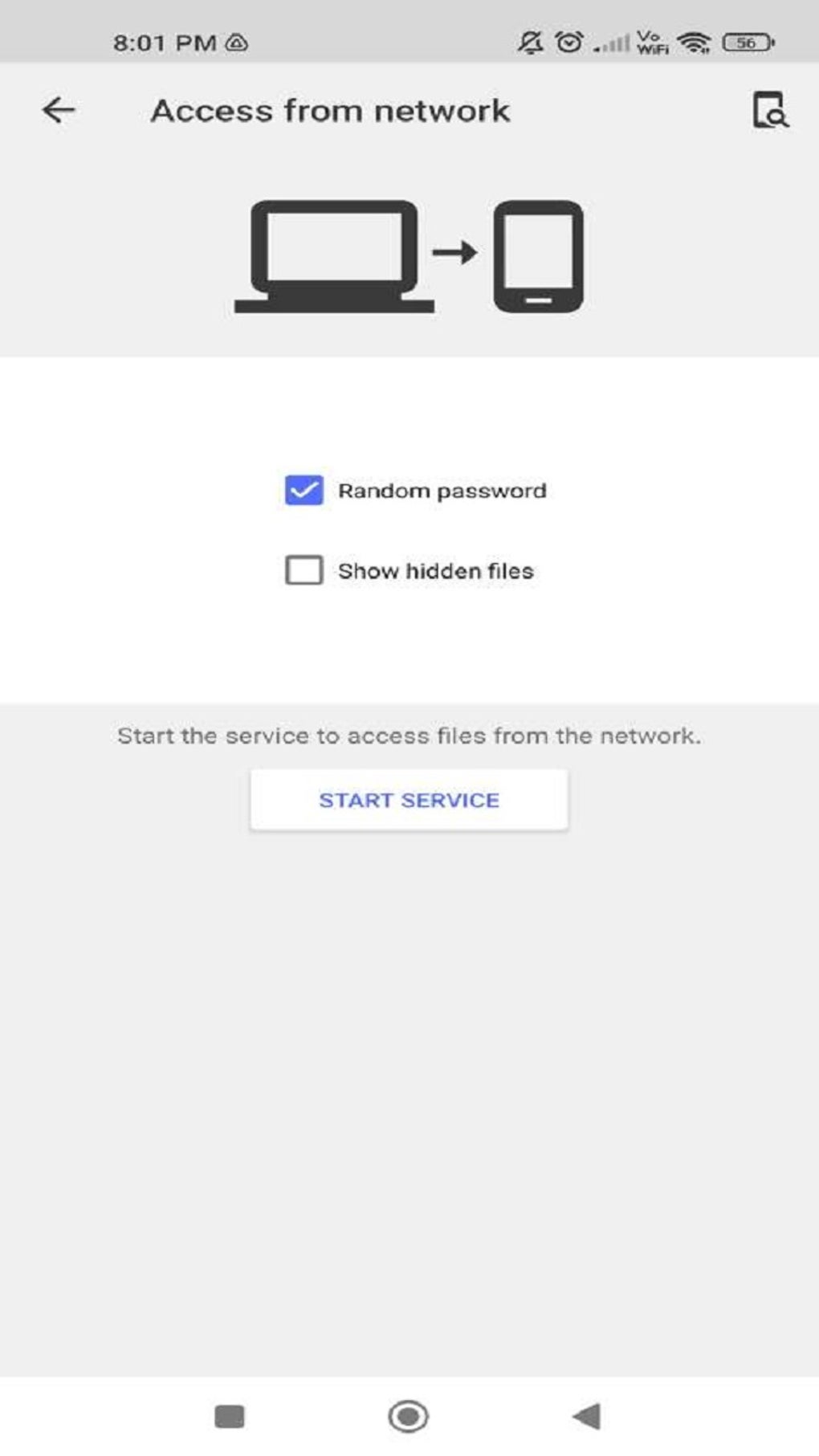
The Network tab grants access to remote files stored on cloud services or network-attached storage (NAS) devices. Cx File Explorer supports various protocols, including FTP, FTPS, SFTP, SMB, WebDAV, and LAN connections. This feature is particularly valuable for users who regularly work with files stored remotely, allowing them to manage these files seamlessly from their Android device without needing to switch to separate applications.
Comprehensive File Management Capabilities
.jpg)
Beyond its straightforward navigation, Cx File Explorer provides a comprehensive range of file management functions:
-
Browsing and Searching: The app allows for easy browsing of files and folders, with options for sorting by name, size, date, and type. A search function enables quick location of specific files within the vast storage space of a modern Android device.
-
File Manipulation: Cx File Explorer supports all standard file operations, including creating, moving, copying, renaming, deleting, and sharing files. These core functionalities are implemented smoothly and reliably, providing a seamless user experience.
-
Compression and Extraction: The app handles various archive formats, such as ZIP and possibly others. This allows users to compress multiple files into a single archive for easier storage and sharing or to extract files from downloaded archives without needing additional applications. The inclusion of password-protected ZIP extraction enhances security for users handling sensitive files.
-
Storage Analysis: A built-in storage analysis tool provides a clear visual representation of available and used storage space. This is valuable for managing storage efficiently, helping users identify space-consuming files and folders for removal if needed.
-
Recycle Bin: The integrated recycle bin provides a safety net for accidental deletions. Users can easily restore deleted files from the recycle bin, reducing the risk of permanent data loss.
Performance and Stability
Based on user reviews and reports, Cx File Explorer demonstrates consistent performance and stability. Regular updates address bugs and minor issues, ensuring a smooth user experience. The app is known for its responsiveness and speed in handling even large numbers of files or large file sizes. This efficiency minimizes frustration, a critical aspect for a file manager application.
Notable Features and Strengths
Several features set Cx File Explorer apart from its competitors:
-
Ad-Free Experience: Unlike many free file managers, Cx File Explorer is completely free from advertisements. This clean, uninterrupted experience enhances usability and improves the overall enjoyment of using the app.
-
Regular Updates: The developers demonstrate a commitment to maintaining and improving the app through regular updates, addressing bug fixes and adding new features. This ongoing maintenance ensures the app remains current and compatible with the latest Android versions.
-
Support for Various Protocols: Cx File Explorer’s support for a wide array of network protocols (FTP, FTPS, SFTP, SMB, WebDAV, and LAN) greatly expands its functionality. This allows users to seamlessly access and manage files located on diverse servers and storage solutions.
-
Storage Cleaner: A recent addition, a storage cleaner helps users identify and remove junk files, reclaiming valuable storage space. This feature complements the storage analysis tool, offering a proactive way to manage storage capacity.
Areas for Improvement
While Cx File Explorer offers a positive user experience, there is still room for improvement:
-
Lack of Dark Mode: The absence of a dark mode is a notable omission. A dark mode would enhance the app’s usability, particularly in low-light conditions, and reduce eye strain during extended use.
-
Potential for Enhanced Features: While the app’s functionality is quite comprehensive, there’s always potential for added features. For example, integrating cloud storage services directly within the app, providing more advanced sorting and filtering options, or adding support for additional archive formats could further improve user experience.
Comparison to Other File Managers
Cx File Explorer competes with several other popular Android file managers, including ES File Explorer, Amaze File Manager, and others. While these competitors offer similar core functionality, Cx File Explorer’s strengths lie in its intuitive interface, lack of ads, and the comprehensive support for network protocols. The absence of a dark mode is a drawback compared to some of its competitors who do offer this feature. However, the overall balance of features, performance, and user experience makes Cx File Explorer a strong contender in the crowded Android file manager market.
Conclusion
Cx File Explorer provides a reliable, efficient, and user-friendly solution for managing files on Android devices. Its clean interface, comprehensive feature set, and ad-free experience make it a compelling choice for users seeking a straightforward yet powerful file management solution. While the lack of a dark mode is a minor drawback, its strengths significantly outweigh this limitation. The app’s continuous updates and ongoing development suggest that future versions will likely address remaining shortcomings and potentially incorporate even more user-requested features. Overall, Cx File Explorer is a highly recommended file management app for Android users seeking a simple, effective, and free solution for all their file management needs.
File Information
- License: “Free”
- Latest update: “April 27, 2025”
- Platform: “Android”
- OS: “Android 13.0”
- Downloads: “1.2M”
- Size: “17.85 MB”
- Download Options: “APK, Google Play”
- Filename: “AF3DWBfkGpzLDiMDFxTo4XhicYUCStAldu_bYSMV_CIXaT0cwnmprLx8Q-C69ZXCihwP9gN7Qt9NUc7b2dSRfG-Asd9YEgJqQJLIGPBSOC0ErN_g7A13YQOrYOLE0cCGwP3-PfXz1-SRcaH0ZJlAeF_QjhkfDOVOZA”


