
Cyberduck is a free, open-source cloud storage browser and FTP client that simplifies file uploading and downloading. Developed by David V. Kocher and Yves Langisch, this software offers a user-friendly interface and robust functionality, making it a popular choice for individuals and businesses alike. Its versatility extends beyond basic FTP, encompassing support for various protocols and cloud storage services, enhancing productivity and streamlining file management processes. This review delves into Cyberduck’s features, strengths, weaknesses, and overall value proposition.
User-Friendly Interface and Ease of Use
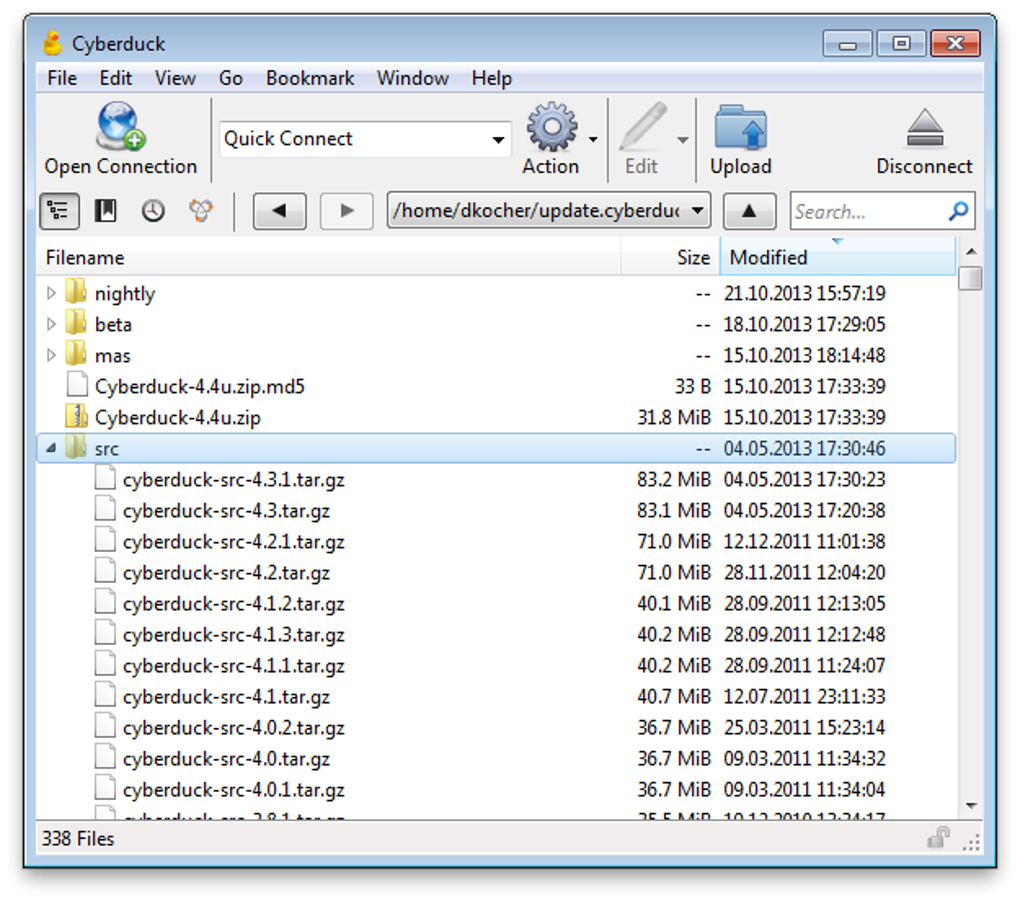
One of Cyberduck’s key strengths is its intuitive graphical user interface (GUI). The drag-and-drop functionality allows for quick and easy file transfers, eliminating the complexities often associated with FTP clients. This ease of use extends to other features, making the software accessible to both novice and experienced users. The clean and uncluttered design minimizes distractions and ensures a smooth user experience. For those needing to make on-the-fly edits, Cyberduck seamlessly integrates with external text editors, allowing for direct file modification without leaving the application.
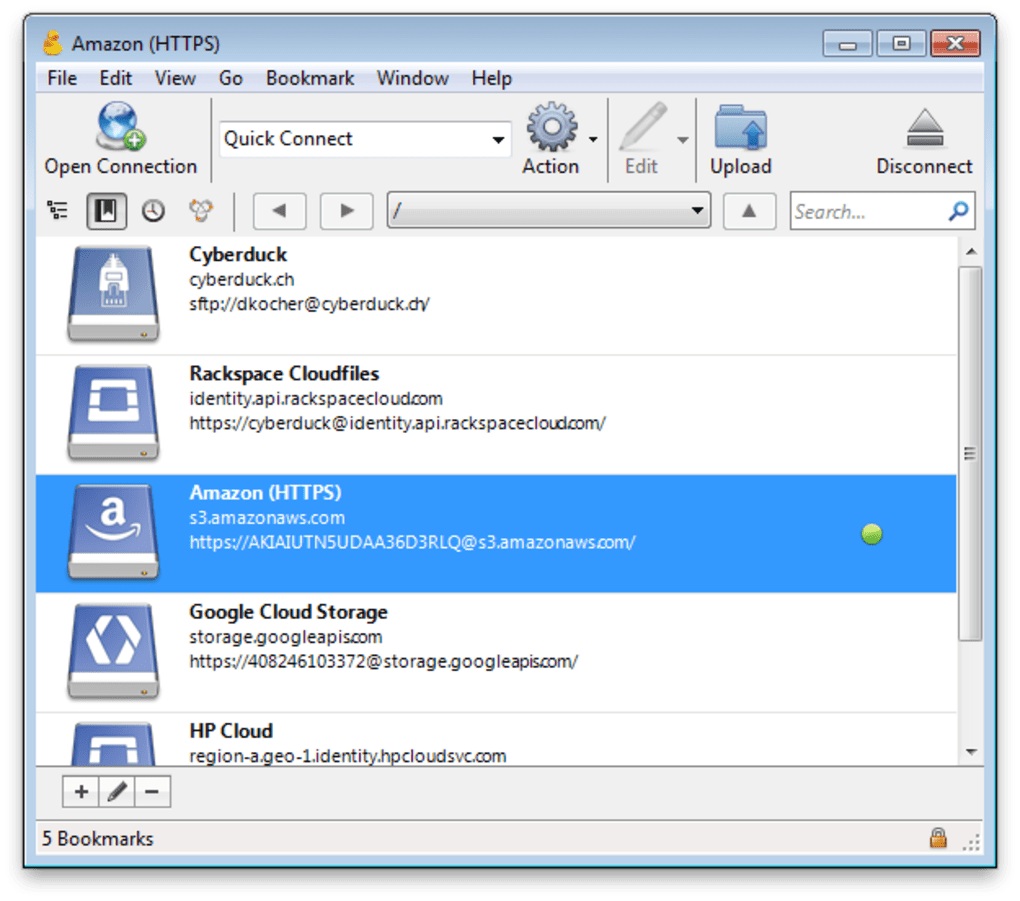
Furthermore, Cyberduck enhances organization and recall through bookmarking functionality. Users can easily save frequently accessed files and folders, reducing the time spent navigating directories. A comprehensive search function and a detailed history list provide additional tools for efficient file management. The integration of caching and Quick Look features further optimizes browsing and previews, enhancing the overall efficiency and user experience. This integration leverages native platform features, such as Finder on macOS and system tray notifications on Windows, providing a seamless and familiar workflow. Features like password storage and automatic online service discovery further streamline the connection and access process. Finally, sharing files is simplified by the ability to easily copy and open the relevant URLs directly within a web browser.
Extensive Protocol and Cloud Storage Support
Cyberduck goes beyond basic FTP support, offering compatibility with several protocols including SFTP (SSH File Transfer Protocol), FTP/TLS (File Transfer Protocol over Transport Layer Security), and WebDAV (Web Distributed Authoring and Versioning). This broad protocol support allows users to connect to a wide range of servers and services, accommodating various security needs and infrastructure setups. This flexibility makes Cyberduck adaptable to a diverse range of user scenarios and technical environments.
In addition to its protocol versatility, Cyberduck boasts extensive integration with numerous third-party cloud storage providers. Users can seamlessly connect to and manage files stored on popular services such as Amazon S3, OpenStack Swift, Backblaze B2, Microsoft Azure, OneDrive, Google Drive, DRACOON, and Dropbox. This broad compatibility caters to diverse cloud storage preferences and enterprise environments, facilitating easy file sharing and collaboration across various platforms. This interoperability is a significant advantage, streamlining workflows and improving overall productivity for individuals and organizations alike.
Security Features and Data Protection
Security is a crucial aspect of any file transfer application, and Cyberduck addresses this through various features. The support for SFTP and WebDAV ensures secure connections when accessing these services, protecting data in transit. For users demanding an additional layer of security, Cyberduck integrates the Cryptomator feature. This allows for client-side encryption, safeguarding both directory names and file contents, even without a Cyberduck account. This enhanced security ensures that sensitive data remains protected, regardless of the underlying storage or transfer method.
The integration of Cryptomator extends to the Mountain Duck feature, enabling users to mount their servers and cloud storage as local disks. This convenient approach simplifies access and management, providing the familiar feel of a local file system while maintaining the security benefits of client-side encryption. These integrated security measures make Cyberduck a suitable choice for users handling sensitive or confidential information.
Limitations and Areas for Improvement
Despite its numerous strengths, Cyberduck has some limitations. One notable constraint is its recommendation to maintain only one active connection at a time. While the software allows for the resumption of interrupted transfers, the inability to manage multiple simultaneous connections can impact efficiency for users transferring large numbers of files or working with multiple servers concurrently. This limitation necessitates a more sequential workflow, potentially affecting productivity in certain use cases.
Another area for improvement lies in its direct file-sharing capabilities. Cyberduck excels at connecting to servers and cloud storage, but it doesn’t directly facilitate file sharing between users within the application itself. While users can share files indirectly through URLs generated by the application, a more integrated approach to file sharing would enhance collaboration and ease of use. This absence of direct sharing may necessitate reliance on other applications or methods for certain collaborative workflows.
Comparison with Other FTP Clients
While Cyberduck offers a compelling combination of features and ease of use, it’s important to consider its position within the broader FTP client landscape. Compared to some more established and feature-rich competitors, Cyberduck might lack certain advanced functionalities such as sophisticated scripting capabilities, extensive automation options, or highly customizable settings. However, its simplicity and user-friendly design may appeal to users who prioritize ease of use over advanced features. The choice between Cyberduck and other FTP clients ultimately depends on individual needs and priorities.
Conclusion: A Solid Choice for Ease of Use and Versatility
Cyberduck provides a compelling solution for users seeking a user-friendly and versatile FTP client. Its intuitive interface, broad protocol and cloud storage support, and integrated security features make it an attractive option for both personal and professional use. While certain limitations exist, such as the restriction on simultaneous connections and the absence of direct file sharing, these are often outweighed by the software’s overall ease of use and extensive functionality. Its availability in multiple languages further enhances its accessibility. Cyberduck stands as a strong contender in the FTP client market, particularly for users valuing simplicity and a wide range of compatibility options. Its strengths in user experience and versatility make it a valuable tool for various file management tasks.
File Information
- License: “Free”
- Latest update: “May 28, 2025”
- Platform: “Windows”
- OS: “Windows 8”
- Language: “English”
- Downloads: “140.7K”
- Size: “64.84 MB”


