
Cyberfox, a free and open-source web browser, presents itself as a compelling alternative to the widely popular Mozilla Firefox. Built upon the same foundational source code, Cyberfox distinguishes itself through a key focus on CPU optimization and the removal of Mozilla’s built-in telemetry data. This detailed exploration delves into the browser’s functionalities, strengths, weaknesses, and overall standing in the competitive landscape of web browsers.
Performance and Architecture: Optimized for Your Processor
Cyberfox’s core differentiator lies in its architecture. Unlike its Firefox counterpart, Cyberfox offers distinct builds tailored to specific CPU architectures: AMD or Intel processors, and in either 32-bit or 64-bit versions. This targeted approach promises enhanced performance by leveraging the unique capabilities of your processor. This level of customization is a significant advantage for users seeking to maximize their browsing experience based on their specific hardware. The browser aims to reduce resource consumption and improve speed, making it particularly attractive for users with less powerful systems. However, the dual-build approach (AMD/Intel) necessitates careful selection during installation to avoid performance degradation. Downloading the incorrect version could lead to unexpected slowdowns or instability. The browser’s performance gains will be highly dependent on the specific hardware it’s running on, and users should realistically manage their expectations. The perceived improvement might be subtle on modern high-performance machines, but more noticeable on older or less powerful systems.
Privacy and Security: Stripping Back Telemetry
One of Cyberfox’s primary selling points is its dedication to user privacy. The developers have actively removed Mozilla’s built-in telemetry data collection mechanisms. This means less data about your browsing habits is sent back to Mozilla, increasing your online privacy and anonymity. For users concerned about data tracking and online surveillance, this feature represents a considerable advantage. However, it is crucial to understand that removing telemetry doesn’t equate to complete anonymity. Other trackers and website scripts can still collect information. Furthermore, the browser’s own servers manage synchronization features, and users should carefully consider this potential trade-off between improved privacy from Mozilla and reliance on Cyberfox’s own infrastructure. Transparency in the Cyberfox server data handling practices is paramount to gaining user trust.
User Interface and Features: Familiar Yet Distinct
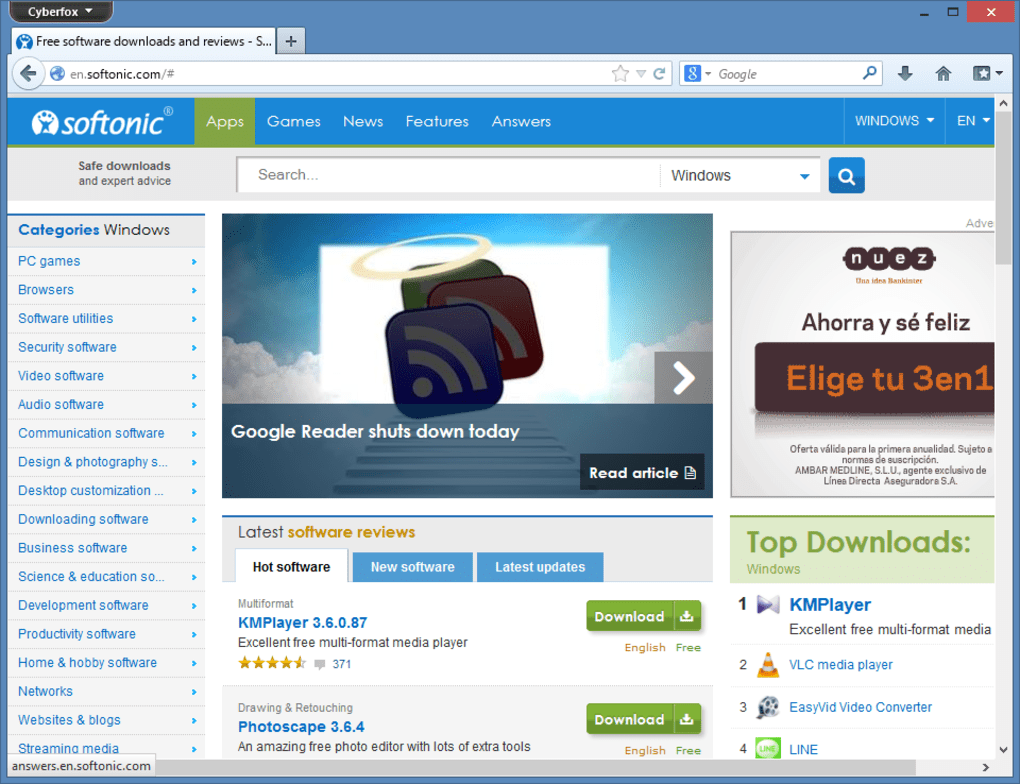
Cyberfox presents a familiar user interface to anyone accustomed to Firefox. The fundamental layout, button placement, and menu structure closely mirror Mozilla Firefox, making the transition smooth for existing users. This consistency minimizes the learning curve and allows users to quickly adapt to the new browser. Two default UI options are provided, offering some level of customization to personalize the look and feel. However, this customization is relatively limited compared to the extensive theming options available in Firefox. Some users have reported display issues with the default theme on certain websites, suggesting potential incompatibility or rendering problems that need addressing. The developers should prioritize consistent and reliable rendering across websites to avoid negatively impacting user experience.
Compatibility and Limitations: Trade-offs and Considerations
Cyberfox’s architecture-specific builds have some implications for compatibility. The browser completely overrides any existing Firefox installation on the system. This means users cannot run both Cyberfox and Firefox concurrently. While this might be acceptable for some users, others might rely on specific Firefox extensions or configurations that are incompatible with Cyberfox. This limitation significantly affects users who require the flexibility of using multiple browsers or utilizing specific Firefox add-ons. Furthermore, the browser is officially incompatible with Windows XP, limiting its reach to users with older operating systems. The absence of native support for this legacy OS reflects the ongoing shift towards supporting newer technologies and security standards.
Alternatives and Competition: Navigating the Browser Landscape
Cyberfox faces stiff competition in the browser market. Several alternatives, such as Waterfox, Pale Moon, and Comodo IceDragon, offer similar features and functionalities. These alternatives also often provide a balance between privacy features and compatibility with existing Firefox add-ons and extensions. Waterfox, for example, shares Cyberfox’s commitment to privacy and open-source principles while boasting greater compatibility. Pale Moon focuses on performance optimization and a streamlined user experience. Comodo IceDragon emphasizes enhanced security through integration with Comodo’s security suite. The choice between Cyberfox and these alternatives hinges on individual priorities, with each browser offering its unique strengths and weaknesses. Users should carefully compare features, security approaches, and community support before making a decision.
Conclusion: A Niche Player with Potential
Cyberfox presents a compelling offering for users who prioritize CPU optimization and the removal of Mozilla telemetry. Its architecture-specific builds can potentially deliver performance benefits, particularly on older or less powerful systems. However, the lack of compatibility with existing Firefox installations and limited theming options represent significant limitations. The incompatibility with Windows XP and potential display issues with the default theme further restrict the user base. While Cyberfox occupies a niche within the browser market, its dedication to privacy and open-source development represents a valuable contribution. The ongoing development and community support are critical to addressing its current limitations and expanding its appeal to a broader audience. Transparency in data handling practices and addressing reported display issues are crucial steps towards building long-term user trust and achieving wider adoption. Future development should focus on improving compatibility, expanding theming options, and ensuring consistent rendering across all websites to enhance the overall user experience. Ultimately, the success of Cyberfox hinges on continuous improvement and addressing the identified drawbacks.
File Information
- License: “Free”
- Version: “22.0.0”
- Latest update: “September 3, 2021”
- Platform: “Windows”
- OS: “Windows 7”
- Language: “English”
- Downloads: “34.1K”
- Size: “38.84 MB”


