
In an increasingly digital world, nurturing creativity from a young age is paramount, and software tailored for children plays a crucial role in this endeavor. Among the myriad of digital tools designed to spark artistic expression, CyberLink YouPaint stands out as a charming and intuitive offering specifically crafted for young, aspiring artists. First introduced into a landscape where touch-screen technology was beginning to gain traction, CyberLink YouPaint offered a unique, risk-free environment for children to explore colors, shapes, and imagination right on their personal computers. It’s more than just a drawing application; it’s a digital canvas that combines simplicity with an abundance of engaging content, making it a perennial favorite for parents seeking constructive and entertaining screen time for their kids.
Developed by CyberLink Corp., a company renowned for its multimedia software solutions, YouPaint reflects their expertise in creating user-friendly and feature-rich applications. Unlike professional graphic design suites that can overwhelm a child, YouPaint strips away complexity, presenting a vibrant, inviting interface that encourages immediate interaction. This deliberate design choice ensures that even the youngest users can navigate the program with ease, transforming their ideas into colorful digital artworks without encountering frustrating hurdles. The trial version, readily available for Windows, offered a glimpse into a world where creativity had no bounds for children, a world filled with pre-made templates, a rich palette of colors, and an array of stamps and clipart designed to embellish every creation.
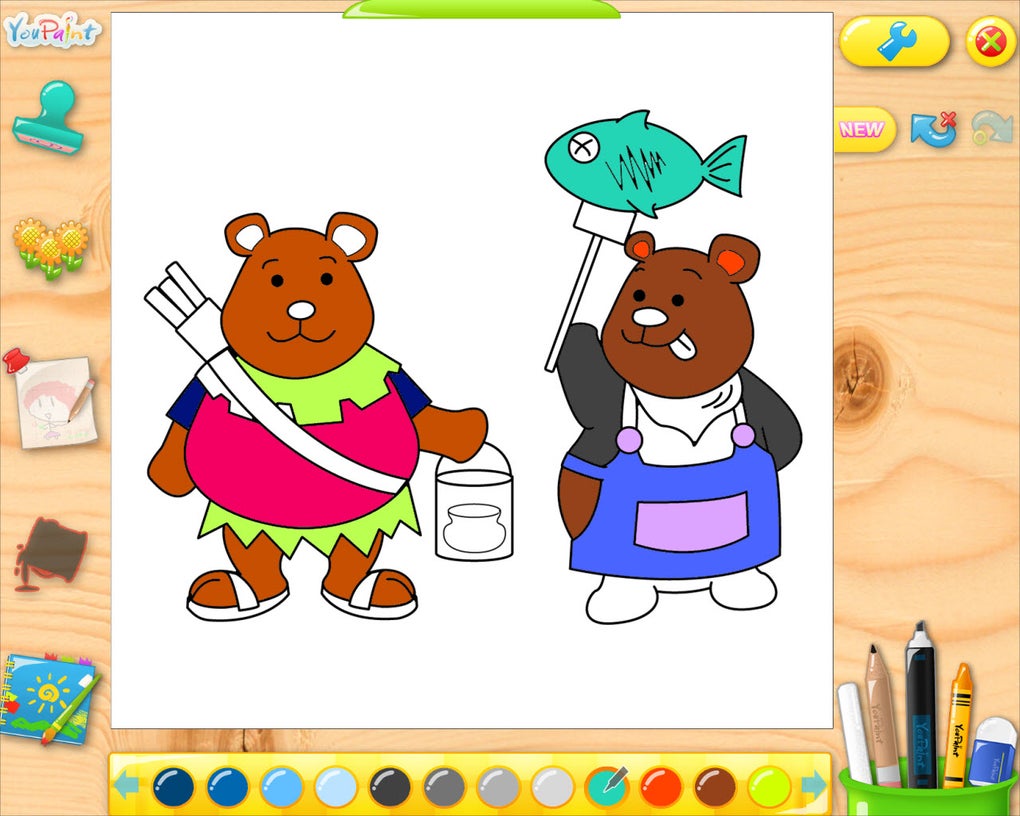
The appeal of CyberLink YouPaint lies not just in its functionality but in its understanding of a child’s developmental needs. It supports the development of fine motor skills, color recognition, and imaginative storytelling. For parents, it provides peace of mind, knowing their children are engaged with a safe and appropriate tool. Its legacy, despite its last update dating back to 2010, continues to resonate, underscoring the timeless need for engaging, educational, and secure digital platforms for children’s creative exploration. This article will delve deeper into the features, benefits, and contextual significance of CyberLink YouPaint, examining its place within the broader ecosystem of children’s software and digital creativity.
Unleashing Creativity with CyberLink YouPaint
CyberLink YouPaint is ingeniously designed to be a child’s first foray into the world of digital art. Its core philosophy revolves around making the creative process enjoyable, accessible, and boundless for young minds. At the heart of YouPaint’s appeal is its vibrant, friendly interface. Gone are the intimidating menus and toolbars found in adult-oriented graphic design software. Instead, children are greeted with large, colorful, and self-explanatory buttons that guide them intuitively through the various functions. This thoughtful design minimizes the learning curve, allowing kids to jump straight into drawing and painting rather than spending time trying to figure out how the software works.
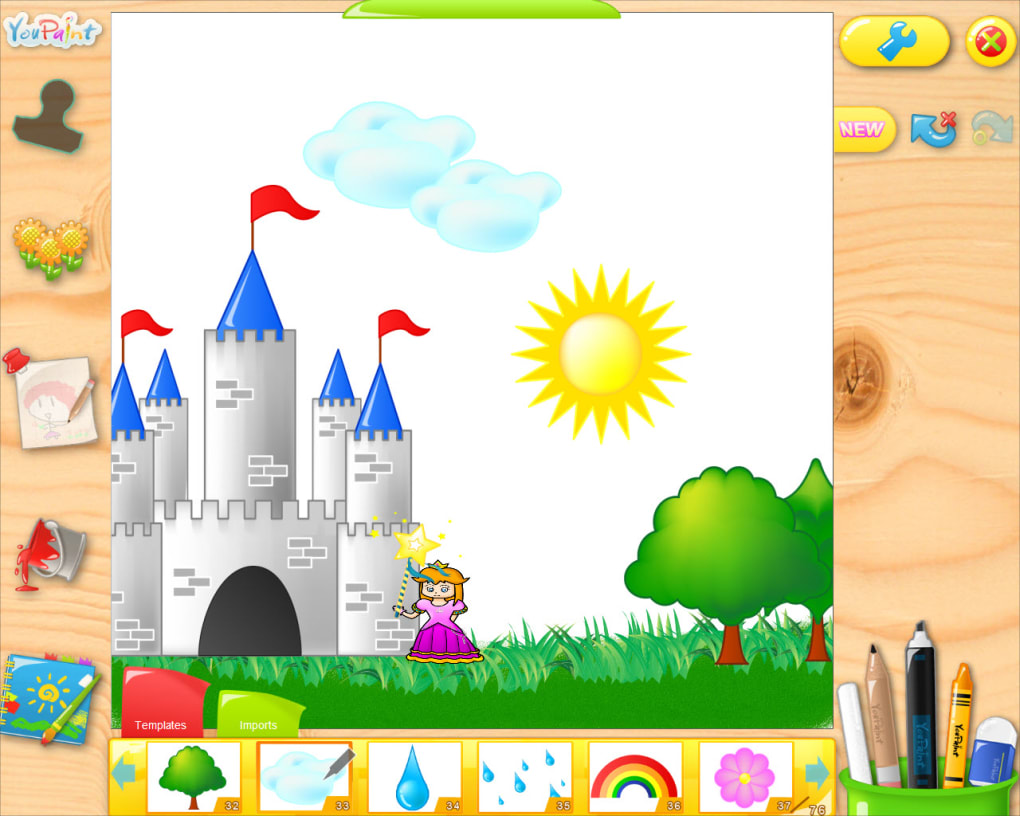
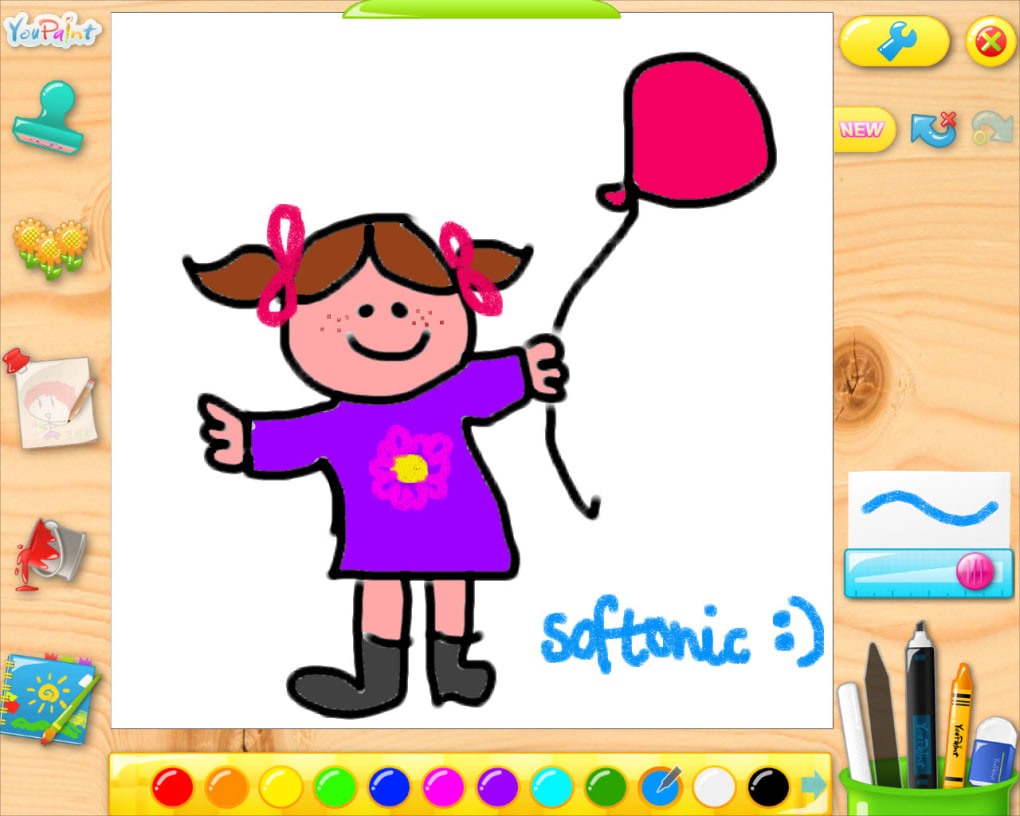
The program offers a rich selection of drawing tools, mirroring traditional art supplies but with the added benefits of digital flexibility. Kids can choose from pencils, brushes, crayons, markers, and more, each offering a distinct texture and line quality. The color palette is expansive and easily navigable, presenting a rainbow of hues that children can pick with a simple tap or click. This encourages experimentation with color mixing and combinations, fostering a deeper understanding of visual aesthetics. The freedom to erase and start over without wasting paper or making a mess is a significant advantage, promoting a fearless approach to artistic exploration where mistakes are simply opportunities to try again.
Beyond freehand drawing, CyberLink YouPaint enriches the creative experience with a treasure trove of pre-made content. A vast library of templates serves as a starting point for those who might feel intimidated by a blank canvas. These templates range from outlines of animals and landscapes to festive scenes and abstract patterns, providing a structured yet flexible framework for coloring and embellishment. Children can choose a template, fill it with their favorite colors, and then personalize it further with the program’s extensive collection of stamps and clipart. These digital stickers include everything from cartoon characters and whimsical objects to decorative borders and speech bubbles, allowing kids to tell stories, create scenes, and add playful details to their masterpieces. This blend of guided activity and freeform expression ensures that children of all artistic inclinations can find joy and success within YouPaint. The sheer volume of these resources means that children can spend hours exploring different combinations and creating unique pieces every time they use the application, extending the longevity and value of the software.
One of the most innovative features for its time, and still highly relevant today, is CyberLink YouPaint’s support for multi-touch devices. In an era where touchscreens were becoming increasingly common, YouPaint embraced this technology, allowing children to draw directly on the screen with their fingers. This tactile interaction mimics the natural act of drawing with crayons or paints, making the digital experience feel more intuitive and engaging. For children, the ability to manipulate elements directly with their hands, rather than relying solely on a mouse, enhances their sense of control and immersion. This feature not only leverages the capabilities of modern hardware but also caters to the natural inclination of children to interact physically with their environment, transforming the computer screen into a truly interactive art studio. PhanMemFree.org proudly highlights this feature as a testament to YouPaint’s forward-thinking design, recognizing its significant contribution to making digital art accessible and enjoyable for children.
CyberLink YouPaint in the Realm of Multimedia and Graphic Design
While CyberLink YouPaint is explicitly designed for children, its underlying category firmly places it within the broader landscape of multimedia software, specifically under graphic and design applications. For adults, tools like Adobe Illustrator CC, Inkscape, or Blender offer professional-grade capabilities for vector art, 2D graphics, and 3D modeling. However, for a young user, these complex interfaces and advanced functionalities would be overwhelming and counterproductive. CyberLink YouPaint serves as an essential introductory step, a foundational tool that simplifies the core principles of graphic creation into an digestible and fun format.
Within the “Multimedia” ecosystem, which encompasses everything from audio and video editing to photography and graphic design, YouPaint occupies a niche focused on accessibility and user-friendliness for a specific demographic. It distills the essence of digital art creation – sketching, coloring, stamping, and layering – into an interface that speaks a child’s language. This strategic simplification is crucial. It ensures that children develop an early appreciation for digital creation without being bogged down by technical jargon or complicated workflows. In this sense, YouPaint is not just a drawing program but a gateway drug to more advanced multimedia pursuits. A child who enjoys creating with YouPaint might eventually graduate to more sophisticated photo editors or even video creation tools, having already grasped fundamental concepts of digital manipulation and design.
PhanMemFree, a platform dedicated to software dissemination, categorizes YouPaint logically under “Windows > Multimedia > Graphic & Design,” reinforcing its position. This categorization is vital for users searching for specific types of software. Parents looking for creative outlets for their children can easily find YouPaint among other graphic design tools, distinguishing it as a family-friendly option. The emphasis on “Graphic & Design for Windows” and “Kids for Windows” in related search topics underscores its dual identity as both a creative tool and a child-centric application. It’s a testament to CyberLink YouPaint’s design that it manages to be a genuine graphic design application, albeit simplified, capable of producing real (if rudimentary) digital art, making it a legitimate entry point into the multimedia world.
Comparing YouPaint to other graphic design heavyweights available on PhanMemFree.org, such as the aforementioned AutoCAD or MS Paint, further clarifies its role. While MS Paint offers a basic digital canvas, YouPaint elevates the experience with its focus on interactive elements like templates and clipart, and crucially, its multi-touch support. It’s not about replicating the precision of AutoCAD but about fostering the joy of creation. By doing so, CyberLink YouPaint ensures that the initial experience with digital graphic design is positive and encouraging, rather than frustrating, paving the way for future exploration of more complex tools as the child grows. It teaches the basic language of digital art, making the transition to more advanced vocabulary smoother down the line.
Fostering Young Minds: Educational and Developmental Aspects
Beyond its entertainment value, CyberLink YouPaint serves as a powerful educational tool, contributing significantly to a child’s cognitive and motor skill development. In the “Education & Reference” category, while one might typically find dictionaries, e-readers, or language learning apps, YouPaint presents a less obvious but equally impactful form of learning through creative play. It’s an application that quietly educates by engaging children in activities that enhance a variety of essential skills.
Firstly, YouPaint actively promotes the development of fine motor skills and hand-eye coordination. Whether a child is using a mouse, a stylus, or their finger on a touchscreen, the act of precision drawing, selecting colors, and placing stamps requires a delicate touch and careful coordination. This digital dexterity translates into benefits in other areas, such as handwriting and manipulating physical objects. The immediate feedback of seeing their strokes appear on screen helps children understand the relationship between their movements and the visual outcome, refining their control over time.
Secondly, the program is a vibrant platform for color recognition and artistic composition. With a broad spectrum of colors readily available, children learn to identify and differentiate hues, understand color theory at a rudimentary level (e.g., warm vs. cool colors), and experiment with combinations. The templates, especially those depicting scenes or characters, encourage children to think about spatial relationships, balance, and visual storytelling. They might learn about foreground and background, scale, and perspective simply by deciding where to place different clipart elements or how large to draw certain objects. This informal learning nurtures an aesthetic sense and an understanding of visual harmony, crucial components of artistic literacy.
Moreover, CyberLink YouPaint stimulates imagination and creative problem-solving. Presenting a child with a blank canvas or a template encourages them to invent narratives, fill in gaps, and express their unique vision. The abundance of stamps and clipart can inspire stories and scenarios, prompting children to think creatively about how different elements can interact to form a coherent picture or a fantastical scene. For example, placing a cartoon dog next to a house with a sun in the sky can quickly evolve into a story about a day in the life of that dog. This process of ideation and execution, even in a simplified digital environment, is fundamental to developing problem-solving skills and imaginative thinking.
The safe and supportive environment YouPaint offers also fosters confidence. Unlike physical art projects that can be messy and irreversible, digital art allows for endless revisions without penalty. Children are free to experiment without fear of making a permanent “mistake,” which encourages bolder artistic choices and a more experimental approach to creation. This sense of freedom and control contributes to a child’s self-esteem, as they see their ideas come to life on screen and can proudly share their completed works. While the original content mentions a lack of advanced parental settings as a “con,” it quickly clarifies that this is because it’s “a completely kid-safe tool.” This inherent safety means parents don’t need to monitor content or functionality, reinforcing YouPaint’s role as a trusted educational resource that promotes independent learning and exploration in a secure digital space.
User Experience: Simplicity, Safety, and Multi-Touch Fun
The success and enduring appeal of CyberLink YouPaint can largely be attributed to its unwavering focus on the user experience, particularly for its target audience: young children. This focus manifests in three key pillars: unparalleled simplicity, inherent safety, and innovative multi-touch functionality, all contributing to an engaging and stress-free creative journey.
Simplicity is at the core of YouPaint’s design philosophy. From the moment the application launches, children are presented with a colorful, intuitive interface that requires no prior computer experience. Buttons are large, clearly labeled with icons that represent their function (e.g., a paintbrush for drawing, a bucket for filling colors, a stamp for adding clipart), and strategically placed for easy access. There are no convoluted sub-menus or hidden features that could confuse a young user. This directness ensures that children spend less time figuring out how to use the software and more time actively creating. The drag-and-drop functionality for stamps and clipart is equally straightforward, mirroring the physical act of applying stickers, making it immediately understandable. This accessibility is a major reason why PhanMemFree.org highlights YouPaint as an “easy to use drawing tool” that is “especially recommended for kids.”
Safety, though subtly integrated, is a paramount feature. In an age where concerns about online content and digital exposure for children are prevalent, CyberLink YouPaint offers a closed and controlled environment. As noted in the original product description, “it’s a completely kid-safe tool, so you shouldn’t worry about it.” This means there are no internet browsing capabilities, no in-app purchases, no links to external content, and no complex settings that a child could accidentally alter. The drawing space is self-contained, allowing parents to confidently let their children use the program unsupervised. The “no options for parents” mentioned as a ‘con’ is immediately qualified by the program’s inherent safety features. This absence of parental controls isn’t a flaw but rather a testament to YouPaint’s design as a sandbox purely for creativity, devoid of any potentially harmful or inappropriate content. It’s a digital playpen where imagination can roam free without external threats.
Perhaps the most exciting aspect of YouPaint’s user experience, especially given its launch context, is its support for multi-touch devices. This feature was groundbreaking for children’s software at the time and remains highly relevant today. With multi-touch, children are no longer limited to using a mouse or trackpad – devices that can be challenging for small hands to maneuver with precision. Instead, they can interact directly with the screen using their fingers, just as they would with crayons on paper or paint on a canvas. This direct manipulation enhances the tactile feel of drawing, making the experience more intuitive and physically engaging. Imagine a child using two fingers to zoom in on a detail or multiple fingers to “paint” broad strokes simultaneously. This capability fosters a more natural and expressive form of digital art, blurring the lines between physical and digital creation. It empowers children by giving them a more natural and direct method of expression, transforming the computer into an extension of their own creative hands. PhanMemFree.org’s mention of “Multi Touch” in its related topics further emphasizes this feature’s significance and its positive impact on user interaction.
Finding CyberLink YouPaint and Exploring Alternatives
For parents and educators seeking a nurturing digital art environment for children, CyberLink YouPaint remains a noteworthy option, even with its last update dating back to May 4, 2010. Its availability as a trial version for Windows, which was supported up to Windows 8, highlights its historical context and accessibility during a particular technological era. While newer operating systems have since emerged, the core functionality of YouPaint ensures its relevance for systems capable of running older Windows applications, or through compatibility modes. PhanMemFree, acting as a reliable repository for various software, provides access to this “Trial version” in “English” and other languages such as German, Spanish, French, Italian, Japanese, Korean, and Chinese, underscoring its global reach.
The process of acquiring YouPaint is straightforward through platforms like PhanMemFree.org, where users can “Download for Windows” or “Download for PC.” The listed file size of 68.98 MB indicates a relatively lightweight application, making it easy to download and install even on older systems. The 14K total downloads, with 23 in the last month, despite its age, demonstrate a sustained interest in this specific creative tool for kids. This continued activity suggests that CyberLink YouPaint still fills a vital niche for parents seeking simple, offline, and child-safe drawing software, free from the complexities or connectivity requirements of more modern applications.
However, the rapid evolution of technology and software development means that while YouPaint holds its charm, the landscape of “Graphic & Design” tools and “Utilities & Tools” for children has expanded significantly. For those exploring alternatives, especially with newer operating systems or different platforms (like Android, Mac, iPhone, or Web Apps as listed in PhanMemFree’s main menu), there are several considerations.
For younger children (similar to YouPaint’s target): Many modern apps mimic YouPaint’s simplicity, offering digital coloring books, drawing pads, and sticker apps on tablets and smartphones. These often leverage enhanced touch interfaces and come with a fresh library of content that is regularly updated. However, a key difference often lies in their business models, with many modern apps featuring in-app purchases or subscriptions, a contrast to YouPaint’s contained trial-or-purchase model.
For slightly older children or those showing more advanced interest: While YouPaint introduces basic concepts, children might eventually outgrow its simplified features. PhanMemFree.org also lists more robust, albeit still user-friendly, graphic tools. For instance, Inkscape offers vector graphics editing, similar in concept to professional tools but available for free. While it has a steeper learning curve than YouPaint, it could be an excellent progression for a child who has mastered YouPaint and wants to create more sophisticated digital art. For those interested in 3D, Blender is a powerful, free 3D modeling tool, but it is certainly for an older, more dedicated user.
For parents concerned about cost, the market for “Best Free To Play Games” and free creative apps has exploded. Many web-based drawing applications are also available, often integrating collaborative features or diverse brushes. However, these might require a constant internet connection, which YouPaint, as a standalone desktop application, does not. This is a significant advantage for users with limited internet access or those prioritizing offline engagement.
Ultimately, CyberLink YouPaint stands as a testament to effective software design for children. Its blend of ease of use, rich creative content, and foresight in integrating multi-touch technology, all within a secure environment, makes it a valuable asset for fostering young artists. While the technological world has moved on, YouPaint’s foundational principles remain sound, offering a classic, reliable option for digital creativity. Its continued presence and download activity on platforms like PhanMemFree.org signify its lasting legacy as a beloved and effective tool for kids to “have lots of fun drawing on the computer.”
File Information
- License: “Trial version”
- Latest update: “May 4, 2010”
- Platform: “Windows”
- OS: “Windows 8”
- Language: “English”
- Downloads: “14K”
- Size: “68.98 MB”


