
Downloading videos from Dailymotion can be a convenient way to save your favorite content for offline viewing. However, navigating the various options and potential pitfalls can be challenging. This comprehensive guide explores the world of Dailymotion downloads, examining the available methods, associated risks, and best practices to ensure a safe and efficient download experience.
Understanding Dailymotion and its Download Restrictions
Dailymotion, a popular video-sharing platform, hosts a vast library of user-generated and professional videos. While Dailymotion allows embedding videos on other websites and sharing links, its official policy regarding direct downloads is often restrictive. Many videos are protected by copyright, and unauthorized downloading may violate these rights. Directly downloading content without permission from the copyright holder can lead to legal repercussions.
Therefore, it’s crucial to understand the legal and ethical implications before attempting to download any Dailymotion video. Respecting copyright is paramount, and downloading only videos that are explicitly available for download or are in the public domain is essential. Always check the video description and the creator’s terms for any licensing information.
Methods for Downloading Dailymotion Videos
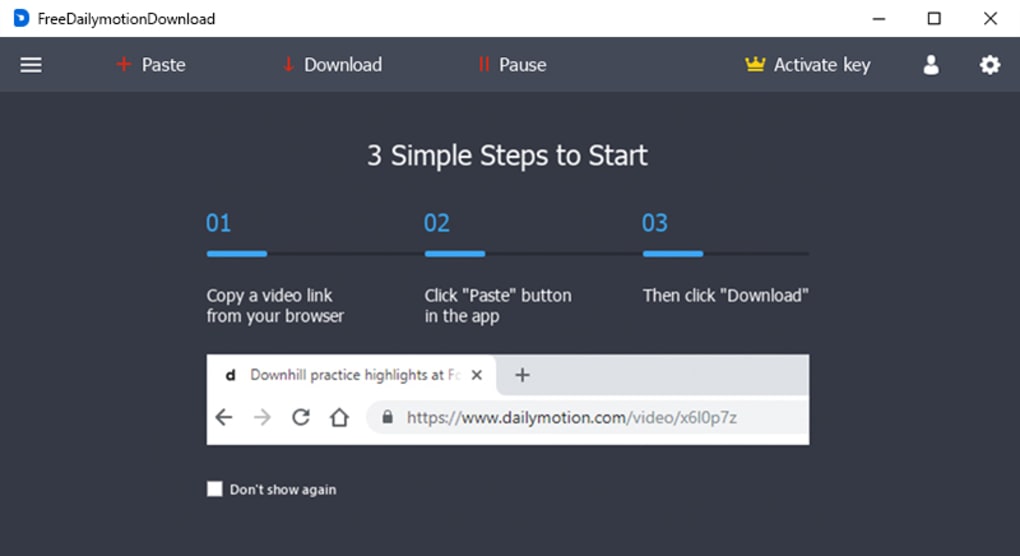
While Dailymotion doesn’t provide a built-in download feature for most videos, several alternative methods exist. These methods range from using browser extensions and dedicated downloaders to employing online conversion tools. Each method comes with its own set of advantages and disadvantages, which we’ll explore in detail.
Method 1: Utilizing Third-Party Downloaders
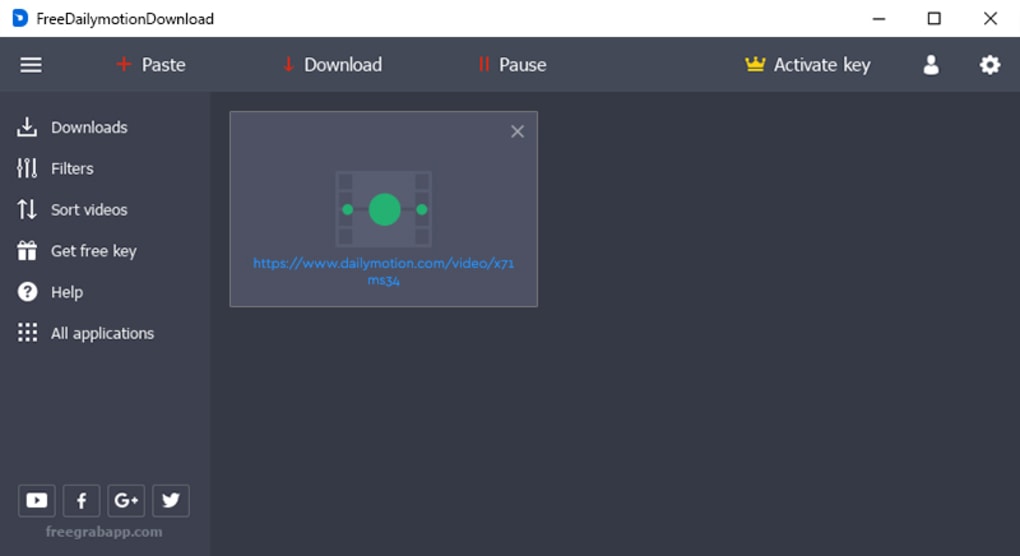
Numerous third-party applications and browser extensions are specifically designed to download videos from various platforms, including Dailymotion. These tools often offer a user-friendly interface, enabling you to paste the Dailymotion video URL and initiate the download process. Many provide options to choose the desired video quality and format, ensuring optimal compatibility with your devices.
However, caution is advised when employing third-party downloaders. Not all such tools are created equal. Some may contain malware or adware, posing a security risk to your system. To minimize risks, download applications only from reputable sources and scan downloaded files using a trusted antivirus program before execution. Always read user reviews and check the developer’s reputation before installing any downloader.
Method 2: Employing Online Video Converters
Online video converters are web-based services that allow you to download videos by providing the video’s URL. These services typically convert the video into various formats (MP4, AVI, etc.) before downloading. The advantage is the ease of use; no software installation is required. However, online converters often include ads, and some might collect user data, raising privacy concerns. Exercise caution when using such services and carefully review their privacy policies.
Method 3: Utilizing Browser Extensions
Several browser extensions designed for downloading videos are available. These extensions integrate directly into your browser, providing an easy way to download videos from various platforms. The advantages include convenience and often better integration with your browsing experience. Similar to third-party applications, ensure the extension is obtained from a reputable source (like a known browser extension store) to mitigate security risks.
Assessing the Risks Associated with Downloading Dailymotion Videos
Downloading Dailymotion videos comes with potential risks. The most prominent risk is downloading malware or adware bundled with unreliable downloaders. Malicious software can compromise your system’s security, steal sensitive information, or even render your computer unusable. Another potential risk involves downloading videos that violate copyright laws, leading to potential legal consequences. Finally, using untrusted online converters exposes your personal information to potential misuse.
Mitigating the Risks:
- Download from reputable sources only: Only use downloaders and converters from trusted websites with positive user reviews.
- Use a reliable antivirus program: Regularly scan downloaded files and your entire system to detect and remove malware.
- Check video licensing: Ensure the video is permitted for download before proceeding.
- Be cautious with online converters: Review privacy policies before using online converters.
- Keep your software updated: Ensure your operating system, browser, and antivirus software are up to date.
Best Practices for Safe and Efficient Dailymotion Downloads
To ensure a secure and effective downloading process, adhere to these best practices:
- Verify Video Availability: Before initiating a download, check the video description for any licensing or download restrictions.
- Use Reputable Downloaders: Choose downloaders with positive user reviews and a good reputation.
- Scan Downloaded Files: Always scan downloaded files with a trusted antivirus program before opening or playing them.
- Choose a Reliable Internet Connection: Ensure a stable internet connection to prevent interruptions during the download process.
- Manage Download Locations: Organize your downloaded files efficiently to avoid clutter and facilitate easy retrieval.
- Be Mindful of Data Usage: Downloading high-resolution videos can consume significant data. Be mindful of your data limits.
- Respect Copyright Laws: Download only videos that are explicitly available for download or are in the public domain. Unauthorized downloading can have serious legal ramifications.
- Review Privacy Policies: If using online converters, thoroughly examine their privacy policies to understand how your data is handled.
Conclusion: A Responsible Approach to Dailymotion Downloads
Downloading videos from Dailymotion offers convenience, but it’s crucial to approach the process responsibly. By understanding the legal limitations, choosing reputable tools, and employing appropriate security measures, you can enjoy offline access to your favorite Dailymotion content while mitigating potential risks. Remember that respecting copyright and adhering to the terms of service of both Dailymotion and the downloaders you use is essential for a safe and legal experience.
File Information
- License: “Free”
- Latest update: “May 22, 2023”
- Platform: “Windows”
- OS: “Windows 2000”
- Language: “English”
- Downloads: “3.5K”
- Size: “47.71 MB”


