
Data Recovery Free, developed by Wuhan Net Power Technology Co. Ltd., is a free data recovery program designed for Windows users. This software aims to simplify the process of retrieving lost or deleted files, providing a user-friendly solution for recovering a wide range of data types, including documents, photos, videos, and more. While it boasts ease of use and efficiency, a thorough examination of its features, performance, and limitations is necessary to determine its suitability for various user needs. This review delves into the specifics of Data Recovery Free, analyzing its capabilities, comparing it to similar software, and ultimately assessing its value within the competitive data recovery market.
Understanding the Need for Data Recovery Software
Data loss is an unfortunately common occurrence for computer users. Accidental deletions, hardware failures, software malfunctions, and even malware infections can all lead to the irretrievable loss of valuable files. The emotional and practical consequences of such data loss can range from minor inconvenience to severe financial and personal setbacks. The importance of a reliable data recovery solution, therefore, cannot be overstated. Data recovery software offers users a crucial lifeline, providing the tools and processes necessary to recover lost files and restore crucial information. In the face of accidental data deletion or unexpected system failures, these tools provide a crucial line of defense against the potentially devastating consequences of permanent data loss. Many factors contribute to data loss, from simple user error to complex technical issues. Having a reliable data recovery tool readily available can significantly reduce the stress and potential financial repercussions associated with data loss. For this reason, understanding the choices available and choosing a suitable software is crucial.
Data Recovery Free: Features and Functionality
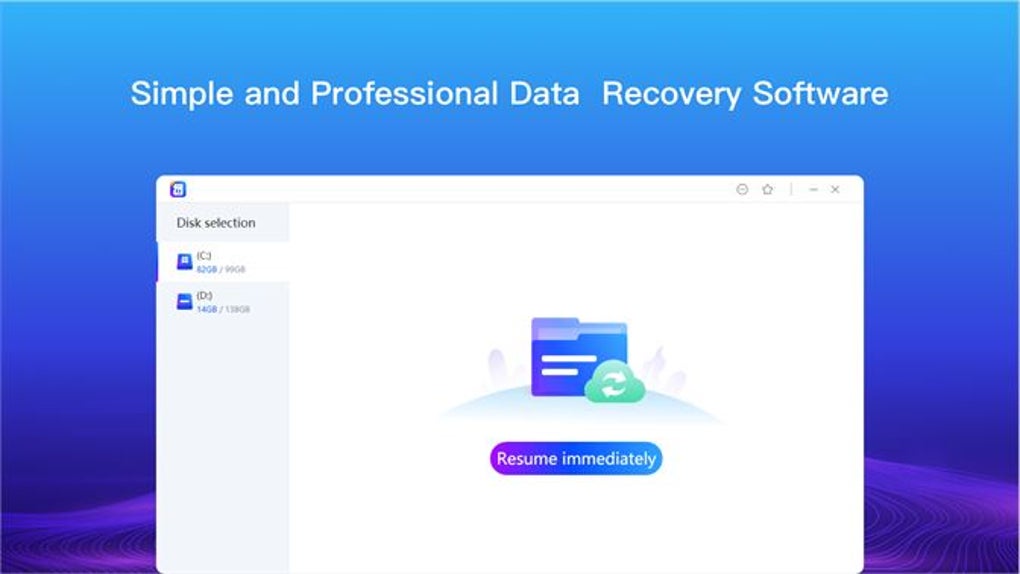
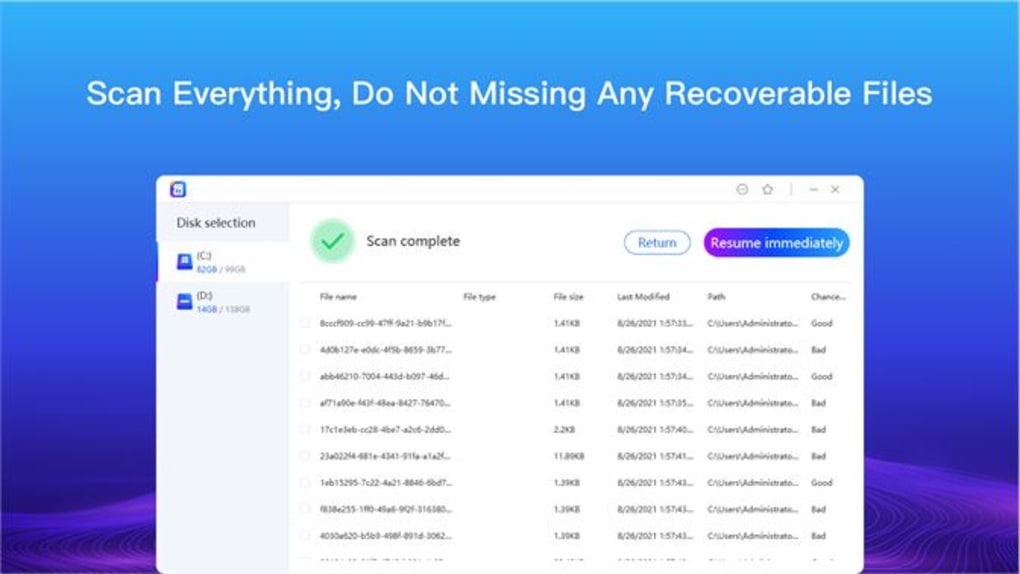
Data Recovery Free presents itself as a straightforward and user-friendly data recovery tool. Its core functionality focuses on retrieving lost files from various storage locations, including hard drives, SSDs, and external storage devices. While lacking some advanced features found in more comprehensive, often paid, alternatives, its simplicity makes it an accessible option for novice users. The software’s interface is designed for ease of navigation, guiding users through the recovery process with clear instructions and intuitive visual cues. This user-friendly approach minimizes the technical expertise required, making it a viable option for users with limited computer skills. The process typically involves selecting the drive or partition to scan, choosing the file types to recover (or opting for an all-inclusive scan), and initiating the scan process. Once the scan is complete, the software displays a list of recoverable files, allowing users to preview and selectively choose the files to restore.
One of the key selling points of Data Recovery Free is its free-of-charge nature. This accessibility removes the financial barrier to entry for many users, making data recovery a possibility even when budget constraints are a concern. However, this free status might come with certain trade-offs. While the core functionality works adequately for recovering basic files, its performance might be slower and less effective compared to more feature-rich commercial products. The program may not handle complex data loss scenarios as efficiently as paid solutions, such as severe hard drive failures or encrypted data recovery.
Performance and Limitations
While Data Recovery Free provides a functional approach to data recovery, users should have realistic expectations regarding its performance and capabilities. Its effectiveness is highly dependent on the nature and extent of the data loss. In cases of simple file deletions, the software likely performs adequately, recovering the majority of lost files. However, for more complex scenarios like formatted hard drives or severe hardware failures, its success rate may significantly decrease. The scan process itself can also be time-consuming, particularly when dealing with large storage volumes. This is due to the software’s less sophisticated scanning algorithms compared to paid alternatives, which generally incorporate more advanced techniques to accelerate the search and identification of recoverable data.
The free nature of the software often means that the technical support provided may be limited compared to commercial software solutions that offer dedicated customer support channels and comprehensive documentation. Users encountering issues may need to rely on online forums or community support, potentially leading to delays in resolving problems. The lack of advanced features also limits its applicability for sophisticated data recovery tasks. For example, features such as data recovery from RAID arrays, advanced file system analysis, or support for newer file formats might be absent.
Comparison with Other Data Recovery Software
Data Recovery Free stands in comparison to a vast array of data recovery tools, both free and commercial. Free alternatives often share similar limitations in terms of speed, advanced features, and support. On the other hand, paid solutions such as Recuva, EaseUS Data Recovery Wizard, and others offer a more comprehensive suite of tools, often including advanced scanning algorithms, support for various file systems, and dedicated customer support. The choice between free and paid software hinges on the user’s specific needs and technical expertise. If a user needs to recover a few accidentally deleted files from a functioning hard drive, Data Recovery Free’s simplicity might suffice. However, for significant data loss or complex scenarios, the investment in a more advanced commercial solution is often worthwhile. The advanced tools and better technical support provided by paid options can significantly increase the likelihood of successful data recovery and minimize the overall recovery time.
Conclusion: Is Data Recovery Free the Right Choice for You?
Data Recovery Free fills a niche for users seeking a simple and free data recovery solution. Its user-friendly interface and straightforward functionality make it accessible to a wide range of users, regardless of their technical expertise. However, its limitations in speed, feature set, and support should be carefully considered. Its performance is less predictable in complex scenarios, and users might encounter challenges without access to robust technical support. Ultimately, the decision of whether to use Data Recovery Free depends on the individual’s specific needs and technical skills. For simple data recovery tasks from readily accessible storage media, it offers a convenient and cost-effective solution. However, users facing significant data loss or requiring advanced features should consider investing in a more comprehensive commercial data recovery tool to maximize their chances of a successful recovery. The choice is based on a careful assessment of the complexity of the data loss scenario and the user’s comfort level with potential limitations. While its free status makes it an attractive option for many, users should manage their expectations accordingly and understand that its capabilities are limited compared to its more robust, paid counterparts.

File Information
- License: “Free”
- Version: “1.0”
- Latest update: “April 24, 2024”
- Platform: “Windows”
- OS: “Windows 11”
- Language: “English”
- Downloads: “1.4K”


