
Data loss can be a devastating experience, leaving you vulnerable to identity theft, financial loss, and significant productivity disruptions. Whether caused by hardware failure, software glitches, accidental deletion, or even malicious software, the consequences can be far-reaching. Fortunately, effective data recovery tools exist to mitigate these risks. This comprehensive guide explores the capabilities and functionalities of the Data Restore Tool for Android, a free utility application designed to simplify the process of recovering and backing up your precious data.
Understanding the Data Restore Tool for Android
The Data Restore Tool is a free Android application developed by Google, offering a user-friendly approach to data restoration and backup. Its primary function is to facilitate the recovery of lost or deleted files from a variety of sources, including old devices, internal storage, and memory cards. It’s designed to be accessible to users of all technical skill levels, minimizing the need for complex technical knowledge. The app supports a wide range of file types, ensuring compatibility with most common data formats such as photos, videos, documents, contacts, call logs, messages, and app data. This broad support makes it a versatile solution for numerous data recovery scenarios.
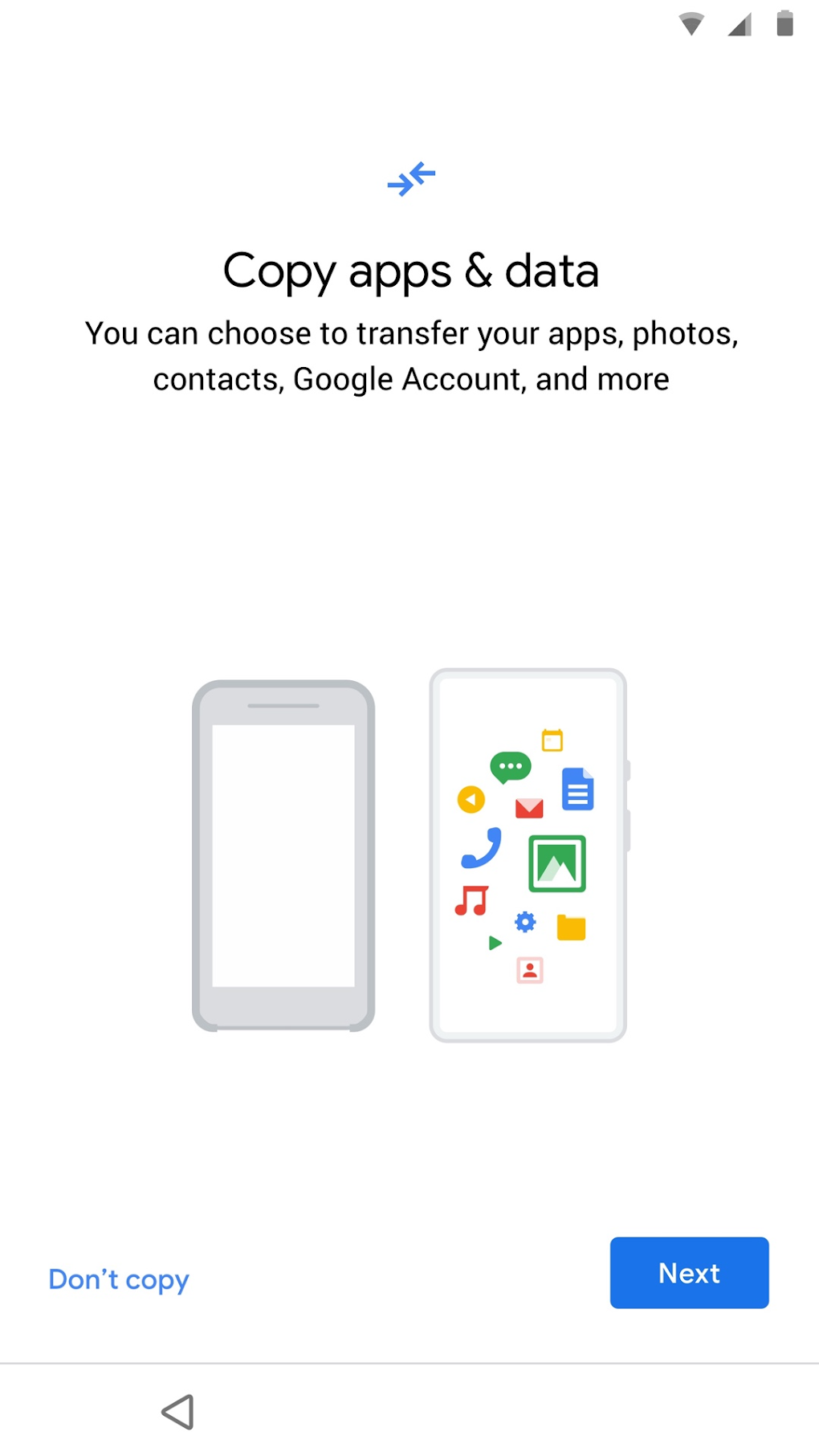
Efficient Data Retrieval Methods: Cable and Cloud Backup
Data Restore Tool distinguishes itself through its flexible backup and restoration methods, providing users with options tailored to their specific needs and technical capabilities. The application offers two primary pathways for data recovery: cable transfer and cloud backup restoration.
Cable Transfer: This method involves a direct connection between the old and new Android devices using a USB cable. Once the connection is established, the Data Restore Tool on the new device is launched, providing a user interface to select and transfer the desired files from the old device. This approach is ideal when dealing with devices that lack internet connectivity or when prioritizing a speedy, direct transfer.
Cloud Backup Restoration: For a more convenient and potentially faster method, the Data Restore Tool integrates seamlessly with Google’s cloud backup services. Users can restore their data by simply logging into their Google account on the new device. This option bypasses the need for physical connection and allows access to backups made previously. The process is further streamlined by allowing users to selectively choose specific files or data categories for restoration, avoiding unnecessary downloads and efficient storage space management.
Features and Benefits of Data Restore Tool
The Data Restore Tool excels in its ease of use and practicality, providing a number of benefits for users facing data loss:
-
Simplified Recovery Process: The intuitive user interface and straightforward procedures make the recovery process accessible even to less tech-savvy users. The application guides users through each step, minimizing the potential for errors and frustration.
-
Versatile File Support: The app supports a wide array of file types, ensuring broad compatibility with different data formats and user needs. This eliminates the need for multiple specialized recovery tools.
-
Flexible Backup Options: The dual approach of cable transfer and cloud backup provides flexibility, catering to various scenarios and device capabilities. Users can choose the method most suitable to their situation.
-
Selective Data Restoration: The ability to selectively choose which files and data categories to restore optimizes the recovery process, saving time and storage space. Users aren’t forced to restore everything, only what they need.
-
Time and Resource Savings: The straightforward nature of the Data Restore Tool avoids the need for expensive professional data recovery services, saving both time and money.
-
Prevention of Significant Damages: The app’s ability to recover crucial data minimizes the potential for significant damages resulting from data loss, such as identity theft, financial setbacks, or productivity disruptions.
Addressing Potential Limitations
While the Data Restore Tool provides an excellent solution for data recovery, it’s important to acknowledge potential limitations:
-
Redundant Restoration: There have been reported instances of duplicate file restoration, particularly when using the cloud backup method. This can lead to inefficient storage space usage and require manual cleanup.
-
Dependency on Backup: The effectiveness of the Data Restore Tool is directly linked to the existence of a prior backup. If no backup exists, the application will not be able to recover lost data. This highlights the importance of regularly backing up your data.
Comparison with Alternative Data Recovery Apps
The Android market offers a variety of data recovery applications, each with its strengths and weaknesses. While the Data Restore Tool stands out for its ease of use and Google integration, alternatives exist that may offer additional features or specialized functionalities. The choice of which application to use depends on individual needs and preferences.
Conclusion: A Valuable Asset for Android Users
The Data Restore Tool offers a user-friendly and efficient solution for Android data recovery and backup. Its straightforward interface, flexible methods, and broad file support make it an invaluable asset for safeguarding your important data. While some limitations exist, the overall benefits significantly outweigh the drawbacks. By proactively utilizing this tool, users can mitigate the risks associated with data loss and maintain peace of mind knowing their valuable information is protected. The ability to recover contacts, call logs, messages, photos, videos, and app data offers a substantial level of security and reassurance in the event of a device malfunction, upgrade, or unforeseen data loss. The integration with Google’s cloud services streamlines the process, further enhancing convenience and accessibility. By combining a proactive backup strategy with the utilization of the Data Restore Tool, users can significantly reduce the chances of data loss and its associated consequences. This proactive approach translates to considerable time and resource savings, protecting users from the potential financial and emotional burden of data loss.
File Information
- License: “Free”
- Latest update: “August 11, 2025”
- Platform: “Android”
- OS: “Android 15.0”
- Language: “English”
- Downloads: “1.2K”
- Download Options: “Google Play”


