
Database Master is a robust database administration, query, and management software tool designed to simplify the complexities of interacting with relational and NoSQL database management systems (DBMS). From monitoring and managing databases to querying, visualizing, editing, and designing them, Database Master offers a comprehensive suite of features that have solidified its position as a leading database management tool. This in-depth review explores its capabilities, strengths, and weaknesses, providing a clear picture of its suitability for various users.
Core Functionality and Features
Database Master distinguishes itself through its broad range of functionalities, catering to both novice and expert database users. Its core strengths lie in its ability to handle a diverse array of database systems, providing a unified interface for managing disparate data sources. The software supports a comprehensive list of popular database systems, including but not limited to:
- Relational Databases: MySQL, PostgreSQL, Oracle, IBM DB2, IBM Informix, Microsoft SQL Server, SQL Azure, and more. Its compatibility extends to legacy systems, although backward compatibility features might be needed in some cases.
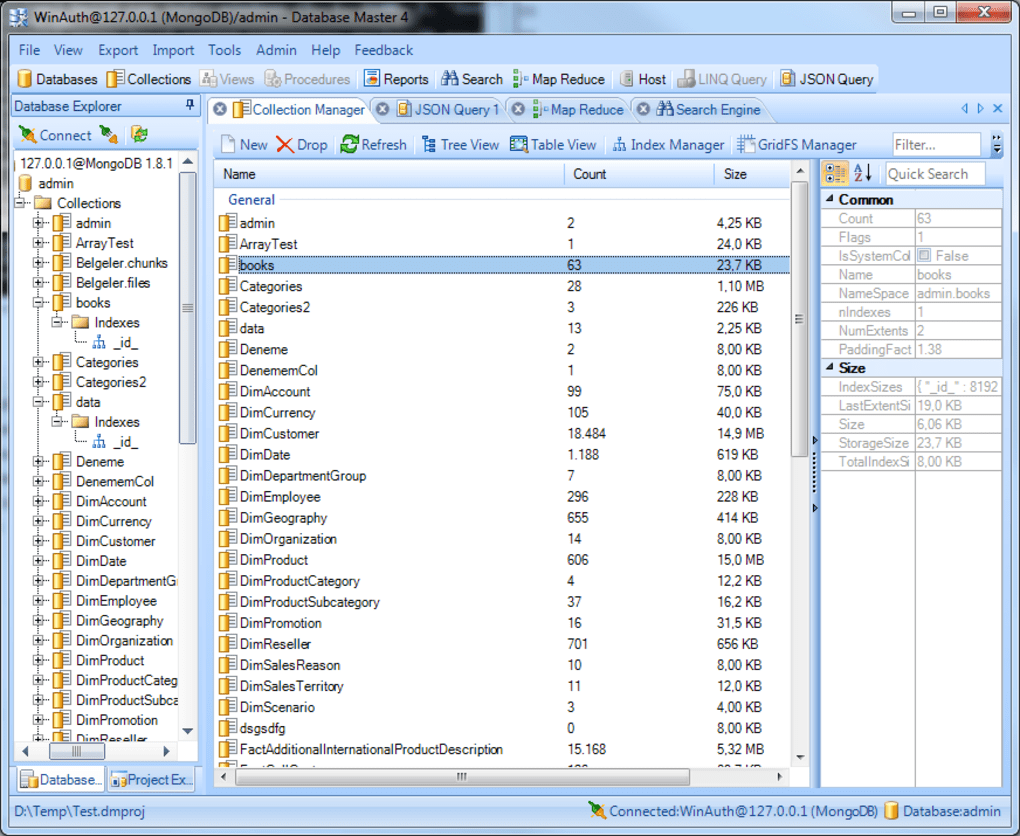
- NoSQL Databases: MongoDB is prominently supported, offering features such as Collection, Index, User, and GridFS Manager, alongside MapReduce functionality and a sophisticated Query Search Editor for efficient data retrieval.
- Other Data Sources: Database Master extends its reach beyond traditional databases, offering connectivity to MS Access, MS FoxPro Database, dBASE, and XML files. ODBC and OLE DB connections further broaden its compatibility, allowing access to a wide range of data sources.
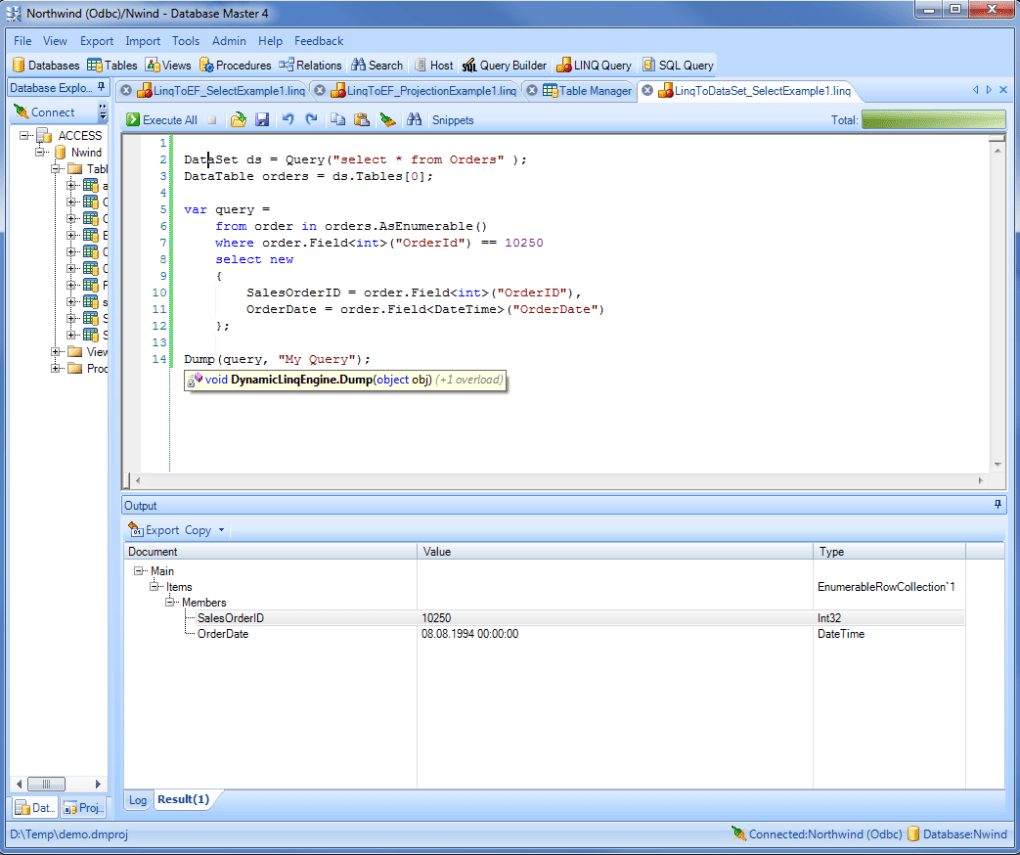
The software’s capabilities extend beyond simple data access. Users can create, modify, and delete database objects such as tables, views, stored procedures, collections, indexes, and triggers. This allows for comprehensive database schema management within a single, intuitive interface. Furthermore, Database Master facilitates data manipulation through the execution of SQL queries, LINQ queries (LINQ to EF, LINQ to Dataset), and JSON queries (for MongoDB). This versatility caters to various programming styles and data structures.
Data visualization is another key strength. The software offers multiple views for data presentation, including tree views, table views, and advanced table views, especially beneficial for MongoDB interaction. The ability to represent table relationships as an Entity-Relationship (ER) diagram provides a clear visual representation of the database structure, aiding in understanding and design. Data import and export functionalities are comprehensive, supporting popular formats like CSV and XML, as well as the ability to import/export data between various database systems.
User Interface and Experience
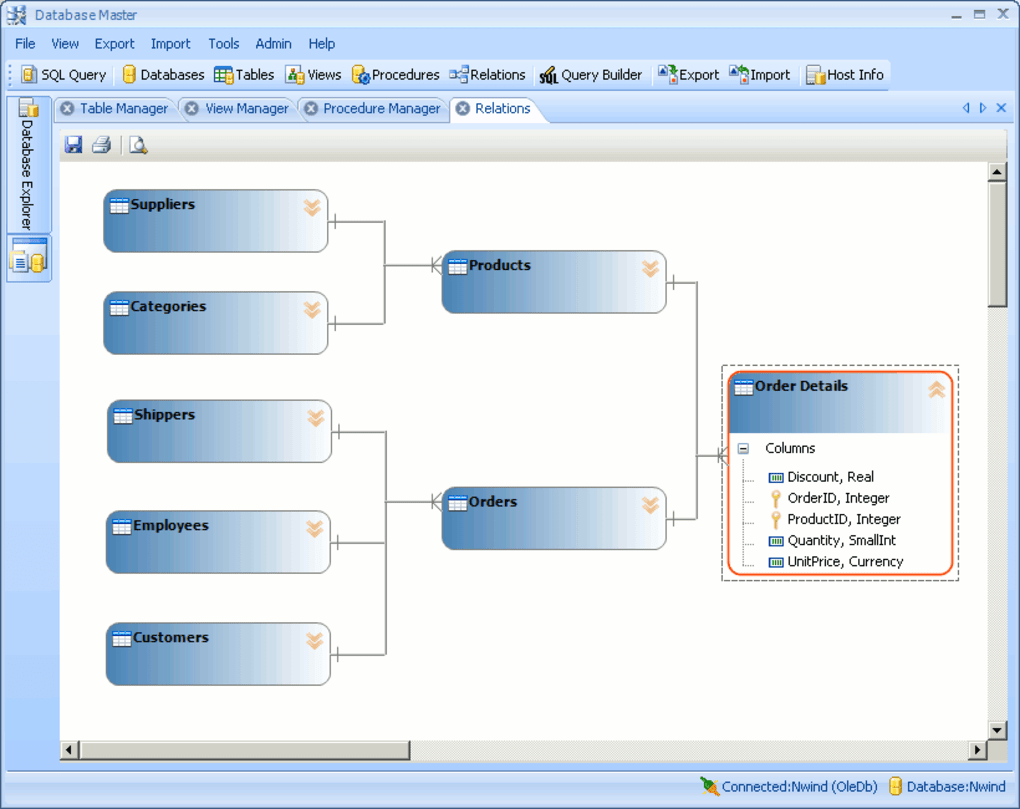
Database Master boasts a modern and intuitive graphical user interface (GUI) reminiscent of the Microsoft Office suite. This familiar design makes the software accessible even to users with limited experience in database management tools. The consistent interface across different database types simplifies the learning curve, allowing users to efficiently navigate and utilize its features regardless of the specific database system being accessed.
The software is designed for ease of use, aiming to reduce the complexity often associated with managing multiple database systems. This focus on user experience makes it a valuable tool for both experienced database administrators and developers who need to interact with diverse database environments, as well as less experienced users who require a simplified yet powerful approach to data management.
Advanced Features and Capabilities
Beyond its core functionalities, Database Master offers a range of advanced features that enhance its capabilities and cater to professional users. Notable among these are:
- Remote Access and Security: The software enables secure access to databases behind firewalls and remote servers, using SSH tunneling to protect data integrity during transmission. This is especially crucial in enterprise environments where database security is paramount.
- Reporting and Backup: Database Master provides robust reporting capabilities, enabling users to generate reports based on extracted data. These reports can be customized and exported in various formats for further analysis or distribution. Backup functionality allows for the creation of database backups, ensuring data protection and recovery in case of data loss or system failures.
- Support for Multiple Database Vendors: The ability to connect to and manage numerous database systems from a single platform significantly improves efficiency and reduces the need to learn and utilize multiple, specialized tools.
Strengths and Weaknesses
While Database Master offers a comprehensive suite of features, it’s essential to acknowledge both its strengths and weaknesses:
Strengths:
- Comprehensive Feature Set: The extensive range of features, from basic data browsing and querying to advanced schema management and reporting, makes it a powerful all-in-one solution.
- Intuitive Interface: The user-friendly interface simplifies the complexities of database management, making it accessible to a wide range of users.
- Multi-Database Support: Its ability to seamlessly interact with various relational and NoSQL databases significantly enhances efficiency.
- Robust Security Features: SSH tunneling and robust access controls contribute to a secure database management environment.
- Data Visualization Tools: The multiple data presentation views improve the understanding and analysis of database information.
Weaknesses:
- Trial Version Limitations: The trial version may be significantly limited in functionality, hindering a full evaluation of its capabilities before purchasing.
- Professional Focus: The software’s advanced features may be overkill for casual users, rendering it less cost-effective for those with simpler database needs.
- Evolving Database Landscape: The number of supported data sources might decrease over time, as the landscape of database technologies continues to evolve. While current support is broad, future compatibility is not guaranteed.
- Backward Compatibility Needs: Interfacing with legacy database systems might require the use of specific backward compatibility features.
Alternatives and Comparisons
Several alternative database management tools exist, each with its strengths and weaknesses. Direct comparisons depend heavily on specific user needs and priorities. Some alternatives include:
- TablePlus: Focuses on a streamlined and user-friendly interface, especially popular for its intuitive design and ease of use. May lack some of the advanced features offered by Database Master.
- DBeaver: An open-source, multi-platform database tool known for its extensive database support and plugin ecosystem. Offers a high level of customization but may have a steeper learning curve compared to Database Master’s more polished interface.
- SQL Developer (Oracle): A free tool specifically tailored for Oracle databases, providing comprehensive functionalities for Oracle-specific tasks. Less versatile than Database Master in terms of cross-database support.
The choice between Database Master and its alternatives depends on the specific requirements of the user. If a comprehensive, user-friendly solution with broad database support and robust security features is needed, Database Master is a strong contender. However, if a simpler interface, open-source availability, or specific database-centric features are priorities, other tools might be more suitable.
Conclusion
Database Master is a comprehensive and powerful database management tool offering a wealth of features for managing and interacting with a wide variety of database systems. Its intuitive interface and robust functionality make it a valuable asset for database administrators, developers, and other IT professionals. While the trial version’s limitations and its professional-level focus might not cater to all users, its strength lies in its ability to consolidate multiple database management tasks into a single, streamlined platform, enhancing productivity and efficiency. Potential users should carefully consider their specific needs and weigh the pros and cons against available alternatives before making a decision.
File Information
- License: “Trial version”
- Latest update: “January 15, 2022”
- Platform: “Windows”
- OS: “Windows Vista”
- Language: “English”
- Downloads: “29.6K”
- Size: “29.22 MB”


