
Dell SupportAssist for PCs is a utility software developed by Dell Inc. designed to assist users in maximizing the performance and longevity of their Dell computers. It aims to provide proactive and predictive maintenance, automated troubleshooting, and direct access to Dell support resources. However, its functionality and overall effectiveness are a subject of ongoing debate amongst users and technology reviewers. This review will delve into both the positive aspects and the potential drawbacks of Dell SupportAssist, ultimately helping you determine whether this software is a valuable asset or a system burden.
Automated Troubleshooting and Proactive Maintenance: The Promise of SupportAssist
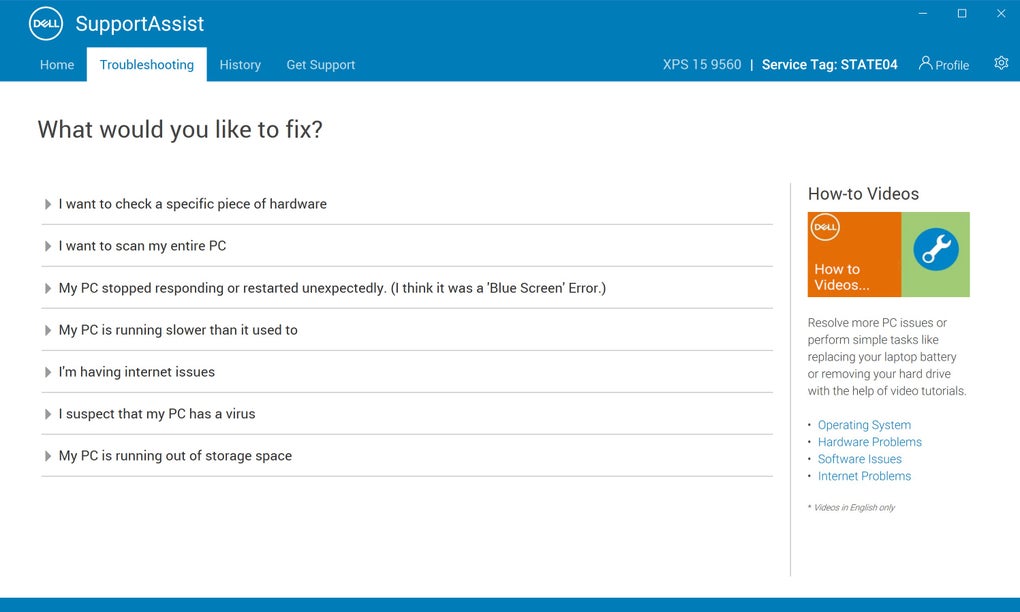
At its core, Dell SupportAssist promises automated troubleshooting and proactive maintenance. The software actively scans the system for potential problems, ranging from outdated drivers and firmware to hardware malfunctions and software conflicts. This proactive approach aims to prevent issues before they escalate into significant problems, minimizing downtime and frustration for the user.
The automated troubleshooting features are designed to identify and resolve common computer problems with minimal user intervention. If a problem is detected, SupportAssist provides solutions, including step-by-step guides, tutorials, and even direct links to Dell’s support resources. This can be particularly helpful for users who lack technical expertise, providing a guided path to resolving issues without needing to navigate complex troubleshooting procedures independently.
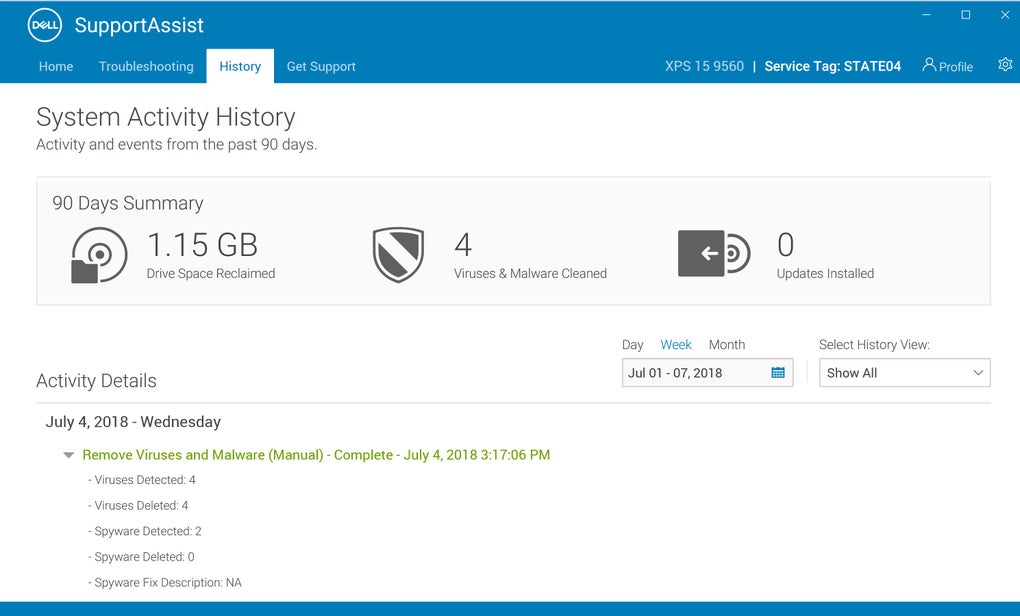
Furthermore, SupportAssist offers updates for critical system components such as drivers and firmware. Keeping these components up-to-date is crucial for maintaining optimal performance, security, and stability. The software streamlines this process, automatically checking for and installing updates, ensuring the system remains current and protected against known vulnerabilities. This feature contributes to the overall health and security of the Dell computer.
Beyond troubleshooting and updates, SupportAssist offers additional system optimization tools. These tools can help users clean up junk files, improve network connection speeds, and tune up their computer’s overall performance. These functionalities are beneficial for maintaining a clean, efficient, and responsive computing environment. In theory, SupportAssist functions as a one-stop shop for all essential Dell computer maintenance needs.
SupportAssist also offers premium support options, including Premium Support and Premium Support Plus. These paid services provide more comprehensive features such as automated issue detection, failure prevention, proactive notifications, and expedited case creation. These premium tiers aim to provide users with a higher level of support and proactive intervention, promising faster response times and more comprehensive technical assistance. However, the cost-effectiveness of these premium services is a factor users need to consider based on their individual needs and technical skills.
Security Concerns and Resource Consumption: The Dark Side of SupportAssist
Despite its beneficial features, Dell SupportAssist has faced significant criticism regarding security vulnerabilities and resource consumption. One major concern stems from the software’s access to the computer’s system files and DLL (Dynamic Link Libraries). Reports from reputable sources like Tom’s Hardware, dating back to 2019, revealed vulnerabilities that could be exploited by malicious actors to gain administrative privileges and inject malware into the system. These vulnerabilities highlighted a significant security risk for users who relied on the software.
While Dell has addressed some of these vulnerabilities through software patches, the potential for future security breaches remains a legitimate concern. The accessibility of the DLL repositories, crucial system files that manage the functionality of multiple applications, makes the software a potential target for hackers. The potential for malicious code injection and the compromise of sensitive data are valid points of apprehension for users.
Furthermore, Dell SupportAssist is frequently criticized for its high resource consumption. Even when running in the background, the software can consume significant CPU and memory resources. This can lead to performance issues, particularly on systems with limited resources. This high resource demand can conflict with other applications and software, potentially causing system instability or slowing down overall performance. This drawback can negate some of the performance benefits SupportAssist aims to provide.
The constant background activity and occasional pop-up notifications can be intrusive and disruptive for many users. This constant presence can feel intrusive, especially for users who prefer a less cluttered or less active desktop environment. The balance between the software’s proactive maintenance and its disruptive nature is a key consideration for users.
The Verdict: Should You Use Dell SupportAssist?
The decision of whether to use Dell SupportAssist ultimately depends on your individual needs and risk tolerance. While the automated troubleshooting, driver updates, and system optimization tools offer valuable assistance, the security concerns and resource consumption cannot be ignored. The software’s potential for security vulnerabilities, coupled with its often significant resource consumption, can negatively impact the user experience and potentially compromise the security of the system.
Users with limited technical skills might find the automated troubleshooting and support features highly beneficial. However, users with a higher level of technical expertise might find the software’s intrusive nature and resource consumption outweigh the benefits. For those comfortable managing their own driver updates and troubleshooting minor issues, the software may prove redundant and unnecessarily demanding on system resources.
Weighing the pros and cons, some users may find that the potential security risks and resource consumption overshadow the benefits provided. For these users, uninstalling the software and using alternative methods for driver updates and system maintenance might be a more prudent approach.
Pros:
- Automated troubleshooting
- Proactive system monitoring
- Driver and firmware updates
- System optimization tools
- Direct access to Dell support resources
Cons:
- Security vulnerabilities
- High resource consumption
- Intrusive background activity and notifications
- Potential conflicts with other applications
- Premium support options add cost
Ultimately, informed decision-making is key. Understand the software’s potential benefits and drawbacks before installing and using Dell SupportAssist. Continuously monitor your system’s performance and security, keeping the software updated and being aware of any reported security vulnerabilities. Weigh the value proposition based on your individual technical skills and needs. If you’re unsure, seeking advice from other users or tech support professionals might be helpful. The decision regarding Dell SupportAssist should be a personalized one based on a comprehensive understanding of its capabilities and limitations.
File Information
- License: “Free”
- Version: “varies-with-device”
- Latest update: “July 23, 2019”
- Platform: “Windows”
- Language: “English”
- Downloads: “20.5K”


