
Deluge is a free and open-source BitTorrent client renowned for its lightweight design, robust feature set, and strong emphasis on user privacy. Available for Windows, macOS, and Linux, it offers a compelling alternative to more commercially driven torrent clients, appealing to users who prioritize security, customization, and a clean user interface. This review delves into Deluge’s features, performance, security, and ease of use, comparing it to popular alternatives and addressing common user questions.
Deluge’s Strengths: A Lean, Mean, Downloading Machine
Deluge’s core strength lies in its minimalist approach. Unlike some torrent clients cluttered with advertisements and bundled software, Deluge prioritizes a clean, intuitive interface. The application boasts a remarkably small footprint, ensuring quick startup times and minimal resource consumption, even on less powerful systems. This lightweight design doesn’t compromise functionality; instead, it allows for a streamlined and efficient torrenting experience.
One of Deluge’s key differentiators is its extensive plugin system. Most of Deluge’s functionality is delivered through plugins, allowing users to tailor the client to their specific needs. This modular design enables users to add features like enhanced bandwidth management, RSS feed integration, and extended search capabilities, transforming Deluge into a highly customizable torrenting platform. The official website hosts a vast library of third-party plugins, constantly expanding the client’s capabilities. This extensibility is a significant advantage, offering a level of personalization unattainable with many proprietary torrent clients.
The security of Deluge is another significant selling point. Its open-source nature allows for community scrutiny of its codebase, fostering transparency and increasing confidence in its security. The source code, published under the GNU GPLv3+ license, enables independent audits and contributes to a more trustworthy environment compared to closed-source alternatives. This transparency reduces the risk of hidden trackers, adware, or other malicious components often found in less transparent clients.
Deluge offers a range of built-in features that enhance both functionality and security. These include support for DHT (Distributed Hash Table), Local Peer Discovery (LSD), µTorrent Peer Exchange, UPnP and NAT-PMP for seamless network traversal, Protocol Encryption for enhanced privacy, and Web Seeds for broader access to torrent files. This suite of features, combined with its plugin ecosystem, positions Deluge as a powerful and versatile tool for managing torrent downloads.
Security and Privacy Considerations: Is Deluge Safe?
The question of safety is paramount when discussing torrent clients. Deluge scores highly in this area. As mentioned, its open-source nature allows independent verification of its code, minimizing the risk of malicious code injection. The absence of advertisements and bundled software further enhances its security profile. Unlike some free torrent clients that rely on advertising revenue, Deluge’s development is sustained by community contributions, ensuring its focus remains on functionality and user privacy.
However, it’s crucial to remember that the inherent risks associated with torrenting persist regardless of the client used. Downloading copyrighted material without permission remains illegal in many jurisdictions. To mitigate these risks, using a Virtual Private Network (VPN) is strongly recommended when torrenting. A VPN encrypts your internet traffic, masking your IP address and making it more difficult for copyright holders or other entities to track your online activities. This additional layer of security significantly reduces the chances of receiving legal notices or facing other consequences related to copyright infringement.
Downloading Deluge from reputable sources is equally important. Always obtain the software from the official Deluge website to avoid potentially compromised versions containing malware or unwanted additions.
User Experience and Ease of Use: Getting Started with Deluge
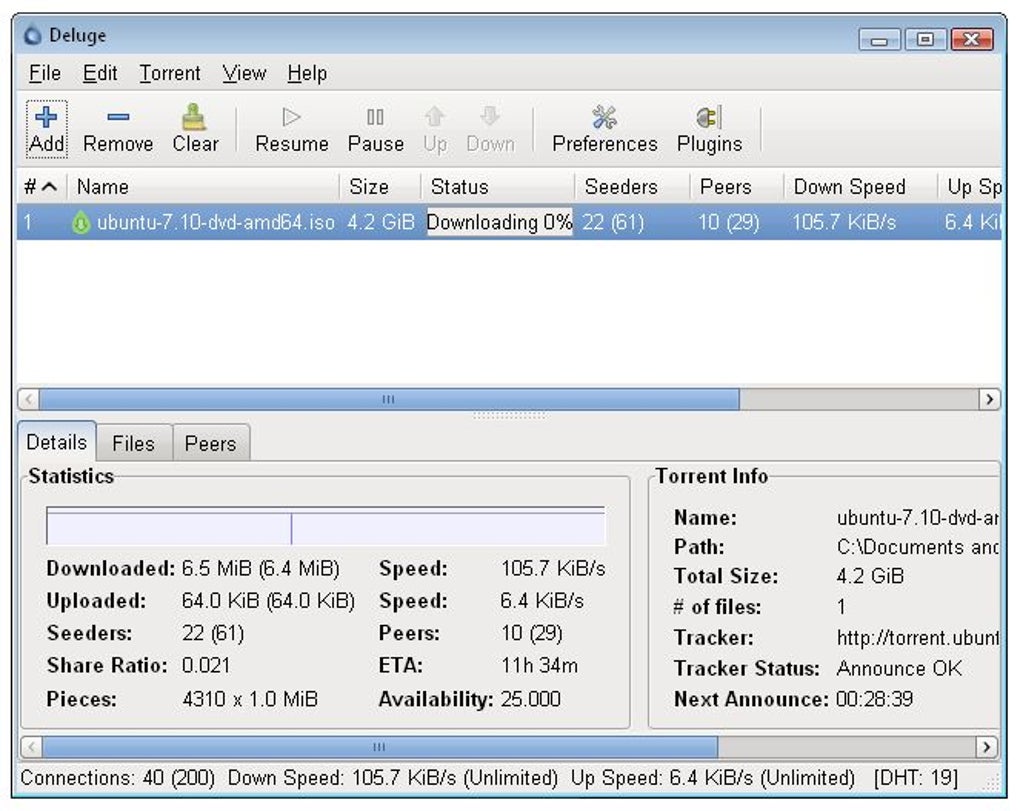
Deluge’s interface is designed for simplicity and efficiency. The main window displays a clear list of active torrents, providing key information such as download and upload speeds, progress, and status. Users can easily pause, resume, or remove torrents with intuitive controls. Navigating the settings and managing plugins is also straightforward, thanks to a well-organized menu structure.
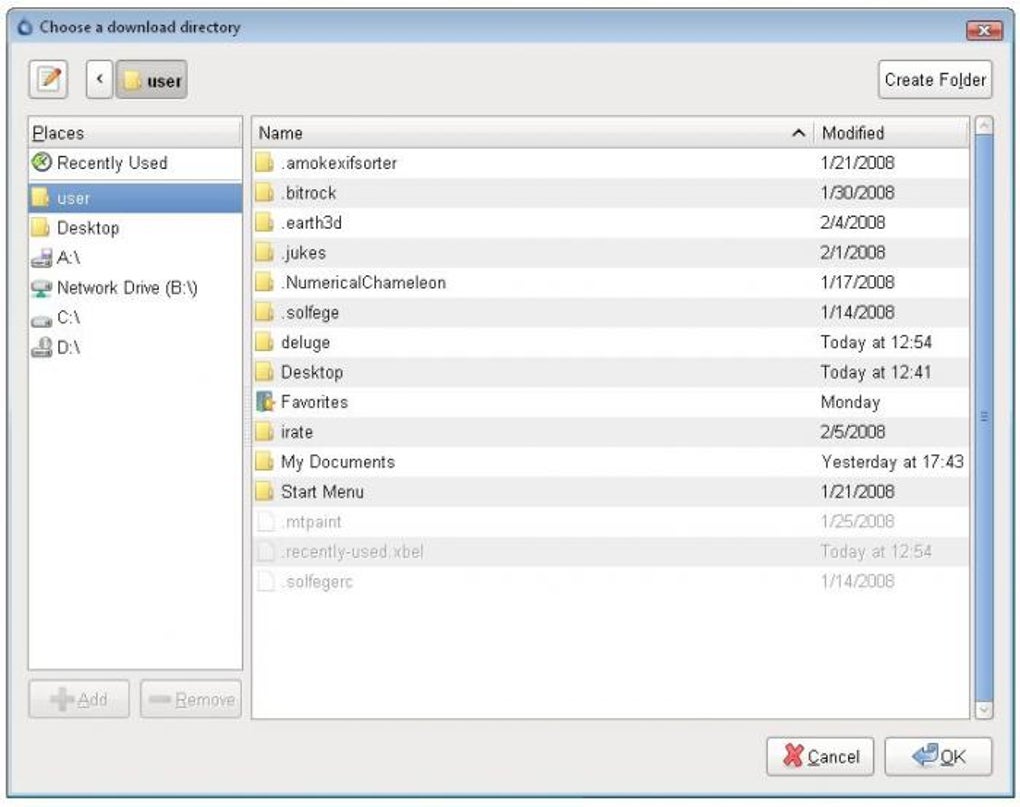
The installation process is quick and uncomplicated. Deluge’s small size means installation is completed rapidly, with minimal disruption to the user’s system. After installation, users can easily associate .torrent files and magnet links with Deluge, streamlining the downloading process.
Despite its simplicity, Deluge provides granular control over various aspects of its operation. Users can fine-tune network settings, bandwidth limits, and proxy configurations, customizing their torrenting experience according to their individual needs and connection capabilities. The ability to easily manage plugins further enhances this customization, allowing power users to tailor Deluge to fit their specific preferences.
Deluge vs. Competitors: Comparing with uTorrent and qBittorrent
Deluge frequently gets compared to two other popular torrent clients: uTorrent and qBittorrent. Each has its strengths and weaknesses.
uTorrent: While uTorrent boasts a large user base and extensive features, its free version is often criticized for its intrusive advertisements and bundled software, which can pose security risks. While a paid, ad-free version exists, the free version’s aggressive monetization strategies detract from the user experience and raise concerns about privacy.
qBittorrent: qBittorrent presents a strong open-source alternative to uTorrent, emphasizing a clean interface and a focus on privacy. Like Deluge, it offers a lightweight design and a selection of features. However, Deluge’s flexible plugin system offers a greater degree of customization than qBittorrent.
Comparing Deluge to uTorrent and qBittorrent, Deluge stands out due to its combination of a lightweight, clean interface, a robust and highly customizable plugin system, and a strong commitment to security through its open-source nature. While qBittorrent offers a similarly secure and lightweight experience, Deluge’s plugin-driven extensibility provides a significant advantage for users seeking a highly personalized torrenting experience.
What’s New and Future Developments: Contributing to Deluge
Deluge doesn’t receive frequent major updates, reflecting its stability and mature design. However, the project remains active, with ongoing development and community contributions. The development team actively encourages user feedback and contributions, fostering a collaborative environment that ensures the client continues to improve and adapt to user needs. While donations are accepted to support future development, the absence of commercial interests ensures Deluge maintains its focus on providing a reliable and privacy-respecting torrenting experience.
The official website and associated forums provide a valuable resource for users seeking assistance, finding plugins, or participating in the development process. The community’s active involvement is integral to Deluge’s continued success, ensuring the project remains a viable and compelling option in the competitive landscape of BitTorrent clients.
Conclusion: A Powerful and Secure Torrenting Solution
Deluge offers a compelling combination of lightweight design, robust features, and a strong commitment to security and user privacy. Its open-source nature, coupled with its extensive plugin system, allows for an unparalleled level of customization. While users should always prioritize safe torrenting practices and consider using a VPN, Deluge provides a solid foundation for a secure and efficient torrenting experience. For users seeking a reliable, customizable, and ad-free torrent client, Deluge deserves serious consideration.
File Information
- License: “Free”
- Latest update: “May 23, 2023”
- Platform: “Windows”
- OS: “Windows 8”
- Language: “English”
- Downloads: “97.2K”
- Size: “39.58 MB”


