Deskreen is a free, open-source utility that allows users to extend their computer’s display to virtually any device with a web browser. Developed by indie developer Pavlo Buidenkov, Deskreen offers a simple yet powerful solution for expanding screen real estate and facilitating screen sharing, all without the need for complex configurations or expensive hardware. This comprehensive review delves into Deskreen’s features, performance, strengths, and weaknesses, offering a balanced perspective on its capabilities.
Deskreen’s Core Functionality: Screen Extension and Sharing
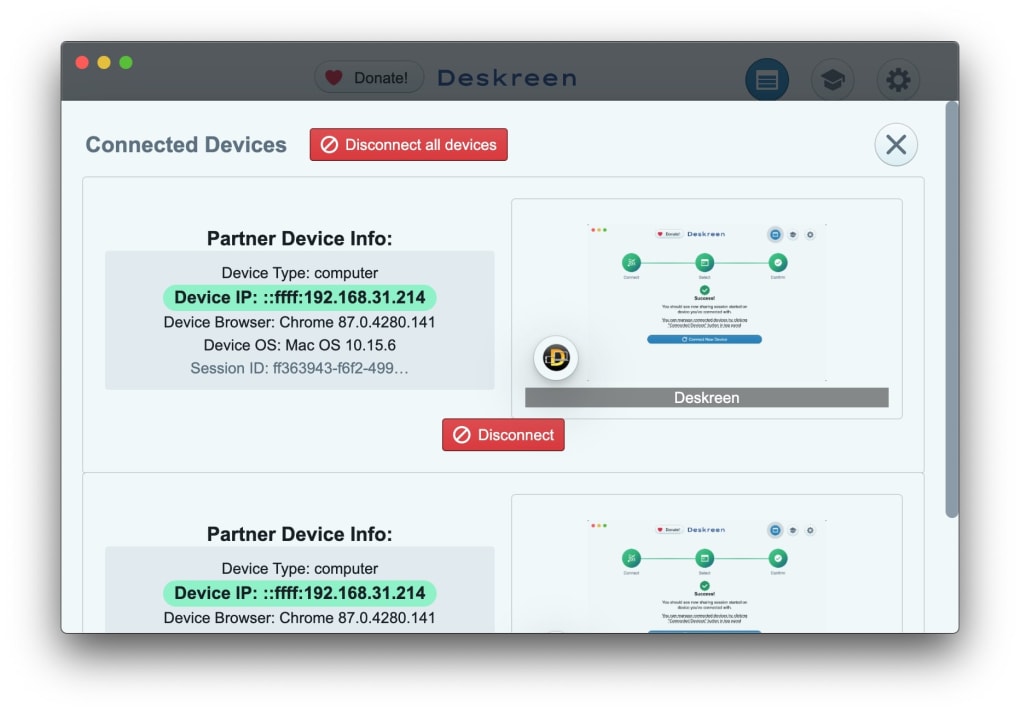
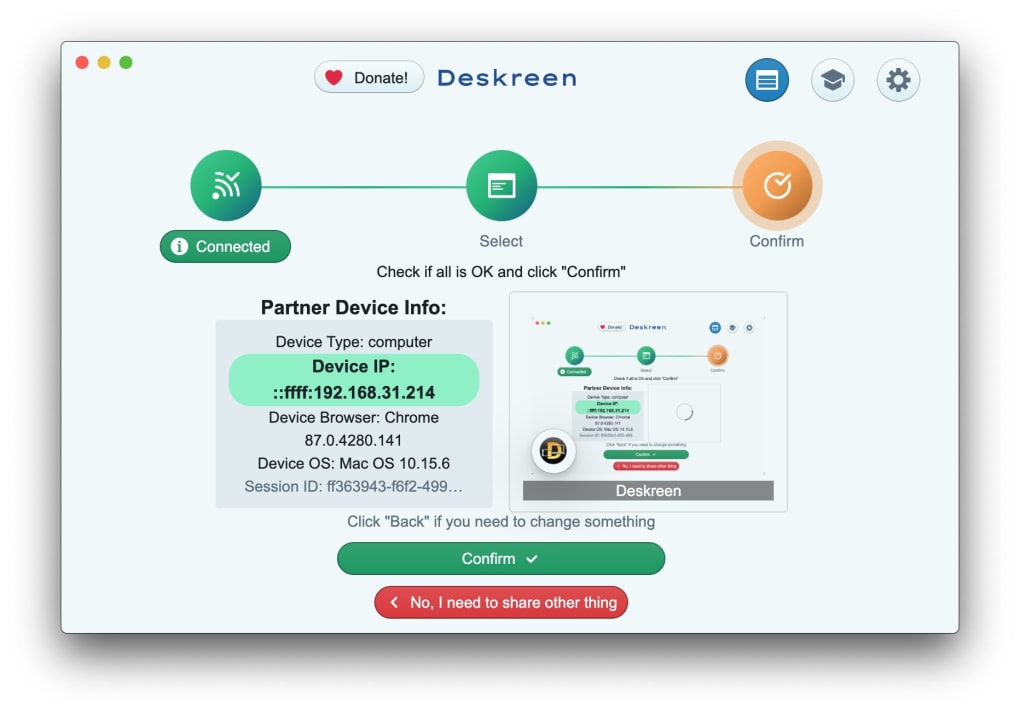
Deskreen leverages its innovative Virtual Display Adapter to transform any device equipped with a web browser into a secondary monitor for your Windows PC. This means you can instantly increase your screen space by utilizing a tablet, smartphone, or even a second laptop, significantly boosting productivity and multitasking capabilities. The process is remarkably straightforward; the app guides users through a three-step connection process, making it accessible even to users with limited technical expertise.
Beyond screen extension, Deskreen also provides robust screen-sharing functionality. You can share your entire computer screen with multiple connected devices simultaneously, facilitating collaborative work, presentations, or simply showcasing content to a wider audience. While the application currently supports displaying only one application at a time on a secondary screen, the ability to connect numerous devices concurrently offsets this limitation. The simultaneous screen sharing feature is particularly beneficial for presentations or collaborative work scenarios.
The software’s intuitive interface presents all essential features prominently, allowing users to easily navigate and adjust settings. One notable feature is the automatic quality adjustment for screen sharing, ensuring optimal performance based on network conditions. This adaptive quality control helps maintain smooth performance even with fluctuating internet speeds or varying device capabilities. Importantly, Deskreen prioritizes security, incorporating industry-standard end-to-end encryption to protect shared data during transmission.
Ease of Use and User Interface Design
Deskreen distinguishes itself through its user-friendly design. The intuitive interface requires minimal technical knowledge to operate effectively, making it accessible to a broad range of users. The straightforward setup process and easily navigable menus contribute to a smooth and efficient user experience. This simplicity is a significant advantage, particularly for users who are not comfortable with complex software configurations. The clear visual presentation of options and functionalities reduces the learning curve substantially, making Deskreen a readily adoptable tool for both novices and experienced users.
This ease of use extends beyond initial setup. Managing connected devices, adjusting screen sharing settings, and modifying display quality are all accomplished through straightforward actions within the app’s interface. The clear visual feedback and minimal reliance on complicated menus make Deskreen a highly accessible and enjoyable tool to use. The intuitive design significantly contributes to the overall positive user experience, making Deskreen stand out amongst comparable software.
Performance and Limitations
While Deskreen provides a significant advantage in screen extension and sharing, it’s crucial to acknowledge certain limitations. The application’s performance is heavily reliant on the stability and speed of your Wi-Fi network. A robust and reliable connection is paramount for optimal performance; otherwise, users might experience lag, decreased frame rates, or even disconnections. While the auto-quality adjustment feature mitigates some of these issues, a consistently strong Wi-Fi connection remains crucial for a smooth, uninterrupted experience.
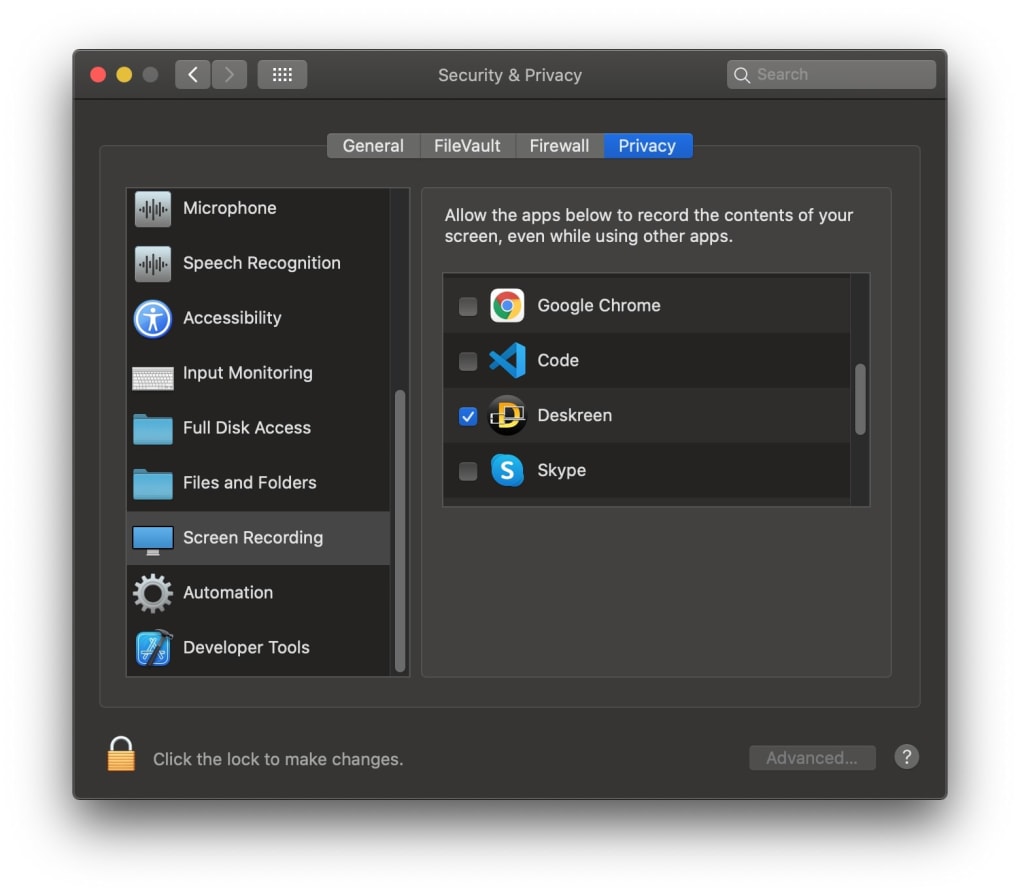
Furthermore, although Deskreen offers screen sharing capabilities, the current iteration limits the display of only one application at a time on a secondary screen. This might pose a challenge for users requiring simultaneous viewing of multiple applications on their extended displays. Although multiple devices can be connected and the screen shared simultaneously, the single-application limitation per secondary screen should be considered. Future updates addressing this aspect could significantly enhance the application’s overall functionality and appeal.
Security and Privacy Considerations
Deskreen incorporates end-to-end encryption, a crucial security feature ensuring the confidentiality of shared data. This measure helps protect sensitive information from unauthorized access during transmission, providing peace of mind for users sharing potentially confidential content. The implementation of this industry-standard security protocol adds a layer of trust and confidence in the application’s reliability and security.
However, like all software that involves network connectivity, maintaining a secure Wi-Fi network is crucial. Utilizing a strong, password-protected network helps mitigate potential vulnerabilities and ensures data remains protected. Users should also exercise caution when sharing sensitive materials and ensure they are connected to a trusted and secured network before initiating a screen-sharing session.
Deskreen: A Verdict
Deskreen, while not without its limitations, offers a compelling solution for expanding screen real estate and facilitating screen sharing. Its user-friendly interface and straightforward setup process make it accessible to a wide audience, regardless of technical expertise. The free and open-source nature of the application adds to its appeal, offering a cost-effective solution for those seeking to enhance their computing experience.
The inclusion of end-to-end encryption underscores a commitment to security, providing users with confidence in the safety of shared data. While the current version has some limitations regarding application display on secondary screens and performance dependence on network stability, the significant benefits offered outweigh these drawbacks for many users. For those seeking a simple, efficient, and free way to extend their screen and share content, Deskreen stands as a strong contender, offering considerable advantages in convenience and ease of use.
The future development of Deskreen could include enhanced quality options, expanded screen-sharing functionalities (such as multiple application displays on a single secondary screen), and perhaps even integration with other productivity tools. These additions could further strengthen Deskreen’s position as a leading tool in the realm of screen extension and sharing software. For now, Deskreen remains a valuable tool for users seeking a user-friendly and functional solution to expand their workspace and enhance their productivity.
File Information
- License: “Free”
- Version: “1.0.4”
- Latest update: “July 15, 2022”
- Platform: “Windows”
- OS: “Windows 7”
- Language: “English”
- Downloads: “9.8K”
- Size: “54.59 MB”


