
Bring the cheer of the holiday season to your computer screen with Desktop Christmas Tree, a free personalization application designed to add a touch of festive magic to your digital workspace. This lightweight, easy-to-use program offers a simple yet charming virtual Christmas tree, complete with twinkling lights and a star topper, providing a nostalgic and heartwarming addition to your desktop throughout the holiday season.
A Simple Yet Charming Digital Decoration
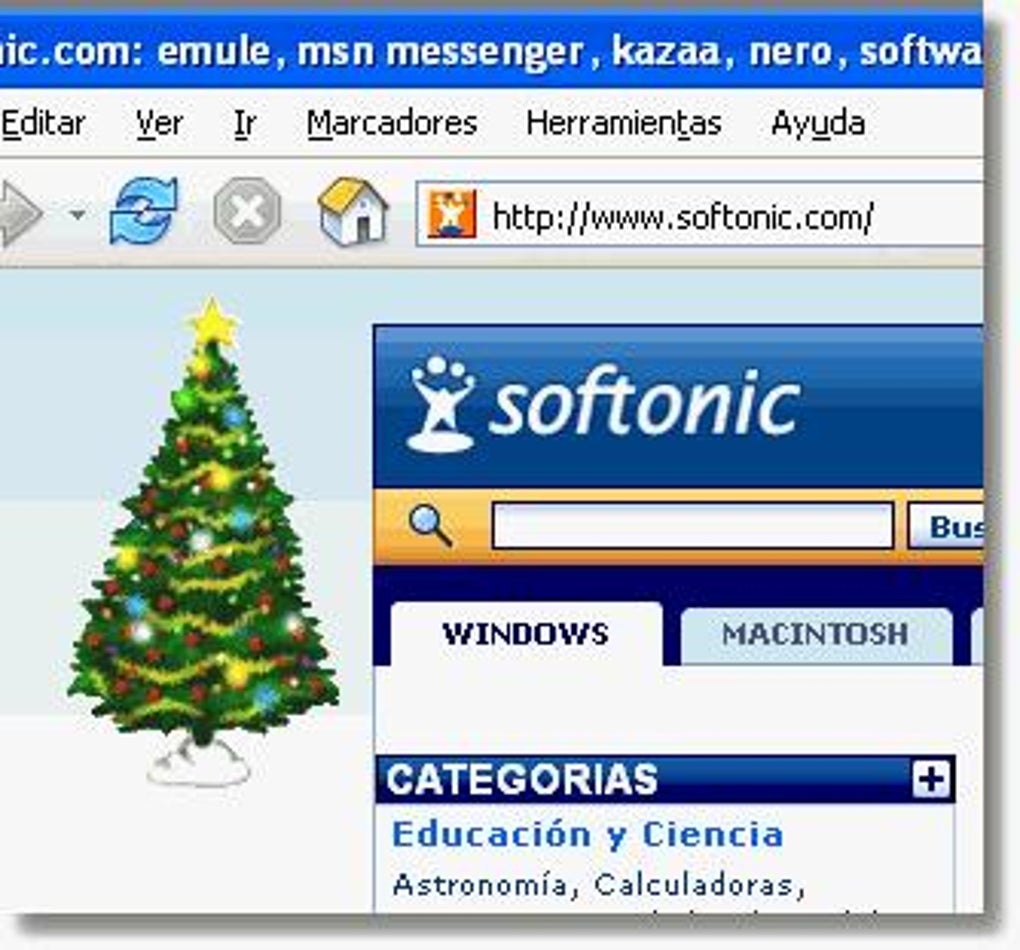
In today’s fast-paced digital world, it’s easy to lose sight of the simple joys, especially during the holidays. Desktop Christmas Tree offers a refreshing counterpoint to the often overwhelming nature of modern technology. It provides a quaint and delightful digital representation of a classic Christmas tree, perfectly capturing the essence of the holiday spirit. The tree features delicately rendered twinkling lights, colorful ornaments (though not highly detailed), and a traditional star that crowns the top. While its graphics are not high-resolution, this minimalist approach adds to its charm, evoking a sense of nostalgia and simple pleasures. The understated visual style ensures it won’t clash with most desktop wallpapers, seamlessly integrating into your existing setup.
The program’s lightweight design is a key advantage. Its minimal system requirements ensure that it runs smoothly on most computers, even older machines, without impacting performance or causing any noticeable lag. This makes it an accessible and user-friendly option for a wide range of users, regardless of their computer’s specifications. This unobtrusive nature allows you to enjoy the festive ambiance without compromising your work efficiency or causing system strain.
Easy Customization for Personalized Festive Flair
Desktop Christmas Tree offers a degree of customization, allowing users to personalize their holiday experience. The tree isn’t statically placed; you have the freedom to drag and drop it anywhere on your screen, ensuring it’s positioned perfectly to complement your background and other desktop elements. Additionally, the program includes a transparency setting, allowing you to adjust the tree’s opacity to better blend with your wallpaper. This customization option enhances the versatility of the application, enabling users to tailor the festive ambiance to their individual preferences and desktop aesthetics.
While the customization options are limited compared to more advanced personalization software, the ease of use and the core functionality cater to users who prefer a simple, straightforward approach to festive desktop decoration. The focus is on providing a delightful holiday experience without the complexities of extensive settings or configuration options.
A Nostalgic Touch for the Holidays
The appeal of Desktop Christmas Tree lies not in its cutting-edge graphics or advanced features, but in its ability to evoke a sense of nostalgia and heartwarming holiday memories. Its simplistic design, reminiscent of classic Christmas decorations, taps into a feeling of comfort and familiarity, reminding users of cherished traditions and simpler times. The twinkling lights and charming ornaments create a peaceful and inviting atmosphere on the screen, fostering a feeling of warmth and festive cheer. This emotional connection is a significant aspect of the program’s appeal, making it more than just a simple digital decoration; it’s a reminder of the true spirit of the holidays.
The program’s effectiveness lies in its subtle charm. It’s not a visually stunning masterpiece, but its understated elegance is precisely what makes it so appealing. It enhances the holiday spirit without being overwhelming or intrusive. This understated approach makes it suitable for users of all ages and backgrounds, regardless of their technological proficiency or design preferences. The program’s success lies in its simplicity and its ability to connect users with the core essence of the holiday season.
Comparison with Alternative Christmas Desktop Applications
While Desktop Christmas Tree offers a charming and lightweight solution, it’s important to consider it within the context of similar applications available. Several alternative programs offer more advanced features, such as higher-resolution graphics, animations, and a wider range of customization options. For example, “Animated Christmas Tree for Desktop” (often cited as a comparable alternative) may provide a more dynamic and visually engaging experience with moving lights and decorations. However, these advanced features often come at the cost of increased system resource consumption and a more complex user interface.
Desktop Christmas Tree stands apart by prioritizing simplicity and minimal system impact. Its lightweight design and ease of use are significant advantages for users who prefer a straightforward, unobtrusive application without sacrificing the festive spirit. The choice between Desktop Christmas Tree and alternative applications ultimately depends on the user’s individual preferences and priorities. Users prioritizing simplicity and minimal system impact will find Desktop Christmas Tree to be a perfect choice, while those seeking advanced features and more visually stunning graphics might opt for alternatives with more extensive functionalities. Ultimately, the “best” application is subjective and depends entirely on user needs and preferences.
System Requirements and Installation
Desktop Christmas Tree is designed to be compatible with a wide range of Windows operating systems. Its minimal system requirements ensure compatibility with older machines, maximizing its accessibility for a broader user base. While specific requirements might not be explicitly stated, its lightweight nature suggests that it should operate effectively on systems with modest processing power and memory.
The installation process is typically straightforward, involving a simple download and execution of the installer file. The software is designed for ease of use, with minimal setup required, ensuring a quick and hassle-free experience for users. Once installed, the Christmas tree appears on the desktop, ready to spread holiday cheer. Removing the program is typically just as simple, using standard Windows uninstall procedures.
Conclusion: A Simple Joy for the Holiday Season
Desktop Christmas Tree offers a simple, charming, and efficient way to infuse your digital workspace with the warmth and cheer of the holiday season. Its lightweight design, ease of use, and nostalgic appeal make it a valuable addition for those seeking a subtle yet effective way to celebrate the holidays on their computers. While it may not boast the advanced features or high-resolution graphics of some alternative applications, its simplicity and minimal system impact are significant advantages. If you’re looking for a stress-free way to add a touch of festive spirit to your desktop without compromising performance, Desktop Christmas Tree is a worthy contender. Its understated charm and ability to evoke a sense of nostalgia make it a delightful and heartwarming addition to any computer during the most wonderful time of the year. Whether you’re a seasoned tech enthusiast or simply someone looking for a little digital holiday cheer, Desktop Christmas Tree might just be the perfect addition to your desktop this Christmas.
File Information
- License: “Free”
- Version: “1.0”
- Latest update: “February 23, 2024”
- Platform: “Windows”
- OS: “Windows ME”
- Language: “English”
- Downloads: “4K”
- Size: “223.23 KB”


