
Desktop gadgets, those small, customizable applications that reside on your Windows desktop, offer a unique way to personalize your computing experience and access information at a glance. While initially introduced in Windows Vista and later refined in Windows 7, their functionality and popularity have waxed and waned over the years. However, the core concept remains appealing: providing quick access to frequently needed information and tools without the need to open separate applications. This exploration delves into the world of desktop gadgets, examining their history, features, benefits, and some popular alternatives.
The Evolution of Desktop Gadgets
The journey of desktop gadgets began with Windows Vista. Microsoft’s initial foray into this realm, however, met with mixed reception. The integration wasn’t seamless, and the overall user experience felt somewhat clunky. Many users found the gadgets cumbersome and less intuitive than anticipated. The accompanying Windows Sidebar, the designated area for these gadgets, often felt like an intrusive addition rather than a helpful enhancement. The initial implementation lacked the polish and flexibility that would make them truly indispensable.
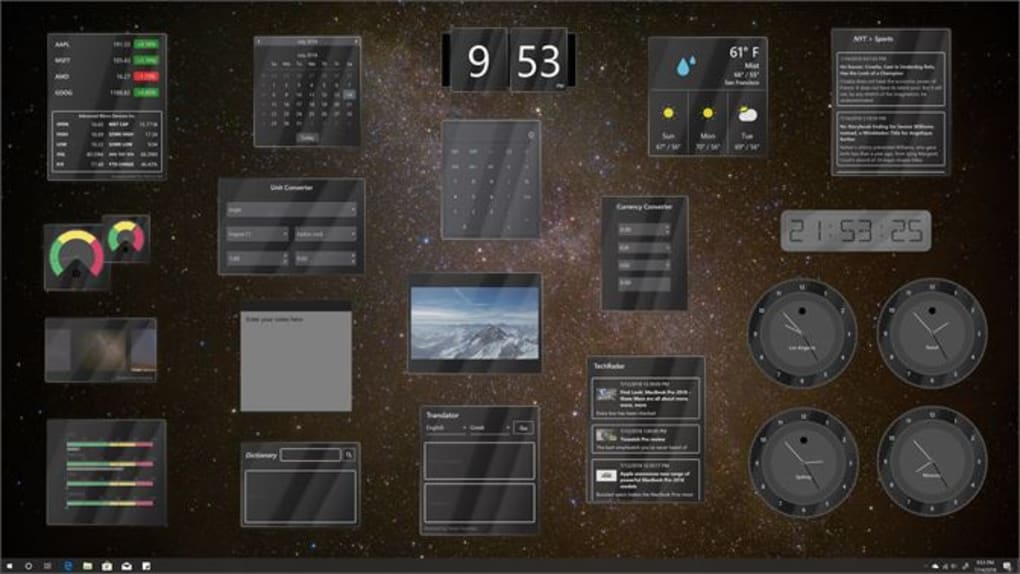
Windows 7 marked a significant turning point. Microsoft addressed the shortcomings of the Vista iteration, resulting in a more refined and user-friendly experience. The redesigned gadgets boasted enhanced customization options, simplified installation processes, and improved integration with the operating system. The limitations of the Windows Sidebar were largely overcome, allowing for greater flexibility in gadget placement and organization. This improved functionality helped to revitalize interest in desktop gadgets, showcasing their potential as powerful tools for productivity and personalization.
One of the key improvements in Windows 7 was the increased flexibility in placement. Users were no longer restricted to a dedicated sidebar. This freedom allowed for more intuitive desktop arrangements, adapting to individual workflows and aesthetic preferences. The ability to position gadgets anywhere on the desktop significantly enhanced usability and visual appeal.
Customizable Features and Functionality
The core strength of desktop gadgets lies in their customization capabilities. Users can tailor their appearance and functionality to match their needs and preferences. This level of personalization extends beyond mere visual aesthetics; it encompasses the underlying functions and data displayed.
Visual Customization: Beyond simply choosing from pre-designed gadgets, users can often adjust their visual aspects, such as color schemes, fonts, and iconography. This allows for a truly individualized desktop experience, seamlessly blending with the overall theme and style preferences. The ability to alter the size and transparency of gadgets further enhances customization options. Some gadgets may even offer themed skins or options to import custom images, creating a uniquely personal workspace.
Functional Customization: The functionality of desktop gadgets isn’t static. Many offer configurable settings that allow users to tailor the information displayed or the actions performed. For example, a calendar gadget might allow users to select which calendars to display, or a weather gadget might allow for the selection of multiple locations. This functional flexibility ensures that the gadget effectively serves its intended purpose within the user’s specific context.
Benefits of Using Desktop Gadgets
The advantages of utilizing desktop gadgets extend beyond mere aesthetics; they offer genuine improvements to workflow and information access.
Improved Productivity: Quick access to frequently accessed information, such as the time, calendar, weather, or CPU usage, significantly reduces the time spent searching for this data within separate applications. This streamlined access allows users to remain focused on their primary tasks, minimizing distractions and maximizing efficiency.
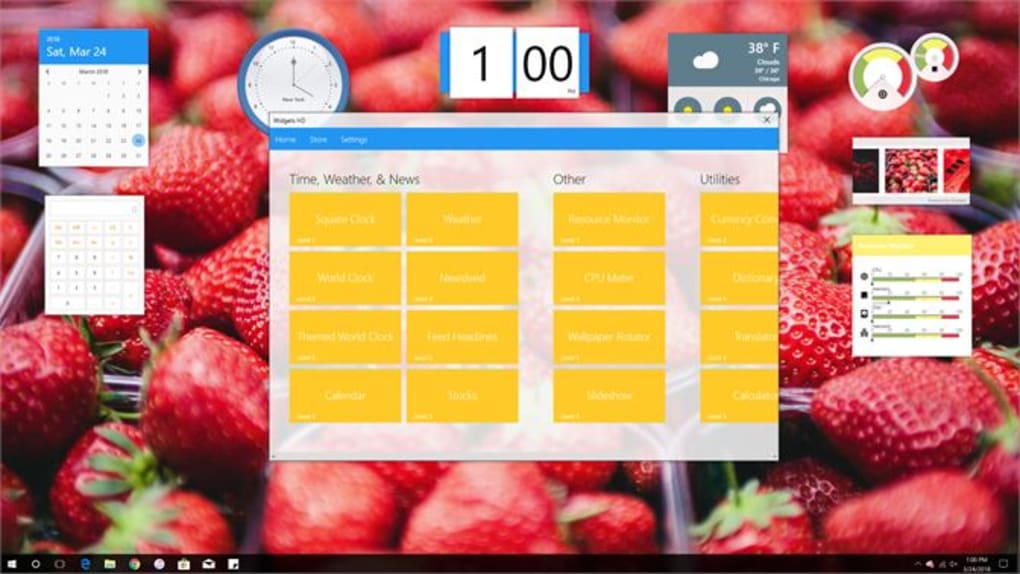
Enhanced Personalization: The ability to customize the look and feel of the gadgets allows users to create a desktop environment that reflects their personality and preferences. This personalization creates a more engaging and enjoyable computing experience.
Increased Efficiency: By presenting key information at a glance, desktop gadgets minimize the need to repeatedly launch applications to obtain specific data. This contributes to a more efficient workflow and a more streamlined user experience.
Seamless Integration: When well-designed and integrated, desktop gadgets blend seamlessly into the desktop environment, providing a cohesive and intuitive user experience. This smooth integration ensures that the gadgets augment the desktop, rather than cluttering or disrupting it.
Alternatives to Desktop Gadgets
While desktop gadgets offer many advantages, their availability and functionality have fluctuated across different Windows versions. Several alternative applications offer similar functionality or serve as suitable replacements.
Third-Party Gadget Solutions: Numerous third-party applications provide expanded gadget functionality and compatibility across various Windows versions. These solutions often offer a wider array of gadgets than those included with the operating system, catering to diverse needs and preferences. However, it’s crucial to download these applications only from reputable sources to avoid malware or other security risks.
Desktop Widgets and Applets: Similar to desktop gadgets, widgets and applets are small applications providing quick access to information. These are frequently found in other operating systems or through dedicated widget platforms, providing alternative avenues for desktop customization and information display.
Rainmeter: Rainmeter is a highly customizable desktop customization tool. Unlike simple gadgets, Rainmeter allows for significantly greater control over appearance and functionality, enabling users to create highly personalized and complex desktop environments. It offers a vast library of skins and widgets, allowing for extensive customization.
Desktop Environments: For users seeking a more comprehensive approach to desktop personalization, specialized desktop environments such as those found in Linux distributions provide extensive options for customization and widget integration. These offer far greater flexibility than Windows’ built-in tools but may require a steeper learning curve.
Conclusion
Desktop gadgets, despite their fluctuating prominence, offer a valuable approach to enhancing productivity and personalizing the Windows desktop. Their ability to provide at-a-glance access to critical information and their customization features continue to resonate with users. While their native availability in Windows may be limited, third-party alternatives and other desktop customization tools provide ample options for users seeking similar functionality and visual enhancements. The choice of approach depends on individual preferences, technical expertise, and the desired level of customization. Ultimately, the goal remains consistent: to create a personalized and efficient desktop environment that optimizes productivity and enhances the overall computing experience.
File Information
- License: “Free”
- Version: “3.4.2.0”
- Latest update: “January 31, 2023”
- Platform: “Windows”
- OS: “Windows 10”
- Downloads: “3.1K”


