
Desktop Live Wallpapers offer a visually engaging alternative to static desktop backgrounds, bringing movement and dynamism to your Windows PC. This software, developed by Allen Chan of Chan Software Solutions and Ambient Software, Inc., provides a comprehensive collection of animated wallpapers and offers unique features designed to enhance your desktop experience. However, like many applications offering advanced functionality, it also presents some challenges. This article provides a detailed exploration of Desktop Live Wallpapers, examining its strengths, weaknesses, and overall user experience.
Feature Overview: Beyond Static Images
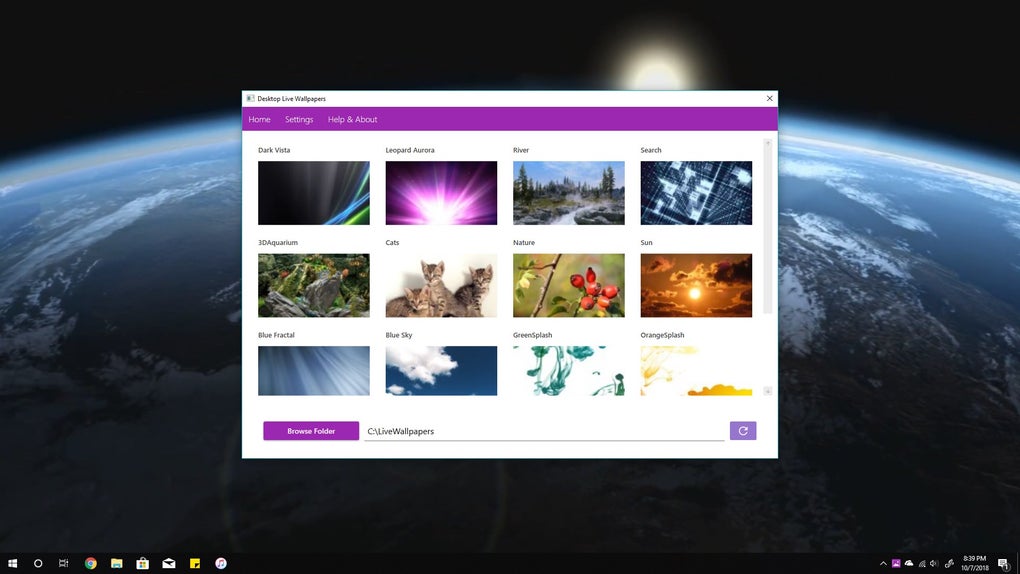
Desktop Live Wallpapers distinguishes itself from simpler wallpaper applications through its extensive library of animated backgrounds and its support for custom video wallpapers. The free version provides a substantial selection of pre-made live wallpapers covering a wide variety of themes, ranging from serene natural landscapes and abstract art to more vibrant and dynamic designs. This variety ensures users can find options that perfectly match their personal aesthetic and mood. The software’s support for multiple monitors allows for a cohesive and visually appealing experience across multiple screens, a feature especially beneficial for those working with larger workstation setups.
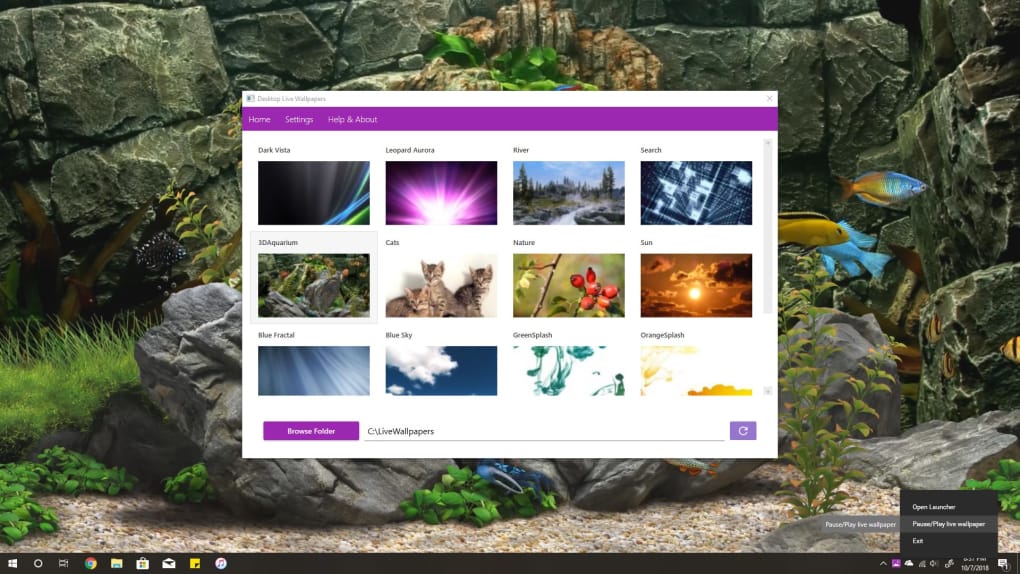
One of the software’s most enticing features is its ability to use personal video files as live wallpapers. While this functionality is only available through an in-app purchase of the Pro version, it unlocks a significant level of customization. Users can transform their favorite videos into dynamic backgrounds, further personalizing their desktop environment. The Pro version also adds support for importing live images from mobile devices, streamlining the process of transferring and utilizing personal media as wallpaper.
Furthermore, Desktop Live Wallpapers incorporates a resource-saving feature: the animated wallpapers automatically pause when obscured by other open windows. This intelligent approach prevents unnecessary resource consumption and ensures smoother overall system performance, a critical consideration for users with less powerful hardware.
User Experience: A Mixed Bag of Strengths and Weaknesses
Despite its appealing features, Desktop Live Wallpapers isn’t without its drawbacks. While the selection of pre-loaded wallpapers is impressive, the software’s susceptibility to crashes represents a significant downside. User reports indicate frequent crashes, affecting both the display of the wallpapers themselves and the program’s main interface. This instability detracts from the overall user experience and makes the software somewhat high-maintenance, requiring occasional restarts or troubleshooting. This inconsistent performance is a major point of contention and needs significant improvement from the developers.
The necessity of purchasing the Pro version to unlock essential features, such as using custom video files, can be seen as a limiting factor. While the free version provides a generous selection of animated wallpapers, the restriction on personal video integration might deter users seeking maximum customization options. This paywall approach, while understandable from a business perspective, can be frustrating for users who wish to leverage this key feature.
Comparison to Alternative Applications
Desktop Live Wallpapers occupies a niche in the market alongside other live wallpaper applications. Many competitors offer similar functionalities, but with different strengths and weaknesses. For instance, some applications focus on a single, highly polished theme, offering an immersive experience but limiting the diversity of options. Others provide a broader selection of wallpapers but may lack the advanced features present in Desktop Live Wallpapers, such as multiple monitor support or the option to use personal video files.
The choice between Desktop Live Wallpapers and alternatives often depends on individual preferences and priorities. If a vast selection of wallpapers and multi-monitor support are paramount, Desktop Live Wallpapers offers a compelling choice despite its stability issues. Conversely, users prioritizing stability and a less resource-intensive application might opt for a more streamlined alternative.
Technical Aspects: Performance and System Requirements
Desktop Live Wallpapers’ performance is a key aspect of the user experience. While the pause function, which suspends animation when windows obscure the wallpaper, is designed to optimize performance, the software’s susceptibility to crashing overshadows this benefit. The resource consumption of the application varies depending on the complexity of the selected wallpaper, but the general consensus points toward a level of resource usage that, while manageable for most modern systems, could become problematic for older or less powerful machines.
The application’s system requirements are relatively modest. It is compatible with Windows 10 and later versions, and while the specific hardware requirements aren’t explicitly stated, it should run adequately on most systems capable of running a modern version of the Windows operating system. However, users should be aware that the use of high-resolution, complex animated wallpapers could significantly increase the strain on system resources, potentially leading to performance issues on less powerful systems.

Conclusion: A Potentially Powerful Tool with Room for Improvement
Desktop Live Wallpapers provides a visually engaging way to personalize your Windows desktop. Its impressive collection of animated wallpapers, coupled with the option of using personalized video files (in the Pro version), offers a significant degree of customization. The support for multiple monitors is a notable advantage, ensuring a seamless aesthetic across all screens.
However, the software’s significant instability and frequent crashes seriously undermine its overall usability. The necessity of an in-app purchase to unlock the full potential of the application, particularly the ability to use custom videos, presents a barrier to some users. While the software shows considerable potential, addressing its instability and potentially offering more options in the free version would significantly enhance the user experience and make it a more compelling alternative in the crowded live wallpaper market. The developers should prioritize these crucial improvements to solidify its place as a leading option in this field. Until these stability issues are resolved, users should approach Desktop Live Wallpapers with caution and consider alternatives if a consistently stable live wallpaper solution is a priority.
File Information
- License: “Free”
- Version: “varies-with-device”
- Latest update: “July 15, 2022”
- Platform: “Windows”
- OS: “Windows 10”
- Language: “English”
- Downloads: “207.1K”


