
Desktop Mate is a freemium personalization software designed to inject vibrancy and interactivity into your Windows desktop experience. Unlike static wallpapers, Desktop Mate introduces charming virtual mascots that move freely across your screen, interacting with your windows and reacting to your mouse movements in a way that transcends simple animations. This dynamic approach transforms your workspace from a static backdrop into an engaging and personalized environment.
Bringing Your Desktop to Life with Interactive Mascots
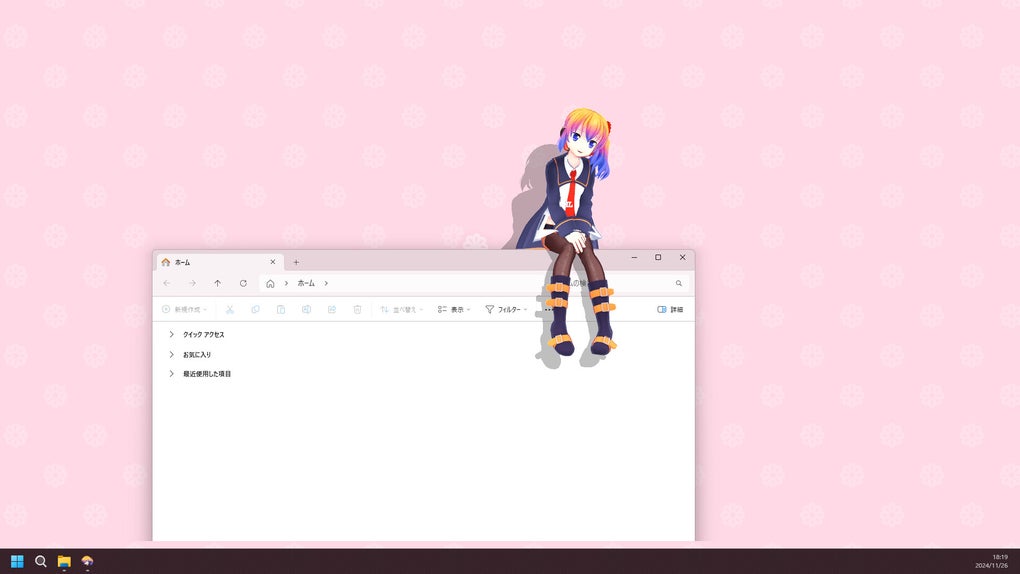
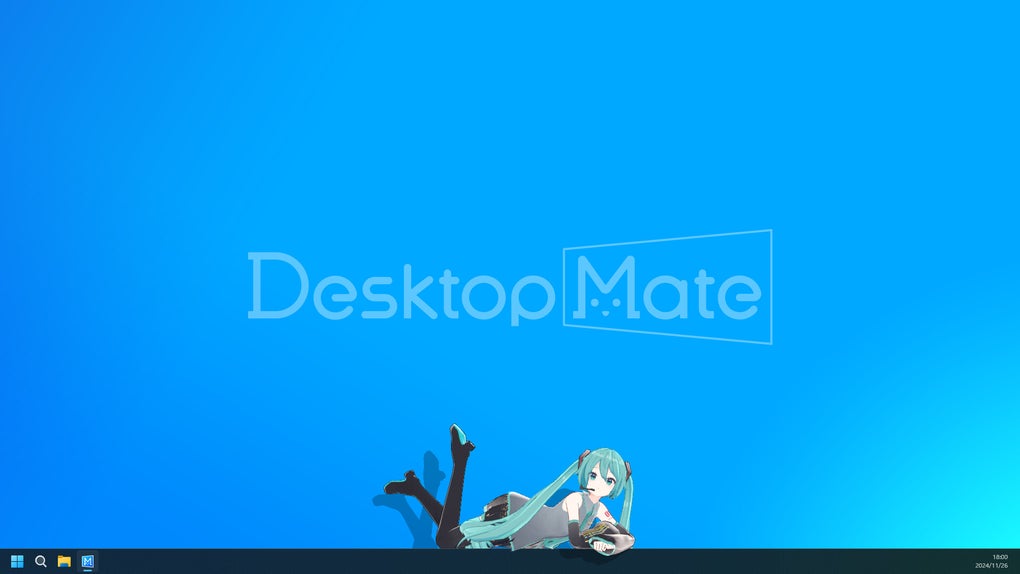
The core functionality of Desktop Mate revolves around its interactive virtual characters, or mascots. These aren’t mere decorative elements; they are dynamic, engaging companions that add a layer of personality and fun to your daily computing tasks. They seamlessly integrate into your workflow, playfully moving between open windows, sitting on your taskbar, and reacting subtly to your mouse cursor. This level of interaction surpasses the capabilities of traditional live wallpapers, offering a more playful and engaging alternative.
The software’s design emphasizes fluidity and natural movement. The mascots’ animations are smooth and realistic, avoiding jerky or unnatural movements that can disrupt the user experience. This attention to detail contributes significantly to the overall immersive quality of the application.
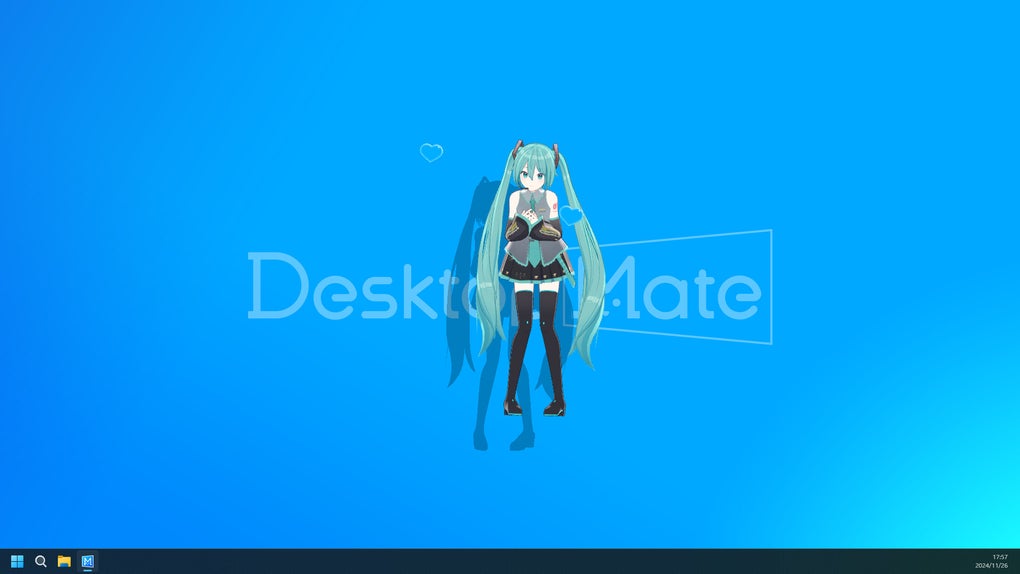
The ability to support multiple characters simultaneously allows for extensive customization. Users aren’t limited to a single mascot; instead, they can populate their desktops with a diverse cast of virtual companions, each with unique animations and behaviors. This feature allows for frequent changes and personalization, ensuring the software remains fresh and exciting over time. Imagine having a team of playful characters inhabiting your workspace, each adding their own unique flair.
Beyond Entertainment: A Functional Virtual Assistant
Desktop Mate extends beyond mere entertainment; it subtly incorporates productivity-enhancing features. The application’s official mascot, Aiel-tan, acts as a virtual assistant, offering a more engaging alternative to standard alarm notifications. Instead of relying on generic system sounds, Aiel-tan provides a more interactive and less intrusive reminder system. This is a clever approach, seamlessly blending entertainment with functionality.
The built-in alarm feature represents a simple yet effective example of how Desktop Mate integrates practical utility into its core design. This functionality is unobtrusive, adding a subtle layer of functionality without compromising the application’s primary focus on entertainment and personalization. Users can set reminders for important tasks or appointments, ensuring they don’t miss crucial deadlines while enjoying the presence of their virtual companions. The gentle reminder provided by Aiel-tan is significantly less jarring than a typical system alarm, enhancing overall workflow.
Expanding the Experience: Customization and Premium Content
While the core functionality of Desktop Mate is readily available in its free version, the application also offers a range of premium characters to further enhance the customization experience. One notable example is the inclusion of Hatsune Miku, the globally recognized virtual singer. This option adds another layer of personality and customization, catering to a broader spectrum of user preferences. The availability of these premium characters speaks to Desktop Mate’s commitment to offering a diverse and continuously expanding library of virtual companions.
The addition of premium characters demonstrates a well-considered monetization strategy. Rather than imposing restrictions on the core functionality, the free version provides a solid foundation. Premium characters are offered as optional extras, allowing users to personalize their desktop environments further while supporting the developers’ ongoing work. This approach contrasts with more restrictive models that limit core features behind paywalls, showcasing a commitment to providing a valuable experience even for users who choose not to purchase additional content.
Continuous Evolution and Future Development
Desktop Mate is not a static application; it’s designed to evolve and expand over time. The developers have committed to introducing new characters and interactive elements in future updates. This promise ensures that the software maintains its appeal and remains engaging for its users. The ongoing development plan is a key strength of Desktop Mate, guaranteeing that the application remains fresh and exciting, preventing user fatigue associated with static personalization options.
The commitment to regular updates and the introduction of new features represents a significant advantage for users. It ensures the software doesn’t become outdated or stale, retaining its novelty and interest. The potential for new interactions and characters significantly increases the longevity and overall value of the application.
A Balanced Approach: Pros and Cons
Desktop Mate offers a compelling blend of entertainment and utility, providing a personalized and engaging desktop experience. However, like any software application, it presents both advantages and disadvantages:
Pros:
- Personalized Desktop Experience: The core strength of Desktop Mate lies in its ability to transform a static desktop environment into a dynamic and engaging space, populated with interactive virtual mascots. This element alone significantly enhances the overall user experience.
- Engaging Work and Study Sessions: The playful nature of the interactive mascots can help maintain focus and prevent monotony during prolonged work or study sessions. This subtle benefit can be surprisingly effective in improving productivity and reducing fatigue.
- Continuous Evolution: The ongoing commitment to introduce new characters, interactions, and features ensures the software remains fresh and relevant, combating the staleness often associated with static personalization options.
- Simple and Intuitive Interface: The application is designed to be user-friendly, ensuring even novice users can quickly set up and enjoy the interactive features. This ease of use significantly increases accessibility and overall appeal.
Cons:
- Premium Content Requires Purchases: While the free version offers a robust foundation, users must make additional purchases to access the full range of characters and customization options. This can be a barrier for budget-conscious users, particularly those expecting all features to be included in a single purchase.
- Potential for Distractions: For some users, the constant movement and interactions of the virtual mascots might prove distracting, hindering rather than enhancing productivity. This is a subjective factor, dependent on individual preferences and working styles.
Conclusion: A Charming and Functional Desktop Companion
Desktop Mate successfully blends entertainment and productivity, providing a personalized desktop experience that goes beyond the capabilities of traditional live wallpapers. The interactive mascots add a layer of charm and personality to the user’s workspace, creating a more dynamic and engaging environment. The application’s commitment to continuous evolution further strengthens its appeal, ensuring it remains a fresh and exciting addition to any Windows desktop. While the requirement for additional purchases to unlock premium content might present a barrier for some users, the core functionality provided in the free version, coupled with the potential for future development, makes Desktop Mate a worthwhile consideration for anyone seeking a more vibrant and personalized computing experience.
File Information
- License: “Full”
- Version: “varies-with-devices”
- Latest update: “January 31, 2025”
- Platform: “Windows”
- OS: “Windows 10”
- Language: “English”
- Downloads: “4.2K”


