
Desktop Timer is a free, lightweight productivity application designed for Windows operating systems. Developed by Desktop Clocks, this straightforward tool serves as a simple timer for your desktop computer, allowing you to track the duration of tasks with ease. While its functionality is limited to timing, its simplicity and minimal resource usage make it a convenient option for users seeking a basic timer without unnecessary complexities.
Functionality and Interface
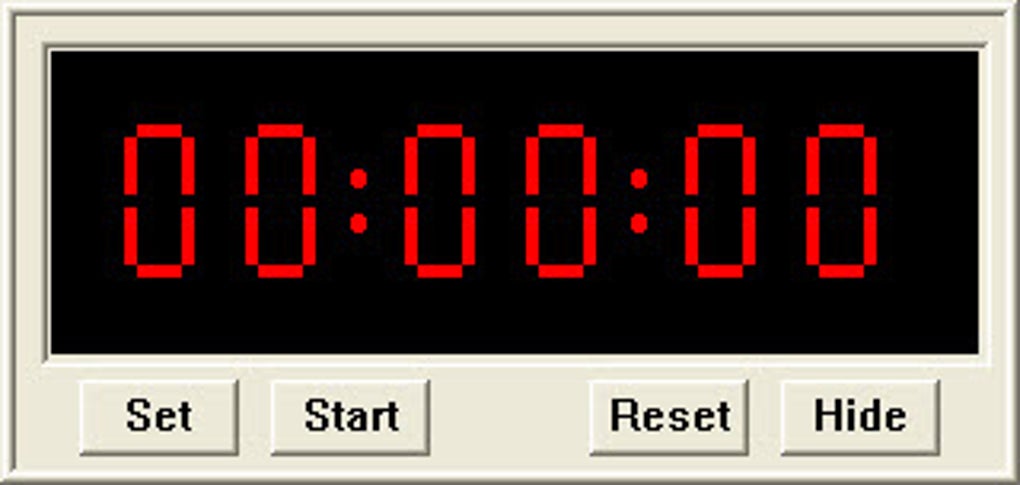
Desktop Timer presents a minimalist interface. Upon launching the application, a small window appears, displaying the timer’s controls. Users can input the desired duration by specifying the hours, minutes, and seconds. A simple “Start” button initiates the countdown, while a “Reset” button allows users to easily modify the time settings before starting a new timer. This straightforward approach eliminates any learning curve, making it instantly accessible to users of all technical skill levels.
The application also features a “Hide” button, allowing users to minimize the timer to the system tray, keeping it running discreetly in the background. To reactivate the visible timer window, users can right-click the system tray icon and select “Show Desktop Timer.” This functionality allows for background timing without cluttering the desktop workspace.
While the application offers an option to test and change the timer sound, this feature unfortunately points to an external website with limited functionality, making it largely ineffective. Similarly, the “Online Help” option redirects to the same website, further diminishing the value of these built-in features. The inability to select a custom sound locally reduces the level of personalization available to the user.
In contrast to the native Windows Alarms & Clock app, Desktop Timer’s functionality is considerably more limited. Unlike its counterpart, it only provides a single, independent timer. It lacks the ability to set multiple timers simultaneously, nor does it incorporate additional features such as alarms or a world clock. This constraint may prove limiting for users needing more sophisticated timing or scheduling capabilities.
Usage and Performance
The application’s low resource consumption is a significant advantage. It runs efficiently in the background without impacting system performance, even on less powerful computers. The minimal interface and straightforward controls contribute to its ease of use. The process of setting a timer, starting the countdown, and resetting the timer is intuitive and requires minimal user interaction.
This simplicity, however, also defines its limitations. The lack of advanced features, such as the ability to set recurring timers or incorporate customized notifications, limits its usefulness for more complex timing needs. The inability to save previously used timer settings adds an extra step for users who regularly employ specific durations.
The “Hide” feature, while functional, could be improved by providing a more visible indication of the timer’s status in the system tray, such as displaying the remaining time. Currently, users must right-click the tray icon to check the timer’s progress, adding an extra step to monitor the countdown.
Comparison with Alternative Timer Applications
Desktop Timer faces competition from a range of alternative timer applications, many offering significantly more comprehensive features. Several applications provide advanced options such as multiple timers, customizable alarms, recurring timers, and integration with other productivity tools. These alternatives often include features like Pomodoro timers, enabling users to break down work into focused intervals with short breaks, enhancing productivity and workflow management.
Some advanced timer applications also offer the ability to save custom timer presets, eliminating the need to manually re-enter durations for frequently used timeframes. In addition, these apps often incorporate calendar integration, allowing users to sync timer events with their daily schedules.
While Desktop Timer excels in simplicity and minimal resource usage, its limited functionality significantly differentiates it from these alternative applications. Users seeking a basic timer for simple tasks may find it adequate, but users needing more advanced features and flexibility should consider exploring alternative options.
Strengths and Weaknesses
Strengths:
- Simplicity: The user interface is exceptionally straightforward, requiring minimal effort to learn and use.
- Lightweight: The application’s minimal resource consumption ensures smooth performance on a variety of systems.
- Easy Setup: Installation and configuration are effortless, requiring no complex procedures.
- System Tray Integration: The “Hide” feature allows for background timer operation without cluttering the desktop.
Weaknesses:
- Limited Functionality: The application lacks features common in alternative timer applications, such as multiple timers, recurring timers, and customizable alarms.
- Ineffective Help and Sound Options: The links provided for online help and sound customization are largely non-functional.
- Single Timer Only: The inability to set multiple timers simultaneously restricts its usefulness for managing multiple tasks concurrently.
- No Custom Sound Selection: Users cannot select local sound files for timer alerts, lacking a level of personalization.
- No Timer Presets: The absence of timer presets forces users to manually enter durations each time, increasing redundancy.
- Lack of Visible Timer Status in Tray: No visual indicator in the system tray shows the remaining timer duration.
Conclusion
Desktop Timer provides a functional, basic timer for Windows users. Its simplicity and minimal resource use are attractive qualities for users requiring a straightforward timing tool. However, its severely limited feature set significantly restricts its appeal to users needing a more comprehensive or versatile timing solution. The broken links for help and sound customization further detract from the user experience. While it fulfills its primary function adequately, the absence of advanced features and the broken links make it a less-than-ideal choice for users requiring more than a simple, basic timer. Users seeking more extensive features should explore alternative timer applications that offer richer functionality and better support.
File Information
- License: “Free”
- Version: “2.11”
- Latest update: “May 11, 2022”
- Platform: “Windows”
- OS: “Windows Vista”
- Language: “English”
- Downloads: “36.9K”
- Size: “74.24 KB”


