
In the sprawling digital landscape of our personal computers, the desktop serves as our primary workspace, a familiar digital canvas where we arrange our most frequently used applications, files, and shortcuts. It’s the first thing we see when we boot up our systems, and its organization can significantly impact our productivity and overall digital experience. However, this seemingly stable environment often succumbs to the whims of resolution changes, multi-monitor setups, or even routine system updates, leading to the infuriating disarray of misplaced desktop icons. Imagine meticulously organizing your shortcuts, only to find them scattered randomly across your screen after reconnecting a second monitor or switching display modes. This common frustration is precisely what DesktopOK aims to eliminate, offering a simple yet powerful solution to maintain the integrity of your desktop layout.
DesktopOK is a lightweight, free, and portable utility developed by Softwareok, designed specifically to save and restore the positions of your desktop icons. For Windows users who frequently switch between different screen resolutions, work with multiple displays, or even those who simply desire a pristine and consistent desktop environment, DesktopOK is an indispensable tool. It transforms a potential headache into a non-issue, ensuring that your digital workspace remains exactly as you left it, every single time. As a cornerstone utility available on platforms like PhanMemFree.org, DesktopOK represents the kind of practical software that significantly enhances the user experience by tackling a pervasive, yet often overlooked, problem.
The Frustration of Disappearing Icons: Why DesktopOK is Essential
For decades, Windows users have grappled with the inherent challenge of maintaining desktop icon order. While modern operating systems have made strides in user experience, the dynamic nature of display settings continues to pose a threat to our carefully curated desktop layouts. Consider the following common scenarios:
- Multi-Monitor Setups: Many professionals and enthusiasts utilize multiple monitors to expand their workspace. Connecting or disconnecting these monitors, or even changing their primary display, can cause Windows to recalibrate the desktop, often resulting in icons being crammed onto a single screen or rearranged haphazardly.
- Resolution Changes: Gamers, graphic designers, and even casual users might frequently change their screen resolution. A game might force a lower resolution, or a user might switch to a higher resolution for detailed work. Each resolution change presents an opportunity for Windows to ‘optimize’ your desktop layout, which usually translates to a chaotic rearrangement of icons.
- Driver Updates: Occasionally, graphics driver updates or system updates can reset display settings, leading to the same icon displacement issues.
- Remote Desktop Sessions: When connecting to a desktop remotely, the remote desktop client often adjusts the host’s resolution to match the client’s window size, leading to desktop icon reordering upon disconnecting.
In each of these situations, the immediate aftermath is often a frustrating few minutes spent manually dragging icons back to their rightful places. This is not just an aesthetic issue; it’s a productivity killer. When you know exactly where your most important applications and documents are, you can launch them instantly. When they’re scattered, you waste precious time searching, breaking your flow and diminishing efficiency.
This is where DesktopOK steps in as a knight in shining armor. It addresses this fundamental flaw in desktop management head-on, offering a reliable mechanism to snapshot your ideal desktop configuration and restore it with a single click. No more painstaking manual reorganization; no more wasted time. It empowers users to take control of their digital workspace, ensuring consistency and peace of mind. Its presence on PhanMemFree.org highlights its utility, placing it among other essential tools designed to streamline and improve the Windows experience.
Unpacking DesktopOK’s Core Features and Benefits
DesktopOK isn’t just about saving icon positions; it’s a feature-rich utility designed for comprehensive desktop management. Its simplicity belies a powerful set of functionalities that cater to a wide range of user needs, making it a standout application in its category.
Intelligent Icon Management for Every Resolution
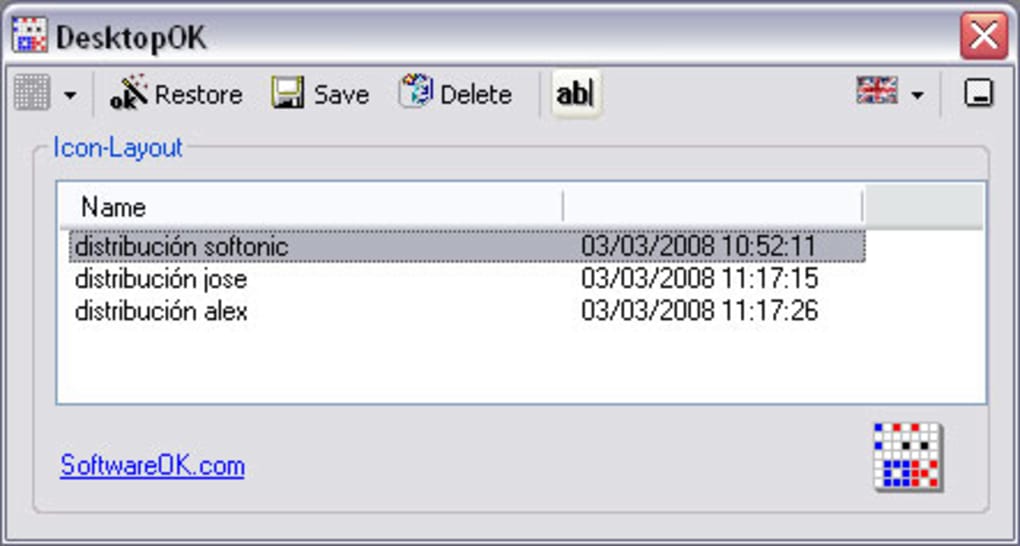
The cornerstone of DesktopOK’s utility lies in its intelligent icon management system. Unlike basic screenshot tools, DesktopOK understands the context of your desktop layout relative to your screen resolution.
- Saving and Restoring Icon Positions: At its core, DesktopOK allows you to save the exact coordinates of every icon on your desktop. Once saved, these configurations can be recalled at any time. This means if you have a specific arrangement for work, and another for leisure, you can save both and switch between them effortlessly.
- Per-Resolution Profiles: This is arguably DesktopOK’s most critical feature. It allows users to save multiple icon layouts, each tied to a specific screen resolution. If you regularly switch between a laptop’s native resolution, an external monitor’s resolution, or even a projector’s resolution, DesktopOK ensures that your icons automatically snap back to their designated spots for that particular display setting. This contextual awareness is what truly differentiates it, preventing the common problem of icons being reordered when resolutions change. Each user on a shared computer can also have their own personalized arrangement, further enhancing its flexibility.
- Automatic Hide and Display of Desktop Icons: Beyond just positioning, DesktopOK offers a neat feature to automatically hide and display desktop icons. This is perfect for presentations or for users who prefer a clean, minimalist look without having to manually uncheck “Show desktop icons” every time.
These features contribute to an unprecedented level of control over your desktop environment. They translate directly into tangible benefits for the user, primarily by saving time and reducing frustration. The ability to restore a perfect layout in seconds means more time spent on productive tasks and less on digital housekeeping.
Enhancing Productivity and Personalization
DesktopOK, while focused on a single task, has broader implications for both productivity and personalization. A well-ordered desktop is more than just aesthetically pleasing; it’s a foundation for efficient work.
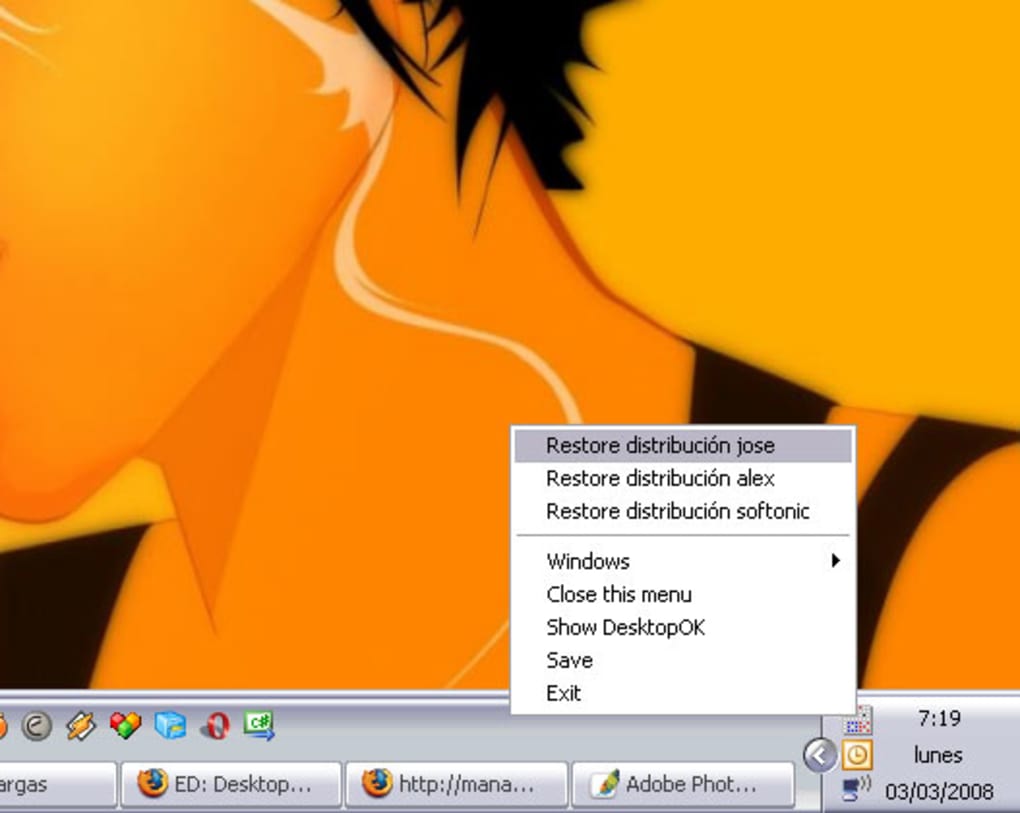
- Minimizes to Tray Area for Easy Access: The application is designed to be unobtrusive. Once launched, it minimizes to the system tray, providing quick access to its functions without cluttering your taskbar. This subtle presence ensures it’s always ready when you need it, but never in your way.
- Easily Minimize All Windows on Your Screen: While not its primary function, DesktopOK includes a handy feature to minimize all open windows with a single click. This is a common shortcut (Windows Key + D), but having it integrated into a desktop utility provides an alternative, especially for users who prefer mouse-driven interaction from the system tray.
- Launch at Windows Startup & Autosave: For maximum convenience, DesktopOK can be configured to launch automatically with Windows. Coupled with its autosave feature, this ensures that your desktop icon positions are continuously monitored and saved, mitigating data loss even if you forget to manually save a new arrangement. This set-and-forget functionality makes it incredibly user-friendly.
- Multilingual Support: DesktopOK caters to a global audience with its multilingual interface. This inclusivity ensures that users from various linguistic backgrounds can comfortably navigate and utilize the software, a crucial aspect for any widely adopted utility. On PhanMemFree.org, this is reflected in the availability of software in numerous languages, emphasizing accessibility.
- Portable Nature: Being a portable application is a significant advantage. It means DesktopOK doesn’t require installation and can be run directly from a USB drive or any folder. This makes it ideal for IT administrators, users who frequently switch computers, or those who prefer to keep their system registry clean. You can carry your personalized desktop management tool wherever you go, ensuring consistency across different machines.
- Lightweight Footprint: DesktopOK is incredibly small, weighing in at just around 91.58 KB for version 3.52. This tiny footprint ensures it consumes minimal system resources, making it suitable even for older or less powerful machines, without any noticeable impact on performance. Its efficiency is a testament to quality software design, a hallmark of many utilities found on PhanMemFree.org.
- Robust Compatibility and Continuous Improvement: The software has a long history of development and refinement, with bug fixes and improvements across various Windows versions, from Windows 98 all the way up to server editions like Windows Server 2008. The latest update, as of January 31, 2023, for version 3.52, indicates active maintenance by Softwareok, ensuring continued relevance and functionality on modern systems.
The cumulative effect of these features is a more personalized, less frustrating, and ultimately more productive computing experience. DesktopOK empowers users to maintain an organized digital environment, reflecting their preferences rather than succumbing to the default behaviors of the operating system.
DesktopOK in the Broader Ecosystem of PhanMemFree.org Utilities
PhanMemFree.org serves as a comprehensive hub for a vast array of software, categorized to help users find exactly what they need. DesktopOK, while niche in its specific function, perfectly embodies the spirit of several key categories on the platform, reinforcing its role as an essential tool for the modern Windows user.
Utilities & Tools
The “Utilities & Tools” section on PhanMemFree.org is dedicated to software that enhances system functionality, performs maintenance, or provides auxiliary features that Windows might lack or execute imperfectly. This category includes everything from file compression tools and data recovery software to system monitors and cleaners. DesktopOK fits seamlessly into this segment because it addresses a fundamental utility need: desktop management.
Think about the importance of other tools within this category:
- File Managers: Just as a robust file manager helps organize your documents and folders, DesktopOK organizes your desktop shortcuts, making them equally accessible.
- Clocks & Alarms: These tools add functional elements to your desktop. DesktopOK ensures that the functional elements (your icons) stay in their intended places.
- Screen Capture: Tools for capturing screenshots are about managing visual information. DesktopOK manages the visual layout of your interactive workspace.
- Data Recovery: While DesktopOK doesn’t recover lost data, it recovers lost order, which in its own way, restores a critical aspect of your digital environment.
By providing a reliable solution for icon arrangement, DesktopOK helps maintain system order and efficiency, making it an invaluable addition to any user’s utility toolkit. It prevents the disruption that misplaced icons can cause, thus indirectly contributing to smoother system operation and user satisfaction, much like an efficient defragmenter or a reliable backup solution.
Personalization
Another crucial category on PhanMemFree.org that DesktopOK contributes to is “Personalization.” This section focuses on software that allows users to customize the look and feel of their operating system, reflecting their individual style and preferences. This includes everything from wallpapers and themes to cursors and screen savers.
While DesktopOK doesn’t change your desktop’s aesthetic in the traditional sense, it empowers a deeper level of personalization:
- Themes and Wallpaper: Users meticulously select wallpapers and themes to create a visually appealing desktop. DesktopOK ensures that these visuals aren’t marred by icons thrown into disarray.
- Cursors & Fonts: These elements contribute to the overall user interface experience. Similarly, the placement of icons is a significant part of that experience, and DesktopOK preserves the user’s chosen arrangement.
- Screen Lockers & Screen Savers: These tools protect privacy and add aesthetic flair when the system is idle. DesktopOK ensures that when you return to your active desktop, it’s exactly how you personalized it.
The ability to save and restore icon positions across different resolutions means that your personalized desktop layout remains intact, regardless of your display settings. This ensures that your workspace not only looks the way you want it to but also functions according to your preferred organization. It’s about more than just aesthetics; it’s about maintaining a consistent, personalized workflow environment. DesktopOK truly helps users make their desktop their own, consistently.
Productivity
A disorganized desktop is an enemy of productivity. When you spend time searching for files or applications, that’s time taken away from your actual tasks. The “Productivity” category on PhanMemFree.org encompasses a wide range of software designed to enhance efficiency, streamline workflows, and help users manage their time and tasks more effectively. This includes office suites, project management tools, calendars, and financial software.
DesktopOK indirectly but powerfully boosts productivity by:
- Reducing Friction: By eliminating the need to constantly reorganize icons, DesktopOK removes a significant source of digital friction. This means fewer interruptions and more focus on core tasks.
- Facilitating Quick Access: A well-organized desktop with icons in their expected places allows for quicker navigation and launching of applications, saving precious seconds that add up over a workday.
- Maintaining Workflow Consistency: For users who switch between various tasks or environments (e.g., from a high-resolution design project to a low-resolution gaming session), DesktopOK ensures that their digital tools are always where they expect them to be, maintaining a consistent workflow.
In essence, DesktopOK contributes to productivity by creating a stable, predictable, and personalized workspace that supports efficient task execution. It allows other productivity tools, like document management systems or project planners, to be readily accessed without the added mental overhead of locating them first. It’s a foundational piece of software that enables other productivity solutions to shine.
Getting Started with DesktopOK: A Seamless Experience
One of DesktopOK’s most appealing attributes is its user-friendliness and straightforward setup. As a portable application, the process of acquiring and using it is remarkably simple, reflecting the commitment to accessibility often found on platforms like PhanMemFree.org.
1. Downloading DesktopOK from PhanMemFree.org: The journey begins at PhanMemFree.org, a trusted source for free software. Navigating to the DesktopOK page (or simply searching for “DesktopOK”) will lead you to the download link. The website explicitly states the application’s details: “Free,” “In English,” Version “3.52,” and its small size. This transparency ensures users know exactly what they are getting. Click on the “Free Download for Windows” button to initiate the download.
2. No Installation Required:
Since DesktopOK is a portable application, there’s no complex installation wizard to navigate. Once the tiny executable file (around 91.58 KB) is downloaded, you can place it anywhere on your computer – your Downloads folder, a dedicated “Utilities” folder, or even a USB drive. Simply double-click the DesktopOK.exe file to launch it. This eliminates the need for administrative privileges (in most cases), keeps your system registry clean, and makes it incredibly easy to use across different machines.
3. Basic Usage: Save and Restore: Upon launching DesktopOK, you’ll be presented with a minimalistic interface, usually a small window or a system tray icon.
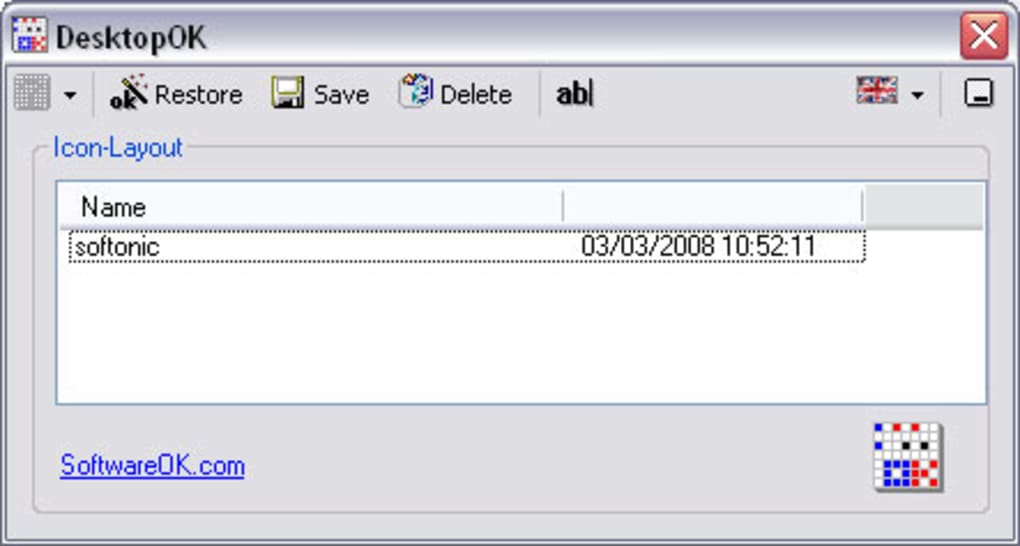
- To Save Your Current Layout: Arrange your desktop icons exactly as you like them. Then, open DesktopOK and click the “Save” button (or a similarly labeled option). You might be prompted to give this specific layout a name, especially if you intend to save multiple profiles for different resolutions or purposes. DesktopOK will then capture the precise positions of all your icons.
- To Restore a Saved Layout: If your icons ever get jumbled, simply open DesktopOK, select the desired saved layout from the list (often identified by its name and the resolution it was saved under), and click the “Restore” button. In an instant, all your icons will snap back to their previously saved positions.
4. Advanced Features and Configuration: Delving deeper into DesktopOK’s settings, accessible via its interface or system tray menu, reveals its full potential:
- Autosave: Enable the “Autosave” option to have DesktopOK periodically save your icon positions automatically. This is a safety net, ensuring your latest arrangement is always backed up.
- Launch at Windows Startup: Check this option if you want DesktopOK to automatically launch every time your computer starts. This ensures it’s always running in the background, ready to perform its duties.
- Hide/Show Desktop Icons: There’s usually an option to toggle the visibility of desktop icons directly from DesktopOK, providing a quick way to declutter your screen.
- Minimize All Windows: This quick-access feature, often found in the system tray menu, provides an alternative to the Windows+D shortcut for instantly showing the desktop.
- Multilingual Interface: If English isn’t your primary language, you can switch the interface to one of the many supported languages, including German, Spanish, French, Italian, Dutch, and many others, enhancing usability for a global audience. This aligns with PhanMemFree.org’s extensive language support for its user base.
DesktopOK’s intuitive design ensures that even novice users can grasp its core functionality within minutes. Its lightweight nature and portability make it an ideal tool for any Windows user looking to maintain a pristine and organized desktop environment without unnecessary complexities.
Why DesktopOK Stands Out: A Commitment to Desktop Perfection
In a world brimming with software, DesktopOK maintains its relevance and popularity by excelling in a very specific, yet profoundly impactful, niche. Its strengths lie not just in its feature set, but in its underlying philosophy of empowering the user through simplicity and efficiency.
1. Filling a Gap in Windows Functionality: Windows, despite its advancements, still lacks a robust, built-in solution for saving and restoring desktop icon layouts, especially for multi-resolution or multi-monitor scenarios. Users are often left to manually rearrange icons, a tedious and time-consuming task. DesktopOK steps in to fill this critical gap, providing a feature that should arguably be a native part of the operating system. This makes it an essential “fix” for a common Windows annoyance.
2. Developer Reliability – Softwareok: The developer, Softwareok, has a reputation for creating small, efficient, and useful utilities. This dedication to crafting focused tools that address specific user needs is evident in DesktopOK’s design and ongoing support. Knowing that the software comes from a reliable source instills confidence in its functionality and security, which is a key consideration for downloads from platforms like PhanMemFree.org. The regular updates, with the latest being version 3.52 on January 31, 2023, demonstrate ongoing commitment to quality and compatibility.
3. Free and Portable – Unbeatable Value: The fact that DesktopOK is completely free and portable is an enormous advantage. Users get a highly effective solution without any cost, trials, or nagging advertisements. Its portability means zero installation footprint, making it incredibly flexible and system-friendly. This combination of value and convenience is hard to beat and is a primary reason for its sustained popularity, especially on free software repositories like PhanMemFree.org. It embodies the ethos of providing powerful tools without barriers.
4. User-Centric Design: Every feature, from autosave to minimizing to the tray, is designed with the end-user in mind. The multilingual support and broad compatibility across various Windows versions (from Windows 98 to Server 2008 and beyond with updates) showcase a commitment to reaching a diverse user base. The feedback and reviews often highlight its simplicity and effectiveness, underscoring its user-centric development. With thousands of downloads (3.1K downloads noted in the reference, implying a significant user base), it’s clear that DesktopOK meets a widespread demand.
5. A Foundation for a Harmonious Digital Life: Ultimately, DesktopOK is more than just a utility; it’s a tool for digital well-being. By removing a common source of frustration, it contributes to a more harmonious and less stressful computing experience. It allows users to focus on their creative and productive tasks, rather than battling with their operating system’s organizational shortcomings. It’s a small detail that makes a big difference, transforming a chaotic desktop into a perfectly ordered workspace, reflecting the user’s intent and enhancing their overall interaction with their computer.
In conclusion, DesktopOK stands as a testament to the power of targeted, well-executed software. It addresses a specific, pervasive problem with an elegant and efficient solution. For anyone who values an organized, consistent, and personalized desktop environment, regardless of their display configuration or resolution changes, DesktopOK is not just a recommendation—it’s an essential download. Head over to PhanMemFree.org today to experience the peace of mind that comes with a perfectly preserved desktop.
File Information
- License: “Free”
- Latest update: “January 31, 2023”
- Platform: “Windows”
- OS: “Windows 98”
- Language: “English”
- Downloads: “3.1K”
- Size: “91.58 KB”


