
Deskzilla is a desktop client application designed to enhance the user experience of Bugzilla, Mozilla’s popular bug tracking system. Primarily aimed at developers, Deskzilla simplifies the process of managing and tracking bugs, offering offline capabilities and a more intuitive interface than interacting directly with the Bugzilla server. This review delves into the functionality, advantages, and limitations of Deskzilla, exploring its suitability for various development teams and projects.
Enhanced Bug Tracking and Offline Access
The core function of Deskzilla revolves around providing a more streamlined and efficient method for interacting with Bugzilla. Instead of constantly navigating to the Bugzilla web interface to add, update, or track bugs, Deskzilla presents a centralized desktop application. This significantly reduces the time and effort required for routine bug management tasks. A key advantage is Deskzilla’s offline functionality. Developers can continue to add, edit, and review bugs even when the Bugzilla server is unavailable, ensuring uninterrupted workflow. This feature proves invaluable in environments with intermittent network connectivity or during periods of server maintenance. The synchronization with the Bugzilla server occurs upon re-establishing a connection, seamlessly integrating offline updates.
Intuitive Interface and Hierarchical Filters

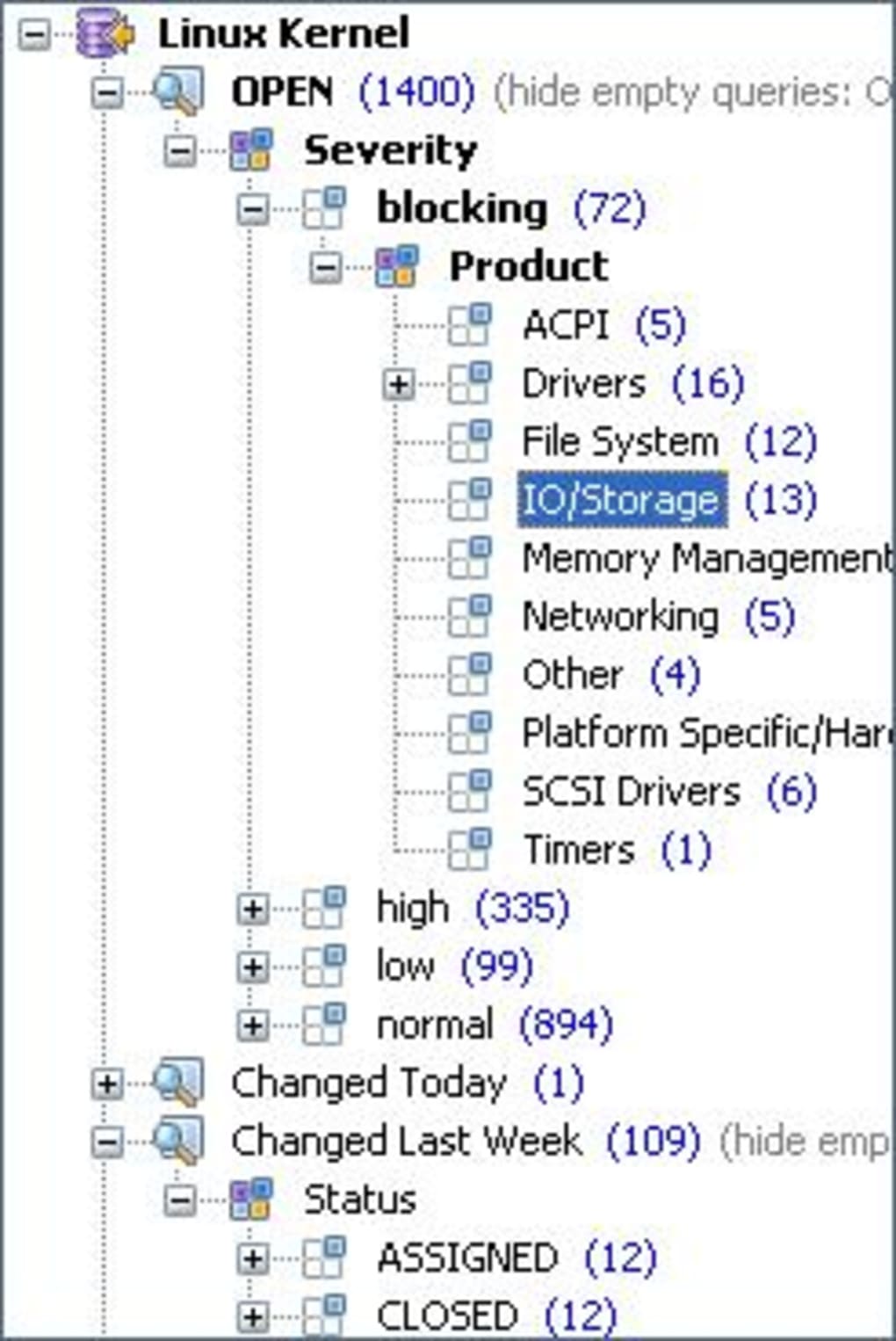
Deskzilla’s interface, while built with Java, aims for clarity and efficiency. The application employs a hierarchical filtering system, providing users with a customizable overview of their projects’ bug statuses. This allows for rapid identification of critical bugs or those requiring immediate attention, prioritizing tasks effectively. The filtering options are highly customizable, enabling users to tailor their view based on specific criteria such as severity, priority, status, assignee, or keywords. This ability to focus on specific subsets of bugs drastically improves the overall efficiency of the bug tracking process. The intuitive design facilitates quick navigation and access to essential information, minimizing the time spent searching for specific bugs within a potentially large database.
Speeding Up Bugzilla Interactions
Deskzilla significantly accelerates the common operations performed within Bugzilla. Tasks such as adding new bugs, updating existing ones, changing statuses, assigning tasks, or simply reviewing bug reports are expedited through the streamlined interface. The elimination of repetitive web navigation and form filling contributes to increased productivity. The desktop application minimizes context switching, allowing developers to remain focused on their primary coding tasks while maintaining consistent oversight of bug reports. This efficiency gain becomes particularly noticeable when dealing with a high volume of bugs or in projects with numerous developers collaboratively managing bug reports.
Limitations and Considerations
While Deskzilla offers numerous advantages, it’s crucial to acknowledge some limitations. One potential drawback is the performance, which can be somewhat sluggish, particularly when handling a large number of bugs or complex queries. This is partially attributed to the application’s reliance on Java. However, the trade-off for this potential performance issue is the absence of the need for additional server-side installation, simplifying deployment and reducing administrative overhead.
Another important limitation is the licensing model. Deskzilla is free for use only with open-source projects. Commercial projects requiring the use of Bugzilla for bug tracking will need to explore alternative solutions or consider the cost implications associated with using Deskzilla in a commercial context. This restriction may limit the applicability of Deskzilla for certain development teams.

Deskzilla: A Practical Tool for Specific Workflows
Deskzilla serves as a valuable tool for specific development workflows and project types. Its strengths lie in its capacity to significantly enhance the efficiency of Bugzilla interaction. The offline capabilities are particularly beneficial in environments with unreliable internet access or those requiring continuous tracking irrespective of network availability. The hierarchical filtering system contributes to a more organized and manageable workflow, especially for projects with a large number of bugs. The quicker access to bug information enables quicker problem resolution.
However, the potential performance issues and the licensing restriction targeting open-source projects warrant careful consideration. Developers and teams should evaluate their specific requirements and project context before deciding if Deskzilla aligns with their workflow. The decision hinges upon weighing the productivity enhancements offered against the performance limitations and licensing constraints.
Comparing Deskzilla to Direct Bugzilla Interaction
A direct comparison between using Deskzilla and interacting directly with the Bugzilla web interface reveals distinct advantages and disadvantages. While direct interaction offers maximum flexibility and access to all Bugzilla features, it often lacks the streamlined simplicity and offline capabilities provided by Deskzilla. Deskzilla excels in reducing the time spent on routine tasks, especially adding, updating, and filtering bugs. This increased speed translates into enhanced developer productivity, focusing time and energy on coding and problem-solving rather than navigating the Bugzilla interface.
For developers constantly interacting with Bugzilla, the time savings from using Deskzilla can be substantial over the long term. The ability to work offline eliminates interruptions caused by network connectivity issues. However, users who need access to all advanced Bugzilla features might find Deskzilla’s functionality somewhat limited compared to the full web interface.
Alternatives and Competitive Landscape
The market offers several alternatives to Deskzilla for managing and interacting with bug tracking systems. Some alternatives offer more advanced features or support a wider range of bug tracking systems beyond Bugzilla. Others focus on specific aspects of the bug tracking lifecycle, such as prioritization, reporting, or collaboration. The choice of the best alternative depends heavily on individual project needs and preferences. Factors like team size, project complexity, and the need for specific features play crucial roles in determining the most suitable tool.
The specific features and functionality offered by different bug tracking client applications vary significantly. Some may offer superior performance, while others may focus on advanced reporting and analytics. Therefore, it’s essential to thoroughly research and evaluate different options before making a decision. It is crucial to match the software’s capabilities to the specific demands of the project, ensuring an optimal workflow and efficient bug management.
Conclusion: Deskzilla’s Place in the Development Ecosystem
Deskzilla holds a niche position within the development ecosystem. It effectively caters to development teams working on open-source projects and needing a simplified, offline-capable client for Bugzilla. Its strengths lie in the increased speed and efficiency it offers in handling routine bug tracking tasks. However, its performance limitations and licensing restrictions limit its broader applicability. Teams should thoroughly assess their needs and circumstances to determine if Deskzilla aligns with their specific requirements. The decision to use Deskzilla hinges on balancing the productivity gains with the potential drawbacks regarding performance and the software’s suitability for their type of project. While not a universal solution, Deskzilla offers a valuable tool for those who prioritize speed and offline capabilities in their Bugzilla workflow.
File Information
- License: “Trial version”
- Version: “3.1”
- Latest update: “May 23, 2012”
- Platform: “Windows”
- OS: “Windows XP”
- Language: “English”
- Downloads: “2K”
- Size: “23.21 MB”


