
DeVeDe, a free and open-source DVD burning software developed by Sergio Costas Rodriguez, offers a robust solution for creating DVDs and CDs from various video formats. While it’s no longer actively developed, its enduring utility and extensive customization options make it a worthwhile option for users seeking a straightforward and reliable DVD authoring tool. This review delves into the capabilities, interface, strengths, and weaknesses of DeVeDe, comparing it to its successor, DeVeDeNG, and providing insights for potential users.
DeVeDe’s Core Functionality: Beyond Basic DVD Burning
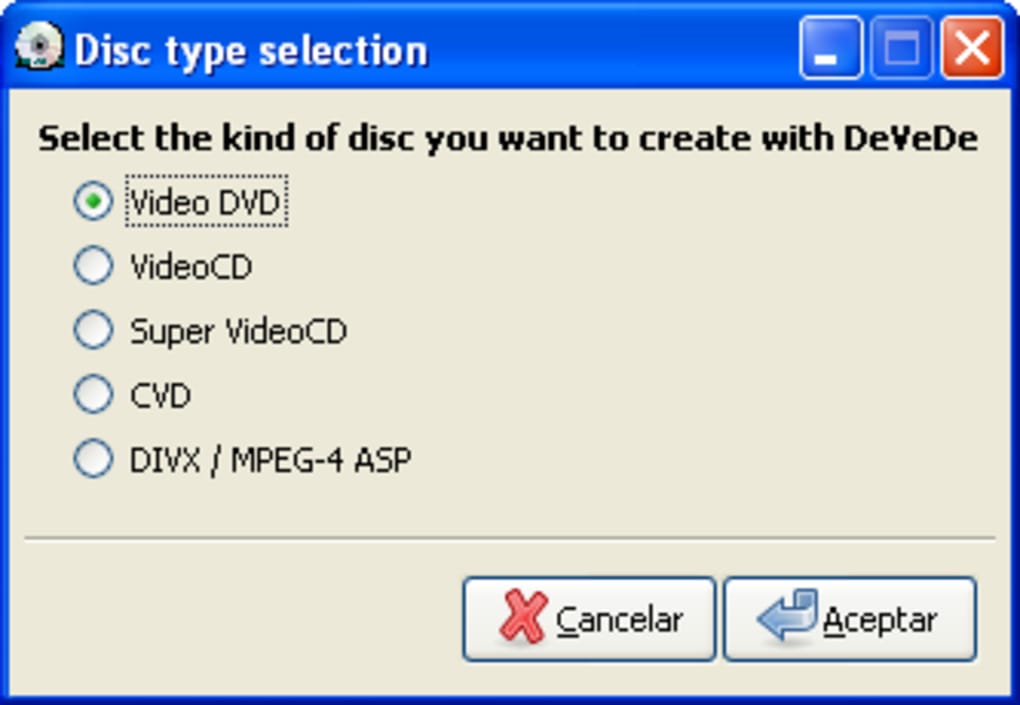
At its core, DeVeDe excels as a DVD burning application, supporting a wide array of disc formats including DVD, CD, SVCD (Super Video CD), CVD (China VideoDisc), and DivX/MPEG-4. This broad compatibility ensures users can create playable discs on standard DVD players, catering to a variety of home entertainment needs. Beyond simply burning existing video files, DeVeDe differentiates itself by incorporating basic video editing functionalities. While it doesn’t offer advanced features like video trimming, effects addition, or complex transitions, it provides essential tools for DVD authoring, enabling users to personalize their creations with added elements.

The software’s ability to handle various popular input video formats, including AVI, MP4, MPEG, and MKV, among others, further enhances its versatility. This compatibility ensures a wide range of user-generated and downloaded video content can be easily integrated into DVD projects. The process of converting and burning video files is facilitated by a user-friendly interface, despite its somewhat simplistic design. The editing functionalities, though limited, are invaluable for adding context and organization to the final product.
The DeVeDe Interface and User Experience
Upon launching DeVeDe, users are presented with a straightforward interface designed for ease of navigation. The main window, organized in a compact layout, is divided into distinct sections. The upper half features two panes: a “Titles” pane on the left, and a “Files” pane on the right. The “Titles” pane functions as a container for organizing the video files, essentially allowing users to group related video clips under thematic categories or chapter headings for enhanced menu navigation. This feature is crucial for creating structured DVDs with menus that allow users to select specific content.
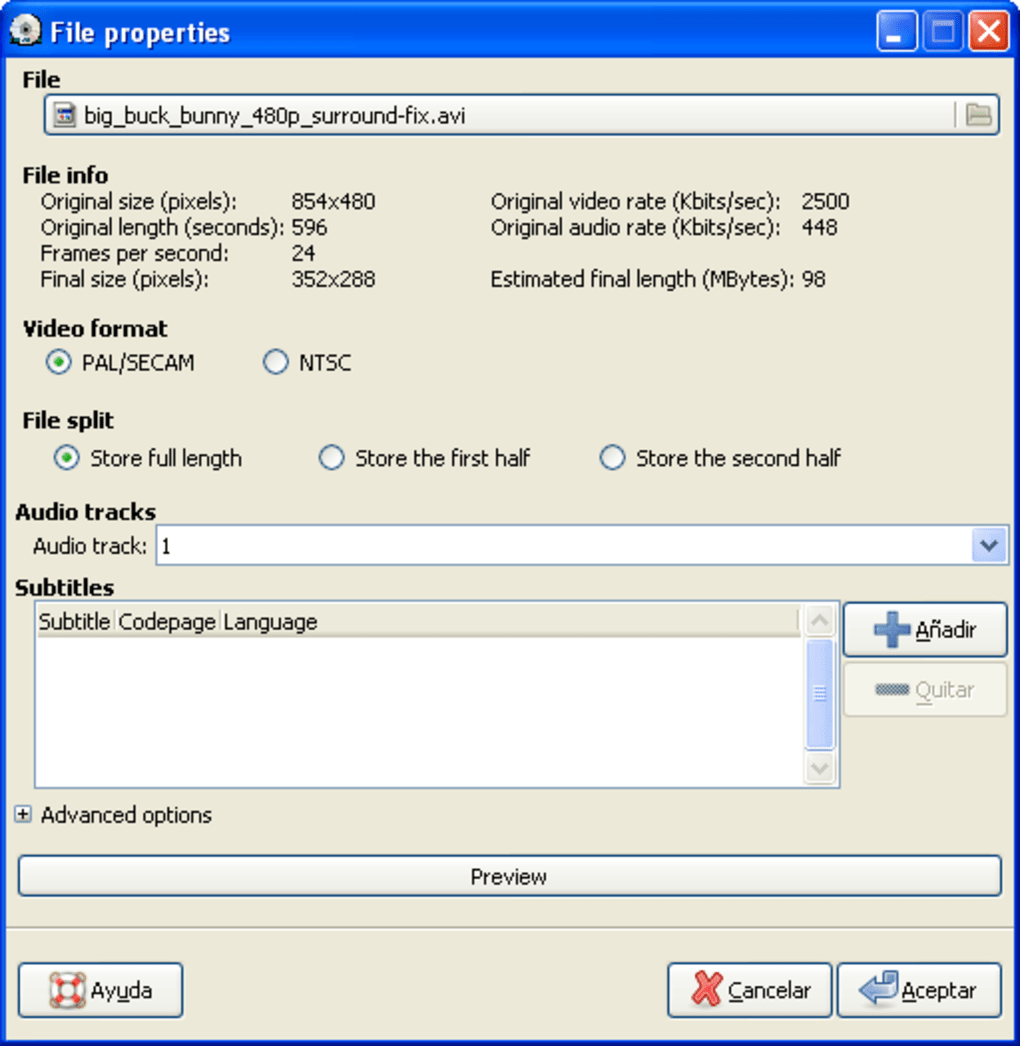
The “Files” pane is where users add individual video files. During the file addition process, users have the option to configure various settings, including subtitle selection, video format specification (PAL or NTSC), audio track selection, and other relevant parameters. This level of granular control ensures users can tailor the output to specific player requirements and user preferences.
The lower half of the interface displays essential information, including disk usage, overall file information, and a progress bar that visually indicates the status of the conversion and burning process. Although the interface is functional and intuitive, it lacks the modern aesthetic appeal of more contemporary software. Its design is simple and perhaps even slightly dated, but its simplicity contributes to the ease of navigation for both novice and experienced users.
DeVeDe’s Features and Limitations: A Balanced Perspective
DeVeDe’s strengths lie in its core functionality: its ability to reliably burn video files to various disc formats, coupled with its intuitive interface and support for a wide range of video formats and customization options. The inclusion of subtitle support, menu creation capabilities, and the ability to add background images to the menus further enhances its user-friendliness and allows users to create more polished and visually appealing DVDs.
However, DeVeDe’s primary limitation stems from the fact that it is no longer actively developed. This lack of ongoing updates means that new features are unlikely to be added, bug fixes are less frequent, and compatibility with newer video formats and operating systems might be limited. The software’s performance can also be a concern, as it’s known to be relatively slow, especially when processing large video files or creating complex menus. While the functionality remains robust for its intended purpose, the wait times for conversion and burning might be frustrating for users accustomed to more modern, optimized software.
DeVeDe vs. DeVeDeNG: A Necessary Comparison
It’s crucial to understand that DeVeDe has been superseded by DeVeDeNG (DeVeDe Next Generation). DeVeDeNG is a complete rewrite of the original DeVeDe, designed to address the performance limitations and improve overall functionality. While DeVeDe remains a functional tool for its intended purpose, DeVeDeNG offers significant advancements in speed, efficiency, and feature set. DeVeDeNG, like its predecessor, is also free and open-source, ensuring continued accessibility and community support. Those seeking the latest features, optimized performance, and ongoing development should undoubtedly opt for DeVeDeNG over the original DeVeDe.
The key differences lie in performance improvements and potential feature enhancements in DeVeDeNG. While DeVeDe’s interface, although simple, achieves its purpose, DeVeDeNG may offer a more modern and intuitive design. Additionally, DeVeDeNG likely incorporates improvements in handling various video formats and potentially includes features not present in the original DeVeDe. Considering the availability of DeVeDeNG, opting for the original DeVeDe primarily makes sense for users who have specific needs compatible with its existing feature set and are comfortable with its known performance limitations.
Conclusion: Assessing DeVeDe’s Relevance in the Modern Landscape
DeVeDe remains a viable option for users requiring a free and straightforward DVD burning application, especially those who need only basic video editing capabilities. Its intuitive interface and support for various video formats are significant advantages. However, the lack of active development and its slower performance compared to more modern alternatives should be considered. The existence of its successor, DeVeDeNG, presents a compelling alternative that offers superior performance and likely an expanded feature set. Ultimately, the choice between DeVeDe and DeVeDeNG depends on individual needs and priorities. If speed and access to the latest features are paramount, DeVeDeNG is the clear winner. If a simple, reliable, and readily available tool is sufficient for basic DVD creation, DeVeDe might still suffice, but users should be aware of its limitations.
File Information
- License: “Free”
- Version: “3.16.8-build-2”
- Latest update: “July 15, 2022”
- Platform: “Windows”
- OS: “Windows 2000”
- Language: “English”
- Downloads: “19.3K”
- Size: “42.41 MB”


