
Device Doctor is a free driver updater designed for Windows computers. Its primary function is to identify outdated or missing drivers and provide users with links to download the necessary updates. This review will delve into its functionality, interface, limitations, and overall effectiveness, comparing it to other similar applications in the market.
What is Device Doctor and How Does it Work?
Maintaining a computer’s health often involves the often-overlooked but crucial task of updating drivers. Outdated or corrupted drivers can lead to various issues, from poor device performance and system instability to complete hardware malfunction. Manually searching for and installing drivers can be a time-consuming and frustrating process, often involving navigating complex manufacturer websites, deciphering confusing model names, and ensuring compatibility. This is where Device Doctor steps in.
Device Doctor simplifies this process by automatically scanning a computer’s hardware and comparing it against a vast, internally maintained driver database. This database, claimed to be over 3 terabytes in size, is designed to encompass a comprehensive range of devices and driver versions. The key benefit lies in its ability to identify drivers even if the hardware’s name or model number has been altered or changed over time by the manufacturer.
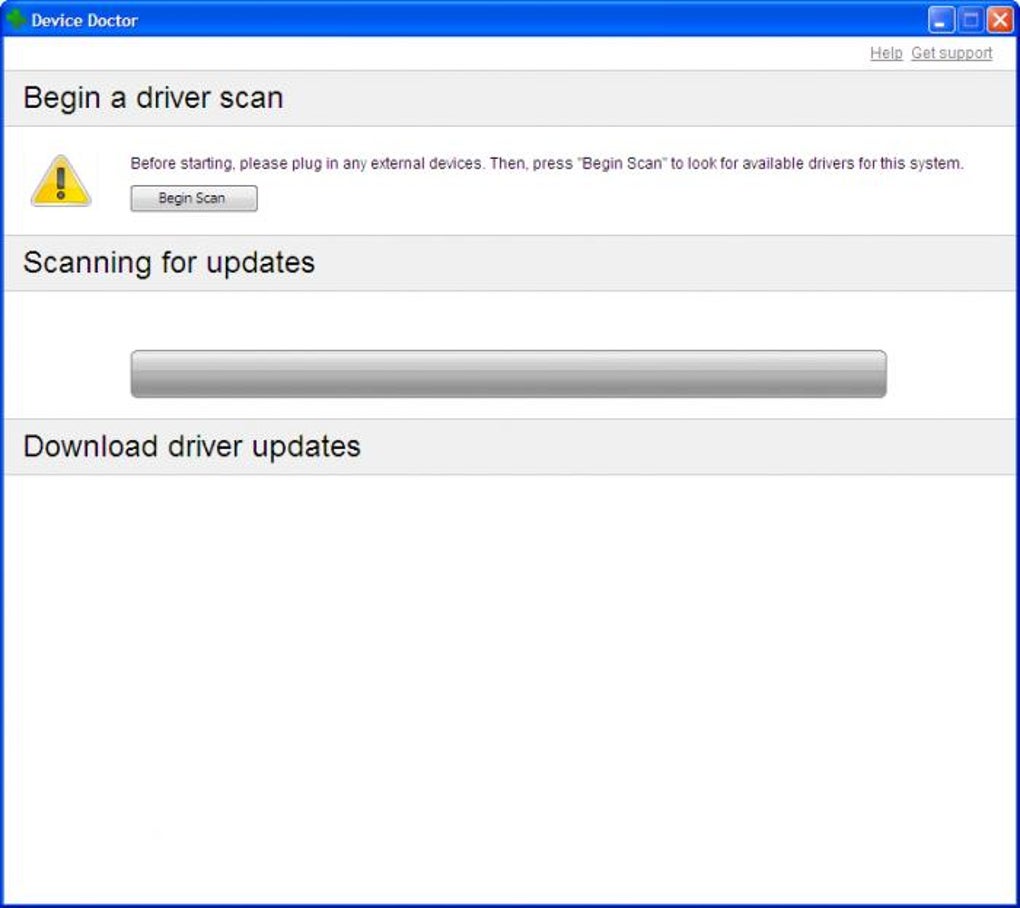
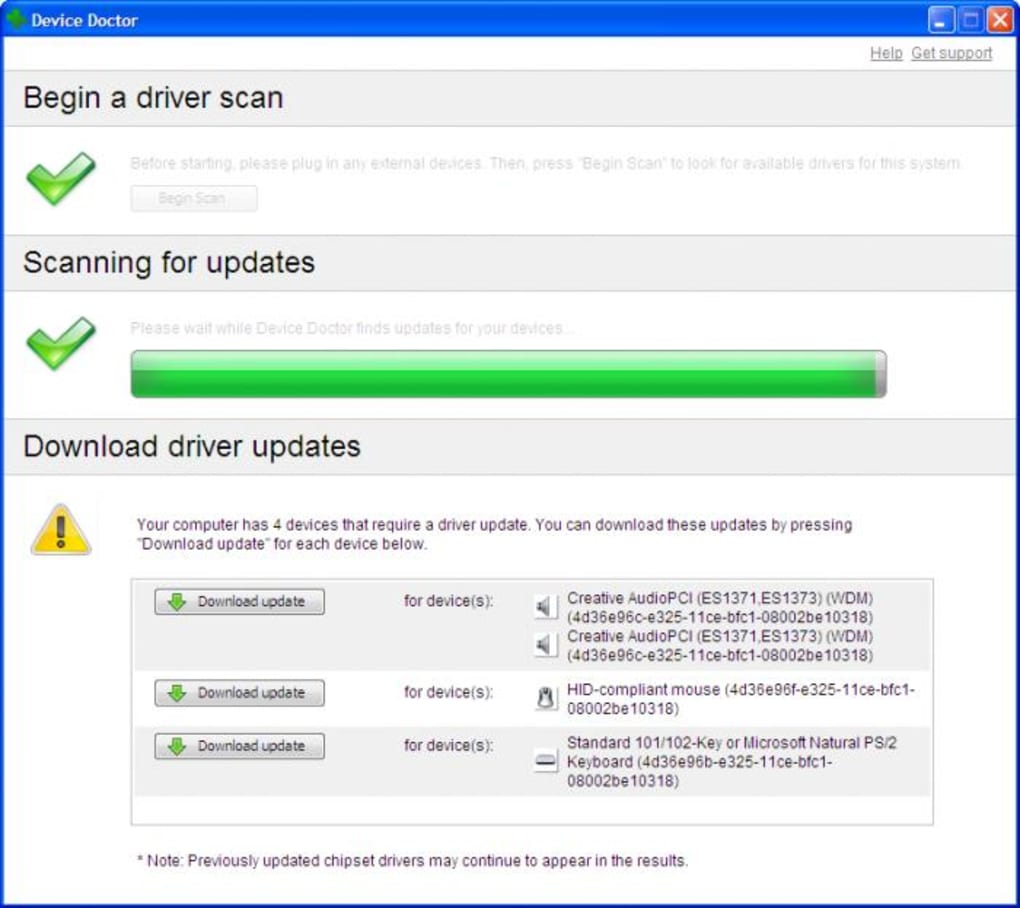
The software operates with a straightforward process. After installation, the primary screen displays a large, prominent “scan” button. Users initiate the scan after connecting the desired hardware, enabling Device Doctor to identify the connected devices and check for updates against its database. Once a match is found, the software provides a direct link to the appropriate driver update. This process streamlines the updating experience, eliminating the need for manual searches and potentially risky downloads from less reputable sources.
It is important to note that Device Doctor requires an active internet connection to function effectively, as it relies on its online database for driver identification and updates.
Interface and User Experience
One of Device Doctor’s strengths is its exceptionally user-friendly interface. The program boasts a minimalist design, prioritizing simplicity and ease of use. The main scan button dominates the screen, making it immediately clear how to initiate a scan. The results are presented clearly, listing the identified hardware and any necessary updates.
This intuitive design caters to users of all technical levels. There are no complex settings or options to navigate, which can be a significant advantage for users who are unfamiliar with driver management. Device Doctor prioritizes functionality over intricate customization, ensuring a smooth, streamlined process.
Beyond the initial scan, the program offers the option to schedule automatic scans, allowing users to configure daily, weekly, or even on-startup checks. This automated functionality further enhances its convenience, keeping drivers consistently updated without constant user intervention. The software also allows users to choose whether to install driver updates individually or all at once, adding a degree of control over the update process.
Limitations and Considerations
While Device Doctor provides a convenient and user-friendly way to update drivers, it’s not without limitations. The most significant drawback is the absence of backup or system restore point creation. Driver updates, while often beneficial, can sometimes cause unforeseen system instability or conflicts. The lack of a built-in backup mechanism means users must take the initiative to create their own system restore points or backups before initiating any updates using Device Doctor. This omission is a critical concern that users should address proactively to mitigate the risk of potential system issues.
Another limitation is the software’s reliance on its online database. While the database is extensive, there’s always a possibility that a driver for a very specific or niche device might not be included. In such instances, the user may still need to resort to manual searching.
Is Device Doctor Free? Alternatives and Comparisons
Device Doctor is indeed free to download and use. However, this free version is limited to the core functionality of identifying and providing links for driver updates. It does not include any advanced features such as automatic driver installation, repair tools, or in-depth system diagnostics often found in premium driver updater software.
For users who require more advanced capabilities, several alternatives are available. Driver Booster Free and Driver Easy are prominent competitors, often offering a wider range of features, including automatic driver installation and additional system optimization tools. However, these alternatives often have limitations in their free versions, frequently pushing users toward paid upgrades for full functionality. IObit Software Updater is another alternative that focuses on broader software updates beyond just drivers.
Choosing between Device Doctor and its competitors depends on individual needs and preferences. If the primary requirement is a simple, free, and easy-to-use driver update tool, Device Doctor serves this purpose effectively. However, users seeking more comprehensive features might find the advanced capabilities offered by paid driver updater software more appealing.
Conclusion: A User-Friendly Solution for Basic Driver Updates
Device Doctor is a valuable free tool for maintaining updated drivers on a Windows system. Its user-friendly interface and straightforward operation make it accessible to users of all technical levels. The software effectively streamlines the driver update process, eliminating the need for manual searches and reducing the risk of downloading incompatible drivers.
However, the lack of a built-in backup or system restore point creation feature is a significant limitation that necessitates careful consideration. Users must take proactive measures to safeguard their system before initiating updates. Device Doctor excels as a simple solution for basic driver updates but may fall short for users who require advanced features or comprehensive system protection. Its simplicity and free availability make it a worthy consideration, especially for users who prioritize ease of use above all else. But users should weigh the pros and cons carefully before relying solely on it for their driver update needs.
File Information
- License: “Free”
- Latest update: “July 12, 2023”
- Platform: “Windows”
- OS: “Windows XP”
- Language: “English”
- Downloads: “91.8K”


