
In the vast digital landscape of our personal computers, every detail contributes to the overall user experience. From the carefully chosen wallpaper to the icon arrangement, users constantly seek ways to personalize their digital environment, making it more efficient, visually appealing, and reflective of their individual style. Among the myriad of tools available for desktop enhancement, a simple yet powerful utility stands out for its elegant approach to a fundamental element: the clock. Digital Clock 4, a lightweight and highly customizable application, offers users an unparalleled opportunity to transform a mundane time display into an integral part of their personalized desktop aesthetic.
Beyond the basic, often uninspiring, system clock found in most operating systems, Digital Clock 4 provides a dynamic and visually engaging alternative. It’s not merely a time-telling device; it’s a canvas for creativity, allowing users to embed a unique digital clock directly onto their desktop screen. This unobtrusive tool, initially residing discreetly in your system tray, unveils a rich array of configuration settings upon launch, inviting users to delve into a world of customization. Its core appeal lies in its ability to be both practical and beautiful, serving as a constant, elegant reminder of the passage of time without ever feeling like an imposition.
The demand for desktop personalization stems from a fundamental human desire for control and self-expression. Our digital workspaces are increasingly becoming extensions of ourselves, and just as we decorate our physical offices or homes, we want our virtual spaces to feel comfortable, inspiring, and uniquely ours. Generic system clocks, while functional, often lack the flair or flexibility to integrate seamlessly with diverse themes and wallpapers. Digital Clock 4 bridges this gap, offering a solution that is as versatile as it is user-friendly, ensuring that your digital clock doesn’t just tell time but also tells a story about your personal style.
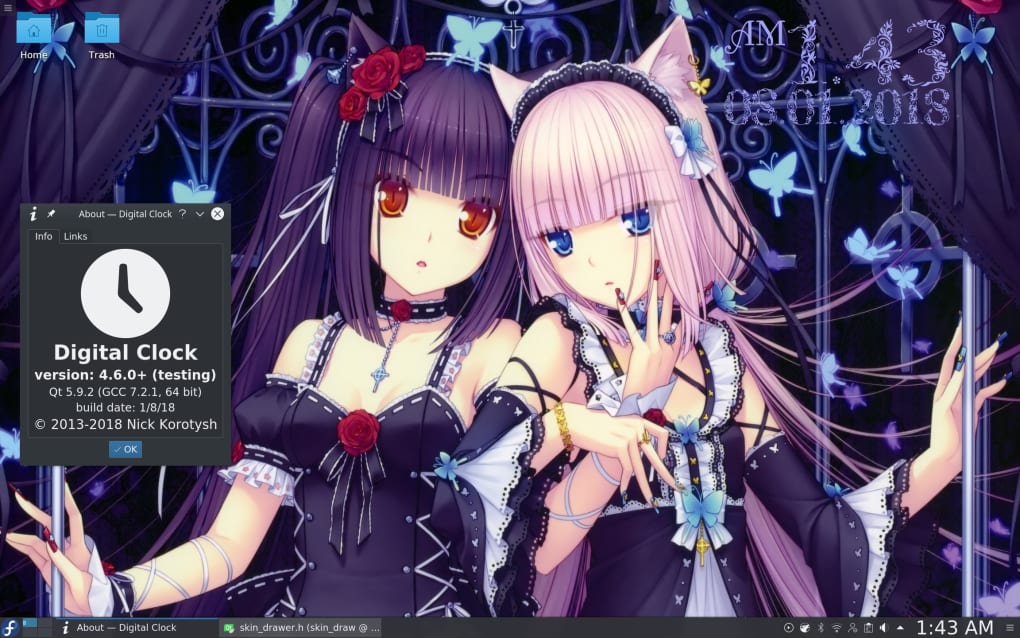
Unlocking Desktop Personalization with Digital Clock 4
Digital Clock 4 is specifically designed to be more than just a time display; it’s a desktop enhancement utility that empowers users to take full control over how time is presented on their screen. Its primary function is to place a digital clock directly on your desktop, but the depth of its customization options is what truly sets it apart. The developers understood that one size does not fit all, and thus, they engineered a tool that adapts to the user’s preferences, rather than forcing the user to adapt to the tool.
One of the most immediate and appreciated features is the complete freedom to position the clock anywhere on your screen. Whether you prefer it in a corner, centered, or discreetly tucked away near other desktop widgets, Digital Clock 4 allows for effortless drag-and-drop placement. This flexibility ensures that the clock never obstructs important icons or active windows. Furthermore, the option to make the clock “remain on top of other windows” is incredibly practical for users who need constant, immediate access to the time, perhaps during full-screen applications, presentations, or intensive work sessions where minimizing windows isn’t ideal. This seemingly small feature significantly enhances productivity and convenience, ensuring the time is always visible, no matter what tasks are at hand.
Beyond positioning, the visual attributes of the clock are entirely at the user’s discretion. The size of the clock is fully adjustable, meaning you can have a bold, prominent display or a subtle, understated one, depending on your needs and desktop aesthetics. This is particularly useful for users with varying screen resolutions or visual preferences, ensuring readability without sacrificing desktop space. Similarly, the opacity of the clock can be tweaked, allowing it to blend seamlessly with your wallpaper or stand out as a focal point. Imagine a translucent clock floating elegantly over a serene landscape wallpaper, or a fully opaque, vibrant clock demanding attention. Digital Clock 4 makes these scenarios not just possible, but easy to achieve.

The application also comes with a “decent selection of skins.” Skins are pre-designed visual themes that dramatically alter the appearance of the clock, offering various stylistic choices from minimalist and modern to classic and intricate. These skins serve as a fantastic starting point for personalization, providing immediate aesthetic changes that can instantly match or complement your current desktop theme. For instance, if your desktop employs a dark, futuristic theme, you can select a skin that reflects that style, complete with appropriate fonts and color schemes. The ability to switch between skins quickly allows users to experiment with different looks until they find the perfect match for their evolving tastes or changing desktop backgrounds. This level of visual flexibility truly elevates Digital Clock 4 from a utility to a significant desktop enhancement tool, enabling users to craft a highly personal and visually harmonious digital environment.
A Deep Dive into Digital Clock 4’s Features and Customization
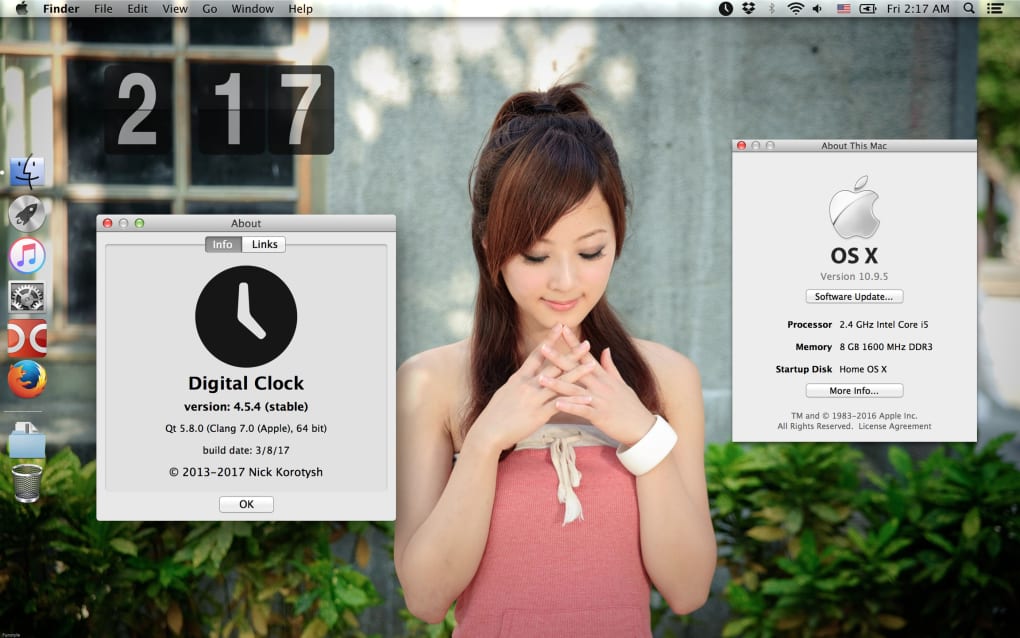
The true power of Digital Clock 4 lies in its extensive range of customization options, which go far beyond simple placement and pre-set skins. The application delves into granular details, allowing users to fine-tune virtually every aspect of the clock’s appearance and even extend its functionality through intelligent plugin support. This dedication to user control transforms the digital clock from a static display into a dynamic and highly adaptable element of your desktop.
One of the most fundamental yet impactful customization features is the ability to pick the time format. Users can choose between 12-hour or 24-hour formats, and even decide whether to display seconds, AM/PM indicators, or the date. This caters to global preferences and specific professional needs, ensuring the clock provides information in the most comfortable and comprehensible way for each individual. For instance, a programmer might prefer a 24-hour format with seconds for precise timing, while a casual user might opt for a simpler 12-hour display.
Furthermore, the application offers comprehensive control over the text itself. Users can change the font style, selecting from a wide array of installed system fonts. This allows for seamless integration with existing desktop typography or the introduction of a new stylistic element. Whether you prefer a clean, sans-serif look for modern aesthetics or an ornate, serif font for a classic feel, Digital Clock 4 accommodates it. Alongside font style, the font size is fully adjustable, enabling perfect readability across different screen sizes and viewing distances. Imagine having a bold, artistic font for a large, central clock, or a tiny, elegant font for a discreet corner display.
The aesthetic tweaking extends to the texture and background of the clock. Digital Clock 4 provides the possibility to select from various colors for the clock’s digits and background elements, allowing for precise color matching with your wallpaper or desktop theme. Beyond solid colors, the app also supports uploading images to be used as the clock’s background or texture. This feature opens up a vast realm of creative possibilities. Users could use a small piece of a favored photograph, a custom graphic, or even a transparent PNG to create a truly unique clock face. This level of personalized visual depth ensures that your digital clock is not just functional but also a true piece of digital art, harmonizing perfectly with your overall desktop design.
Beyond the Basic Display: Alarms, Messages, and System Management
What truly elevates Digital Clock 4 beyond a mere cosmetic tool is its robust support for plugins. These modular extensions expand the application’s capabilities, transforming it into a versatile time management and productivity assistant. The plugin architecture highlights the thoughtful design behind Digital Clock 4, recognizing that users often need more than just the time; they need timely reminders and automated actions.
One of the most practical plugin functions is the ability to set up alarms. This feature goes beyond simple beeps, allowing users to specify MP3 music files or even URLs as alarm sounds. Imagine waking up to your favorite song playing directly from your desktop clock, or being reminded of an important meeting by a specific audio cue. The flexibility of using URLs for alarm sounds could even allow for integration with online radio streams or specific sound effects hosted on the web, offering a dynamic and virtually limitless library of alarm options. This makes Digital Clock 4 a powerful and personalized alarm clock, suitable for everything from daily wake-up calls to critical work reminders.
Another innovative plugin allows users to display user-defined messages directly within the clock. This feature can be used for a multitude of purposes: displaying daily affirmations, critical reminders, short to-do list items, or even inspirational quotes that change periodically. The message can be configured to appear at specific times or remain static, providing a constant visual cue for important information without the need for additional sticky notes or reminder applications. It’s a subtle yet effective way to keep key information front and center, integrated seamlessly with your time display.
Perhaps one of the most powerful productivity-enhancing plugins is the ability to use Digital Clock 4 to schedule your computer to shut down at a specified time. This feature is incredibly useful for users who want to conserve energy, ensure their computer powers down after a large download or update, or implement a strict work schedule. For example, you could set your computer to shut down automatically at the end of your workday, preventing you from overworking and ensuring a clean break from your tasks. This level of system management, accessible directly from a desktop clock, underscores Digital Clock 4’s commitment to providing comprehensive utility beyond its primary function. The ease of setting these parameters, without requiring complex scripts or deep system knowledge, is a testament to its user-friendly design.
Performance, Usability, and User Experience
In today’s computing environment, where resource efficiency is often as important as functionality, Digital Clock 4 shines as a model of lightweight design. One of its most significant advantages is that it “leaves a minimal footprint on your system.” This means the application consumes very little CPU, RAM, and disk space, ensuring that it “will not affect its performance.” For users with older machines, or those who simply prefer to keep their systems lean and fast, this is a critical selling point. You get all the visual enhancements and productivity features without the concern of system slowdowns or resource hogging. This commitment to efficiency ensures that Digital Clock 4 is a beneficial addition to any desktop, regardless of the underlying hardware.
The usability aspect of Digital Clock 4 is equally impressive. The description notes that it “does not require much computer knowledge to set up its parameters.” This is crucial for a utility designed for broad appeal. The interface for customization is intuitive, often relying on simple checkboxes, sliders, color pickers, and file browsing dialogues that are familiar to most computer users. You don’t need to be a tech expert or a graphic designer to achieve stunning results. This ease of setup encourages experimentation and allows users to quickly tailor the clock to their exact specifications without encountering frustrating learning curves. The developers clearly prioritized a straightforward user experience, making advanced customization accessible to everyone.
Furthermore, the application’s integration with the operating system is seamless. It “runs in your system tray,” meaning it sits unobtrusively in the notification area of your taskbar when not actively being configured. This keeps your main taskbar clutter-free while still providing quick access to its settings whenever needed. A simple right-click often brings up the configuration menu, allowing for on-the-fly adjustments without disrupting your workflow. This balance of visibility and discretion is perfectly executed, reflecting a thoughtful approach to user interaction.
Considering the overall package, Digital Clock 4 is described as a “handy app to have.” It is praised as an “efficient clock and time management tool with a handy suite of functions.” This summarization captures its dual identity as both an aesthetic enhancer and a practical productivity aid. The combination of easy-to-use customization, powerful plugin support, and minimal system impact makes it a highly valuable addition to any Windows desktop.
Pros:
- Lightweight: Ensures minimal system resource consumption, maintaining overall system performance.
- Various configuration options: Offers extensive control over appearance (size, opacity, layout, skins, fonts, colors, images) and functionality.
- Works with plugins: Extends utility with features like alarms (MP3/URL), user-defined messages, and scheduled computer shutdown.
- Runs in your system tray: Stays out of the way, providing unobtrusive operation and easy access to settings.
Cons:
- Does not allow changing of time zone: While not a deal-breaker for most users, this could be a minor inconvenience for those frequently traveling or needing to monitor multiple time zones concurrently. The application relies on the system’s time zone setting, which is usually sufficient for a desktop clock, but advanced users might desire an independent time zone feature.
Despite this minor drawback, the overwhelming number of advantages, particularly its efficiency and customization depth, positions Digital Clock 4 as a superior choice for desktop clock utilities. If your primary system clock doesn’t meet your aesthetic or functional needs, Digital Clock 4 offers a compelling and easy-to-implement upgrade.
Digital Clock 4 in Context: Alternatives and Why It Stands Out
While the default operating system clock serves its basic purpose, a niche exists for more customizable and feature-rich alternatives. The market offers several options, such as “Free Desktop Clock” and “Flip Clock Of Desktop,” which also aim to enhance the time-telling experience. However, Digital Clock 4 distinguishes itself through its comprehensive approach to personalization and functionality, often surpassing its competitors in terms of flexibility and robust feature set.
Many alternative desktop clocks might offer a few skins or basic resizing options. Digital Clock 4, on the other hand, provides an unparalleled level of detail in its customization. The ability to precisely adjust opacity, upload custom images for textures, and integrate diverse plugins like alarms with MP3s or URLs, and even scheduled shutdowns, sets it apart. While some alternatives might offer a stylish way to display time, they often lack the depth of practical utility that Digital Clock 4 provides. For example, a “Flip Clock” might look aesthetically pleasing but won’t likely offer computer shutdown scheduling or custom message display.
The value proposition of Digital Clock 4 is clear: it caters to users who seek more than just a time display. It targets individuals who are invested in creating a truly personalized and efficient digital workspace. This includes:
- Aesthetic Enthusiasts: Those who want their desktop to reflect their style, matching their wallpaper and theme with a perfectly coordinated clock.
- Productivity Aficionados: Users who leverage every tool to enhance their efficiency, utilizing features like alarms for reminders, custom messages for quick notes, and scheduled shutdowns for task management.
- Minimalists and Performance-Conscious Users: Individuals who appreciate lightweight software that doesn’t bog down their system, ensuring a smooth and responsive computing experience.
Compared to other free desktop clock applications, Digital Clock 4 offers a potent combination of form and function. Its unobtrusive nature, coupled with its powerful configuration options, makes it a superior choice for anyone looking to upgrade their time-telling experience. The continuous development, with the latest update on July 15, 2022 (Version 4.7.8), indicates an ongoing commitment to improvement and user satisfaction. The fact that it has garnered a significant number of downloads (30.5K last month’s downloads) and maintains a high user rating (3.9 out of 5 stars on PhanMemFree.org) further underscores its popularity and effectiveness among users.
In essence, if you are content with your pre-provided clock and its limited capabilities, then downloading Digital Clock 4 might not be strictly necessary. However, if you are someone who believes that every element of your desktop should serve a purpose – be it aesthetic, functional, or both – then Digital Clock 4 presents itself as an indispensable tool. It transforms a simple clock into a versatile, elegant, and powerful component of your digital life, ensuring that your time is not just told, but beautifully and functionally managed.
All in all, Digital Clock 4 is far more than a basic clock utility. It’s a testament to how even the simplest software can be reimagined to offer extensive personalization and practical utility. From its lightweight design and intuitive interface to its deep customization options and powerful plugin support, it provides a comprehensive solution for anyone looking to enhance their desktop experience. Its ability to seamlessly blend into any desktop theme while simultaneously offering advanced features like alarms and scheduled shutdowns makes it an exceptional choice. For those ready to elevate their desktop’s functionality and aesthetic appeal, Digital Clock 4 is a highly recommended download from PhanMemFree.org. Embrace the power of personalization and make time truly yours.
File Information
- License: “Free”
- Version: “4.7.8”
- Latest update: “July 15, 2022”
- Platform: “Windows”
- OS: “Windows 7”
- Language: “English”
- Downloads: “30.6K”
- Size: “26.70 MB”


