Digital Compass is a free utility app designed for hikers, travelers, and anyone needing reliable navigation on the go. Developed by Axiomatic Inc., this comprehensive tool goes beyond a simple compass, offering a full-screen map integrated with GPS for precise location pinpointing and a wealth of geographical data. Unlike simpler compass applications, like those offered by Fulmine Software or Just a Compass, Digital Compass distinguishes itself with a clean, intuitive interface prioritizing ease of use and data readability. While regular calibration (a simple figure-eight motion with your device) is necessary for optimal accuracy, as with most compass apps, the app’s design minimizes the inconvenience.
Precise Navigation and Geographical Information
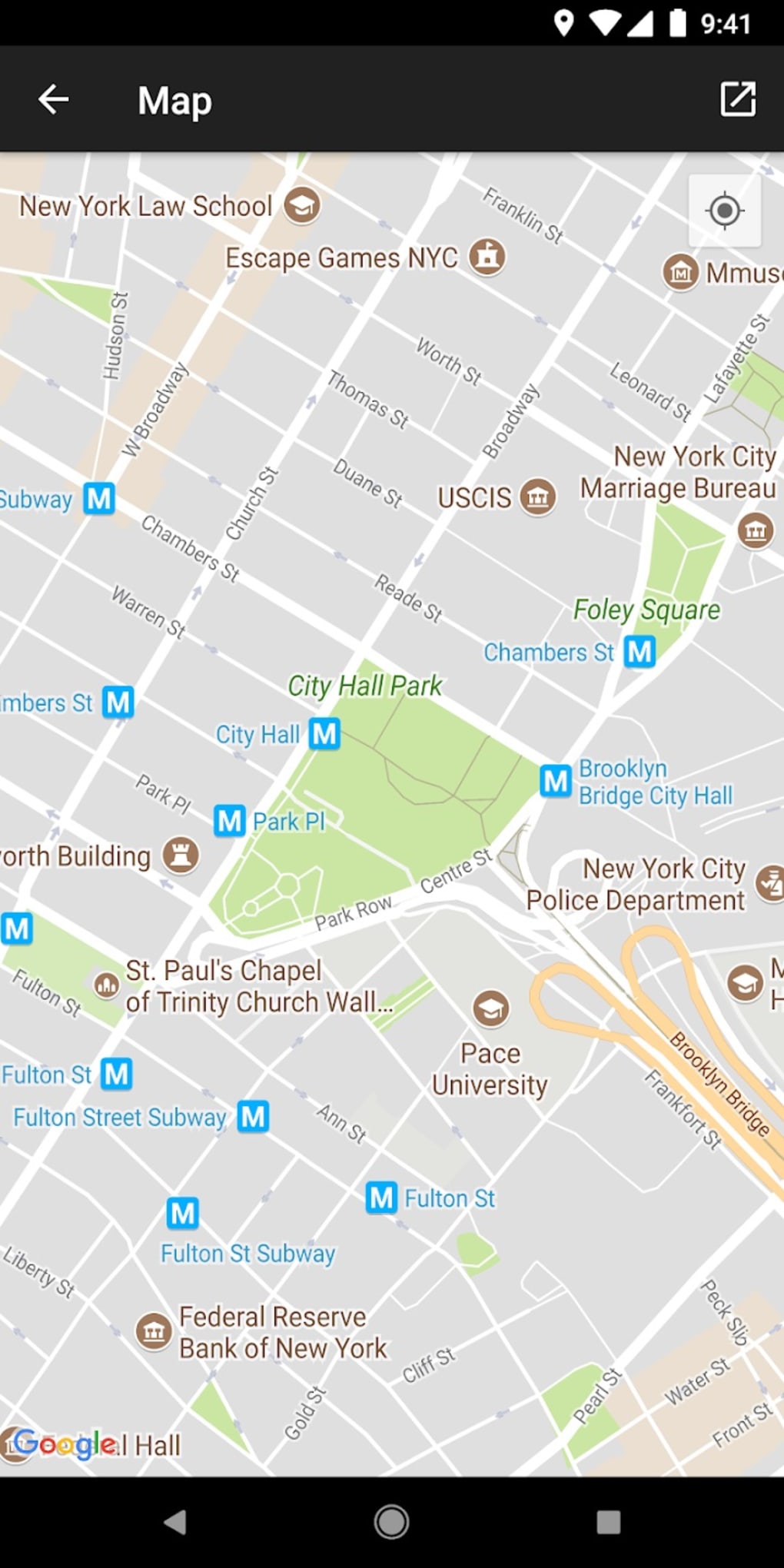
Digital Compass leverages GPS technology to deliver accurate magnetic headings that pinpoint true north. This ensures reliable navigation regardless of your global location. The integrated Google map provides a visual representation of your surroundings, displaying your precise latitude, longitude, and street address. Beyond this basic navigational information, the app also provides valuable supplementary data, including:
-
Magnetic Field Strength: This measurement offers insight into the local electromagnetic environment, which can be useful in various contexts, from assessing potential interference with electronic devices to understanding geological features.
-
Slope Level Meter (Inclinometer): This feature allows users to determine the angle of inclination of the ground, proving particularly beneficial for hikers, climbers, and surveyors who need to assess terrain gradients and potential hazards.
-
Sensor Status Monitoring: Digital Compass allows you to monitor the health and functionality of the key sensors integral to its operation: the magnetometer, gyroscope, accelerometer, and rotation vector. This proactive approach allows users to identify potential sensor malfunctions that could impact accuracy before they lead to navigational errors. This functionality adds a significant layer of reliability and trustworthiness to the app.
The app’s design prioritizes user experience. The dark background and clean interface ensure effortless data interpretation, even in challenging lighting conditions. This thoughtful design contributes to a seamless and intuitive user experience.
User-Friendly Interface and App Design
The success of any navigation tool hinges on its user interface. Digital Compass excels in this aspect. The developers prioritized simplicity and clarity, resulting in an app that is both visually appealing and highly functional. The dark theme minimizes screen glare, making it ideal for use in bright sunlight. The large, clear font ensures that crucial navigational information is easily readable, even at a glance. The arrangement of data elements is logical and intuitive, eliminating any unnecessary complexity.
The calibration process, a crucial aspect of maintaining accuracy in any compass app, is streamlined and simple. Users only need to perform a figure-eight motion with their device to recalibrate the compass. This process is clearly explained within the app, ensuring even novice users can quickly and effectively calibrate the device for optimal performance.
The app’s ability to monitor sensor status is another key feature that contributes to its overall user-friendliness. By providing a clear indication of the health of the device’s sensors, the app empowers users to take proactive steps to address any potential issues that could compromise the accuracy of its readings.
While the app is undeniably helpful and well-designed, the high number of advertisements can be intrusive and detracts somewhat from the overall experience. This is a significant drawback, as it disrupts the otherwise smooth and efficient workflow of the app.
Strengths and Weaknesses of Digital Compass
Digital Compass offers a compelling combination of features and design that cater to the needs of both casual and serious users. However, like any application, it is not without its drawbacks.
Pros:
-
GPS-Powered Precision: The integration of GPS technology ensures accurate magnetic headings and precise location data. This accuracy is critical for reliable navigation in unfamiliar territories.
-
Comprehensive Mapping: The full-screen map, powered by Google Maps, provides users with latitude, longitude, street address, and a visual representation of their surroundings.
-
Intuitive User Interface: The clean, well-organized interface makes it easy to access and interpret critical information, even under pressure. The dark theme is particularly beneficial in bright conditions.
-
Sensor Monitoring: The ability to monitor the status of critical sensors allows users to proactively address potential issues that could compromise accuracy.
-
Additional Data: Beyond basic compass functionality, the app provides valuable supplementary data, including magnetic field strength and slope level.
Cons:
-
Excessive Advertising: The high frequency and intrusive nature of advertisements significantly detract from the user experience. This is a considerable downside that needs addressing. A paid, ad-free version would likely be very popular.
-
Regular Calibration Required: Like most digital compass apps, Digital Compass requires regular calibration, adding a small amount of inconvenience to the user experience.
-
Dependence on Internet Connectivity (for map functionality): While the compass functionality itself may work offline, the map features require an active internet connection. This limits the app’s usefulness in areas with poor or no connectivity.
Alternatives and Competition
While Digital Compass stands out with its combination of features and design, it’s important to note that several alternative compass applications exist on the market. These alternatives offer varying levels of functionality and user-friendliness. Some may focus more on simplicity, while others may provide additional features beyond basic compass functionality. Some noteworthy competitors include:
-
Compass Free - Directional Compass: This alternative app offers basic compass functionality, often at a lighter footprint than Digital Compass.
-
Just a Compass Free No Ads: As the name suggests, this app prioritizes a simple, ad-free experience.
-
Qibla Compass - Prayer Times Hijri Calendar: This app caters to a specific user base, providing Qibla direction alongside other Islamic calendar information. This showcases the diversity of available compass apps beyond simple direction-finding.
Ultimately, the choice of compass app depends on individual needs and preferences. Digital Compass shines with its detailed map, additional sensors, and intuitive interface, but the intrusive ads present a significant downside for many users.
Conclusion
Digital Compass provides a robust and comprehensive navigation solution packaged in a user-friendly interface. Its strengths lie in its accurate GPS-based compass, detailed map integration, and additional data-providing features. However, the overwhelming number of ads represents a significant drawback that could deter many users. For users willing to tolerate the ads, Digital Compass offers a valuable tool for navigation. However, for those seeking a distraction-free, clean experience, the abundance of ads may outweigh the app’s other beneficial attributes. The developers would be wise to consider a premium, ad-free version to cater to this segment of potential users.
File Information
- License: “Free”
- Latest update: “February 18, 2025”
- Platform: “Android”
- OS: “Android 13.0”
- Language: “English”
- Downloads: “13.8K”
- Download Options: “Google Play”