
Directory List & Print is a free, user-friendly application designed to simplify the process of generating and managing directory listings on both Windows and macOS systems. This powerful tool allows users to effortlessly create detailed lists of files and folders, offering extensive customization options for formatting, exporting, and printing. Whether you need a quick overview of your file structure or a meticulously formatted report for professional use, Directory List & Print provides a streamlined solution.
Key Features and Functionality
Directory List & Print stands out from other directory listing tools due to its comprehensive feature set and intuitive interface. Its core functionality revolves around generating detailed lists of files and directories, but its capabilities extend far beyond simple listings.
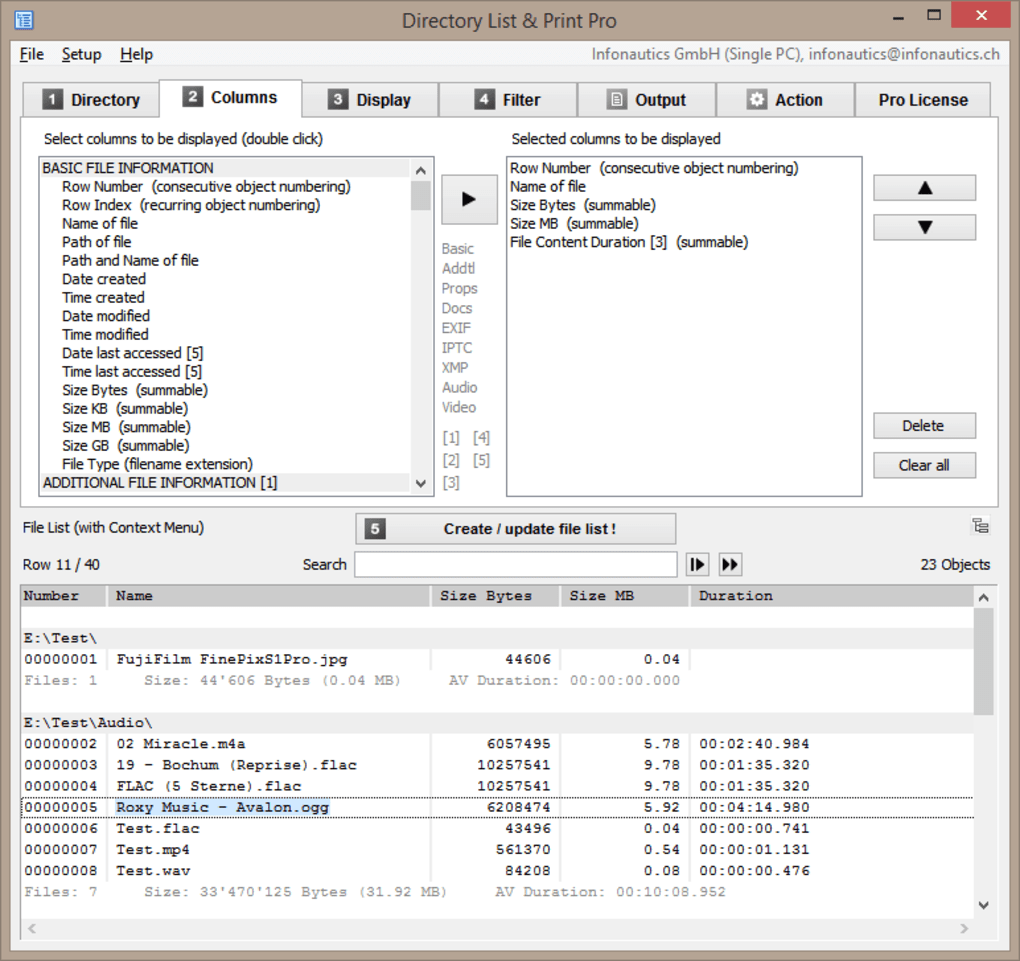
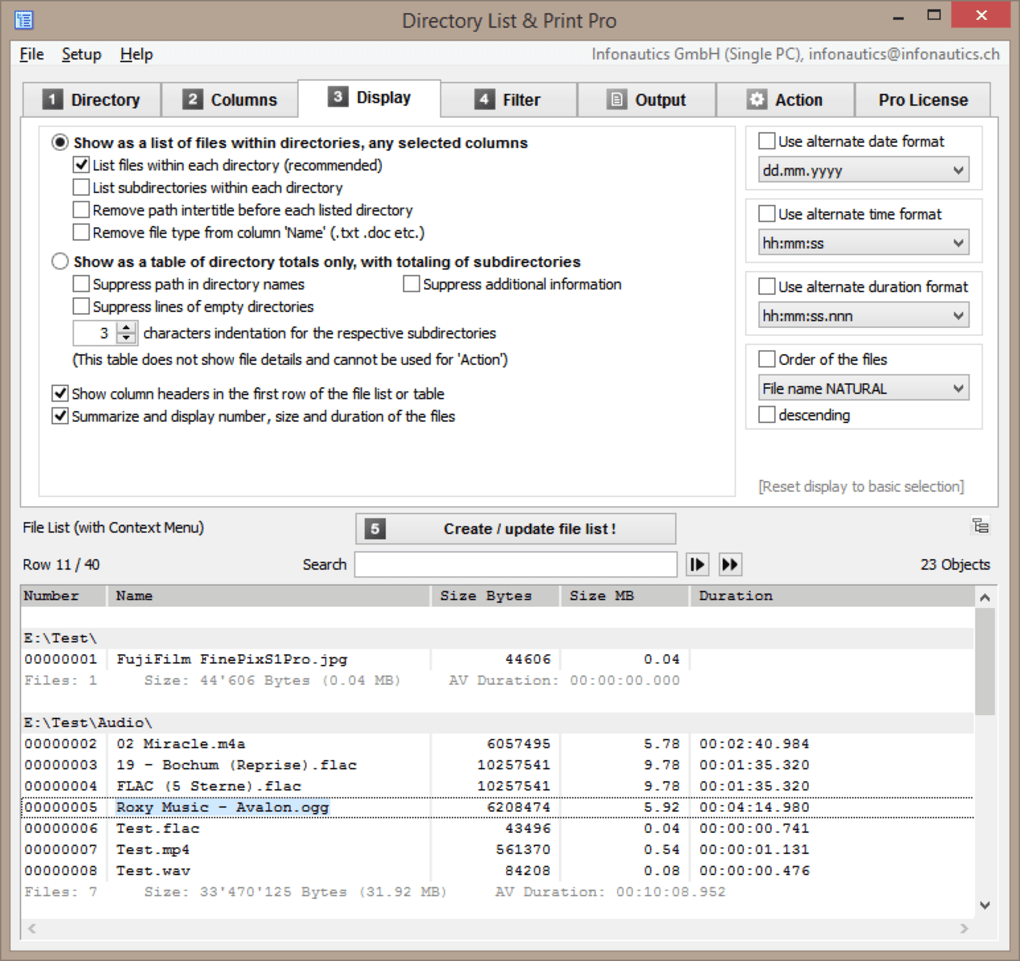
1. Customizable Directory Listing Generation: The software empowers users with granular control over the information displayed in the directory listings. You can select specific directories and files for inclusion, choose which attributes to display (e.g., filename, size, modification date, creation date, CRC checksum), and determine the order of sorting (ascending or descending). This level of customization allows you to tailor the output to your exact needs, whether it’s a quick overview or a detailed inventory.
2. Versatile Export Options: Once you’ve generated your directory list, Directory List & Print offers a range of export options to suit different purposes. You can export the list to popular file formats such as:
- Microsoft Word (.doc, .docx): Ideal for integration into word processing documents and reports. This allows seamless incorporation of the directory list into existing documents, eliminating the need for manual data entry.
- HTML (.html): Suitable for sharing the directory list online or embedding it into a website. The HTML format ensures compatibility across various web browsers and devices, making it easy to share the information with others.
- Plain Text (.txt): A simple, universally compatible format for basic directory information. This option is perfect for situations where only the core details are needed, without the formatting complexities of other formats.
The flexibility of these export options ensures compatibility with a broad range of applications and workflows, maximizing the utility of the generated directory lists.
3. Intuitive Interface and User Experience: The software boasts a clean and user-friendly interface, minimizing the learning curve and allowing users to quickly generate lists without extensive training. The intuitive design ensures that even users with limited technical expertise can effectively use the application. The application’s simplicity contrasts sharply with more complex alternatives, making it an accessible choice for a wide user base.
4. Printing Capabilities: Directory List & Print goes beyond simply generating lists; it also seamlessly integrates printing capabilities. Users can directly print the generated directory list, ensuring a hard copy of the file and folder information is readily available. This feature is crucial for situations where digital access may be limited or where a physical record is required. The print functionality is seamlessly integrated into the application’s workflow, requiring minimal user input.
5. Sorting and Filtering: For large directory structures, the ability to sort and filter results is invaluable. Directory List & Print allows users to sort the directory listing by various criteria, including filename, size, modification date, and more. This enables quick identification of specific files or folders, significantly improving efficiency when working with extensive file systems. Filtering options enable further refinement of the results, allowing users to isolate specific file types or folders based on their criteria.
6. Support for Different Operating Systems: Directory List & Print’s cross-platform compatibility is a key strength. It supports both Windows and macOS operating systems, ensuring accessibility regardless of the user’s platform preference. This cross-platform functionality eliminates the need for separate software solutions for different operating systems, streamlining workflow and simplifying management.
Comparison with Alternative Solutions
While several other software applications can generate directory listings, Directory List & Print distinguishes itself through its combination of features, ease of use, and cross-platform compatibility. Some alternatives, such as Karen’s Directory Printer, may focus solely on printing directory lists, lacking the flexibility and export options provided by Directory List & Print. Others might be overly complex, requiring significant technical knowledge to operate effectively. Directory List & Print occupies a sweet spot, offering a balance between functionality and ease of use. It provides a simple, intuitive interface for users who may be less tech-savvy while still retaining powerful features for advanced users. The ability to export to various formats, including Word and HTML, provides a significant advantage over simpler tools that might only offer plain text output.
The inclusion of CRC checksums provides a level of detail not found in many comparable applications, beneficial for data integrity verification. This feature enhances its usefulness for those requiring rigorous data management and validation.
Workflow and Use Cases
The workflow for using Directory List & Print is straightforward and intuitive. Users typically select the target directory, choose the desired attributes and sorting criteria, generate the list, and then export or print the results. This streamlined process minimizes the time investment required to obtain a detailed directory listing.
The applications for Directory List & Print are diverse, catering to both personal and professional needs. Some key use cases include:
-
File Organization and Management: For individuals and organizations needing to manage large quantities of files, Directory List & Print provides a clear and organized overview of their file system. This allows for quick identification of files based on size, date, or other criteria.
-
Software Development: Developers can use this tool to generate reports of project files, aiding in version control and tracking of code changes. The ability to output to various formats simplifies the integration of file structure information into project documentation.
-
Data Auditing and Compliance: In situations where regular file audits are necessary for compliance purposes, Directory List & Print offers a simple method of generating verifiable reports. The inclusion of details such as file size, modification date, and CRC checksums strengthens the integrity of the audit trail.
-
Legal and Investigative Purposes: The detailed nature of the directory listings, including timestamps and file sizes, can be valuable during legal proceedings or investigations. The ability to export these listings in various formats makes it easy to incorporate them into legal documents or evidence reports.
-
Inventory Management: Businesses can use the application to track inventory, keeping a record of the location and details of various items within their storage systems. The software’s ease of use and multiple export options allow for easy updating and sharing of inventory information.
-
Backup and Recovery: Creating a detailed directory list before backing up data can be helpful for verifying the completeness of backups and assisting in the recovery process.
Conclusion
Directory List & Print offers a compelling solution for generating and managing directory listings. Its intuitive interface, extensive customization options, and versatile export capabilities make it a valuable tool for both personal and professional use. The cross-platform compatibility and straightforward workflow enhance its practicality. Unlike many competitors, it strikes a perfect balance between user-friendliness and advanced features, resulting in a powerful and versatile application for a wide audience. Whether you need a simple file inventory or a detailed report for professional use, Directory List & Print provides a reliable and efficient solution. The software’s free availability further increases its accessibility and makes it a valuable addition to any user’s toolkit.
File Information
- License: “Free”
- Latest update: “July 12, 2023”
- Platform: “Windows”
- OS: “Windows 8”
- Language: “English”
- Downloads: “2.9K”
- Size: “16.68 MB”


