
Disk Cleaner is a free utility designed to efficiently reclaim disk space occupied by temporary files and other unnecessary data on Windows systems. This review delves into the functionality, performance, and overall user experience of this tool, comparing it to similar applications and assessing its effectiveness in maintaining a clean and efficient operating system.
Functionality and Features
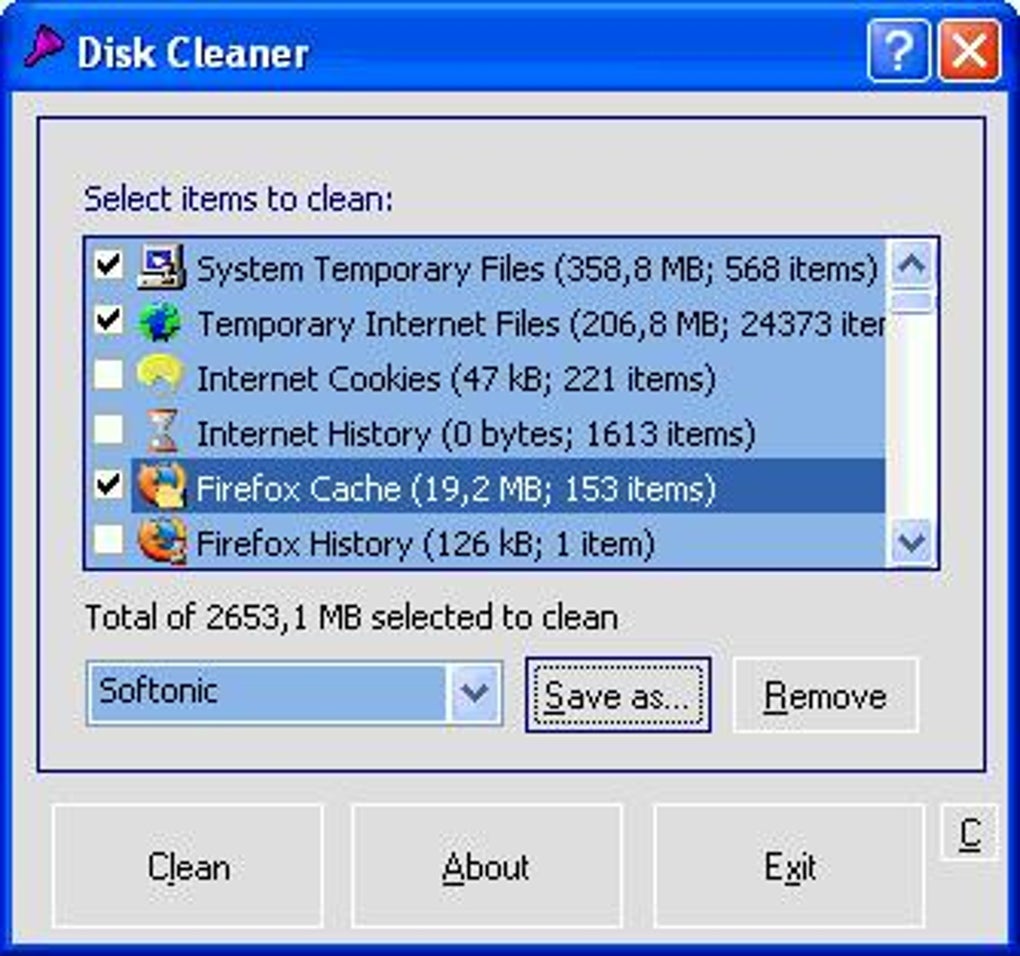
Disk Cleaner’s core function is straightforward: identifying and removing temporary files. This includes files residing in the system’s temporary folder, Internet Explorer’s cache and cookies, and the Recycle Bin. The program’s simplicity is a strength; it avoids complex features that might confuse less technically-savvy users. The focus on essential cleanup tasks ensures a streamlined and efficient cleaning process. This straightforward approach harkens back to the system tools found in older versions of Windows, such as Windows 98, but with the benefit of enhanced speed and a smaller footprint.
While it lacks advanced features like registry cleaning or deep-scan options found in some competitors, Disk Cleaner’s streamlined approach is advantageous. It avoids the complexities and potential risks associated with registry editing, making it a safer option for users who lack in-depth technical knowledge. This targeted approach minimizes the chance of accidental data deletion or system instability, which can occur with more aggressive cleaning utilities. The program’s speed is a notable advantage; it performs its cleaning tasks quickly, minimizing disruption to the user’s workflow.
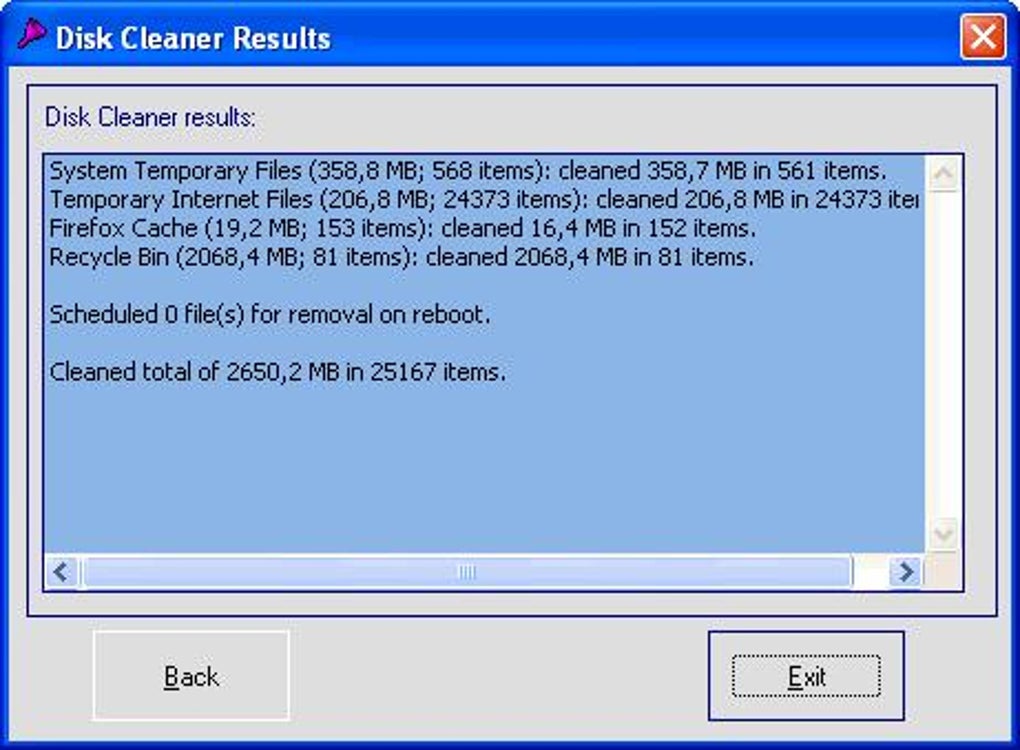
The ability to configure Disk Cleaner to run silently on startup is a particularly useful feature. This allows users to maintain a clean system automatically with each boot, ensuring that temporary files and other unnecessary data are removed proactively, without requiring any user intervention. This automated approach is particularly beneficial for users who don’t want to actively manage disk space cleanup.
Performance and Efficiency
Disk Cleaner consistently delivers fast and efficient cleaning. Its small program size contributes to rapid startup times and quick cleaning cycles. Users report that the cleaning process typically takes only a minute or less, unlike some more comprehensive cleaners that can take significantly longer. This speed is a key advantage, especially for users with large hard drives or slow systems.
The program’s low resource consumption is another positive aspect. It doesn’t heavily tax the system’s CPU or RAM during operation, making it suitable for use even on older or less powerful machines. This minimal impact on system resources ensures that the cleaning process doesn’t interfere with other applications or tasks.
While it may not eliminate every temporary file, Disk Cleaner targets the most common sources of clutter, effectively freeing up a significant amount of disk space. The results may not be as extensive as some more aggressive cleaners, but the trade-off is a faster, safer, and more reliable cleanup. The program’s reliability is noteworthy; it consistently performs its cleaning tasks without causing errors or system issues.
User Interface and Experience
Disk Cleaner boasts a simple, intuitive interface. Even users with limited computer experience will find it easy to navigate and use. The lack of overwhelming options and features contributes to its user-friendliness. The primary function—cleaning temporary files—is easily accessible, requiring only a single click to initiate.
The program’s straightforward design eliminates the potential for accidental data loss or system damage associated with more complex utilities. This simplicity reduces the learning curve and makes it accessible to a wider range of users. The absence of confusing settings or advanced options simplifies the process, making Disk Cleaner an ideal choice for users who prioritize ease of use over extensive customization.
Comparison with Alternative Disk Cleaners
Compared to more feature-rich cleaners like CCleaner, Disk Cleaner offers a more focused and arguably safer approach. CCleaner offers a broader range of functionalities, including registry cleaning and browser cleanup, but it also comes with a greater risk of accidental system damage if not used carefully. Disk Cleaner’s concentration on basic temporary file removal minimizes this risk.
While other disk cleaners might offer more granular control over the cleaning process, this added complexity can be a drawback for casual users. Disk Cleaner’s simplicity is its strength; it provides a reliable and safe cleaning solution without overwhelming the user with unnecessary features. Argente - Disk Cleaner and Wise Disk Cleaner are alternative options, but they may lack Disk Cleaner’s speed and simplicity.
Security and Reliability
Disk Cleaner has consistently demonstrated a clean security record. It’s free from adware and spyware, ensuring a safe and secure user experience. This absence of potentially unwanted programs (PUPs) is a significant advantage over some alternative cleaners that have been known to bundle unwanted software. Independent security scans have consistently given Disk Cleaner a clean bill of health, assuring users that it’s a reliable and safe tool.
The program’s reliability is another key strength. It consistently performs its cleaning tasks without errors or system crashes. This stability is a testament to its robust design and rigorous testing. Users have reported consistently positive experiences, highlighting the program’s dependability and consistent performance. This reliability makes it a safe and trustworthy option for regular system maintenance.
Conclusion
Disk Cleaner for Windows provides a straightforward, effective, and secure solution for maintaining a clean and efficient operating system. Its simplicity, speed, and focus on essential tasks make it a compelling choice for users of all technical levels. While it lacks the advanced features of some competitors, its reliability, ease of use, and lack of potentially harmful bundled software make it a safe and effective option for users who prioritize simplicity and efficiency. The automated cleanup feature, allowing for silent operation on startup, further enhances its convenience and practicality. Overall, Disk Cleaner stands as a highly recommended tool for users looking for a quick, reliable, and safe way to free up disk space on their Windows systems.
File Information
- License: “Free”
- Version: “1.8.1795”
- Latest update: “September 1, 2021”
- Platform: “Windows”
- OS: “Windows 2000”
- Language: “English”
- Downloads: “95.8K”
- Size: “864.09 KB”


