
Disk Drill Windows Data Recovery is a powerful data recovery utility designed for Windows users. This comprehensive review explores its features, ease of use, safety, and effectiveness, comparing it to alternative solutions and ultimately assessing whether it’s the right choice for your data recovery needs.
Understanding Disk Drill’s Capabilities
Disk Drill is more than just a simple file recovery tool; it’s a comprehensive data recovery suite capable of handling various data loss scenarios. Its strength lies in its multi-faceted approach, offering quick and deep scan options, a sophisticated partition search function, and robust data reconstruction capabilities. This versatility makes it suitable for a broad spectrum of users, from those who accidentally deleted files to those dealing with more complex issues like hard drive corruption or virus attacks.
The software’s core functionality revolves around its two primary scanning methods:
-
Quick Scan: This option is ideal for quickly recovering recently deleted files that haven’t been overwritten. It’s a rapid, less intensive process, making it suitable for situations where you need a swift solution. This is often the first step in the recovery process, and frequently yields positive results for files deleted within a short timeframe.
-
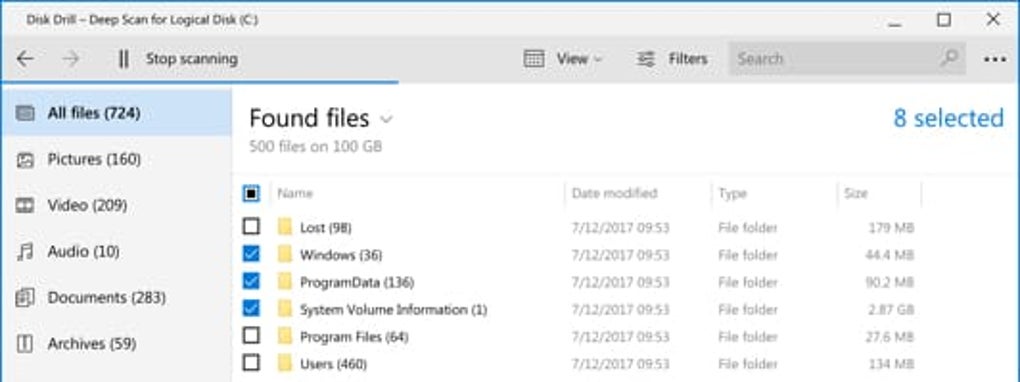
Deep Scan: For more challenging data recovery situations, Disk Drill employs a deep scan. This method meticulously examines the entire storage device, sector by sector, searching for file signatures and reconstructing fragmented data. While significantly more time-consuming than a quick scan, the deep scan significantly increases the chances of recovering data even after formatting, drive corruption, or other complex data loss events. It’s the preferred method for recovering data lost due to more significant issues.
Beyond its scanning capabilities, Disk Drill boasts a “Universal Partition Search” functionality. This feature proves invaluable when dealing with lost or damaged partitions. It can effectively identify and recover data from partitions that are no longer visible within the operating system, significantly broadening its scope beyond simple file recovery. This functionality is a key differentiator, setting it apart from many simpler recovery tools. The software doesn’t merely recover files; it helps reconstruct the very structure of lost partitions, a critical feature in cases of significant data loss.
User Interface and Experience: Simplicity Meets Power
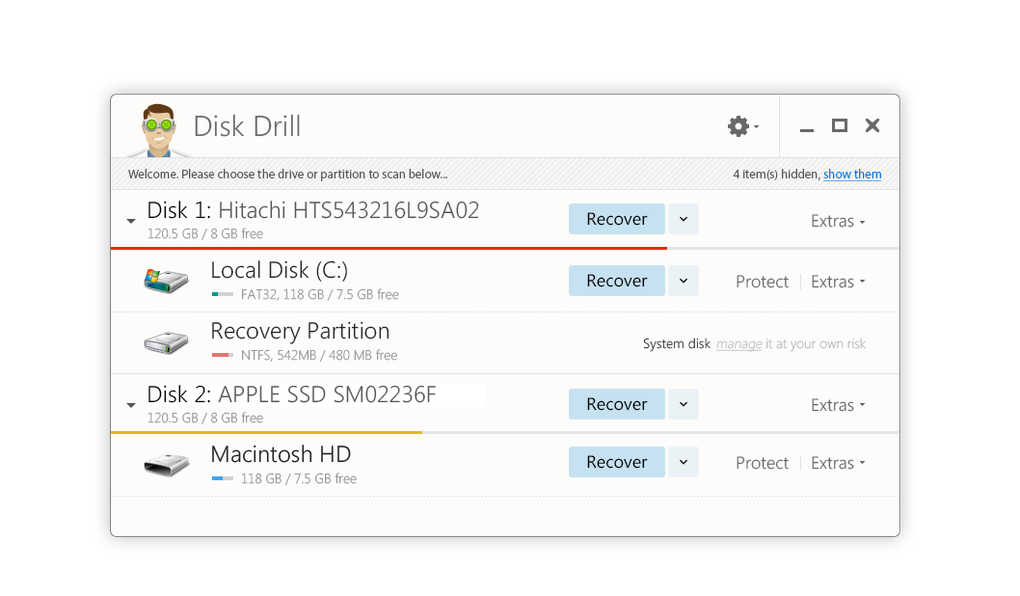
Disk Drill prioritizes user-friendliness, offering a clean and intuitive interface that’s easy to navigate, even for users with limited technical expertise. The minimalistic design avoids overwhelming the user with unnecessary complexity, allowing them to focus on the task at hand: data recovery. The software guides users through the process with clear instructions, minimizing the learning curve.
The main window displays options for selecting the drive to scan and the types of files to search for. Users can easily customize the scan to focus on specific file types, reducing scan time and improving efficiency. The ability to pause and resume scans offers further flexibility, allowing users to manage the recovery process at their own pace. This is particularly useful for large drives or deep scans, which can take considerable time to complete. The ability to save the scan progress is also a valuable feature, ensuring that users can return to their recovery efforts without restarting the entire process.
The results are presented in a clear and organized manner, allowing users to preview recoverable files before initiating the recovery process. This preview feature enables users to selectively recover only the necessary files, thereby reducing unnecessary storage consumption and optimizing the recovery effort.
The ease of use doesn’t compromise the power of the software. Disk Drill effectively balances simplicity with robust functionality, catering to both novice and experienced users.
File System Compatibility and Supported Devices
Disk Drill boasts impressive compatibility with a wide range of file systems and devices. It supports over 300 file systems, including NTFS, FAT32, exFAT, HFS+, and EXT, among others. This broad compatibility ensures that it can handle data from various sources, including internal and external hard drives, SSDs, USB flash drives, memory cards, and even some digital cameras and portable music players. Its support extends to compressed file formats like ZIP, RAR, and ISO, further increasing its versatility.
This wide compatibility extends to operating systems; the software functions seamlessly on all versions of Windows, including the latest iterations. This ensures that users with newer operating systems can still take advantage of its data recovery capabilities. The compatibility aspect of Disk Drill is a clear advantage, setting it apart from other data recovery tools that may not support all the various file systems or hardware types.
Data Recovery Scenarios and Disk Drill’s Effectiveness
Disk Drill is well-equipped to handle a diverse range of data loss scenarios. Its effectiveness is not limited to simply recovering files deleted from the Recycle Bin. It can also effectively recover data lost due to:
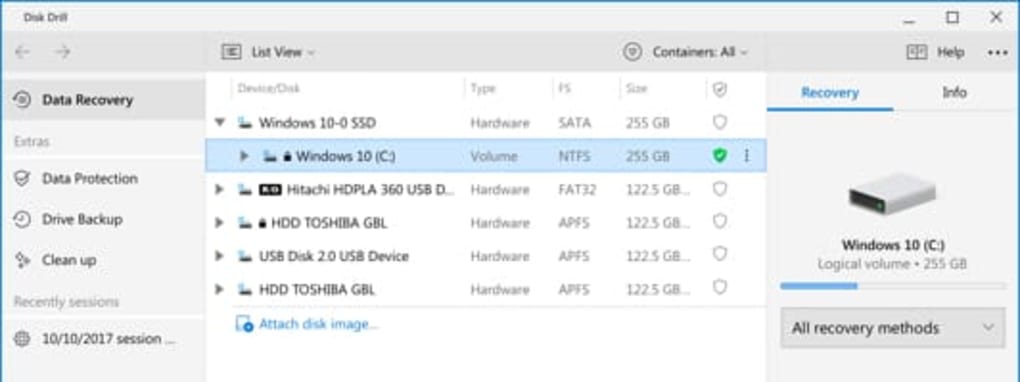
- Accidental Deletion: Whether files are deleted individually or in bulk, Disk Drill’s algorithms can efficiently retrieve them, even if emptied from the Recycle Bin.
-
Formatted Drives: Disk Drill can often recover data from formatted hard drives, even after a full format operation, by reconstructing file signatures and metadata.
-
Partition Loss: The software’s partition recovery capabilities are particularly useful in this scenario, allowing recovery of data even when partitions are accidentally deleted or corrupted.
-
Virus Attacks: Disk Drill can recover data lost due to virus attacks, provided the damage isn’t too extensive. It assists in restoring files that may have been corrupted or deleted by malicious software.
-
Hardware Failure: While Disk Drill can’t fix physical damage to a hard drive, it can effectively recover data from failing drives or those experiencing read errors, as long as the drive remains partially functional. Early intervention is crucial in such situations.
The software’s effectiveness depends on several factors, including the severity of the data loss, the extent of data overwriting, and the condition of the storage device. However, Disk Drill’s combination of quick and deep scan methods, combined with its partition recovery capabilities and robust data reconstruction algorithms, provides a high likelihood of successful data recovery in a wide variety of situations.
Is Disk Drill Truly Free? Understanding the Pricing Model
Disk Drill offers a free version that allows users to recover up to 500MB of data. While sufficient for recovering smaller sets of files, this limit quickly becomes restrictive for users dealing with significant data loss. To overcome this limitation, users can purchase a license to unlock the full capabilities of the software.
This freemium model provides a risk-free trial for users to assess the software’s effectiveness before committing to a purchase. However, users facing substantial data loss will quickly require the full version, and the cost should be considered in relation to the value of the recoverable data. The cost of the full version should be weighed against the potential cost of data loss, which can significantly outweigh the software’s price in many cases.
Safety and Security: A Malware-Free Experience
Disk Drill is a safe and secure application, free from malware or intrusive advertisements. The software undergoes rigorous testing to ensure it does not contain any harmful components. This dedication to security ensures that users can confidently use the software without jeopardizing their system’s security.
Alternatives to Disk Drill: Exploring the Competition
While Disk Drill stands as a highly competent data recovery solution, several alternatives exist. Recuva, EaseUS Data Recovery Wizard, and TestDisk are popular choices, each with its strengths and weaknesses. The optimal choice ultimately depends on individual needs and priorities.
Should You Download Disk Drill? A Final Verdict
Disk Drill Windows Data Recovery offers a potent combination of user-friendly design, robust recovery capabilities, and broad compatibility. While the free version has limitations, it provides a valuable opportunity to assess the software’s capabilities before committing to a purchase. The software’s effectiveness in various data loss scenarios, along with its intuitive interface and security, makes it a strong contender in the data recovery market.
If you’re dealing with accidental deletions, formatted drives, partition loss, or other data loss scenarios, Disk Drill deserves serious consideration. Its combination of powerful features and user-friendly design makes it a valuable tool for recovering your precious data. However, remember to evaluate your data’s importance and the potential cost of data loss when considering whether to purchase the full version to remove the 500MB limit.
File Information
- License: “Free”
- Latest update: “May 24, 2023”
- Platform: “Windows”
- OS: “Windows 10”
- Language: “English”
- Downloads: “1M”
- Size: “19.57 MB”


