
DiskMax is a free disk cleanup utility designed to improve your computer’s performance by removing junk files and unnecessary data. This review delves into its features, ease of use, pros and cons, and compares it to alternative options. We’ll explore its effectiveness, user experiences, and ultimately, whether it’s a worthwhile addition to your system maintenance toolkit.
DiskMax: Functionality and Features
DiskMax distinguishes itself through its simplicity. It eschews complex settings and configuration options, focusing instead on a straightforward approach to cleaning your hard drive. The program offers four distinct analysis modes: Quick, Standard, Detailed, and Complete. These modes vary in the depth and breadth of their scan, allowing users to choose the level of analysis that best suits their needs and available time.
The Quick scan provides a rapid assessment and removal of readily identifiable temporary files and readily accessible junk data. This is ideal for users who need a quick cleanup without a deep dive into system files.
The Standard scan expands the analysis to include a wider range of temporary files and system cache, providing a more thorough cleanup than the Quick scan. This mode strikes a balance between speed and comprehensiveness, suitable for regular maintenance.
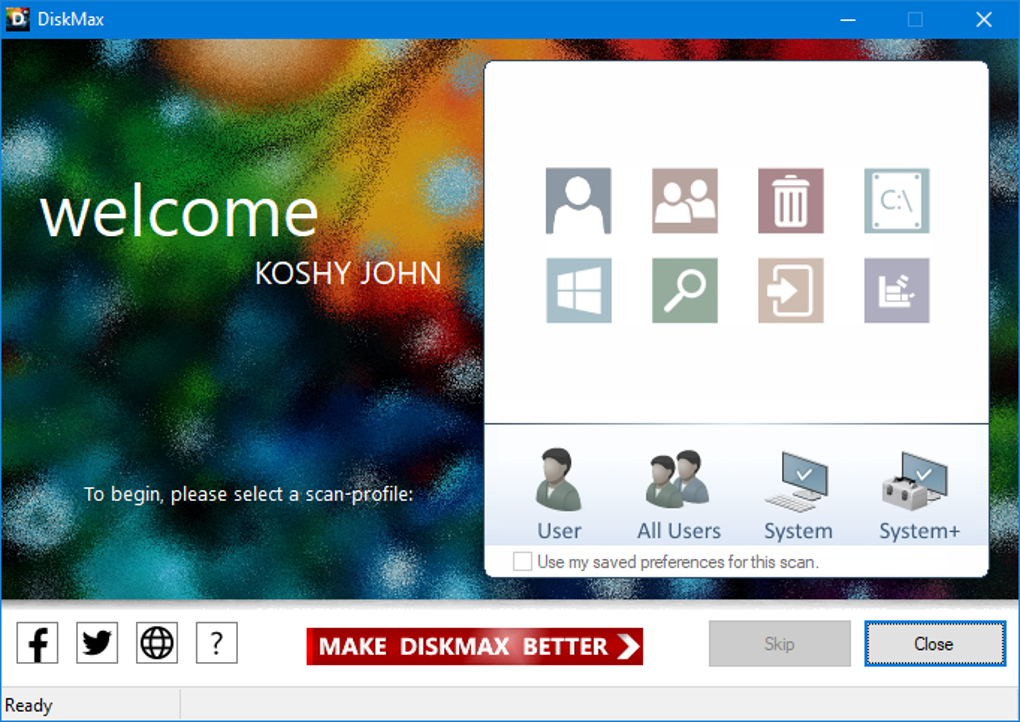
The Detailed scan delves even deeper, meticulously examining various system areas, including the Windows Registry, web browser data (cookies, history, form auto-complete data, and more), temporary files, and the Recycle Bin. This mode is beneficial for users seeking a more comprehensive cleaning of potentially less accessible data.
The Complete scan represents the most thorough option, encompassing all aspects covered by the previous modes. It provides the most exhaustive cleanup, potentially identifying and removing the broadest range of junk files. However, this comprehensive analysis comes with a longer processing time.
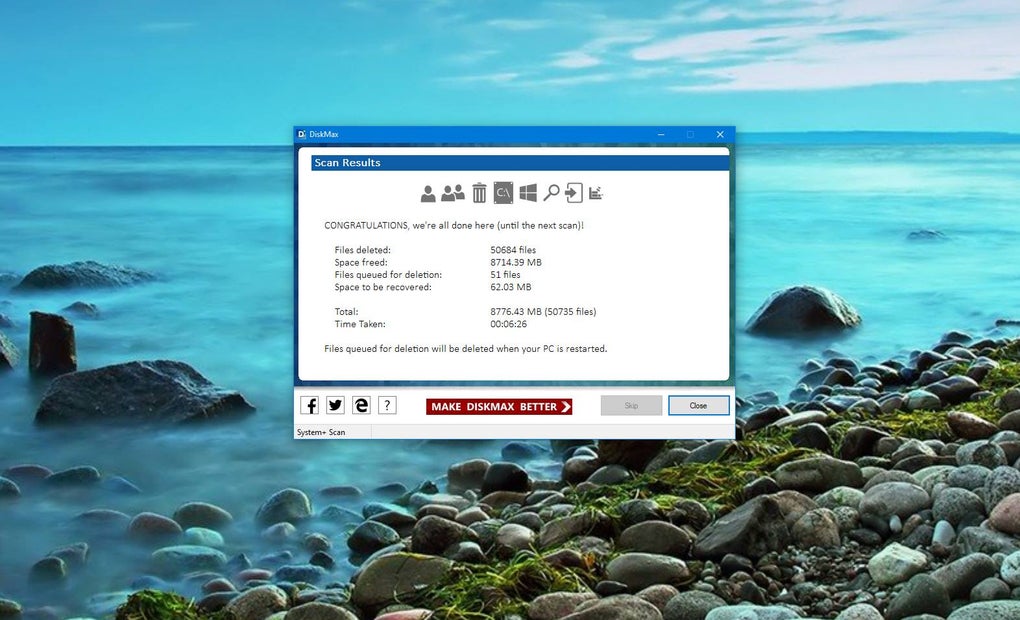
Regardless of the chosen analysis mode, DiskMax consistently demonstrates speed and efficiency in cleaning up disk space. This rapid processing makes it a practical tool for users who value quick results. The program automatically handles the majority of the cleaning process, significantly reducing user intervention. Users are only prompted to confirm the deletion of individual items, with the option to remember their choice for future similar items. This automation streamlines the process, making it convenient for users of all technical skill levels.
Ease of Use and User Interface
One of DiskMax’s greatest strengths is its user-friendly design. The interface is intuitive and uncluttered, making it exceptionally easy to navigate and use. Even novice users should find the program straightforward, with no steep learning curve to overcome. The absence of complex settings and options contributes to this simplicity. While some users might appreciate granular control, the streamlined approach of DiskMax significantly enhances usability. The four distinct scan modes provide sufficient flexibility to tailor the cleaning process to individual needs without overwhelming the user with too many choices.
The automatic handling of the cleanup process further contributes to the ease of use. The infrequent prompts for user confirmation ensure that the program remains unobtrusive while maintaining a level of user control. The option to remember choices for similar future items further enhances the automated workflow.
However, this simplicity has a downside. The lack of configuration options means users have limited control over the cleaning process. This may be a significant drawback for advanced users who prefer more customization and fine-tuning of the program’s functionality.
DiskMax’s Pros and Cons: A Balanced Perspective
DiskMax offers several compelling advantages:
Pros:
- Speed and Efficiency: DiskMax performs scans and cleanups remarkably quickly, making it ideal for users who need a fast solution.
- Ease of Use: The intuitive interface and lack of complex settings make it exceptionally easy to use for users of all levels of technical expertise.
- Automated Process: The program largely automates the cleanup process, requiring minimal user intervention.
- Multiple Scan Modes: The four different scan modes provide flexibility to choose the desired level of analysis.
- Free of Charge: DiskMax is entirely free to download and use, making it accessible to a broad user base.
Cons:
- Limited Configuration: The absence of configuration options reduces customization possibilities, which may be a disadvantage for advanced users.
- Background Operation: While automated, the lack of visible progress during cleaning operations could cause some users anxiety.
- Potential for Unintentional Deletion (if not carefully monitored initially): The automated nature, while convenient, necessitates careful attention during the initial run to avoid unintended deletion of important files. The user must be mindful of the prompts for confirmation.
- Installation Location: As noted in user reviews, the installation location outside the standard “Program Files” directory may require some technical understanding for uninstallation or configuration changes.
DiskMax Compared to Alternative Solutions
DiskMax competes with a range of other disk cleanup utilities. Some notable alternatives include CCleaner, FCleaner, Comodo System Cleaner, and others. While these alternatives often offer more advanced features and configuration options, DiskMax holds its own through its simplicity, speed, and free access.
CCleaner, for example, provides a far more comprehensive set of tools beyond disk cleanup, including registry cleaning and browser data management. However, this added functionality comes with increased complexity. FCleaner offers a more streamlined approach similar to DiskMax, but it may not boast the same speed of operation. Comodo System Cleaner integrates with Comodo’s broader security suite, adding an extra layer of system protection.
The choice between DiskMax and competing utilities depends largely on individual needs and preferences. Users who prioritize ease of use and speed will find DiskMax a compelling option. However, those requiring greater control and customization or a broader range of cleaning tools may opt for alternative solutions.
User Reviews and Feedback
User reviews generally highlight DiskMax’s speed and effectiveness in freeing up disk space. Many praise its ease of use and the minimal user intervention required. However, some criticisms focus on the lack of configuration options and the potential for accidental deletion if the initial prompts aren’t carefully considered. The installation location is also frequently mentioned as a point of minor inconvenience. These user experiences underscore the program’s strengths and weaknesses, providing a realistic picture of its capabilities and limitations.
The long period between updates also reflects in the user feedback. This raises concerns about the program’s long-term maintenance and future development, though it continues to function well for its intended purpose.
Conclusion: Is DiskMax Right for You?
DiskMax is a powerful and efficient disk cleanup utility best suited for users prioritizing speed and simplicity. Its intuitive interface and automated process make it exceptionally user-friendly, even for those with limited technical experience. However, the absence of advanced configuration options may disappoint users seeking greater control over the cleaning process.
The decision to use DiskMax hinges on individual needs and priorities. If speed and ease of use are paramount, DiskMax excels. If advanced features and granular control are required, alternatives such as CCleaner or Comodo System Cleaner might be more suitable. Carefully weighing the pros and cons presented here will enable users to make an informed decision about whether DiskMax fits their system maintenance needs. Remember to carefully review the prompts during initial usage to avoid unintended file deletion. Despite its limited feature set compared to some competitors, DiskMax effectively addresses its core function, offering a valuable, free tool for basic disk cleanup.
File Information
- License: “Free”
- Latest update: “May 24, 2023”
- Platform: “Windows”
- OS: “Windows 8”
- Language: “English”
- Downloads: “20.7K”
- Size: “2.40 MB”


