
Ditto is a free, open-source clipboard manager for Windows that significantly enhances the functionality of your system’s built-in clipboard. Instead of only storing the last item copied, Ditto keeps a history of everything you’ve copied, providing easy access to any of those items at any time. This detailed guide explores Ditto’s features, benefits, and how it can revolutionize your workflow.
Enhancing Your Clipboard: The Power of Ditto
The standard Windows clipboard has a significant limitation: it only remembers the last item copied. This means if you need to paste something you copied earlier, it’s gone unless you’ve saved it elsewhere. Ditto eliminates this frustrating limitation by creating a dynamic, searchable history of your clipboard contents. This means you can effortlessly retrieve any text, image, HTML code, or virtually any other data you’ve copied, regardless of how long ago.
Imagine this scenario: you’re writing a document, and you need to insert several pieces of information from different sources. With the standard clipboard, you’d need to painstakingly copy and paste each item individually. With Ditto, you can copy everything you need, and then easily select and paste each item from its history list – a substantial time saver for anyone who regularly works with text and data.
Key Features and Functionality
Ditto offers a robust set of features designed to maximize efficiency and simplify your clipboard management:
-
Unlimited Clipboard History: Unlike the standard clipboard, Ditto keeps a virtually unlimited history of copied items. The practical limit is determined by your system’s available memory, allowing you to access items copied hours, days, or even weeks ago.
-
Searchable History: Finding a specific item in a long clipboard history can be challenging. Ditto addresses this with a powerful search function. Simply type keywords or phrases, and Ditto will instantly filter its history, displaying only the items that match your search criteria. This feature is invaluable when dealing with a large number of copied items.
-
Multiple Clipboard Support: Ditto goes beyond simply storing clipboard history. It allows you to synchronize your clipboard across multiple computers. This is exceptionally useful for anyone working on multiple machines or needing to access information copied on another system. The data is securely encrypted during transmission, ensuring privacy and protection.
-
Support for Various Data Types: Ditto handles a wide array of data types including text, images (with thumbnail previews), HTML code, custom formats, and much more. This versatility makes it a truly universal clipboard management solution.
-
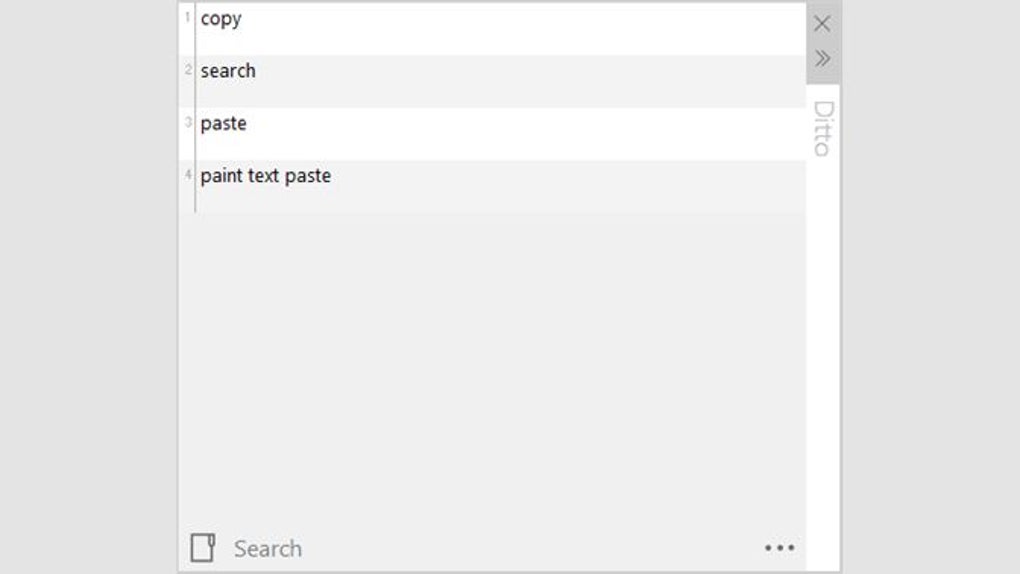
Intuitive Interface: Ditto boasts a clean, user-friendly interface. It’s designed to be easily accessible and requires minimal effort to master. The main window displays your clipboard history, making it simple to browse and select items.
-
Multiple Access Methods: Access Ditto using either a convenient tray icon or a customizable global hotkey. This flexibility ensures you can quickly retrieve your clipboard history regardless of what you’re currently working on.
-
Efficient Data Management: Selecting items from your clipboard history is straightforward. Double-clicking an entry, pressing the Enter key, or simply dragging and dropping the item into your desired application are all viable options.
Installation and Setup
Installing Ditto is a straightforward process. Download the installer from the official website, run the executable, and follow the on-screen instructions. The installation is quick and requires minimal user intervention. Once installed, Ditto sits quietly in your system tray, ready to begin recording your clipboard history.
Customization options allow you to adjust various settings, including hotkey assignments, the maximum number of items stored in the history, and the behavior of the synchronization feature if you choose to use it. These adjustments can be tailored to fit your specific workflow and preferences.
Comparing Ditto to Other Clipboard Managers
Several other clipboard managers are available, each with its own strengths and weaknesses. However, Ditto’s combination of features, ease of use, and open-source nature sets it apart. While some alternatives may offer more advanced features, they often come with a higher price tag or a more complex interface. Ditto provides a compelling balance of power and simplicity, making it an ideal choice for many users.
Advanced Usage and Tips
While Ditto is remarkably intuitive, a few tips can enhance your productivity:

-
Mastering the Search Function: Experiment with different search terms to find items quickly. Use partial words or phrases for broader searches.
-
Utilizing Hotkeys: Assign convenient hotkeys for easy access to the Ditto interface and specific actions.
-
Exploring Synchronization: If you work on multiple computers, configure the synchronization feature to share your clipboard history seamlessly. Remember to set a strong password to protect your data.
- Managing History Size: While Ditto allows for a large clipboard history, you might consider limiting the size to optimize system performance, especially if your history grows exceptionally large.
Troubleshooting and Support
While Ditto is generally stable and reliable, you might occasionally encounter minor issues. The Ditto community is active and supportive, offering assistance through various channels such as forums and online documentation. If you run into problems, searching the community forums for similar issues often provides solutions or workarounds.
Conclusion: Why Ditto is a Must-Have for Windows Users
Ditto transcends the limitations of the standard Windows clipboard, offering a superior and highly efficient method for managing copied data. Its intuitive interface, powerful search capabilities, and support for various data types make it an invaluable tool for anyone who regularly works with text, images, or other data. Whether you’re a casual user or a power user, Ditto significantly enhances your productivity and simplifies your workflow. Its free, open-source nature and active community further add to its appeal, making it a must-have utility for Windows users. Its capacity to streamline your workflow by providing convenient access to your entire clipboard history makes Ditto a truly worthwhile addition to your computer’s software arsenal.
File Information
- License: “Free”
- Latest update: “July 11, 2023”
- Platform: “Windows”
- OS: “Windows 7”
- Language: “English”
- Downloads: “9.4K”
- Size: “5.44 MB”


