
DNS Benchmark is a free utility developed by GRC (Gibson Research Corporation) designed to analyze and optimize your internet experience by meticulously testing the performance of your Domain Name System (DNS) servers. DNS servers are the unsung heroes of the internet, translating human-readable website addresses (like www.phanmemfree.org) into the numerical IP addresses computers use to communicate. A slow or poorly performing DNS server can significantly impact your browsing speed, leading to frustrating delays and sluggish application performance. DNS Benchmark provides a powerful, albeit somewhat complex, solution for identifying these bottlenecks and improving your overall online experience.
Understanding the Importance of DNS Performance
Before delving into the specifics of DNS Benchmark, let’s understand why DNS performance matters. When you type a website address into your browser, your computer first queries a DNS server to resolve the domain name into an IP address. This process, while seemingly instantaneous, can introduce noticeable delays if your DNS server is inefficient or overloaded. Several factors can contribute to slow DNS resolution:
- Distance to the DNS Server: Geographically distant servers introduce latency due to the time it takes for data to travel across networks. Using a closer DNS server can significantly reduce this latency.
- Server Load: A heavily loaded DNS server may be slow to respond to queries, especially during peak usage times. Overloaded servers can lead to significant delays in website loading.
- DNS Server Configuration: Improperly configured DNS servers can also lead to slowdowns. This might involve incorrect caching mechanisms or inefficient query handling.
- Network Congestion: Network congestion between your computer and the DNS server can also impede the resolution process.
DNS Benchmark helps identify these issues by performing comprehensive tests on multiple DNS servers, allowing you to pinpoint the source of any performance problems and choose the best option for your location and network.
How DNS Benchmark Works: A Step-by-Step Guide
DNS Benchmark’s functionality is straightforward, despite its somewhat technical presentation. The program is a small executable file requiring no installation, making it readily accessible and portable. Upon execution, the program presents a user-friendly interface, though its technical details might be overwhelming for users without a networking background. The interface is primarily divided into key sections:
-
Introduction: This section serves as a helpful guide for first-time users, providing a brief overview of DNS and the program’s functionality. It clearly explains the importance of efficient DNS resolution and walks users through the testing process. This is an excellent starting point for those unfamiliar with the intricacies of DNS server performance.
-
Nameservers: This is the core of the application. Here, you can specify up to 200 DNS servers to be tested. The program allows manual input or selection from a predefined list, catering to both advanced and novice users. It’s crucial to minimize other network activity during the testing phase to ensure accurate results. The program meticulously tests each server’s response time and reliability, providing detailed performance metrics for each one. This is where the detailed, location-specific analysis mentioned earlier takes place. The program considers factors like latency and response time to determine the suitability of each server. This is also where the program’s strengths really shine, showcasing its depth of analysis.
-
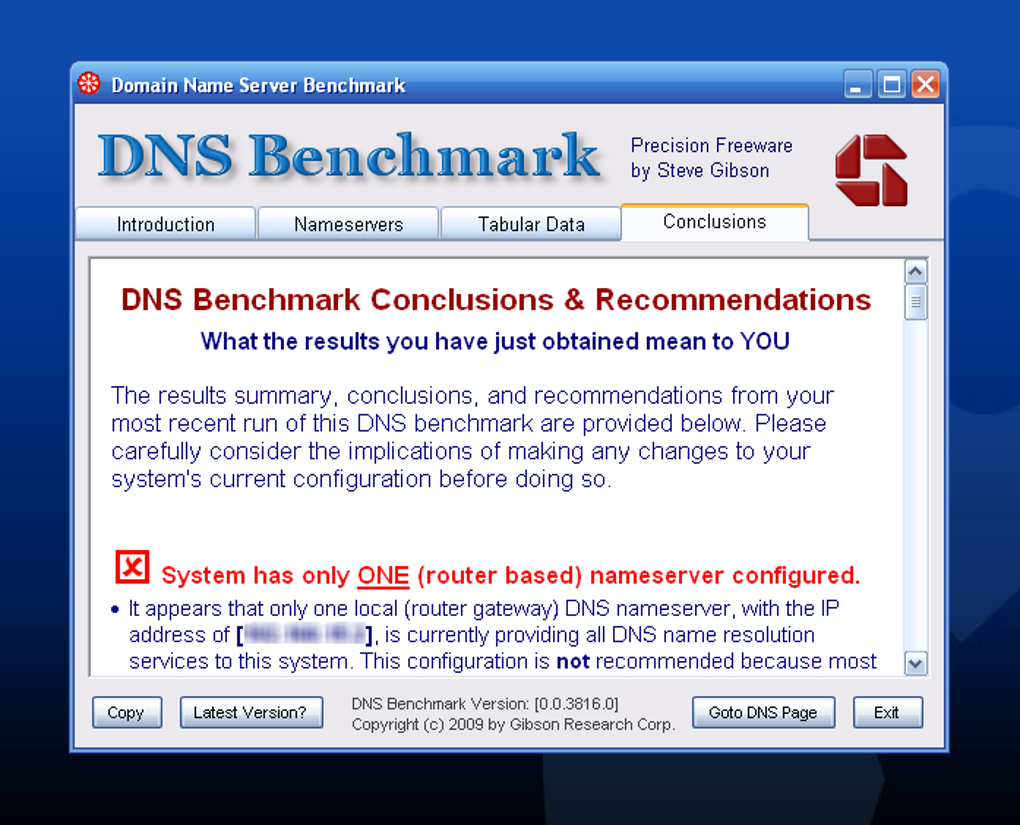
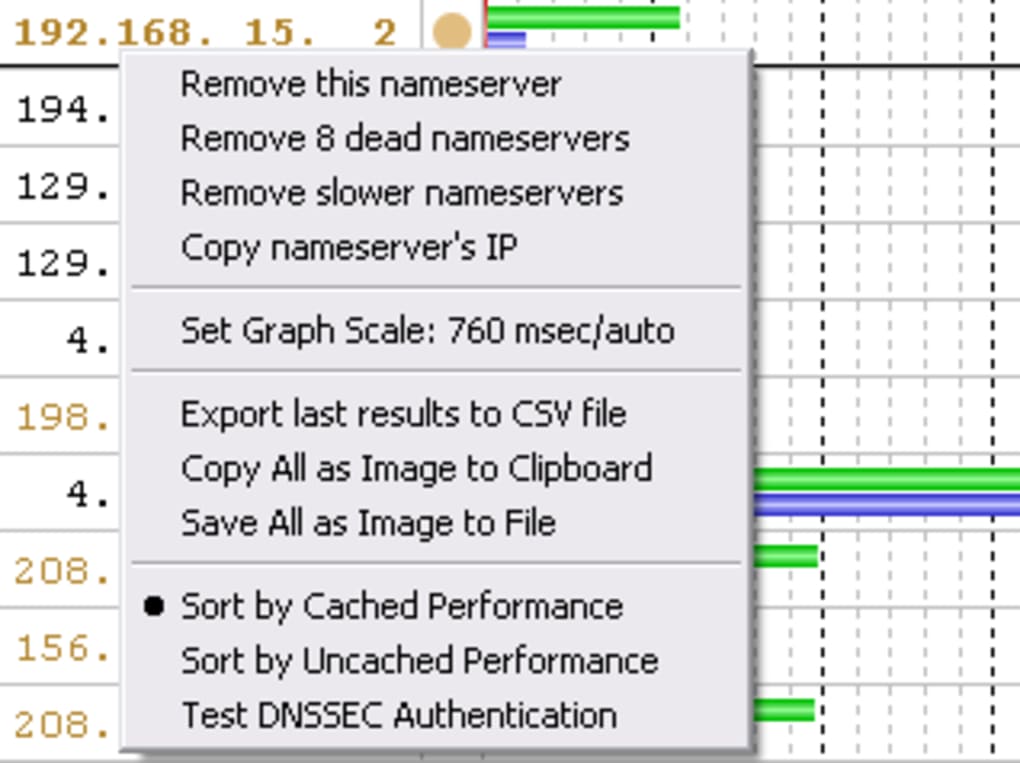
Results/Conclusions: Once the tests are complete, the program presents a comprehensive report, which could be overwhelming for some users. This is one of the areas where the program’s complexity becomes apparent. While the sheer volume of data can initially appear daunting, the “Conclusions” tab neatly summarizes the findings. It highlights the best-performing servers based on your location and network conditions, providing clear recommendations for improvement. This section offers valuable insights into the optimal DNS servers for your specific circumstances. The program also offers the ability to export these detailed reports, making it easy to share or save your findings for future reference.
Strengths and Weaknesses of DNS Benchmark
DNS Benchmark, like any tool, has its strengths and weaknesses. Its core strengths lie in its thoroughness and the depth of its analysis. It’s a powerful tool capable of identifying subtle performance issues that might otherwise go unnoticed. The program offers far more insight than simply checking your internet speed. However, its complexities can also be a drawback for less technically inclined users.
Pros:
- Free and lightweight: The program’s free nature and small size make it easily accessible and convenient to use.
- Detailed analysis: DNS Benchmark provides comprehensive performance metrics for each tested DNS server. This detailed analysis allows users to precisely identify the source of any DNS-related performance bottlenecks.
- Location-specific optimization: The program takes geographic location into account, suggesting DNS servers optimized for your region. This is a crucial feature for achieving the best possible performance.
- Real-time performance metrics: The program provides real-time data during the testing process, offering users an immediate understanding of each server’s performance.
- Easy interpretation (Conclusions tab): While the raw data can be complex, the “Conclusions” tab offers a concise summary, making it simpler to understand the results.
- Detailed report export: The ability to export the detailed results allows users to save and share their findings.
Cons:
- Windows-only compatibility: The program is exclusively designed for Windows operating systems, limiting its accessibility for users of other platforms (macOS, Linux).
- Steep learning curve: The volume of data presented can be overwhelming for users lacking a technical background in networking or DNS. The program’s interface, while functional, isn’t particularly intuitive for beginners. Understanding the nuances of the results requires a reasonable grasp of networking concepts.
- Potential for information overload: The detail level, though a strength in terms of accuracy, can be a significant drawback for casual users. The sheer quantity of information presented may obscure the key conclusions.
Alternatives to DNS Benchmark
While DNS Benchmark offers a comprehensive solution for analyzing DNS performance, several alternative tools provide similar functionality, often with a simpler user interface. These alternatives cater to users who might find DNS Benchmark’s complexity overwhelming. Some popular alternatives include:
-
Namebench: This open-source tool, similar to DNS Benchmark, analyzes various DNS servers and suggests the optimal option based on your location. Namebench generally boasts a more user-friendly interface, making it suitable for users seeking a simpler approach.
-
DNS Jumper: DNS Jumper offers a straightforward interface focused on switching between different DNS servers. While it doesn’t offer the in-depth performance analysis of DNS Benchmark, it’s a handy tool for quickly changing DNS settings.
- Simple DNS Plus: A more advanced option compared to DNS Jumper, Simple DNS Plus offers features beyond simple DNS switching, such as DNS and DHCP server configuration. This makes it suitable for users with a greater technical understanding and need for detailed control over network settings.
The choice of tool ultimately depends on your technical expertise and the level of detail required for your analysis. If you need a deep dive into DNS server performance and don’t mind a somewhat complex interface, DNS Benchmark is an excellent option. If you prefer a simpler approach with less technical detail, then alternatives like Namebench or DNS Jumper might be more suitable.
Conclusion
DNS Benchmark is a robust and powerful tool for optimizing internet speed by analyzing DNS server performance. Its comprehensive testing and detailed analysis provide valuable insights into the efficiency of different DNS servers. However, its complexity and Windows-only compatibility limit its accessibility. Users should weigh the program’s strengths against its weaknesses to determine if it aligns with their technical skills and needs. For users seeking a simpler, more user-friendly alternative, several options exist, providing a range of choices to meet various technical skill levels and usage requirements. Remember that a well-performing DNS server is crucial for a smooth and responsive online experience. Tools like DNS Benchmark empower users to take control of their network performance and improve their overall online experience.
File Information
- License: “Free”
- Latest update: “May 30, 2025”
- Platform: “Windows”
- OS: “Windows 8”
- Language: “English”
- Downloads: “209.4K”
- Size: “172.70 KB”


