
DNSChanger for IPv4/IPv6 is an Android application that allows users to modify their device’s DNS server settings. This functionality offers several advantages, impacting browsing speed, access to specific content, and overall network behavior. This guide will delve into the features, functionality, and implications of using DNSChanger for IPv4/IPv6.
Understanding DNS and its Importance
Before exploring the application itself, it’s crucial to understand the role of the Domain Name System (DNS). In simple terms, DNS acts as a translator between human-readable domain names (like google.com) and the numerical IP addresses (like 172.217.160.142) that computers use to communicate. When you type a website address into your browser, your device queries a DNS server to obtain the corresponding IP address. This allows your device to connect to the correct server and display the website’s content.
The DNS servers used by your device are typically provided by your internet service provider (ISP). However, using a custom DNS server can offer various benefits, including:
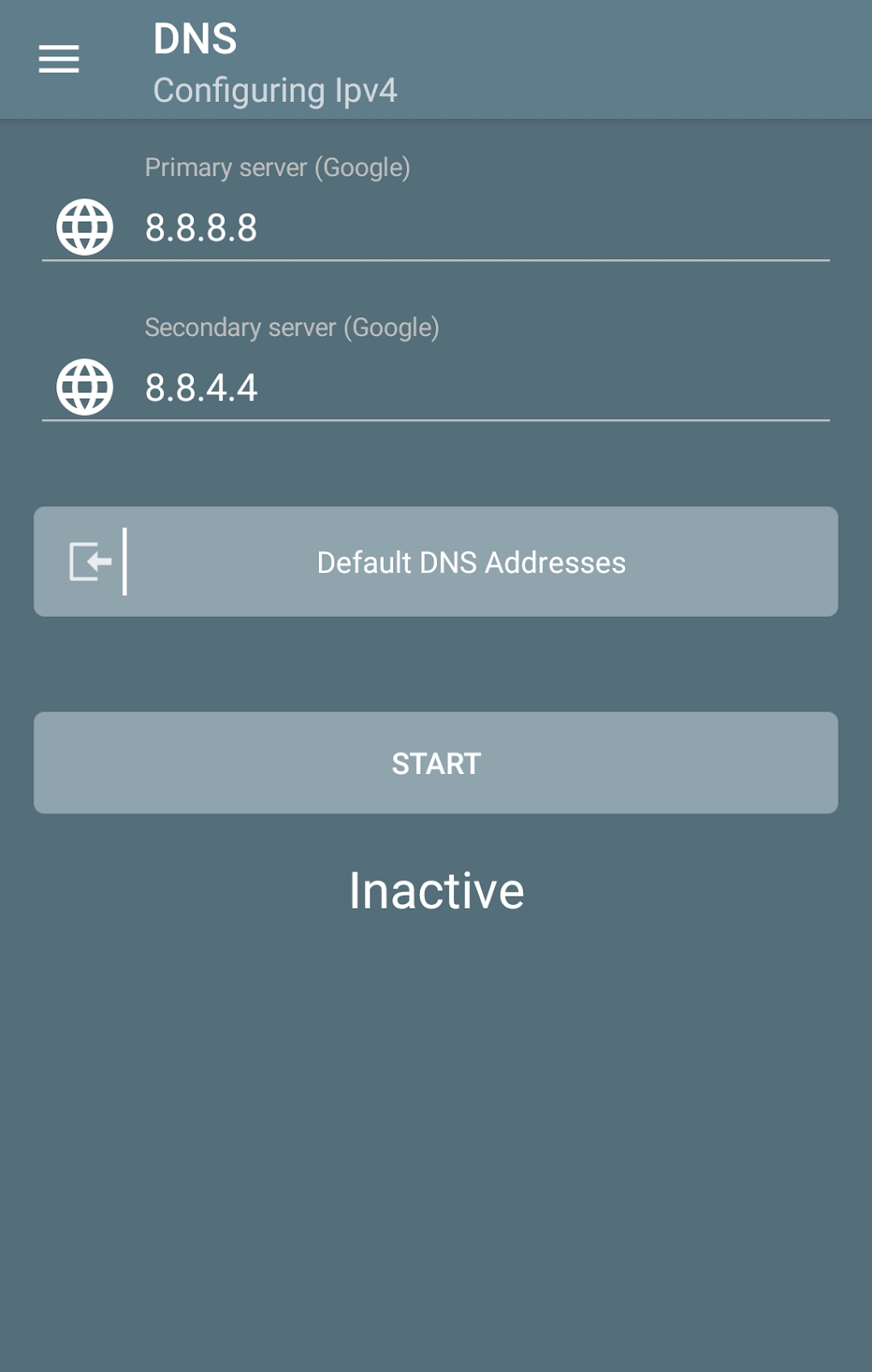
- Increased speed: Public DNS servers, such as Google Public DNS or Cloudflare DNS, are often optimized for speed and performance, potentially resulting in faster website loading times.
- Enhanced privacy: Some DNS servers prioritize user privacy by not logging your browsing activity.
- Circumventing censorship: In regions with internet censorship, using a DNS server located outside of those restrictions can allow access to blocked websites and content.
- Improved security: Using a secure DNS server can help protect against DNS spoofing and other attacks that can redirect your traffic to malicious websites.
DNSChanger for IPv4/IPv6 offers users the ability to select and configure their preferred DNS servers, granting them control over these critical aspects of their network connectivity.
DNSChanger for IPv4/IPv6: Key Features and Functionality
DNSChanger for IPv4/IPv6 is a straightforward application designed to simplify the process of changing DNS settings on Android devices. Its core functionality revolves around providing a user-friendly interface to modify both IPv4 and IPv6 DNS addresses.
IPv4 and IPv6 Support: The app’s crucial feature is its support for both IPv4 and IPv6. IPv4 is the older internet protocol, while IPv6 is the newer, more efficient protocol designed to handle the ever-increasing number of internet-connected devices. The app’s compatibility with both ensures that it can function effectively across a wide range of networks and devices.
Dual-Mode Operation (Wi-Fi and Cellular): The app allows users to configure DNS settings independently for both Wi-Fi and cellular data connections. This flexibility is beneficial for users who connect to different networks throughout the day, allowing them to optimize their DNS settings for each type of connection.
Root Access Not Required: Unlike some similar applications, DNSChanger for IPv4/IPv6 doesn’t require root access to function. This makes the app significantly more accessible to a broader range of users, as rooting can be a complex process and can void warranties.
Simple and Intuitive Interface: The app’s interface is designed for ease of use, even for those unfamiliar with network configurations. Users can easily input their desired DNS server addresses and save their settings.
Security Considerations and Potential Risks
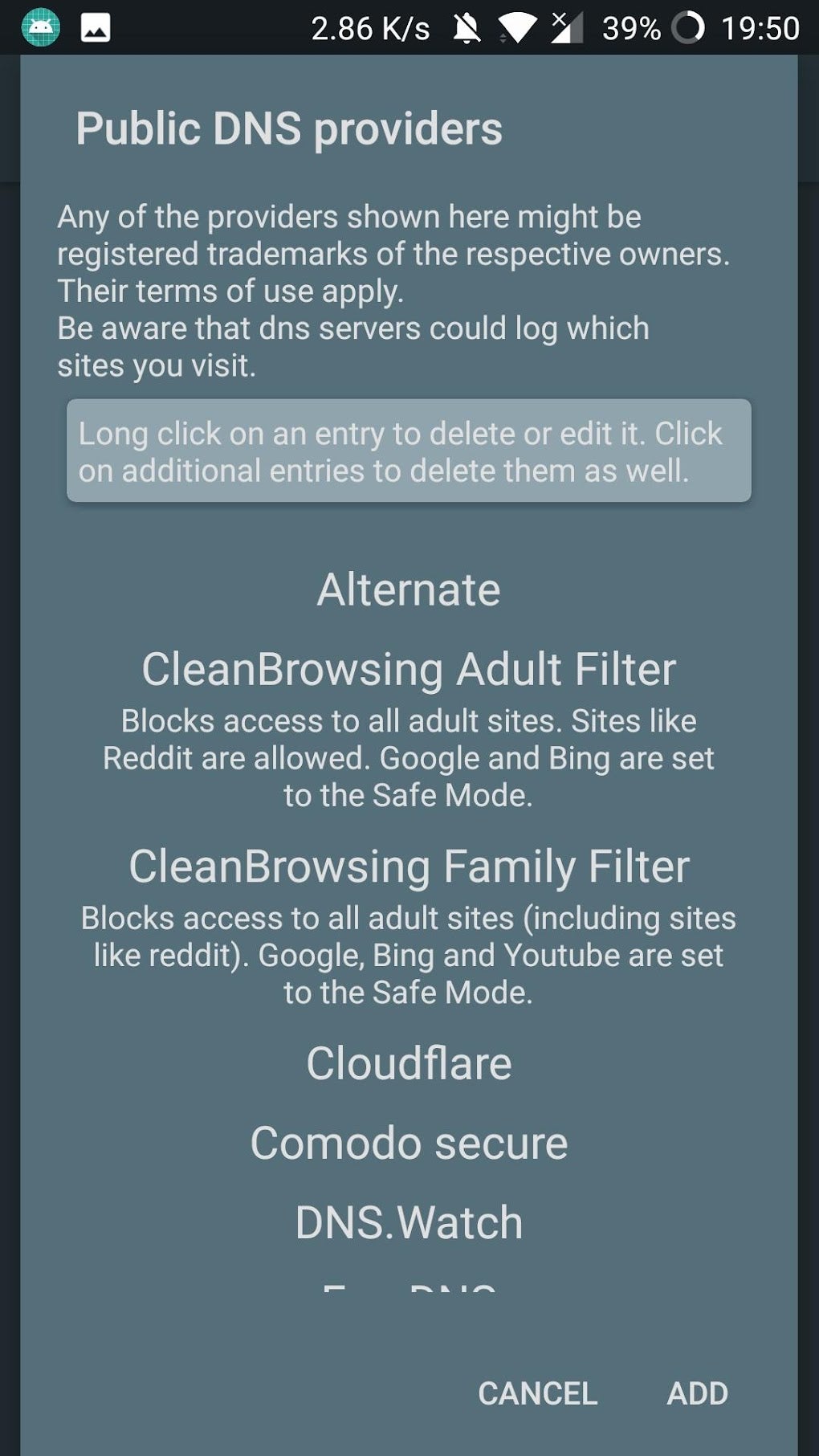
While DNSChanger for IPv4/IPv6 provides a convenient method for managing DNS settings, it’s essential to understand the potential security implications. Using a poorly configured DNS server or an untrusted DNS provider can expose users to various risks, including:
- DNS spoofing: Malicious actors could potentially exploit vulnerabilities in a poorly configured DNS server to redirect users to fake websites. This could lead to phishing attacks, malware infections, and data theft.
- Data leakage: Some DNS providers might log user activity, compromising user privacy.
- Performance degradation: Choosing an inefficient or overloaded DNS server could lead to slower browsing speeds and network instability.
Therefore, it’s crucial to exercise caution when selecting DNS servers. Users should only use reputable and well-established public DNS providers or those recommended by trusted sources.
Choosing an unreliable DNS server can result in slow internet speed, connection issues, or even malicious redirection to harmful websites. It’s advisable to thoroughly research any DNS provider before using it. Carefully review user reviews and security audits before making a decision. Prioritize security, particularly when using a public Wi-Fi network.
Alternatives and Comparison
Several alternative DNS management applications exist for Android, each with its own set of features and capabilities. When choosing an app, users should consider factors such as ease of use, features, security, and user reviews. Some popular alternatives include:
- DNS Changer - IPv4 IPv6: Another popular app offering similar functionality. A comparison of features and user reviews can help determine which app better suits your needs.
- DNS Changer - Trust DNS I Fast Secure Connection: Apps focusing on security and speed might offer additional features like VPN integration.
- Nebulo - DNS Changer for DNS over HTTP/TLS: Apps supporting DNS over HTTPS (DoH) or DNS over TLS (DoT) offer enhanced privacy and security.
Careful consideration should be given to the reputation and security practices of any chosen application and DNS provider. Thoroughly check reviews and security assessments before deciding on any alternative.
Conclusion: Harnessing the Power of DNS Control
DNSChanger for IPv4/IPv6 offers a simple yet powerful way to customize your Android device’s DNS settings, potentially enhancing your browsing experience and providing greater control over your network connections. However, understanding the security implications and choosing reputable DNS servers are crucial to ensuring safe and effective use of the application. By carefully selecting and configuring your DNS settings, you can optimize your network performance, enhance privacy, and potentially circumvent internet restrictions. Always prioritize using trusted DNS providers and keeping your app updated to the latest version to benefit from security patches and performance improvements. Remember to weigh the pros and cons of using a custom DNS server, comparing it to your ISP’s default settings, before making a change. Using this app responsibly and with caution will maximize its benefits while minimizing any potential risks. Always stay informed about the latest security practices and best practices for managing your network settings.
File Information
- License: “Free”
- Version: “1.16.5.11”
- Latest update: “March 25, 2025”
- Platform: “Android”
- OS: “Android 13.0”
- Downloads: “3.6K”
- Size: “4.99 MB”
- Download Options: “APK, Google Play”
- Filename: “com-frostnerd-dnschanger-125-62843316-19ae98bfedfb316e3c8cba0fb4ae5960.apk”


