
dnSpy is a powerful, free, and open-source utility designed primarily for software developers. Its core function is to facilitate a deeper understanding of .NET assemblies, even those that are obfuscated or otherwise difficult to interpret. This is accomplished through a robust suite of tools integrated into a user-friendly interface, making it a valuable asset for reverse engineering, code analysis, and software development in general. This detailed review will explore its capabilities, features, and limitations, providing a comprehensive overview of this indispensable tool.
A Deep Dive into dnSpy’s Functionality
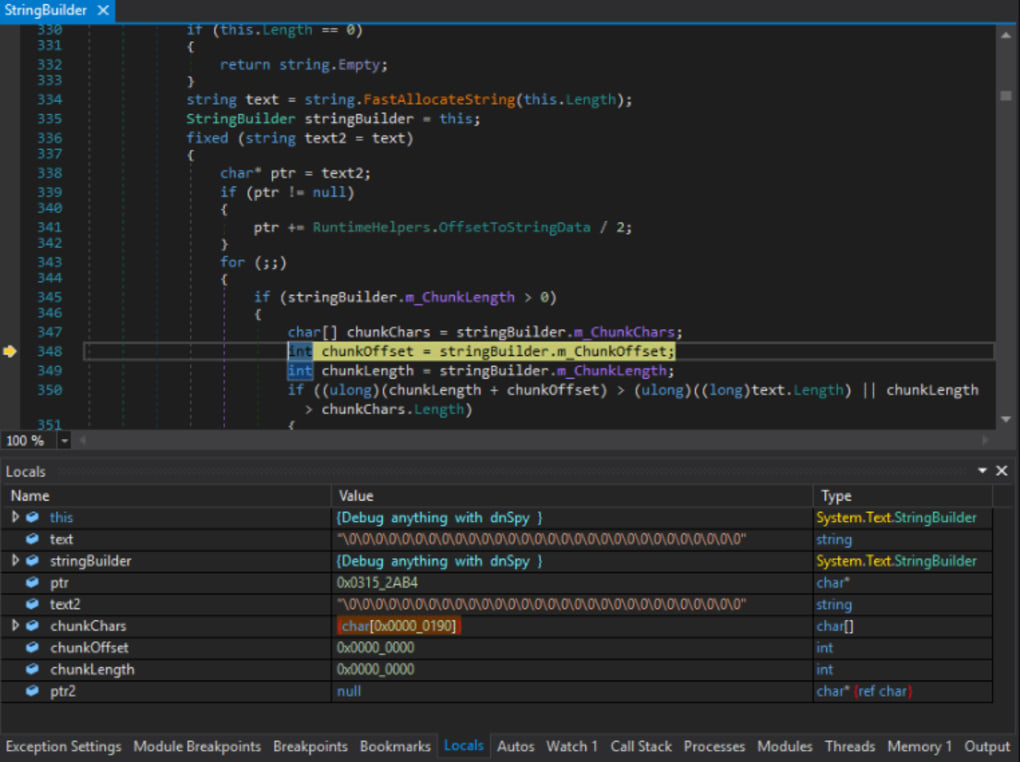
At its heart, dnSpy acts as an all-inclusive .NET assembly manager. It seamlessly integrates a decompiler, debugger, and hex editor, providing a comprehensive toolkit for exploring and manipulating .NET assemblies. Upon launching the application, users are greeted with a well-organized and intuitive interface. The layout is designed for efficiency, with clearly defined function panels and menus. A large portion of the screen is dedicated to the configuration window, a central hub allowing users to finely tune various aspects of the program’s behavior. This includes adjustments to the decompiler settings, debugger preferences, and hex editor options, allowing for a highly customized workflow tailored to individual needs and preferences. Beyond functional settings, the configuration window also allows for customization of the visual aspects of the interface, including the option to switch between light and dark themes for enhanced visual comfort.
Complementary to the configuration window is the Assembly Explorer pane. This pane presents a tree-view representation of the loaded assembly, providing a hierarchical structure for navigating its constituent parts. Accessing an assembly is straightforward, with two primary methods available: directly specifying a file path on the user’s system or utilizing the ‘Open’ option from the Global Assembly Cache (GAC), which presents a list of available assemblies installed on the system. This dual approach offers flexibility, catering to various scenarios and assembly locations.
Beyond its core functionality, dnSpy stands out for its extensibility. While requiring advanced programming knowledge, the platform allows users to write and integrate their own extensions, effectively expanding the tool’s capabilities to cater to specific needs and workflows. This open architecture provides a degree of customization unmatched by many similar tools, further solidifying its position as a leading choice for .NET assembly analysis.
User Interface and Ease of Use
dnSpy’s user interface is a testament to thoughtful design. While the sheer number of features and options may initially seem daunting, the intuitive layout and logical grouping of elements significantly reduce the learning curve. Experienced software developers will find the interface immediately familiar and intuitive, enabling a rapid transition to productive use. The clearly labeled menus, panels, and options are logically arranged, streamlining the workflow and minimizing the time required to locate specific functions. The comprehensive configuration options, while extensive, are presented in a manner that makes it relatively straightforward to tailor the program’s behavior to match individual preferences.
However, it’s important to acknowledge that the extensive feature set and configurable parameters may pose challenges for novice users lacking a background in software development or reverse engineering. The sheer volume of options and the technical nature of the underlying processes may necessitate a steeper learning curve for those unfamiliar with the concepts involved. While the interface itself is well-designed and largely self-explanatory, a solid understanding of .NET assemblies and related concepts is beneficial for effective utilization. For beginners, dedicating time to understanding the fundamental concepts and exploring the various features methodically will prove invaluable in mastering dnSpy’s capabilities. The wealth of resources available online, including tutorials and documentation, can significantly aid in overcoming the initial learning curve.
dnSpy’s Strengths: Decompilation, Debugging, and More
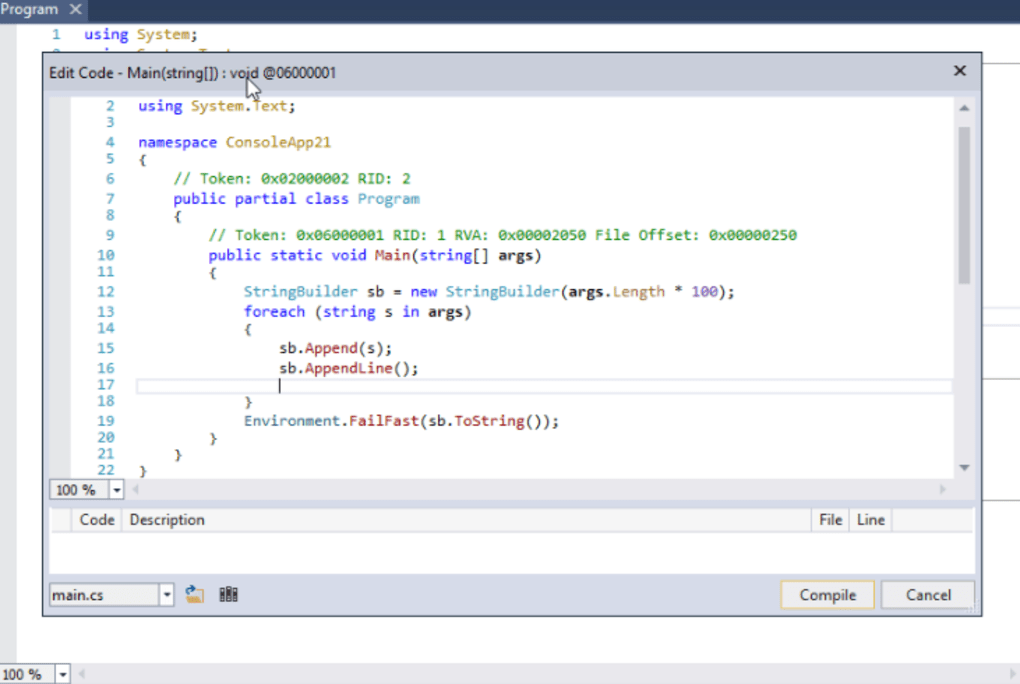
dnSpy’s strengths lie in its multifaceted approach to .NET assembly analysis. The integrated decompiler plays a pivotal role, transforming the often-opaque binary code into human-readable source code. This enables developers to examine the logic, algorithms, and underlying structure of an assembly with unprecedented clarity. The accuracy and efficiency of the decompilation process contribute significantly to the program’s overall value, allowing for more insightful analysis and quicker identification of key aspects within the target assembly.
Further enhancing its capabilities is the integrated debugger. This allows developers to step through the code, set breakpoints, inspect variables, and monitor the execution flow. This is particularly valuable for identifying bugs, understanding program behavior in specific scenarios, and gaining a granular level of insight into the assembly’s inner workings. The combination of decompilation and debugging capabilities provides a powerful synergy, transforming dnSpy into a comprehensive toolkit for both static and dynamic analysis.
The hex editor, while perhaps less frequently used than the decompiler and debugger, adds an essential dimension to the program’s capabilities. It allows for direct manipulation of the assembly’s raw binary data, providing an advanced level of control for specialized tasks. This is particularly useful for tasks such as patching, modifying, or analyzing specific sections of the code at a low level. The inclusion of the hex editor elevates dnSpy’s functionality beyond simple code analysis, empowering users with the tools necessary for a wide array of advanced tasks.
Limitations and Considerations
Despite its extensive functionality, dnSpy is not without limitations. The most prominent of these is the requirement for advanced programming knowledge, especially for those wishing to leverage its extensibility features. Creating custom extensions necessitates a deep understanding of the underlying architecture and programming APIs, a prerequisite that may exclude less experienced users. Additionally, the sheer breadth of features may present a challenge for novice users, requiring a significant time investment to master the full range of capabilities.
Another important consideration is the ethical implications of using dnSpy. While a powerful tool for legitimate software development and analysis, its capabilities can also be misused for malicious purposes, such as unauthorized software modification or reverse engineering of proprietary software. Users should always adhere to legal and ethical standards when utilizing this software, ensuring responsible and lawful application of its capabilities. Understanding and respecting intellectual property rights is paramount when working with dnSpy or any similar reverse engineering tool.
Conclusion: A Powerful Tool for Experienced Developers
dnSpy emerges as a highly capable and versatile tool for software developers and reverse engineers. Its integrated decompiler, debugger, and hex editor, combined with its extensibility and customizability, make it a comprehensive solution for in-depth analysis of .NET assemblies. While the advanced nature of the tool and the steep learning curve may exclude novice users, experienced developers will undoubtedly find dnSpy to be an indispensable asset in their toolbox. Its powerful features, coupled with its open-source nature and free availability, solidify its position as a leading contender in the realm of .NET assembly analysis. However, users must always remember the ethical implications and utilize the software responsibly.
File Information
- License: “Free”
- Version: “6.1.8”
- Latest update: “February 15, 2022”
- Platform: “Windows”
- OS: “Windows 11”
- Language: “English”
- Downloads: “8.2K”
- Size: “85.81 MB”


