
DoubleCAD is a free, feature-rich CAD software program for Windows, offering a compelling alternative to the industry-standard AutoCAD. While not as extensive in its feature set, DoubleCAD provides a robust and accessible solution for users needing CAD capabilities without the cost and complexity of commercial alternatives. This review delves into the software’s capabilities, strengths, limitations, and overall user experience, comparing it to other options available in the market.
DoubleCAD’s Core Features and Functionality
DoubleCAD, developed by IMSI Design, is categorized as Design & Photography software, specifically a Graphics Editor. It’s designed to assist users in creating professional-quality designs, offering a range of tools suitable for both beginners and experienced CAD users. The program’s strengths lie in its intuitive interface, ease of use, and surprisingly comprehensive feature set considering its freeware status. Key features include:
-
Vector Drawing Capabilities: DoubleCAD excels at creating and manipulating vector graphics, allowing for the creation of precise, scalable drawings. This is crucial for applications requiring high-resolution output, such as architectural designs, engineering blueprints, or detailed technical illustrations. The ability to scale without loss of quality is a significant advantage.
-
2D Drafting Tools: The software provides a complete set of 2D drafting tools, mirroring many features found in commercial CAD packages. This includes lines, arcs, circles, polygons, splines, and other geometric shapes. Users can easily create complex drawings by combining these basic elements. Precise dimensioning tools ensure accurate measurements are displayed on the drawings.
-
Layers and Organization: DoubleCAD supports the use of layers, a fundamental organizational tool in CAD. This allows users to group related objects and manage the complexity of large drawings effectively. This layered approach improves workflow efficiency and makes editing much simpler.
-
Object Manipulation: A wide range of tools facilitate object manipulation, including moving, rotating, scaling, mirroring, and arraying. These tools enable users to quickly and precisely position and adjust elements within their drawings.
-
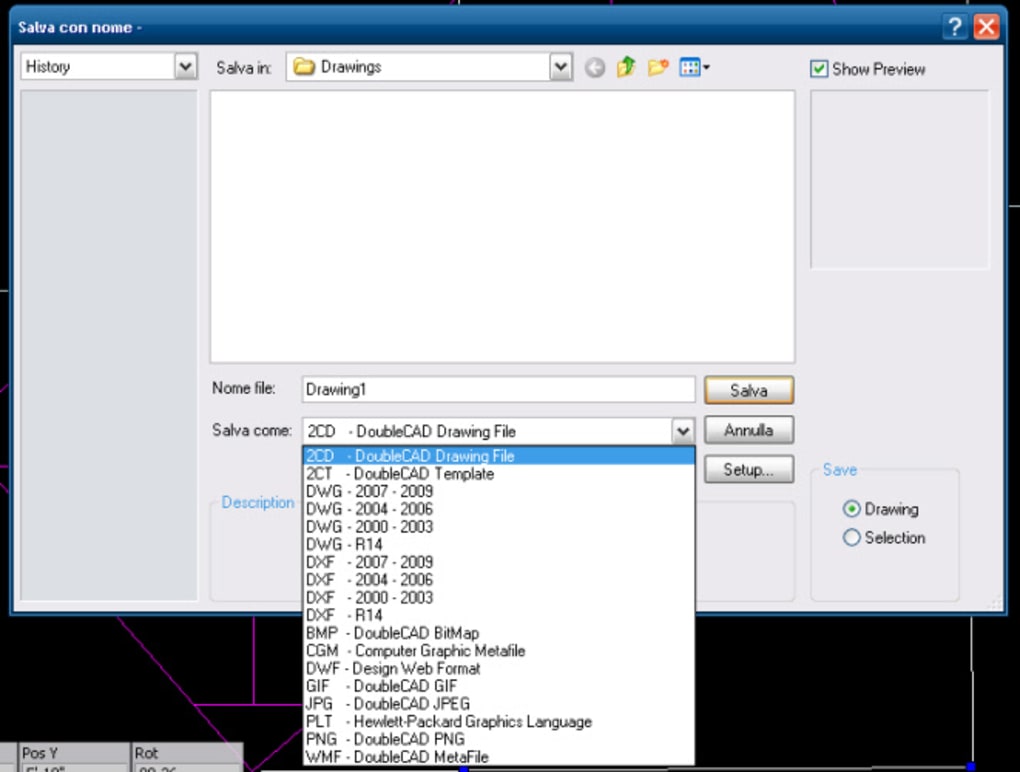
File Compatibility: DoubleCAD supports several common file formats, ensuring interoperability with other CAD software and applications. The ability to import and export files in various formats streamlines collaboration and data exchange.
-
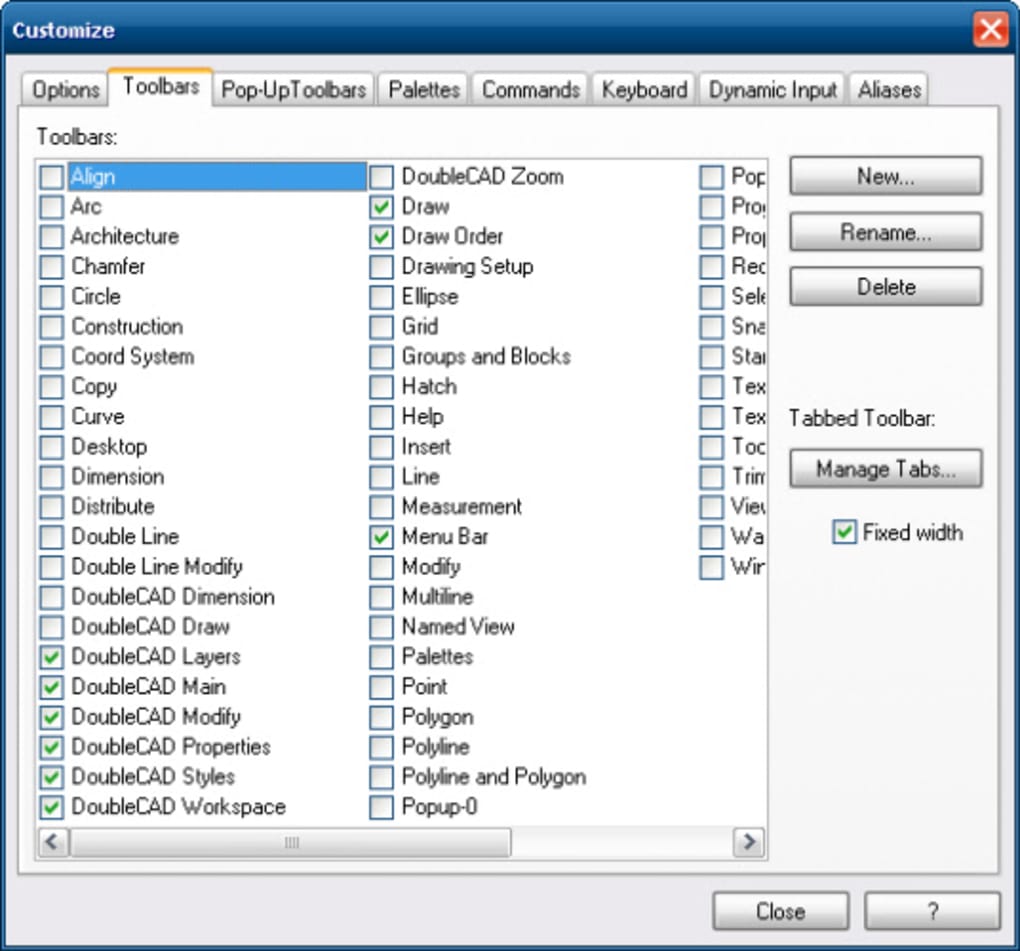
Customizable Interface: DoubleCAD offers a customizable interface to suit individual preferences. Users can personalize toolbars, palettes, and workspace arrangements, improving efficiency and user comfort.
-
Printing and Output: The software provides options for high-quality printing, ensuring that designs are accurately reproduced on paper. This is vital for generating professional-looking documents.
While DoubleCAD provides a solid foundation for 2D CAD work, it lacks some advanced features found in more expensive professional packages. These omissions are understandable given its freeware status. However, for many users, these missing features are not critical.
DoubleCAD Compared to AutoCAD and Other Alternatives
DoubleCAD’s primary competitor is AutoCAD, the industry-leading CAD software. However, AutoCAD comes with a substantial price tag and a steep learning curve. DoubleCAD provides a viable alternative for users who don’t require the full breadth of AutoCAD’s capabilities or who are operating on a budget.
Compared to other free CAD alternatives, DoubleCAD stands out for its relative maturity, robust feature set, and user-friendly interface. Many free CAD programs offer limited functionality or are significantly less intuitive. DoubleCAD manages to strike a balance between usability and capabilities, making it a strong contender in the freeware market.
While free, DoubleCAD also offers a professional version with expanded capabilities. This paid version provides access to advanced features not available in the free edition, further bridging the gap between free and commercial CAD solutions. The professional version offers a 30-day trial, allowing users to explore the enhanced features before committing to a purchase.
DoubleCAD’s User Experience and Interface
DoubleCAD’s interface is generally well-regarded for its intuitiveness and ease of navigation. The toolbar layout is logical, and most tools are readily accessible. The software’s simple design makes it easy for beginners to learn the fundamentals of CAD. However, experienced CAD users might find the interface somewhat simplistic compared to the extensive customization options available in professional software. Despite this, the ease of use is a significant advantage for those new to CAD or who prioritize a streamlined workflow.
The program’s responsiveness is generally good, although performance can depend on the complexity of the drawing and the system specifications. Users working with very large or intricate designs might experience some lag, but for most everyday tasks, the performance is satisfactory.
System Requirements and Compatibility
DoubleCAD’s system requirements are relatively modest, making it accessible to users with a range of computer configurations. The software runs on Windows XP and later versions, ensuring compatibility with a wide range of operating systems. This broad compatibility further enhances its appeal.
The installation process is straightforward and trouble-free. The software is relatively lightweight in terms of file size and system resources, minimizing its impact on overall computer performance.
Limitations and Considerations
While DoubleCAD offers a strong set of features for its price (free!), certain limitations should be considered. These limitations aren’t deal-breakers for many users, especially those focusing on 2D design and basic CAD functionalities. However, potential users should be aware of these before choosing DoubleCAD.
- 3D Modeling Capabilities: DoubleCAD primarily focuses on 2D drafting. While some basic 3D capabilities may be included, they are not a strong point of the software. Users needing robust 3D modeling capabilities should explore alternative options.
-
Advanced Features: Compared to commercial CAD software, DoubleCAD lacks advanced features like parametric modeling, complex surface modeling, or sophisticated rendering capabilities. These features are often essential for large-scale projects or highly specialized design work.
-
Limited Support: As a free software, DoubleCAD may have limited technical support compared to commercial alternatives. While user forums and online resources may provide assistance, direct technical support might not be readily available.
-
Occasional Bugs: Like any software, DoubleCAD may occasionally encounter bugs or glitches. These are typically addressed through updates, but users should be prepared for the possibility of encountering minor issues.
Conclusion: Is DoubleCAD Right for You?
DoubleCAD is a valuable tool for users seeking a free, user-friendly CAD software solution. It provides a robust set of 2D drafting capabilities, making it suitable for a variety of applications. Its intuitive interface and modest system requirements make it accessible to a broad audience.
While DoubleCAD lacks the extensive feature set of professional CAD software, its free price point and ease of use make it an excellent choice for beginners, students, hobbyists, or individuals needing basic CAD functionality without the financial commitment. For professional work requiring advanced features and reliability, a commercial CAD package might be more appropriate. However, for many users, DoubleCAD provides a powerful and cost-effective solution to their CAD needs. The possibility of upgrading to the professional version offers a seamless transition path for those requiring more advanced capabilities as their needs evolve.
File Information
- License: “Free”
- Version: “5”
- Latest update: “February 27, 2013”
- Platform: “Windows”
- OS: “Windows XP”
- Language: “English”
- Downloads: “16.7K”
- Size: “158.94 MB”


