
DoubleKiller is a free, portable Windows utility designed to identify and remove duplicate files from your computer. In a world of ever-expanding digital storage, duplicate files can significantly impact hard drive space and overall system performance. This comprehensive review delves into DoubleKiller’s functionality, features, strengths, and weaknesses, providing a thorough assessment of its effectiveness in tackling the pervasive problem of duplicate files.
Identifying and Eliminating Digital Clones
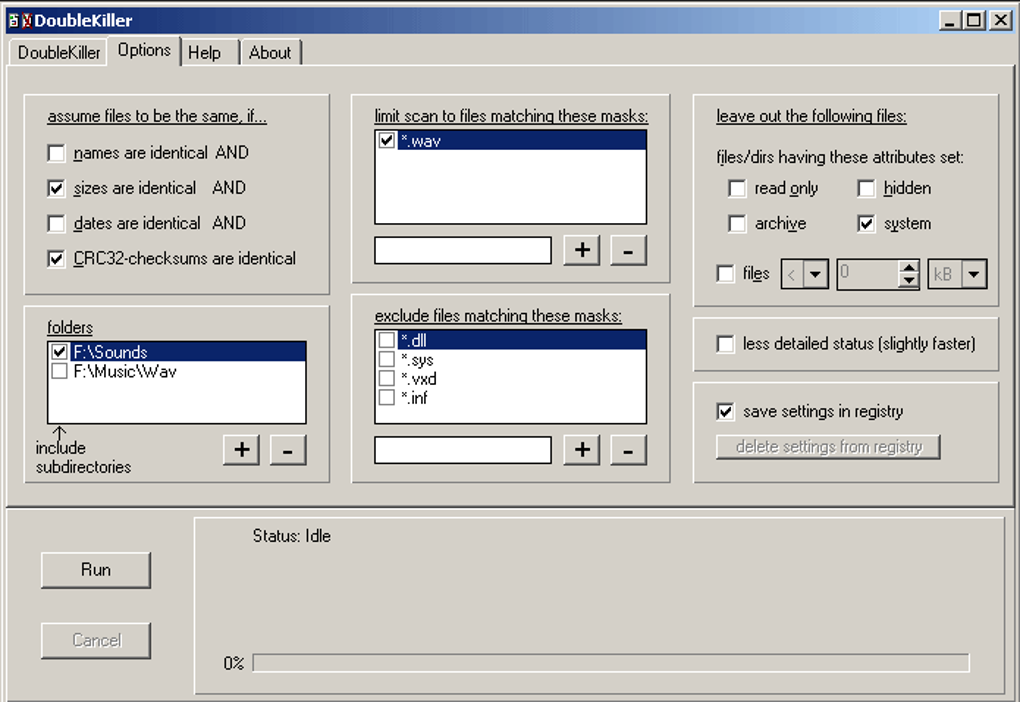
The core function of DoubleKiller is straightforward: finding and removing duplicate files. It operates by scanning specified directories (or the entire hard drive) and comparing files based on configurable criteria. This allows for a highly customized approach to identifying duplicates, preventing accidental deletion of important files. Instead of relying solely on filename, DoubleKiller can also analyze file size, modification date, and even the CRC32 checksum – a cryptographic hash that virtually guarantees the identification of identical file content. This multi-faceted approach ensures accuracy and reduces the likelihood of mistakenly deleting unique files that simply share a similar name or size.
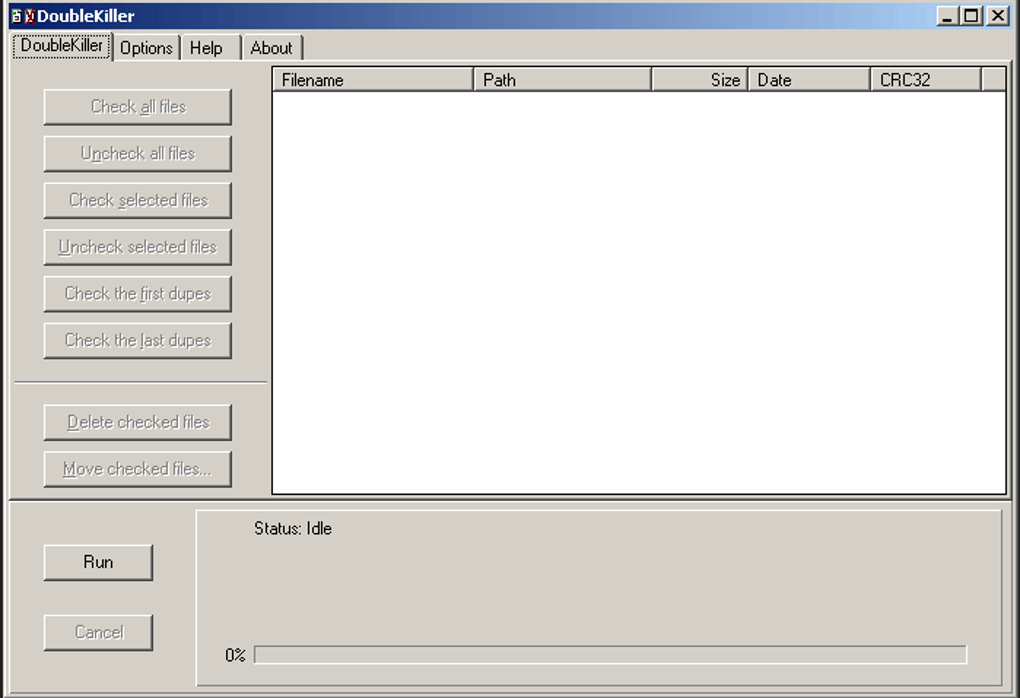
The process begins with user selection of the target directory for scanning. This targeted approach empowers users to focus on specific areas of their hard drive, such as a particular folder containing media files or downloaded documents. This avoids unnecessarily lengthy full-system scans, optimizing the time required for the process. Once the scan initiates, DoubleKiller diligently compares files against the chosen criteria, compiling a detailed list of detected duplicates.
This comprehensive list is not merely a compilation of duplicate filenames; it provides contextual information for each duplicate, such as the file paths, sizes, modification dates, and the calculated CRC32 checksum (if selected). This level of detail allows users to review the results with confidence, verifying the accuracy of the identified duplicates before initiating removal. The program also offers various sorting options, allowing users to organize the results based on file size, modification date, or filename, facilitating efficient review and selection.
Customization and Control: Tailoring Your Search
DoubleKiller’s strength lies not only in its ability to detect duplicates but also in its extensive customization options. These configurable parameters allow users to fine-tune the scanning process to precisely target specific types of files or directories while excluding others. This granular control minimizes the risk of accidental deletion and ensures that only genuinely duplicate files are flagged for removal.
For instance, users can specify file masks (wildcards) to include or exclude particular file types. This allows the user to scan only for image files (like *.jpg, *.png, *.gif), music files (like *.mp3, *.wav), or document files (like *.doc, *.pdf, *.txt), avoiding unnecessary scans of irrelevant files. Users can also define size ranges to further refine the search, specifying minimum and maximum file sizes. This is particularly helpful when focusing on large files that consume the most disk space.
The exclusion of system files and hidden files is another crucial safety feature. This prevents the accidental removal of essential system components, which could cause serious instability or system failure. This safeguard underscores DoubleKiller’s attention to user safety and data protection.
The ability to save customized settings to the Windows Registry is a significant convenience feature. This eliminates the need to reconfigure settings for each scan, streamlining the process for users who regularly utilize the program. This feature is particularly beneficial for users with recurring needs for duplicate file removal.
Post-Scan Actions and Verification
Once the scan completes, DoubleKiller presents the user with a comprehensive list of detected duplicates. This list is not just a simple display; it’s a powerful tool that allows users to selectively or automatically choose which files to remove. The manual selection process offers users complete control, allowing for a careful review and verification of each duplicate before deletion.
The automatic selection feature simplifies the process for users who are confident in the scan results. It allows for the quick removal of all identified duplicates without individual review. However, caution is advised when using this feature, as careful manual review is always recommended to prevent accidental deletion of valuable files.
DoubleKiller further enhances the verification process by offering the option to export the scan results to a text file. This text file is compatible with both standard text editors and spreadsheet applications. This enables users to further analyze the list, perhaps using spreadsheet sorting and filtering features to refine their selection of files to be removed. The ability to export the results provides an extra layer of control and verification, adding another safeguard against unintended deletions.
Interface and Usability: A User-Friendly Experience?
While DoubleKiller’s functionality is undeniably robust, its interface might not be as visually appealing or modern as some of its competitors. The program’s visual design is somewhat dated, lacking the polish and intuitive design elements found in many contemporary software applications. However, despite its less aesthetically pleasing presentation, the program’s functionality is easy to understand and navigate, making it surprisingly user-friendly, even for users with limited technical experience. The options are clearly labeled, and the software’s logical workflow simplifies the entire process of duplicate file detection and removal.
The inclusion of a comprehensive help file addresses any potential usability issues. This provides users with detailed instructions and explanations of each feature, allowing users to confidently navigate the program’s capabilities. This thorough documentation further enhances accessibility, making the program suitable for both novice and experienced computer users.
Performance and System Resources: A Lightweight Solution
DoubleKiller is designed to be a lightweight application. It boasts a relatively small footprint and consumes minimal system resources during operation. The impact on CPU usage and system memory is minimal, ensuring that the scanning process doesn’t significantly impede the performance of other applications. This is particularly beneficial for users with older or less powerful computers.
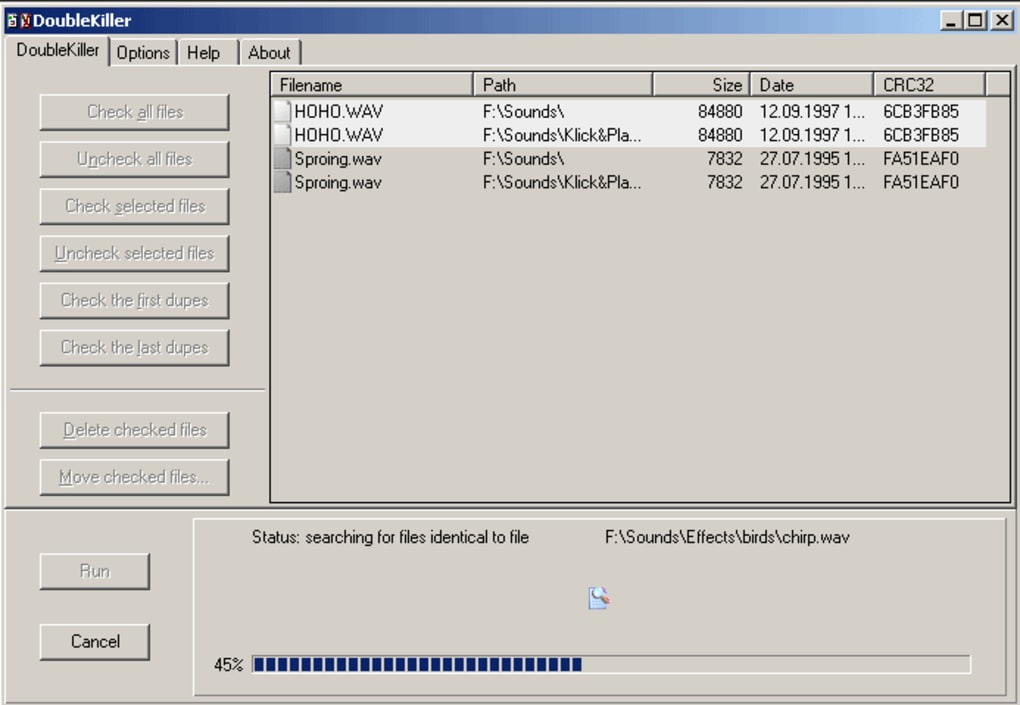
However, the time required for scanning can vary significantly depending on factors like hard drive size and the selected options. Scanning an entire hard drive with extensive customization options will naturally take longer than a focused scan of a small, specific directory. This factor, while not a critical drawback, should be considered, especially for users with extremely large hard drives containing a vast amount of data.
DoubleKiller: A Reliable Tool with Room for Improvement
DoubleKiller provides a reliable solution for identifying and removing duplicate files. Its strong points are its robust functionality, customizable options, and emphasis on user safety. Its ability to compare files using multiple criteria (filename, size, modification date, and CRC32 checksum) significantly increases the accuracy of duplicate identification. The capability to save settings, export results, and the presence of a helpful documentation make it an efficient tool.
However, the somewhat outdated interface could use a visual refresh. A more contemporary and visually appealing design would enhance the overall user experience. While not a critical flaw, it’s a point of potential improvement. The time required for full system scans, especially on larger hard drives, could also be a concern for some users. Despite these minor drawbacks, DoubleKiller’s strengths outweigh its weaknesses, making it a valuable tool for managing and optimizing storage space on Windows systems. It’s a powerful, dependable, and free tool that effectively addresses the problem of duplicate files.
File Information
- License: “Free”
- Latest update: “May 24, 2023”
- Platform: “Windows”
- OS: “Windows 2000”
- Language: “English”
- Downloads: “48.4K”
- Size: “400.72 KB”


