
Dragon NaturallySpeaking is a premium voice recognition software designed to revolutionize how you interact with your computer. Instead of relying solely on keyboard and mouse inputs, this powerful tool allows you to dictate text, control applications, and navigate your operating system using only your voice. This review delves into the features, performance, and overall user experience of Dragon NaturallySpeaking, providing a comprehensive assessment of its capabilities and limitations.
Unlocking the Power of Voice Control
Dragon NaturallySpeaking aims to eliminate the need for constant typing, freeing up your hands for other tasks while simultaneously increasing your productivity. This is achieved through a sophisticated speech recognition engine that boasts impressive accuracy and a natural language processing system that understands your conversational style. The software seamlessly integrates with various Windows applications, enabling voice dictation in everything from simple text editors like Notepad to complex programs such as Microsoft Word and web browsers. The intuitive interface is unobtrusive, typically residing as a small toolbar, allowing quick access to all core functionalities. Beyond simple dictation, Dragon NaturallySpeaking offers extensive voice command capabilities, allowing you to open programs, navigate menus, search the web, control media playback, and much more, all without ever touching your keyboard or mouse. The software essentially acts as a hands-free interface for your entire computer system.
Setting Up and Training Dragon NaturallySpeaking
While the software offers remarkable functionality, the initial setup and training process is crucial for optimal performance. This involves a period of voice training where the user reads aloud designated text passages. This process allows the software to learn the nuances of your voice, pronunciation, and speech patterns. The accuracy of the speech recognition improves significantly after this training phase, and it adapts and learns over time with continued use, refining its understanding of your specific vocabulary and phrasing. While the training can seem lengthy and somewhat tedious, it’s an essential investment that pays off handsomely in terms of enhanced accuracy and overall efficiency. The time required for effective training will vary depending on individual speech patterns and the desired level of accuracy.
Performance and Accuracy: A Real-World Assessment
Dragon NaturallySpeaking’s speech recognition accuracy is a standout feature. While no voice recognition software is perfect, this program consistently delivers highly accurate transcriptions, even with casual conversational speech. The software boasts a claimed accuracy rate of up to 99% out of the box, though real-world results might vary depending on factors such as background noise, clarity of speech, and the user’s voice training. The software compensates for common speech errors and adjusts dynamically to various accents and speaking styles. In practice, users report surprisingly high accuracy rates, even with rapid dictation. The learning capabilities of the software further improve accuracy over time, adapting to individual user habits and correcting for recurring errors. While minor corrections might still be necessary, the overall transcription speed and accuracy far surpasses manual typing for many users.
Features and Functionality: Beyond Basic Dictation
The capabilities of Dragon NaturallySpeaking extend far beyond basic text dictation. The software offers a plethora of advanced features designed to enhance productivity and streamline various computer-related tasks. These features include:
-
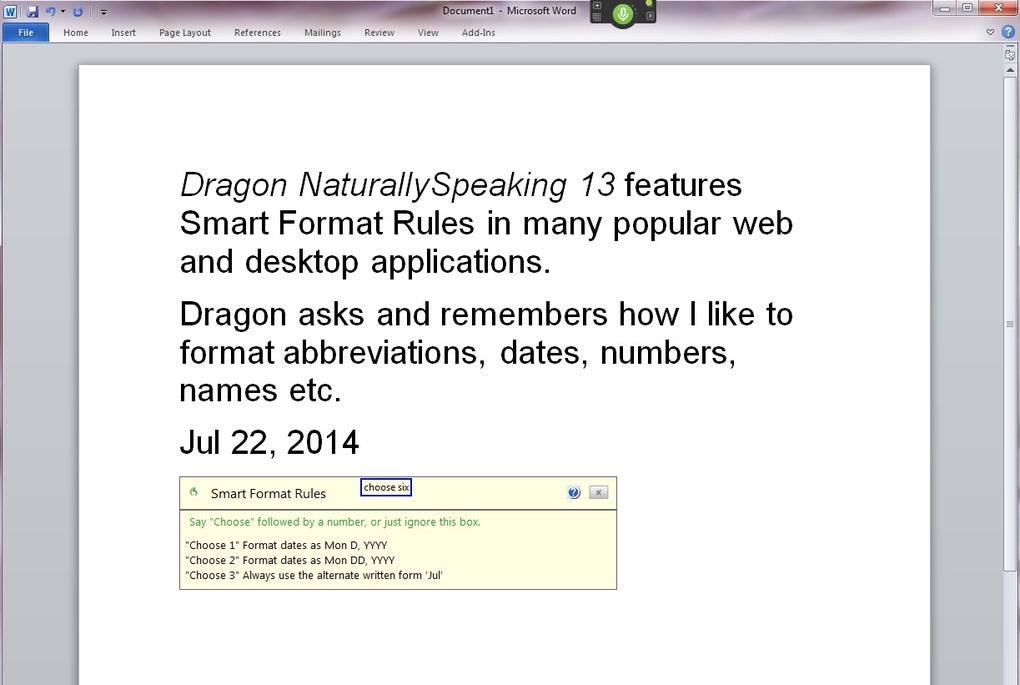
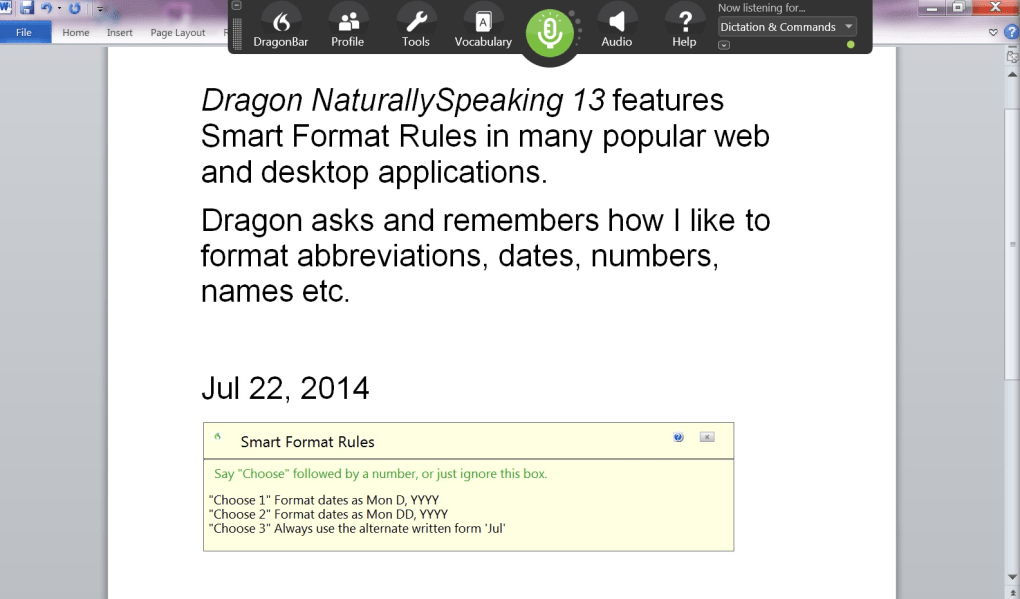
Advanced Dictation: Beyond simple text entry, Dragon NaturallySpeaking allows for sophisticated dictation, including the insertion of punctuation marks, formatting options, and the creation of complex documents. Users can dictate paragraphs, lists, tables, and even code, significantly speeding up document creation and editing.
-
Voice Commands: The software offers an extensive library of voice commands for controlling various aspects of the computer system. This includes launching applications, navigating file systems, browsing the web, sending emails, and interacting with numerous other programs. Custom voice commands can also be created, tailoring the system to individual needs and workflows.
-
Text Editing and Formatting: The software offers a robust set of voice commands for text editing and formatting. Users can dictate commands to select text, copy, paste, cut, and format text using bold, italics, underlining, and other stylistic elements.
-
Integration with Other Applications: Dragon NaturallySpeaking integrates seamlessly with various third-party applications, extending its functionality across a wide range of software. This means that users can utilize voice control in virtually any application, not just those that explicitly support voice recognition.
-
Customizable Vocabulary: The software allows users to customize their vocabulary by adding new words and phrases, correcting misspellings, and training the system to recognize specialized terminology. This enhances accuracy and personalized functionality, especially useful for those working in niche industries or requiring the system to understand specialized language.
-
Multiple Input Methods: The flexibility extends to input devices. Users can utilize the included microphone, a smartphone (iOS or Android) acting as a wireless microphone, built-in laptop microphones, or external Bluetooth microphones. This versatility accommodates various user preferences and hardware setups.
Addressing Limitations and Potential Drawbacks
While Dragon NaturallySpeaking offers numerous advantages, it’s essential to acknowledge certain limitations. These drawbacks should be considered before investing in the software:
-
Initial Training Time: The initial training phase requires a significant time commitment. The effectiveness of the software hinges on this training, and inadequate training can result in lower accuracy and reduced efficiency.
-
Accuracy Variations: While overall accuracy is high, it can fluctuate based on several factors, including background noise, clarity of speech, and the user’s speaking style. Accuracy is also influenced by the complexity of the dictated text and the software’s ability to understand specialized terminology.
-
Cost: Dragon NaturallySpeaking is a premium software product, significantly more expensive than free or lower-cost alternatives. The high cost might be a barrier to entry for some users, particularly those who only occasionally require voice recognition capabilities.
-
System Resource Requirements: The software necessitates adequate system resources to function optimally. Users with older or less powerful computers might encounter performance issues, such as lags or crashes.
-
Potential for Misinterpretations: Even with extensive training, the software can sometimes misinterpret words or phrases, requiring manual corrections.
Conclusion: Is Dragon NaturallySpeaking Worth the Investment?
Dragon NaturallySpeaking provides a compelling solution for users who seek to improve their productivity and interact with their computers more efficiently. The high accuracy, extensive features, and seamless integration make it a powerful tool for professional writers, researchers, individuals with disabilities, and anyone who spends considerable time typing. However, the cost, initial training time, and potential accuracy variations should be carefully considered. While not perfect, Dragon NaturallySpeaking significantly enhances the efficiency of tasks requiring extensive text entry, and for many users, the improved productivity outweighs the limitations. Overall, it’s a sophisticated and powerful voice recognition software that delivers on its promise of a more efficient and hands-free computing experience. Its suitability ultimately depends on individual needs and willingness to invest the time required for optimal performance.
File Information
- License: “Full”
- Version: “13”
- Latest update: “September 27, 2021”
- Platform: “Windows”
- OS: “Windows 8”
- Language: “English”
- Downloads: “42.6K”
- Size: “3.49 GB”


