Draw Cartoons 2 is a mobile application designed for creating animated cartoons. Its user-friendly interface and powerful features make it accessible to both beginners and experienced animators. This guide explores the app’s functionalities, strengths, weaknesses, and overall user experience, providing a detailed overview for potential users.
Intuitive Interface and Accessible Animation Tools
Draw Cartoons 2 boasts a user-friendly interface that simplifies the often complex process of animation. The app’s intuitive design allows users to quickly grasp the core functionalities, minimizing the learning curve and enabling immediate creative exploration. The layout is clean and uncluttered, making it easy to navigate between different tools and features. This accessibility is a key strength, making the app appealing to a broad range of users, including those with no prior animation experience.
The app’s strength lies in its streamlined workflow. The process of creating an animation is broken down into logical steps, guiding users through each stage from initial character creation to final video export. This step-by-step approach makes the entire process less daunting, particularly for beginners who may feel overwhelmed by the complexity of traditional animation software.
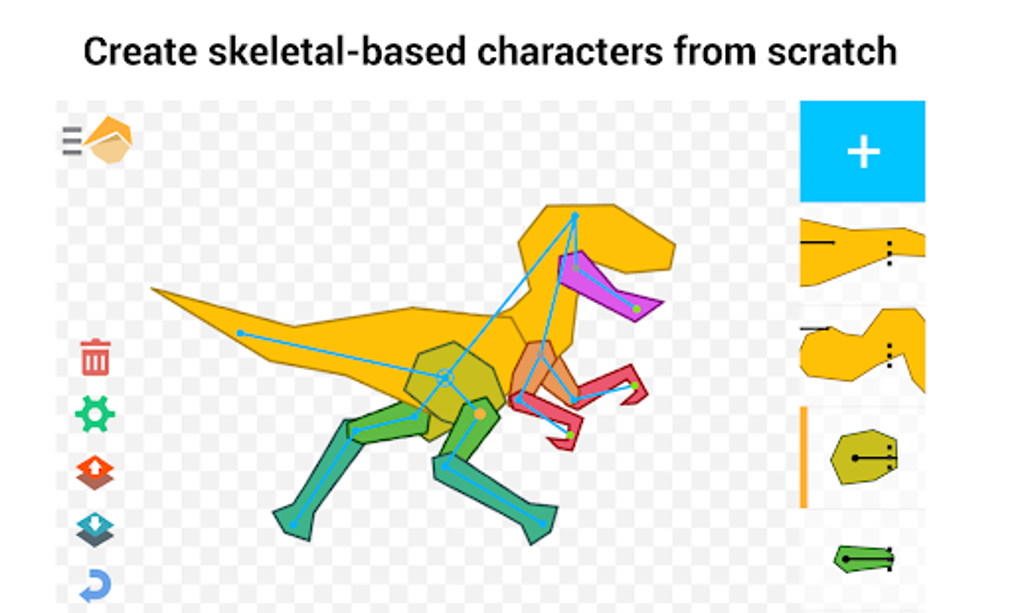
One of the key features contributing to the app’s ease of use is its skeleton-based character system. This system allows users to animate characters by manipulating a simplified skeletal structure. This method significantly reduces the amount of manual drawing required for creating smooth and believable movement. Instead of painstakingly redrawing a character for each frame of animation, users can manipulate the skeletal structure to define key poses, and the app automatically interpolates the intermediate frames, creating fluid animations. This keyframe animation system is extremely efficient and simplifies the animation process without sacrificing the quality of the final product.
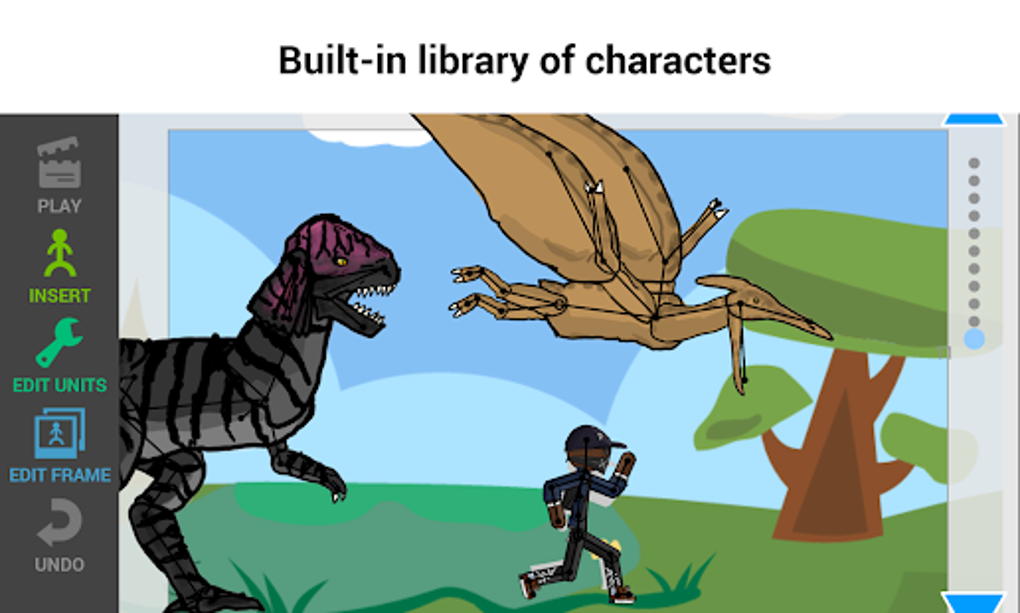
The app also offers a customizable library of characters and props, further enhancing its ease of use. Users can choose from a pre-existing selection of assets to quickly populate their animations, saving time and effort. This is particularly useful for quick projects or for users who are less focused on character design and more interested in experimenting with animation techniques.
Creating and Customizing Characters and Environments
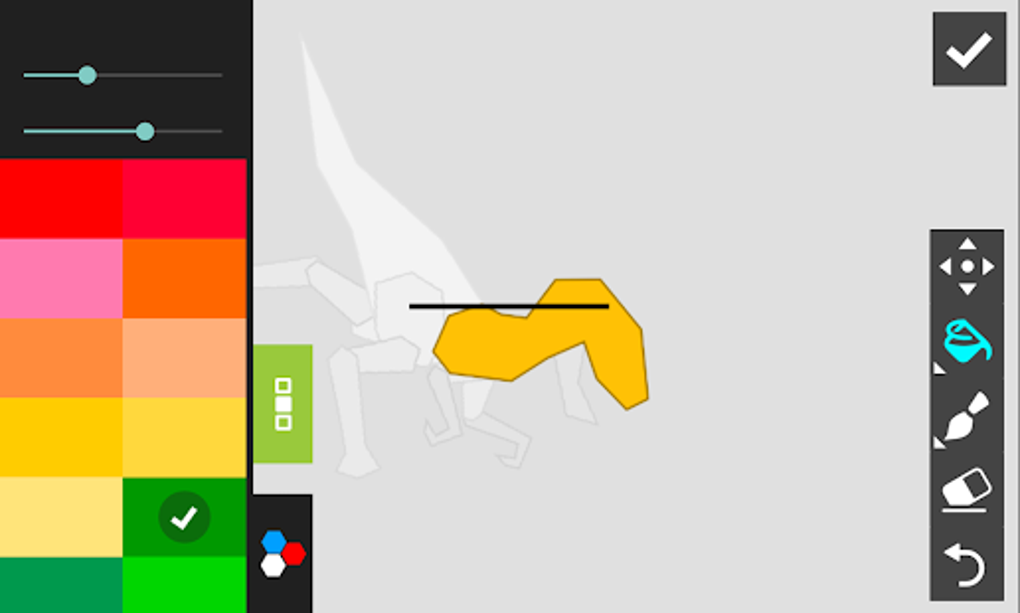
Draw Cartoons 2 provides robust character creation and customization tools. While pre-built characters and props are readily available, the app allows for significant personalization. Users are not limited to using only the pre-loaded assets; instead, they can design and customize their own characters, creating unique and original animations.
The character customization options are extensive, allowing users to modify various aspects of their characters’ appearance. This includes adjusting body proportions, features, and clothing, offering a high degree of creative control. The toolset is sufficiently intuitive that even those without artistic backgrounds can create visually appealing characters.
Furthermore, the app allows for environment customization. Users can create their own backdrops and scenes, matching them to their characters and animation style. This level of customization allows users to create truly unique and personalized animations, tailoring the entire visual aesthetic to match their specific vision. The flexibility to create or modify environments is a significant advantage, setting Draw Cartoons 2 apart from other animation apps that may offer limited background options.
Advanced Features and In-App Purchases
While Draw Cartoons 2 offers a wealth of free features, some advanced functionalities are locked behind in-app purchases. This freemium model is a common monetization strategy in mobile app development, and it allows the developers to continue supporting and improving the app.
The in-app purchases primarily focus on additional character packs and advanced tools. While the core functionality of the app is readily accessible without any monetary investment, users who want access to a wider array of character models or more specialized animation tools will need to make in-app purchases. This can be a limiting factor for users with budget constraints, but the free features provide a solid foundation for learning and creating animations.
The decision of whether or not to purchase additional features depends on the user’s individual needs and aspirations. For casual users who only wish to create simple animations, the free tools are more than sufficient. However, for users seeking more advanced features or access to a wider range of assets, the in-app purchases provide a means to expand their creative capabilities. The developers provide clear information regarding the costs of these additional features, allowing users to make informed decisions based on their budget and requirements.
The in-app purchases are presented in a transparent manner, avoiding any misleading or deceptive marketing practices. Users are presented with clear descriptions and pricing, so they can choose what features they would like to invest in. This transparency ensures a fair and ethical user experience.
Exporting and Sharing Animations
One of Draw Cartoons 2’s key features is its seamless video export functionality. Once an animation is complete, users can easily export it as a video file, allowing them to share their creations with friends, family, or online communities. The export process is streamlined and simple, eliminating any technical complexities that might discourage users.
The app supports various video formats and resolutions, allowing users to optimize their exports for different platforms and devices. This flexibility enables users to share their animations across multiple channels and ensures compatibility with a wide range of viewing options. The ability to export high-resolution videos is particularly important for users who want to ensure their animations maintain their visual quality when shared online.
The ease of sharing animations is a crucial aspect of the app’s appeal. By making it easy to export and share their work, Draw Cartoons 2 encourages user engagement and fosters a sense of community among animators. This makes the app a valuable tool for users who are interested not only in creating animations but also in showcasing their creativity and connecting with other users.
Draw Cartoons 2: Conclusion
Draw Cartoons 2 is a comprehensive and user-friendly animation app that offers a fun and accessible way to create animated cartoons on mobile devices. Its intuitive interface, robust character customization tools, and seamless video export features make it an ideal choice for both beginners and experienced animators. While some advanced features require in-app purchases, the free version of the app provides a solid foundation for learning and creating animations. The app’s overall user experience is positive, making it a valuable tool for anyone interested in exploring the world of animation. The app’s accessibility, coupled with its powerful features, ensures that users of all skill levels can find it enjoyable and rewarding. The potential for creative expression is significant, making it a worthwhile application for anyone seeking a user-friendly path into the world of animation.
File Information
- License: “Free”
- Latest update: “June 30, 2025”
- Platform: “Android”
- OS: “Android 13.0”
- Language: “English”
- Downloads: “6.5K”
- Size: “99.94 MB”
- Download Options: “APK, Google Play”
- Filename: “com-zalivka-animation2-337-70988499-a42db9cc59a9569bf3456397004d1f48.apk”