
DreamMail is a free email client for Windows, offering a straightforward and efficient way to manage your email correspondence. While not as feature-rich as some of its more prominent competitors, DreamMail carves out a niche for users seeking a lightweight, easy-to-use application with a focus on core email functionality. This review delves into the strengths and weaknesses of DreamMail, examining its features, performance, and overall user experience.
User Interface and Ease of Use
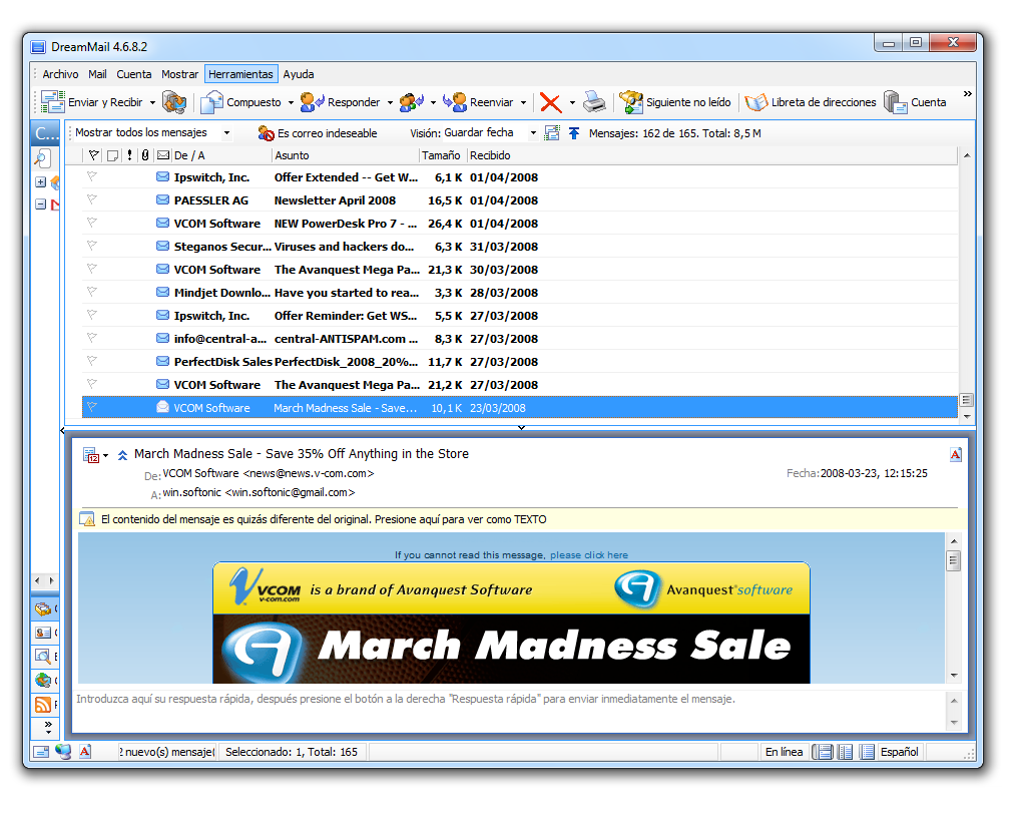
DreamMail boasts a clean and uncluttered interface, prioritizing simplicity and ease of navigation. The program’s layout is intuitive, making it accessible even for users with limited experience using email clients. The main window displays a clear list of emails, with options for organizing messages into folders and subfolders. Composing new emails is a straightforward process, with readily available options for adding attachments and formatting text. While not visually striking, the interface’s simplicity is a significant advantage, reducing the learning curve and allowing users to quickly become productive.
The lack of extensive customization options may be a drawback for power users seeking granular control over the appearance and functionality of their email client. However, this streamlined approach contributes to DreamMail’s ease of use. The absence of unnecessary bells and whistles ensures a focused and efficient email management experience, free from distractions. Users who prefer a minimalist approach to software design will likely appreciate DreamMail’s uncluttered environment.
Features and Functionality
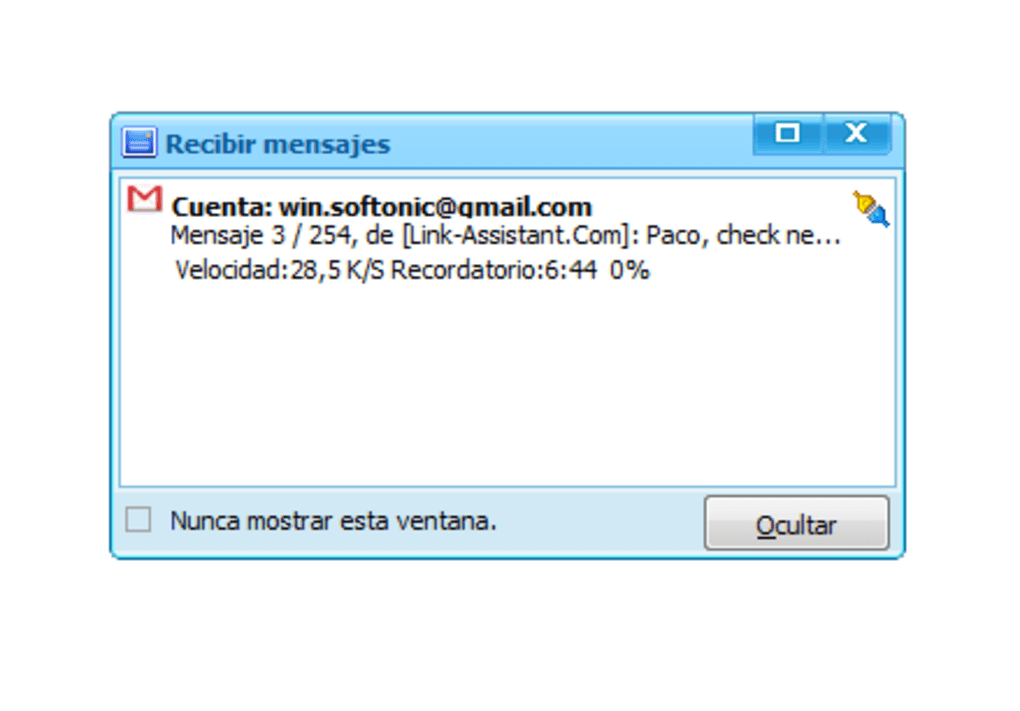
DreamMail provides a solid set of core email client features. It supports the most common email protocols, including POP3 and IMAP, enabling users to seamlessly connect to their preferred email accounts. The application allows for managing multiple accounts, enabling users to consolidate their email communication in a single interface. This is particularly useful for users with personal and professional email accounts.
While DreamMail lacks some advanced features found in more sophisticated email clients, such as integrated calendaring or task management, its core functionality is robust and reliable. The ability to organize emails into folders, search for specific messages, and filter emails based on criteria are all essential features provided by DreamMail. The application also supports email filtering rules, allowing users to automatically sort incoming messages, for instance by sender or subject.
The lack of advanced features is not necessarily a disadvantage. For users whose email needs are primarily focused on sending, receiving, and organizing messages, DreamMail’s streamlined feature set provides a sufficient and efficient solution without the complexities of more comprehensive programs. However, users requiring advanced functionality such as integrated calendars, contact management tools, or advanced filtering options may find DreamMail lacking and may need to consider alternatives.
Performance and System Requirements

DreamMail is renowned for its lightweight nature. The application consumes minimal system resources, making it suitable for use on older or less powerful computers. The program’s startup time is quick, and its overall performance is smooth and responsive, even when handling a large number of emails. This efficiency is a significant advantage, particularly for users with limited computing power or those who prefer a responsive and snappy email client experience.
The low system requirements make DreamMail accessible to a broader range of users. Users with older machines or those who prefer not to burden their system with resource-intensive applications will find DreamMail to be an excellent choice. This accessibility, combined with the application’s reliability, ensures a consistent and pleasant user experience, regardless of the user’s hardware specifications.
Security and Privacy
DreamMail incorporates standard security measures for email clients, including secure connection protocols to protect email communications. However, it is crucial to note that the security of one’s email largely depends on the user’s practices and the security protocols of their email provider. DreamMail itself doesn’t offer advanced security features such as two-factor authentication or built-in spam filtering beyond basic functionality.
Users are advised to maintain strong passwords and exercise caution when opening email attachments or clicking links from unknown senders, regardless of the email client used. While DreamMail provides a secure platform for managing emails, maintaining safe email practices remains paramount for protecting user privacy and preventing security breaches. Users are encouraged to always be mindful of the security practices they adopt when using any email client, and to consult their email provider’s security recommendations.
Comparison with Other Email Clients
Compared to more feature-rich email clients such as Microsoft Outlook or Mozilla Thunderbird, DreamMail sacrifices some advanced functionality for simplicity and efficiency. Outlook and Thunderbird offer integrated calendaring, task management, and advanced organizational tools not found in DreamMail. However, these features come at the cost of increased system requirements and a more complex user interface.
DreamMail’s strength lies in its lightweight design and user-friendly approach. Users who prioritize simplicity and efficiency over advanced features will find DreamMail to be a compelling alternative to its more feature-laden competitors. For users with simpler email needs, focusing on core functionality and ease of use, DreamMail is an excellent choice, providing a reliable and efficient solution without unnecessary complexity. The choice between DreamMail and other email clients depends on individual needs and preferences, with DreamMail catering to users who value simplicity and efficiency.
Conclusion
DreamMail provides a straightforward and efficient email client experience, prioritizing ease of use and minimal system resource consumption. Its clean interface and robust core functionality make it a suitable choice for users seeking a simple and reliable application for managing their email correspondence. While it lacks the advanced features of more sophisticated email clients, this streamlined approach is a significant advantage for users who value simplicity and efficiency over extensive customization options. For users with basic email needs, DreamMail offers a solid and dependable solution without the complexities of its feature-rich counterparts. The application’s lightweight nature ensures smooth performance, even on older systems, making it accessible to a broad range of users. However, users requiring advanced features such as integrated calendaring or comprehensive spam filtering should consider alternatives offering more comprehensive functionalities.
File Information
- License: “Free”
- Latest update: “March 9, 2017”
- Platform: “Windows”
- OS: “Windows ME”
- Language: “English”
- Downloads: “9.9K”
- Size: “9.28 MB”


