
Driver Booster Free is a popular software application designed to simplify the process of updating device drivers on Windows systems. This review delves into its features, ease of use, performance, and compares it to alternative solutions. We’ll explore both its strengths and weaknesses to help you decide if it’s the right driver updater for your needs.
Ease of Use and Interface
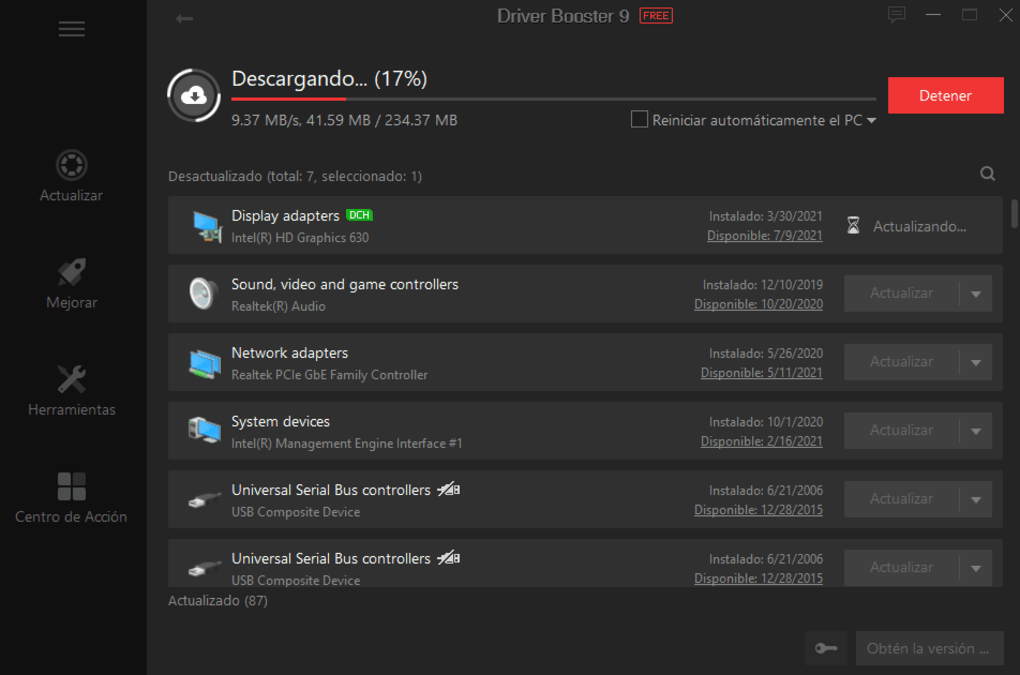
Driver Booster Free boasts a user-friendly interface designed for both novice and experienced computer users. The clean, modern layout makes navigating the program intuitive. The process is streamlined: a single click initiates a scan for outdated, missing, or incompatible drivers. Once the scan is complete, the software clearly presents a list of drivers requiring updates, along with detailed information about each. This transparency allows users to make informed decisions before initiating the update process. The program’s simplicity is a significant advantage, particularly for users unfamiliar with manual driver updates, which can be a complex and time-consuming task.
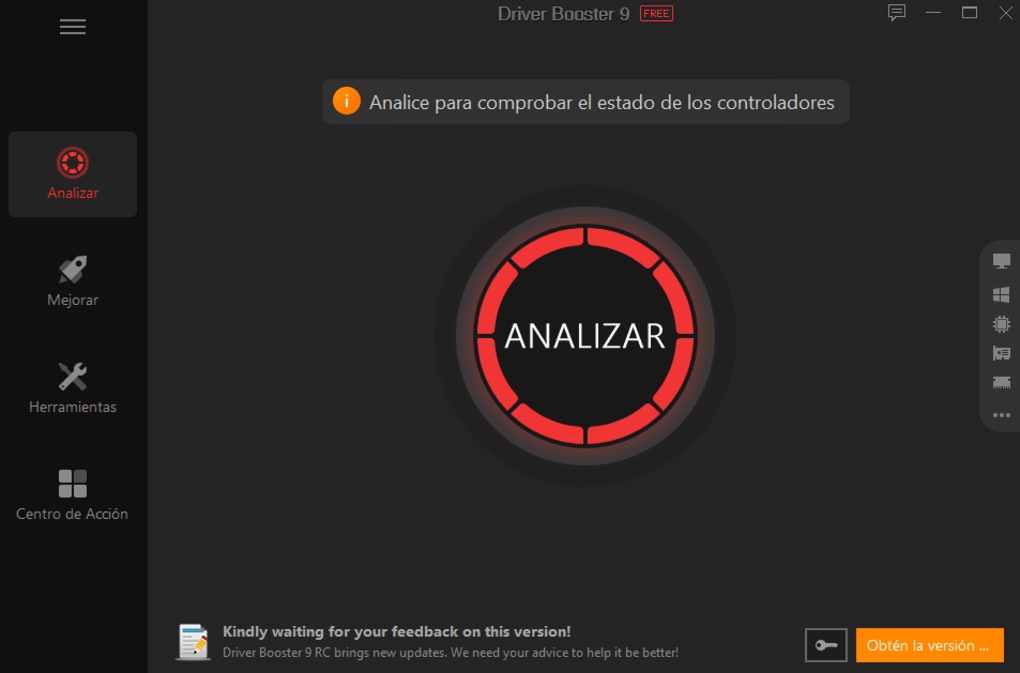
The one-click update feature significantly reduces the technical barrier to entry. This contrasts sharply with the often convoluted process of manually locating and installing drivers from manufacturer websites. Driver Booster Free eliminates the need for users to identify the specific hardware components needing updates, greatly streamlining the entire update procedure. This simplicity contributes to its broad appeal across various user experience levels.
Performance and Efficiency
Driver Booster Free is designed to be efficient and resource-friendly. The scanning process is relatively quick, even on systems with numerous installed devices. The software’s lightweight nature ensures it doesn’t significantly impact system performance during the scan or the update process. This is crucial, as many driver update utilities can slow down the computer considerably while running. Driver Booster Free avoids this pitfall, allowing users to continue working without noticeable performance degradation.
The program’s efficiency extends to its update implementation. The installation of new drivers is generally seamless and rapid. Driver Booster Free handles the necessary steps automatically, minimizing user intervention. This automatic handling minimizes the risk of user errors during the installation process, a potential problem with manual driver updates. Moreover, the software automatically reboots the system if necessary, completing the update cycle without disrupting the workflow.
Features and Functionality
While Driver Booster Free’s core function is driver updates, it offers several additional features to enhance system performance. It integrates with other IObit software, aiming for overall system optimization. However, this integration is not intrusive and users can opt out of installing additional components. This offers a degree of customization, allowing users to leverage the bundled features or maintain a clean installation focused solely on driver updates. The inclusion of optional features expands its utility beyond simple driver management, making it a more comprehensive system optimization tool.
The program maintains an extensive database of drivers, ensuring compatibility with a broad range of hardware. This extensive library reduces the chances of encountering compatibility issues or encountering drivers that aren’t optimized for your specific system. The large driver database contributes to its robustness and ability to support an array of devices. This contrasts with some smaller, less comprehensive utilities that might lack drivers for less common hardware components.
Free vs. Pro Version
Driver Booster Free, as its name suggests, is available at no cost. However, IObit also offers a paid Pro version with additional features, such as automatic driver updates and a more extensive driver database. The Pro version provides enhanced functionality and automation capabilities, addressing potential shortcomings of the free version. Users can weigh the benefits of the extra features against the cost to determine which version best suits their needs. The free version provides a solid foundation, while the Pro version offers enhancements for users who want a more automated and feature-rich experience.
The decision between the free and Pro version hinges on individual requirements. Users who require occasional updates and don’t mind manual intervention might find the free version perfectly adequate. Conversely, users seeking seamless, automated updates and a broader driver database might benefit from the Pro version’s expanded functionality.
Security and Reliability
Driver Booster Free utilizes drivers that have undergone WHQL (Windows Hardware Quality Labs) testing, ensuring a level of quality and security. This process helps to guarantee the stability and compatibility of the installed drivers. While this contributes to the software’s reliability, it’s always advisable to create a system restore point before undertaking significant system changes, including driver updates. This precautionary step offers protection against unexpected issues.
The software’s reliance on WHQL-tested drivers enhances its safety profile. This mitigates the risk of installing malicious or unstable drivers, a key concern for users who update their drivers manually. However, it’s crucial to remember that no software is entirely free from the possibility of bugs or unexpected errors, hence the recommendation to create a system restore point.
Comparison with Alternatives
Several alternative driver update utilities exist, including Snappy Driver Installer and DriverPack Solution. While these alternatives offer similar functionality, Driver Booster Free distinguishes itself through its user-friendly interface and modern design. Its intuitive layout and streamlined workflow make it a more approachable option for users unfamiliar with technical details.
While functionality overlaps significantly between Driver Booster Free and competing software, the usability aspect often makes a significant difference. The ease of use offered by Driver Booster Free can be a significant factor, particularly for less tech-savvy users who might find more complex interfaces daunting. This contrast highlights the importance of considering usability alongside functionality when selecting a driver update solution.
Conclusion
Driver Booster Free presents a compelling solution for managing and updating device drivers on Windows systems. Its intuitive interface, efficient performance, and extensive driver database make it a user-friendly and reliable option. While the free version offers excellent functionality, the Pro version expands capabilities for those seeking automation and additional features. However, users should carefully consider the optional bundled software and create a system restore point before undertaking any driver updates as a precaution. Considering its balance of ease of use, functionality, and security, Driver Booster Free stands as a strong contender among driver update utilities. While alternatives exist, Driver Booster Free’s user-friendly approach and robust feature set make it a valuable tool for maintaining a well-optimized Windows system.


