
DriverFinder is a Windows-based utility designed to simplify the process of locating, downloading, and installing the latest device drivers for your computer. Keeping your drivers up-to-date is crucial for optimal system performance, stability, and compatibility with new hardware and software. Outdated or corrupted drivers can lead to a range of problems, from system crashes and slowdowns to malfunctioning peripherals and connectivity issues. DriverFinder aims to eliminate the manual search, download, and installation process, offering a streamlined solution for maintaining a driver library optimized for your system.
Automatic Driver Detection and Updates
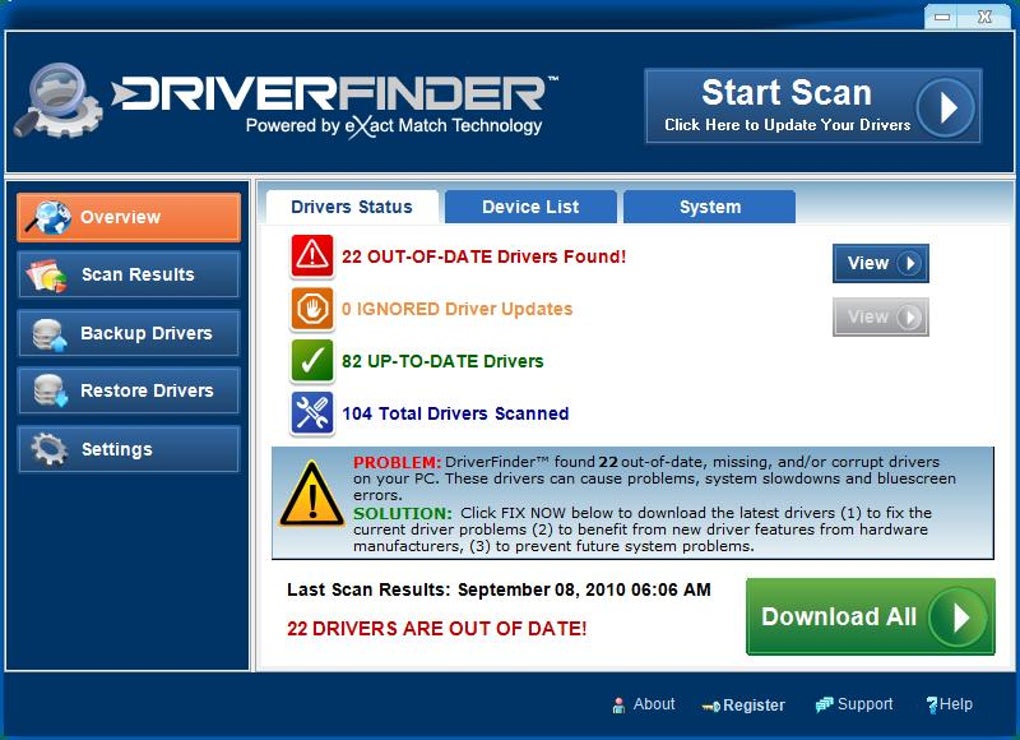
One of DriverFinder’s key features is its automatic driver detection capability. Upon launching the application, it scans your system to identify your hardware components and their associated drivers. This process involves querying your system’s hardware information and comparing it against DriverFinder’s extensive, regularly updated database. The software then cross-references this information to determine if newer drivers are available for any of your devices. DriverFinder’s database is constantly updated, ensuring you have access to the latest versions released by hardware manufacturers. This 24/7/365 update cycle differentiates it from some competitors, offering users immediate access to the newest drivers as soon as they become available.
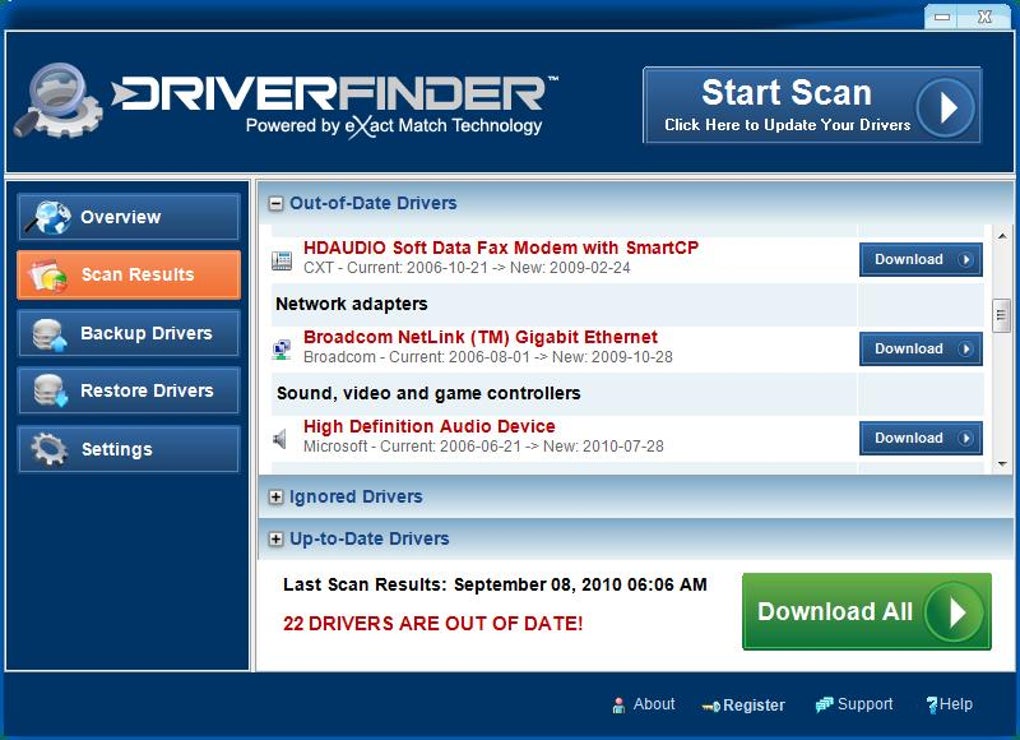
This automated process greatly reduces the time and effort required to manually check for driver updates on individual manufacturer websites. Manual searching can be tedious, time-consuming, and prone to errors. It often involves navigating multiple websites, sifting through potentially outdated or incorrect driver versions, and carefully matching drivers to specific hardware models. DriverFinder eliminates this complexity, providing a central location for managing all your driver updates. The automated detection process not only saves time but also minimizes the risk of installing incorrect or incompatible drivers, which could potentially destabilize your system.
Streamlined Driver Installation and Management
Beyond simply identifying outdated drivers, DriverFinder offers assistance in the installation process. While the basic version allows you to identify missing or outdated drivers, the full version facilitates the download and installation of the updated drivers directly. This integrated approach simplifies the driver update process, ensuring that the correct drivers are installed seamlessly without requiring users to navigate complex installation procedures or troubleshoot potential compatibility issues.
The user-friendly interface contributes significantly to the ease of use. The intuitive design simplifies navigation and allows even less tech-savvy users to manage their drivers effectively. Clear visual cues and step-by-step instructions guide users through the update process, ensuring a smooth and straightforward experience. The software’s design prioritizes user experience, making the often-daunting task of driver management accessible to a wider audience.
Comprehensive Driver Database and Support
The effectiveness of any driver updater hinges on the comprehensiveness of its driver database. DriverFinder boasts a constantly expanding driver database, striving for exhaustive coverage of various hardware components and manufacturers. This extensive library increases the likelihood that DriverFinder can find the correct drivers for all your devices, even those from lesser-known manufacturers or older hardware. The software’s continuous updates ensure that the database remains current, accommodating new hardware releases and updated driver versions from various manufacturers.
Furthermore, DriverFinder offers additional features that enhance driver management. The full version often includes features such as driver backup and restore functionality. This allows users to create backups of their existing drivers before initiating updates, providing a safety net in case of unexpected problems. The ability to restore previous driver versions is a valuable safeguard, enabling users to revert to a working configuration if the updated driver causes unexpected issues. This added layer of security enhances the overall reliability and peace of mind of using DriverFinder. Premium customer service is another element that contributes to the user experience, offering assistance and support in case of difficulties or questions.
Benefits and Limitations of DriverFinder
DriverFinder offers several significant advantages. The automated driver detection and update process saves users considerable time and effort compared to manual methods. The user-friendly interface simplifies driver management, making it accessible to a broader range of users regardless of their technical expertise. The comprehensive driver database increases the probability of finding the necessary drivers, and the support for driver installation and backup/restore functions enhances the overall reliability and security.
However, certain limitations exist. Although the database is extensive, it may not always include drivers for every single hardware component, particularly those from obscure or very niche manufacturers. Additionally, the basic version of DriverFinder is limited in its functionality; to benefit from the full capabilities, including driver downloads and installation, users need to upgrade to the paid version. This paywall model might be a concern for users who only need occasional driver updates or those on a tight budget. It is important to weigh the benefits of the premium features against the cost before committing to a full version purchase.
Comparing DriverFinder to Alternatives
Numerous driver update utilities are available. Some offer free services, while others, like DriverFinder, adopt a freemium model. Direct comparison requires considering individual user needs and priorities. Free utilities often have limitations in the scope of their driver databases or offer fewer features compared to commercial alternatives. Commercial solutions like DriverFinder may provide a more comprehensive driver database, support for automatic driver installation, and additional features like driver backups and premium customer support. The choice depends on the user’s technical proficiency, budget, and the frequency of driver updates required.
Ultimately, the decision of whether to use DriverFinder or a competing software rests on individual needs and preferences. Users with limited technical skills or those needing a streamlined, automated driver management solution might find DriverFinder’s ease of use and comprehensive database attractive, justifying the cost of the full version. However, users comfortable with manual driver updates or those looking for a cost-free option might prefer exploring alternatives. Careful consideration of individual requirements and a comparative analysis of features and limitations are essential before choosing a suitable driver update solution.
File Information
- License: “Trial version”
- Latest update: “April 24, 2024”
- Platform: “Windows”
- OS: “Windows 2000”
- Language: “English”
- Downloads: “134.9K”
- Size: “7.19 MB”


