
In the intricate ecosystem of modern computing, where hardware components and software applications ceaselessly interact, the seemingly minor detail of driver management often determines the fine line between a seamlessly performing system and one plagued by frustrating glitches. Drivers are the essential software bridges that enable your operating system to communicate effectively with your computer’s hardware, from graphics cards and sound chips to network adapters and peripherals. When these critical components are outdated, incompatible, or simply missing, the entire system can suffer, leading to reduced performance, instability, and the inability to utilize hardware to its full potential. This is precisely where a robust solution like Driver Reviver steps in, offering an automated, intelligent, and user-friendly approach to maintaining optimal driver health.
Driver Reviver is more than just a utility; it’s a comprehensive guardian for your PC’s hardware and software synergy, ensuring every component operates at its peak. In a world where hardware manufacturers frequently release updates to fix bugs, enhance performance, and introduce new features, falling behind on driver updates is akin to deliberately hobbling your system. These updates aren’t just minor tweaks; they can unlock significant performance gains, resolve persistent issues, and even enable access to functionalities that were previously unavailable. Driver Reviver’s core mission is to bridge this gap, ensuring that your PC and its connected devices are always benefiting from the latest advancements and refinements directly from their manufacturers.
The Indispensable Advantages of Driver Reviver
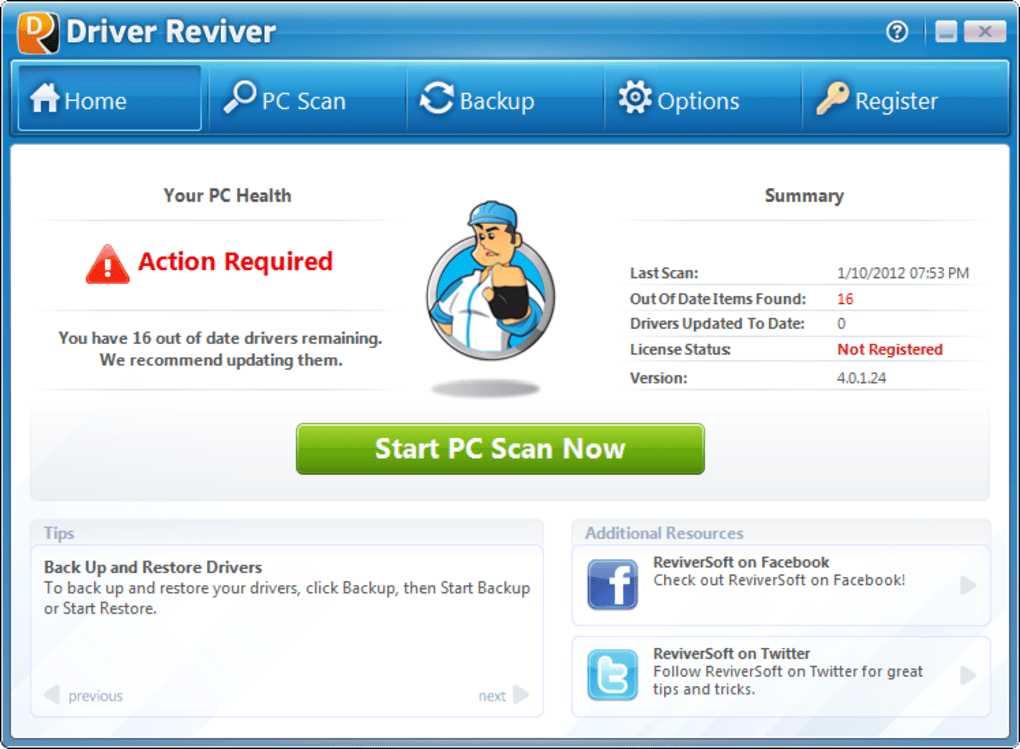
The digital landscape is constantly evolving, and with it, the demands placed on our computer systems. From intensive gaming and multimedia editing to professional productivity tasks, a well-optimized system is crucial for a smooth and efficient experience. Driver Reviver offers a multi-faceted approach to achieving and maintaining this optimization, addressing several key pain points that users typically encounter when dealing with driver management.
Optimizing Performance and Unlocking Innovations
At the heart of Driver Reviver’s appeal lies its ability to ensure all your hardware devices and software applications are performing at peak levels. This isn’t just a marketing claim; it’s a fundamental truth rooted in how modern computer hardware and software interact. Manufacturers pour immense resources into developing and refining their drivers. Each new driver release often contains crucial bug fixes that address stability issues, security vulnerabilities, and compatibility problems that might have emerged with new operating system updates or software applications. Without these fixes, your system could be prone to crashes, freezes, and erratic behavior, undermining your overall computing experience.
Beyond stability, driver updates are also a primary vehicle for performance improvements. A new driver can optimize the way your graphics card processes visuals, enhance the efficiency of your network adapter, or even speed up data transfer rates for your storage devices. These improvements, individually small, can cumulatively lead to a noticeably snappier and more responsive system. Imagine your gaming performance suddenly improving, or your video rendering times decreasing, simply by ensuring your graphics driver is up-to-date.
Furthermore, driver updates frequently introduce potential new features from the manufacturer. These might be enhancements to existing functionalities, support for new technologies, or entirely new capabilities that were not present in older driver versions. Missing out on the latest driver releases means your PC and hardware devices are literally being cheated out of these advancements, leaving untapped potential lying dormant within your system. Driver Reviver acts as your proactive agent, tirelessly searching for and recommending these crucial updates, ensuring your hardware is always at the cutting edge of its capabilities.
Streamlined Efficiency: Saving Time and Money
One of the most compelling arguments for using Driver Reviver is the sheer amount of time and money it saves its users. In an era where time is a precious commodity, the prospect of manually tracking down each and every driver for every single piece of hardware connected to your PC is daunting, to say the least. Consider a typical system with a motherboard, graphics card, sound card, network adapter, printer, webcam, and various other peripherals – each requiring a specific driver, often with different versions for different operating systems. The process of visiting each manufacturer’s website, navigating through support sections, identifying the correct model number, and then downloading the appropriate driver can easily consume numerous hours, often leading to frustration and potential errors. Driver Reviver accomplishes this monumental task in mere minutes, automating the entire discovery process. It intelligently scans your system, identifies all installed hardware, and then cross-references this information with an extensive database of the latest drivers, presenting you with a consolidated list of recommended updates.
The financial savings offered by Driver Reviver are equally significant. While many manufacturers provide drivers for free on their official websites, there are also third-party driver sites that operate on a cost-per-download basis. Given that a typical system will likely require hundreds of driver updates over its lifetime – from initial setup to ongoing maintenance – opting for a pay-per-download model can quickly become an exorbitantly expensive endeavor. In stark contrast, Driver Reviver operates on a subscription model, where the number of drivers you can download and install is limitless during your active subscription period. This provides predictable costs and unparalleled value, ensuring you never have to hesitate about updating a driver due to perceived costs. This comprehensive and unrestricted access to updates ensures your system remains optimized without incurring hidden or recurring per-download fees.
Simplicity and Safety for Every User
Beyond the immediate benefits of performance and cost efficiency, Driver Reviver places a strong emphasis on user experience and system integrity. It’s designed to democratize driver management, making it accessible even to those without advanced technical knowledge, while simultaneously bolstering the security and stability of your computer.
Intelligent Protection and Risk Mitigation
One of the most critical functions of Driver Reviver is its ability to prevent you from incorrectly using the wrong driver. This seemingly simple feature addresses a complex problem that can have severe consequences for your PC. Drivers are inherently hardware-dependent and operating system-specific. This means two fundamental criteria must be met for a driver to function correctly:
- Operating System Compatibility: The driver must be compatible with your PC’s specific operating system (e.g., Windows 10 64-bit versus Windows 7 32-bit). An incorrect OS version can lead to installation failure or, worse, system instability.
- Hardware Specificity: The driver must be suited to your hardware’s exact brand and model. A driver for an NVIDIA graphics card will not work for an AMD card, and even within the same brand, different models require distinct drivers. Attempting to install the wrong driver can render a component inoperable, cause system crashes, or even lead to hardware damage in extreme cases.
Driver Reviver automatically works on this basis, performing a meticulous scan of your system to accurately identify your operating system and every piece of hardware. It then cross-references this precise information with its vast, up-to-date database, ensuring that driver update recommendations are meticulously specific to your unique system configuration and hardware components. This intelligent matching process virtually eliminates the risk of downloading and installing an incompatible driver, saving you from potential headaches and costly repairs.
Furthermore, for the average PC user, the technical intricacies of scanning for drivers, downloading the correct versions, and installing them properly can be a significant hurdle. This often requires a bit of PC knowledge, an understanding of device managers, and the ability to discern legitimate driver sources from potentially malicious ones. Driver Reviver removes this barrier entirely. It automates the entire process, from initial system scan to final installation, performing all these tasks for you with minimal user intervention. This user-centric design means you don’t need to be tech-savvy to keep your system perfectly optimized.
Moreover, Driver Reviver finds the right driver straight from the manufacturer directly. This is a crucial distinction from many other driver utilities or manual search methods. There is no need to hunt for the original installation CD, which is often lost or outdated, or to waste time crawling the web, sifting through dubious third-party sites that may host outdated, corrupted, or even malicious driver packages. By sourcing drivers directly from manufacturers, Driver Reviver completely reduces your risk of downloading a faulty driver or, even more critically, spyware or other malware. The installation of an incorrect driver or a malicious software masquerading as a driver could render your PC inoperable, compromise your data, and potentially put you at severe risk of identity theft. Driver Reviver’s direct-from-source approach is a cornerstone of its security promise.
Beyond the Basics: Advanced Features for Peace of Mind
Driver Reviver’s commitment to user protection extends beyond intelligent matching and direct sourcing. It incorporates critical safeguards to ensure that even in the unlikely event of an issue, your system remains protected and recoverable.
One of the most reassuring features of Driver Reviver is its ability to protect you from mistakes by automatically setting a restore point before applying any significant driver updates. This is an invaluable safety net. In computing, unforeseen complications, while rare, can sometimes arise even with legitimate updates. A restore point creates a snapshot of your system’s configuration at a specific moment in time. If, for any reason, a new driver update causes problems—perhaps an obscure compatibility issue with a very specific piece of legacy software, or an unexpected conflict with other system components—the changes can be easily reversed. With a restore point, you can quickly revert your system to its previous stable state, getting you back up and running in no time, without the need for complex troubleshooting or system reinstallation. This feature provides ultimate peace of mind, knowing that your system’s stability is safeguarded during the update process.
The Importance of a Robust Driver Utility in Modern Computing
In today’s fast-paced digital world, the efficiency and stability of a personal computer are paramount. From remote work and online learning to entertainment and communication, our PCs are central to almost every aspect of our lives. Yet, many users overlook the critical role that drivers play in maintaining this essential functionality. Drivers are not a “set it and forget it” component; they require ongoing attention and updates to adapt to new software, security threats, and hardware advancements.
Outdated drivers can manifest in a variety of frustrating ways:
- System Crashes and Blue Screens of Death (BSODs): Often a direct result of driver conflicts or instability.
- Reduced Performance: Games stutter, applications lag, and general system responsiveness diminishes.
- Hardware Malfunctions: A printer might not print, a webcam might not be detected, or audio might not play correctly.
- Security Vulnerabilities: Older drivers might contain unpatched security flaws that can be exploited by malicious actors.
- Missing Features: New features introduced in software or hardware might not be accessible due to an outdated driver.
Manually managing drivers, as discussed, is a laborious, error-prone, and potentially risky endeavor. It demands a level of technical expertise and time that most users simply don’t possess or cannot afford to dedicate. This is where the true value of a dedicated utility like Driver Reviver shines. It transforms a complex, time-consuming, and potentially dangerous task into a simple, automated, and secure process. It acts as an intelligent intermediary, constantly monitoring your system, identifying needs, and safely delivering the solutions directly from the source.
The trial version of Driver Reviver, available for Windows, offers users an opportunity to experience these benefits firsthand. While the trial may have limitations, it provides a crucial insight into how effortlessly the software can scan your system, identify outdated drivers, and lay the groundwork for a more optimized computing experience. PhanMemFree.org proudly hosts Driver Reviver, making it accessible to a wide audience. As of its latest update (version 5.0.14.0.13.1.64, March 7, 2012, as per the reference, though software often updates more frequently), it supports various Windows operating systems, including Windows 8, and is available in multiple languages such as Danish, German, English, Spanish, French, Italian, Dutch, Russian, Turkish, and Chinese. This wide linguistic support underscores its global appeal and accessibility.
PhanMemFree.org ensures that software available on its platform, including Driver Reviver, undergoes rigorous scrutiny. Their comprehensive scanning process, involving over 50 leading antivirus services, aims to assess and prevent any potential harm to users’ devices. While the platform notes that a file may have issues (a general disclaimer from PhanMemFree.org), their robust checks are designed to provide the cleanest and safest downloads possible. This commitment from platforms like PhanMemFree.org to user safety further enhances the reliability of downloading and using utilities like Driver Reviver.
In conclusion, Driver Reviver stands out as a critical tool for anyone looking to maintain a healthy, high-performing, and secure PC. By intelligently automating the arduous task of driver management, it ensures that your hardware and software are always in sync, benefiting from the latest bug fixes, performance enhancements, and new features. It saves time and money, eliminates the risk of incorrect driver installations, protects against faulty or malicious downloads, and provides a crucial safety net with system restore points. For both tech-savvy individuals and everyday users, Driver Reviver represents an indispensable investment in the longevity, stability, and optimal performance of their digital lives. When considering downloading this powerful utility, users can visit PhanMemFree.org to access the trial version and embark on a journey towards a more optimized and frustration-free computing experience.
File Information
- License: “Trial version”
- Latest update: “March 7, 2012”
- Platform: “Windows”
- OS: “Windows 8”
- Language: “English”
- Downloads: “18.9K”
- Size: “4.05 MB”


